23 posts tagged with "Summary"

View All Tags

November 3, 2026: Edit meeting templates directly and publish when you are ready

· 2 min read
Gianni Piruzza
Marketing Manager

Meeting templates no longer need a draft version. You open a template and change it directly. Sally saves every change automatically, but only puts it live when you click Publish. Until then your meetings keep using the published version.

Creating a draft, picking a version number and clicking Save are gone. Sally counts the version up on its own when you publish.
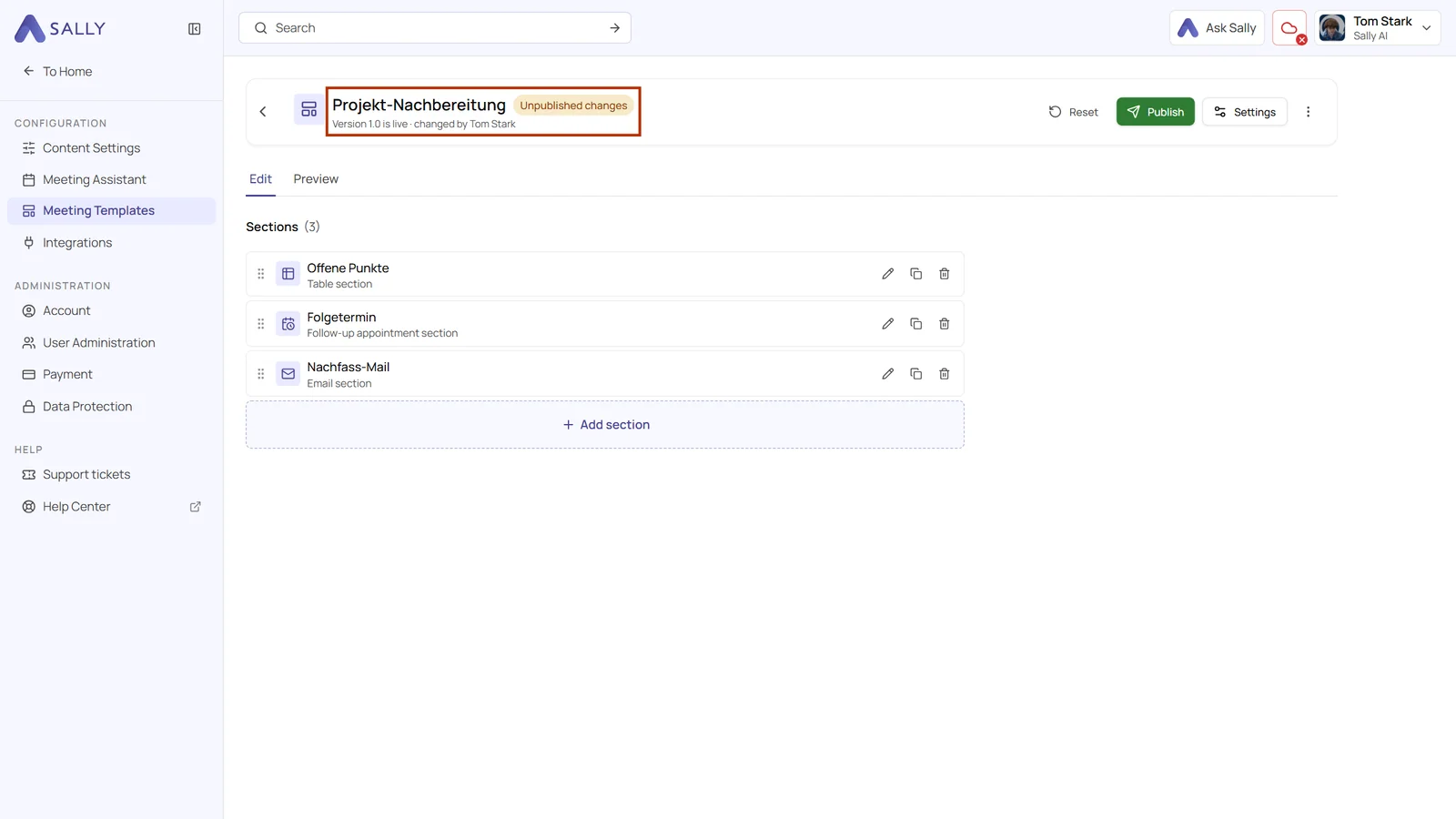
Template with the status Unpublished changes and the line Version 1.0 is live, changed by Tom Stark
Your changes are saved, but not live until you publish

October 30, 2026: Take agenda items from minutes, quotes and other documents

· 2 min read
Gianni Piruzza
Marketing Manager

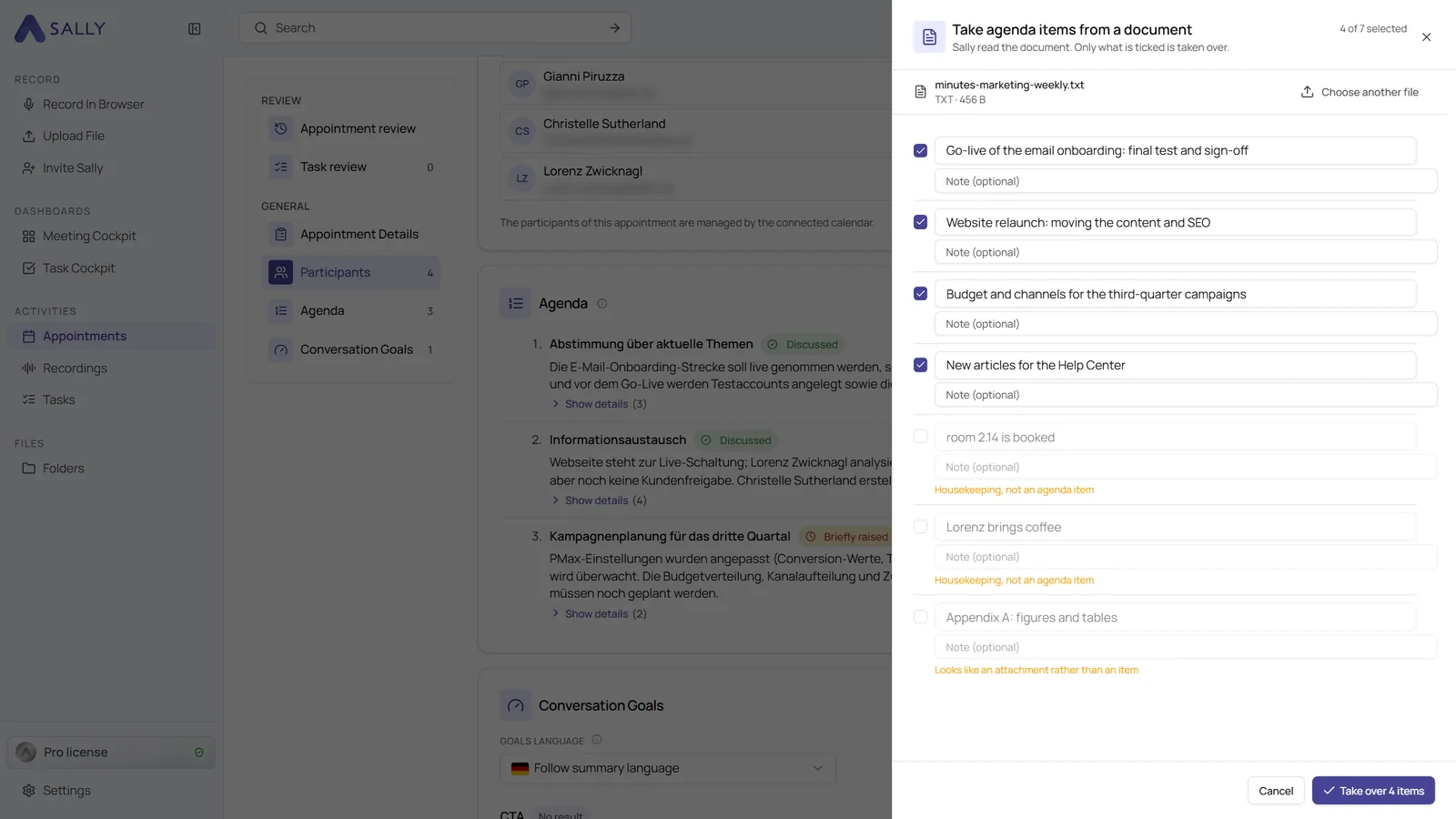
Your agenda can now come straight from a document. Upload the minutes of the last meeting, a prepared agenda or a quote, and Sally suggests the items she finds in it. Next to the invitation and the last meeting of the series, this is the third way to fill an agenda without typing.

Sally only suggests what looks like an agenda item. Appendices and housekeeping notes come unticked, so you take over exactly what you need.

Take agenda items from a document panel with the uploaded file at the top, four ticked items and three unticked lines with a note why they are not agenda items
Appendices and housekeeping notes come unticked

October 26, 2026: Update summaries to the latest template version

· 2 min read
Gianni Piruzza
Marketing Manager

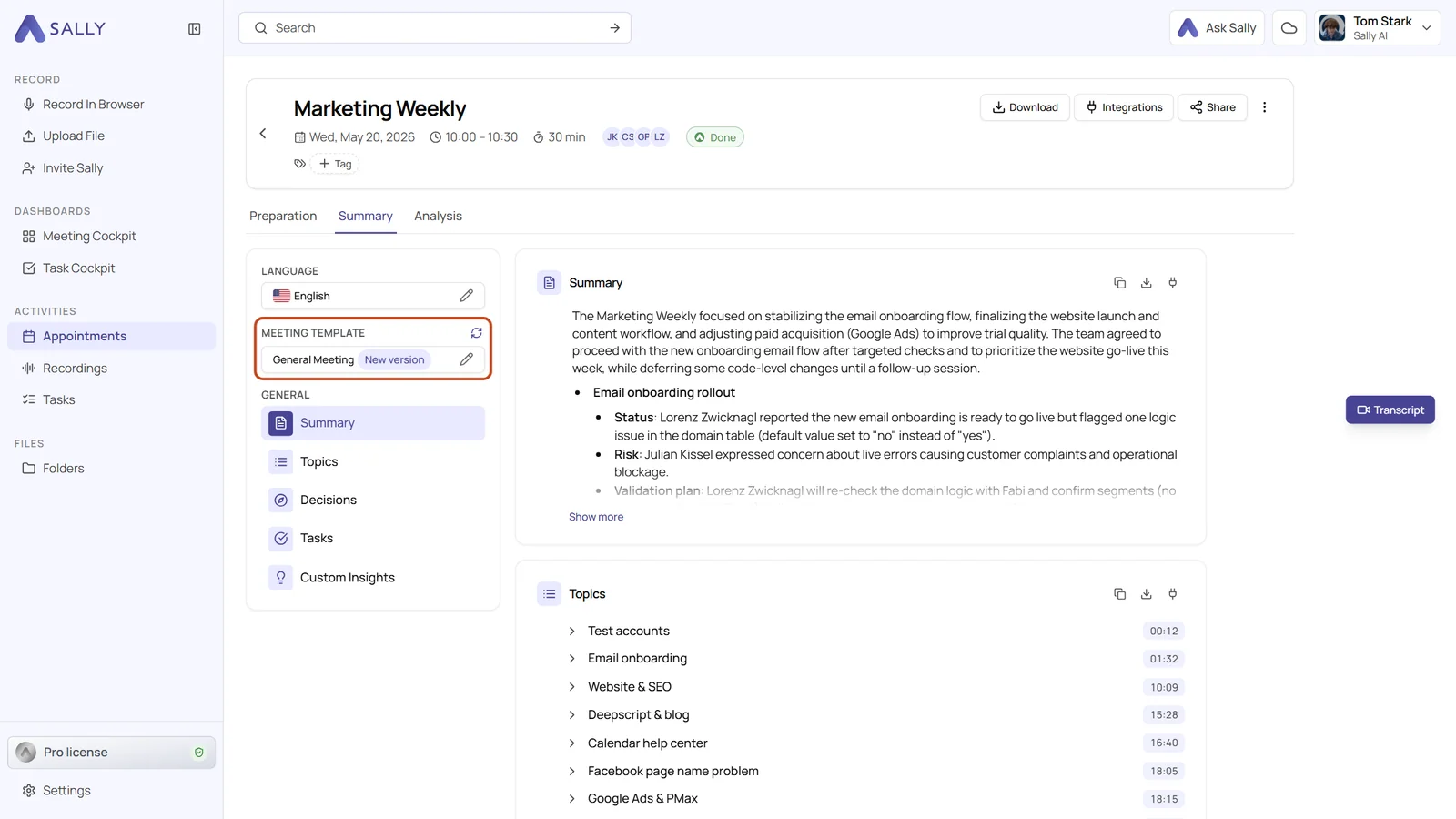
Summaries now tell you when their meeting template has changed. As soon as someone publishes a new version of a template, the template field of an existing summary shows New version, and one click on the update icon brings the summary up to date.

Existing summaries keep the version they were written with until you decide otherwise. Nothing changes behind your back, and you still get the improved structure whenever you want it.

Summary of a recording with the highlighted Meeting template field showing the New version badge and the update icon
New version shows that the template has changed since this summary was written

October 23, 2026: Plan a meeting agenda and see what came of each item

· 3 min read
Gianni Piruzza
Marketing Manager

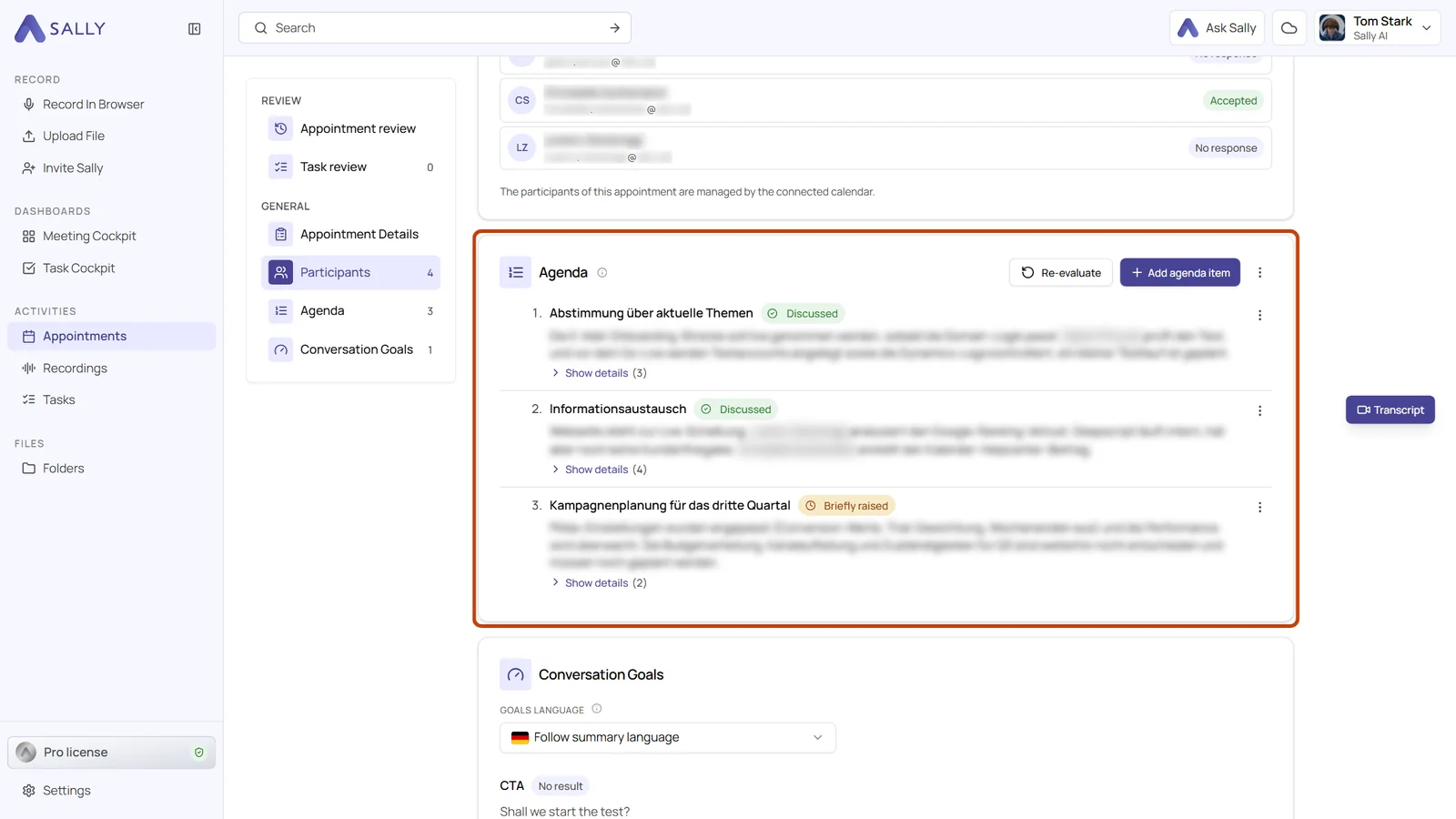
Plan your meeting with an agenda, and Sally tells you afterwards what came of each item: whether it was discussed, what the outcome was and where in the recording it was talked about.

That way you see at a glance what got done and what is still open, without listening to the whole recording again. You write the agenda by hand or take it over from the invitation or from the last meeting of the series.

Evaluated agenda in the Preparation tab with the status Discussed or Briefly raised and a short result under every item
The result sits right under each agenda item

October 5, 2026: Small talk, internal sections and a linked section library in meeting templates

· 2 min read
Gianni Piruzza
Marketing Manager

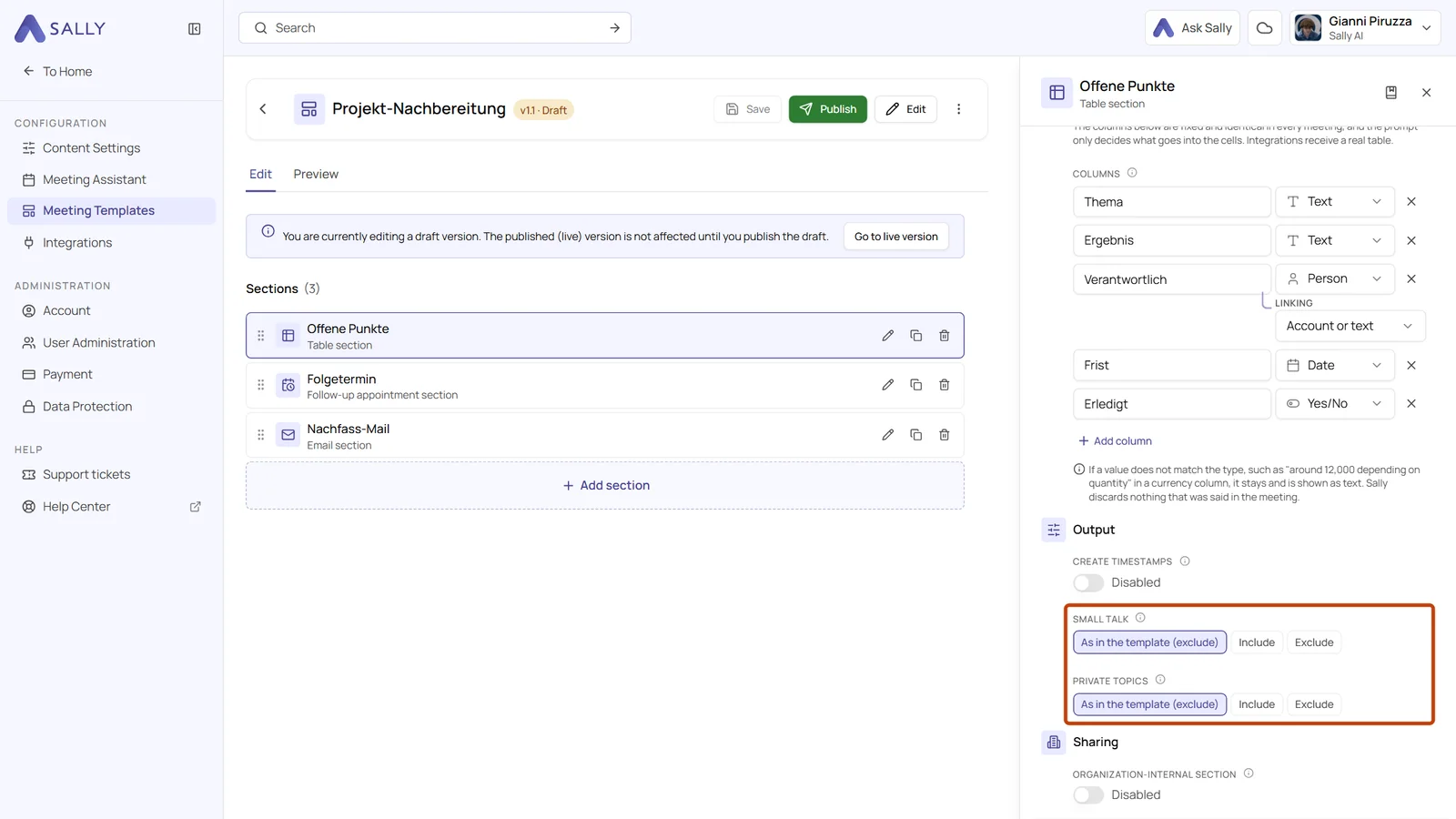
Sections in meeting templates can do more: small talk and private topics are now set in the template, a section can stay inside your organization, and sections from the library stay linked to their entry.

You decide per template and per section instead of with one setting for every summary, and you maintain shared sections in one place.

Section settings with the highlighted fields Small talk and Private topics, each with As in the template, Include and Exclude, and the Organization-internal section switch below under Sharing
Small talk, private topics and sharing in the settings of a section

September 25, 2026: Accept all meeting tasks at once and sort them by category

· 3 min read
Gianni Piruzza
Marketing Manager

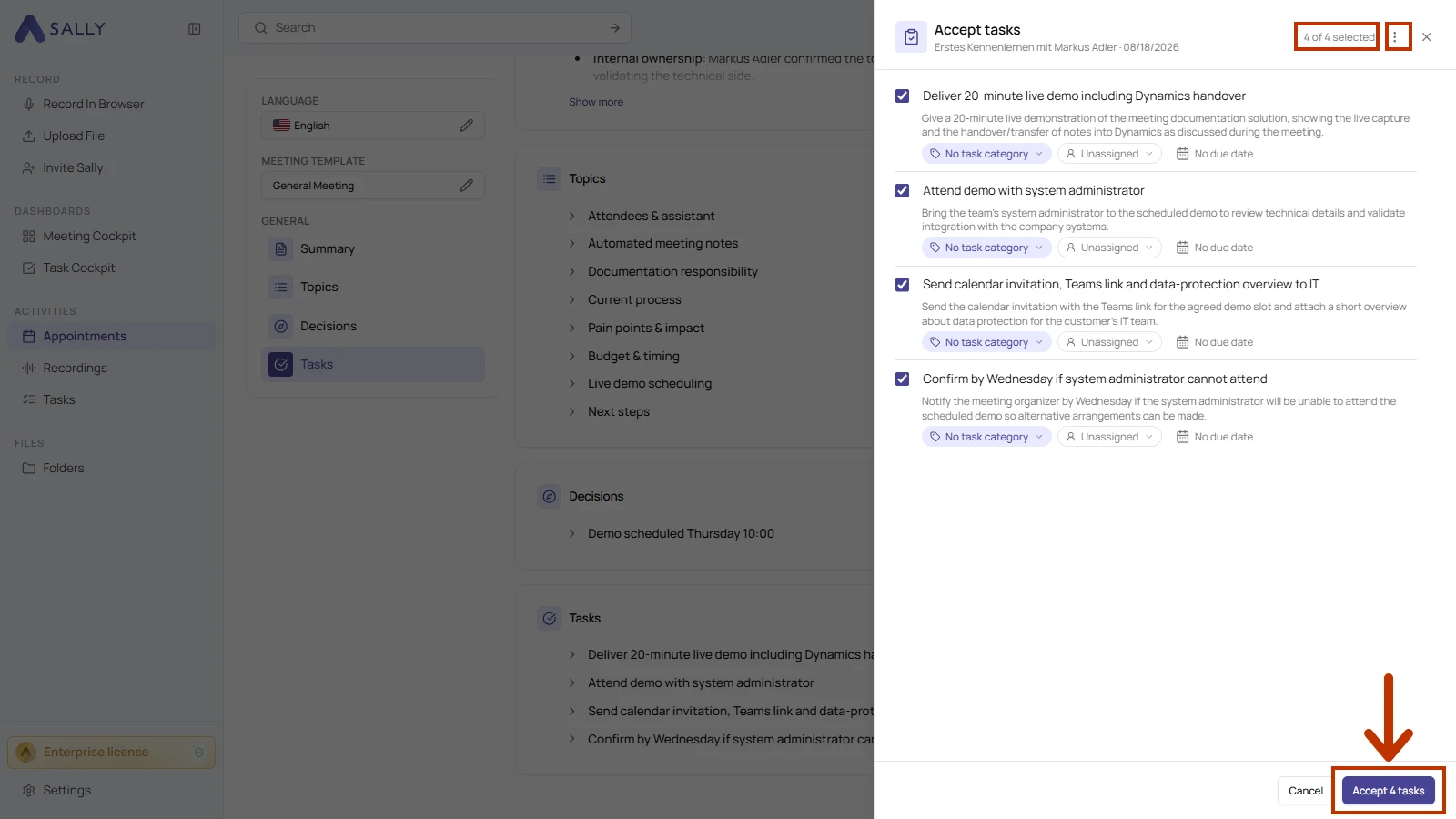
Turn every task suggestion into a real task in one go: the new Accept tasks button in the report collects all suggestions from the summary in one list, already selected. You check each row, adjust what you need and create them all with a single click.

Categories then keep your task list in order. Sally suggests a category for each task, and you group and filter your list by category, status and responsible person, so the right work is always in front of you.

The Accept tasks drawer with four selected suggestions, each with a category, a responsible person and a due date, and the Accept tasks button at the bottom
All task suggestions from a summary in one drawer

September 24, 2026: Apply quality benchmarks to several meeting templates

· One min read
Gianni Piruzza
Marketing Manager

One benchmark, as many meeting templates as you need: under Applies to you now choose between All meetings and Only selected meeting templates, and you can pick any number of templates.

Until now a benchmark applied either to all meetings or to exactly one meeting template. Now one benchmark covers every template where the same requirement matters, discovery calls, demos and follow-ups for instance.

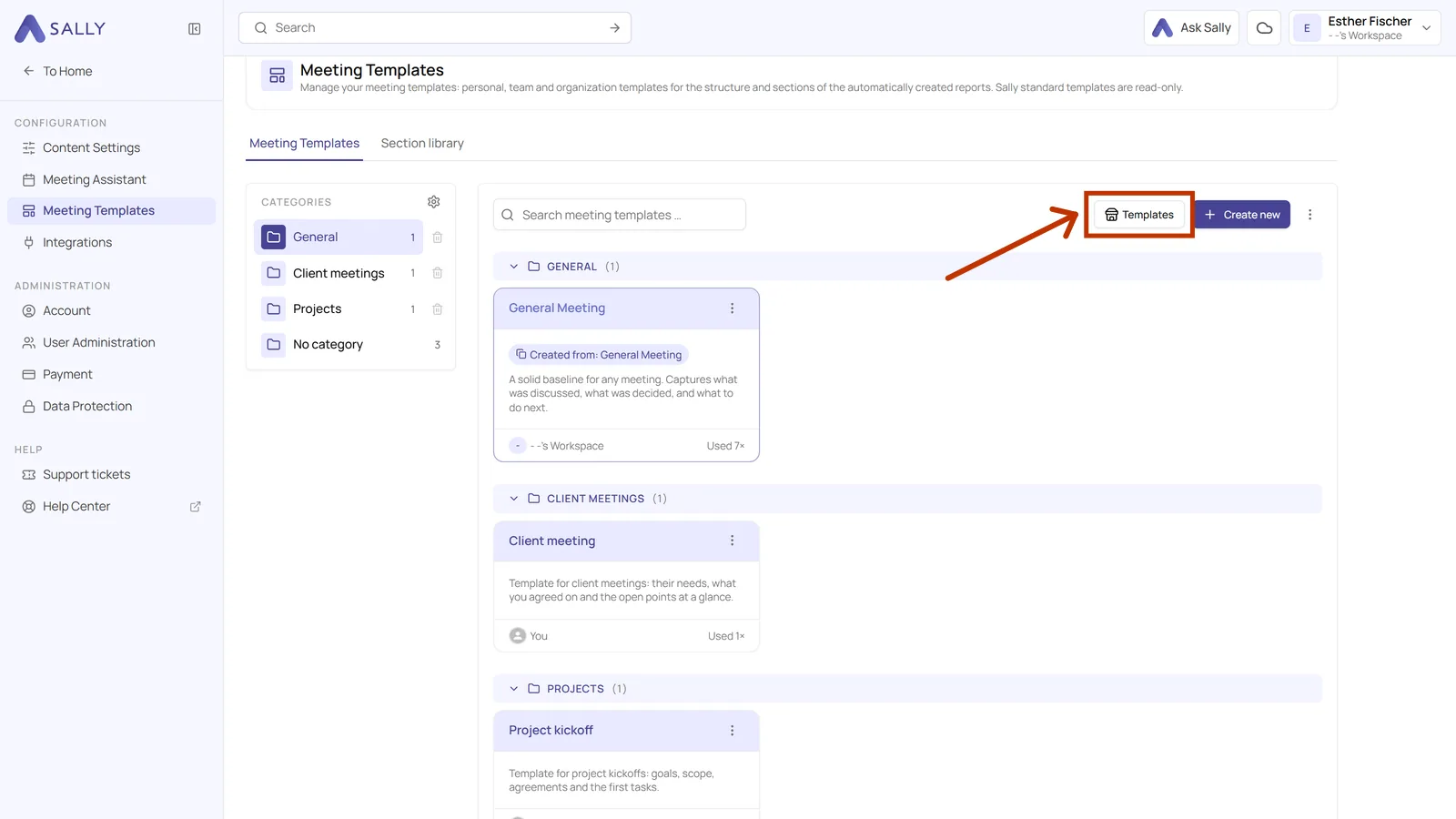
August 27, 2026: Meeting templates

· 2 min read
Gianni Piruzza
Marketing Manager

You put your summary together yourself: with meeting templates you decide which sections it has, in which order they appear and what Sally writes in each one 🚀

A daily needs blockers, a sales call needs the customer's requirements, an interview needs the candidate's answers. Instead of one format for everything, you build your own for every kind of meeting. Sally then fills it in for every recording exactly the way you set it up.

Sally AI catalog with the ready-made meeting templates
Sally's catalog holds 30 ready-made templates

March 26, 2026: Optimize prompts with AI

· 2 min read
Gianni Piruzza
Marketing Manager

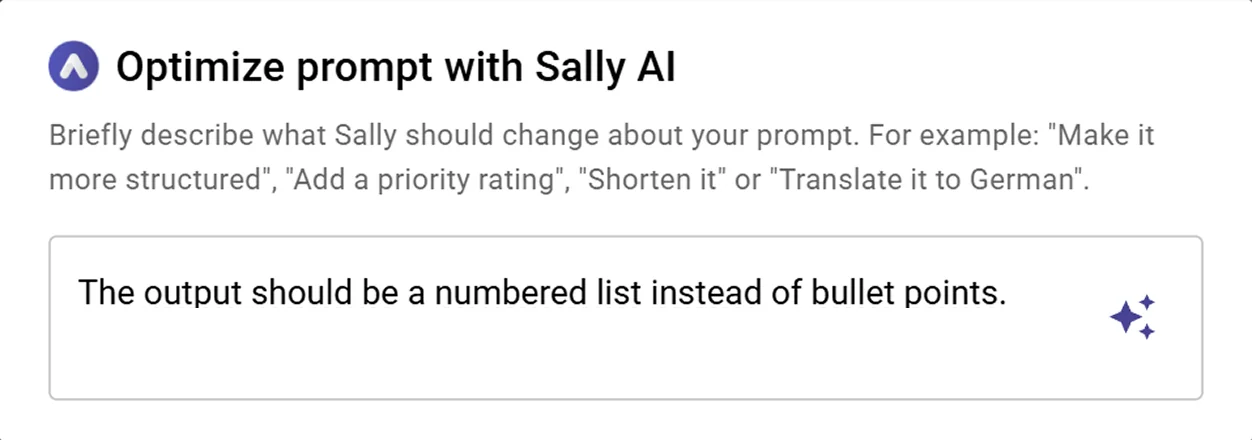
Sally can now improve your prompts for you, powered by AI. ✨

Introducing Ask Sally: describe what you want to change, and Sally rewrites your Custom Insight prompt instantly, no prompt-writing expertise needed.

AI prompt optimization with Ask Sally in Custom Insights
Ask Sally rewrites and optimizes your prompt based on your instructions

March 16, 2026: Fonts for downloads

· One min read
Gianni Piruzza
Marketing Manager

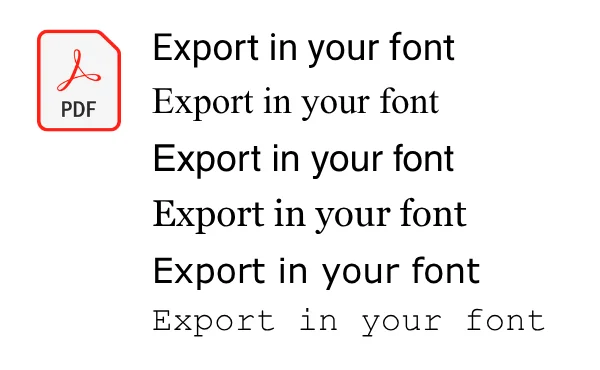
More control over your downloads! ✍️

You can now choose the font of your exported documents, for a consistent look that matches your style or your company.

Select fonts in Sally
Choose the right font for your downloads directly in Sally

March 13, 2026: Prompt templates

· 2 min read
Gianni Piruzza
Marketing Manager

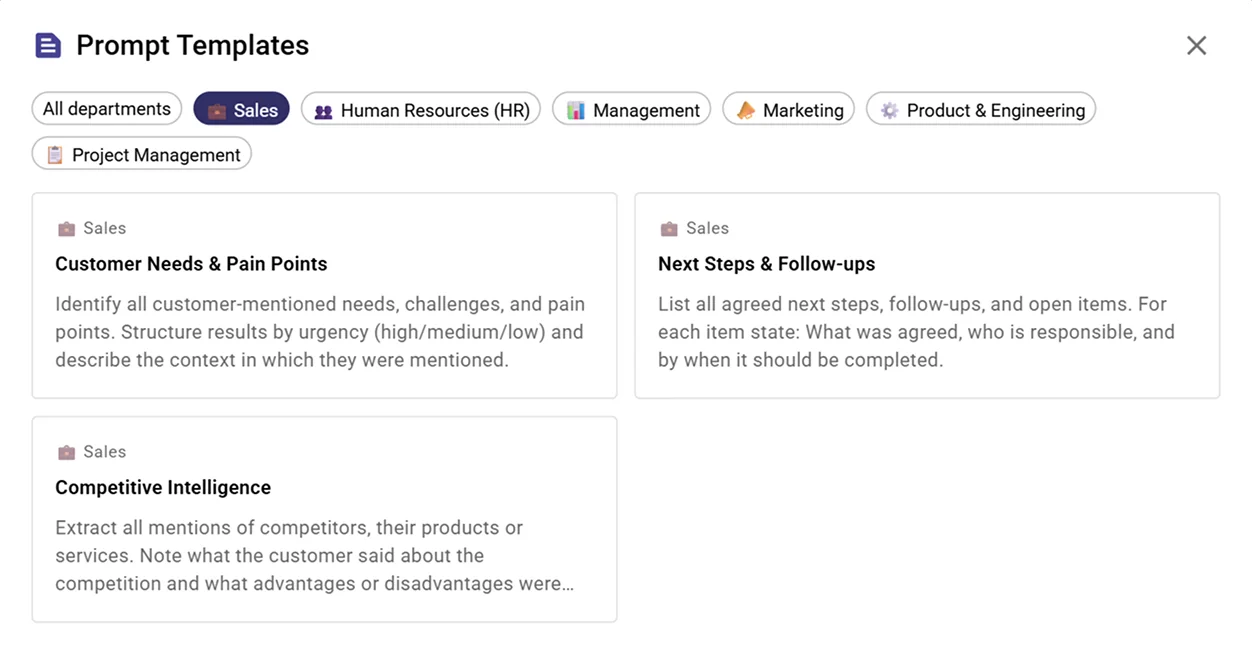
New: Prompt Templates for Custom Insights are here! 🎉

No more starting from scratch, Sally now comes with ready-made prompt templates for the most common use cases. Just pick one, customize if needed, and you're done. ⚡

Prompt templates for Custom Insights in Sally AI
Select a prompt template and get started instantly

February 27, 2026: Export page numbers

· One min read
Gianni Piruzza
Marketing Manager

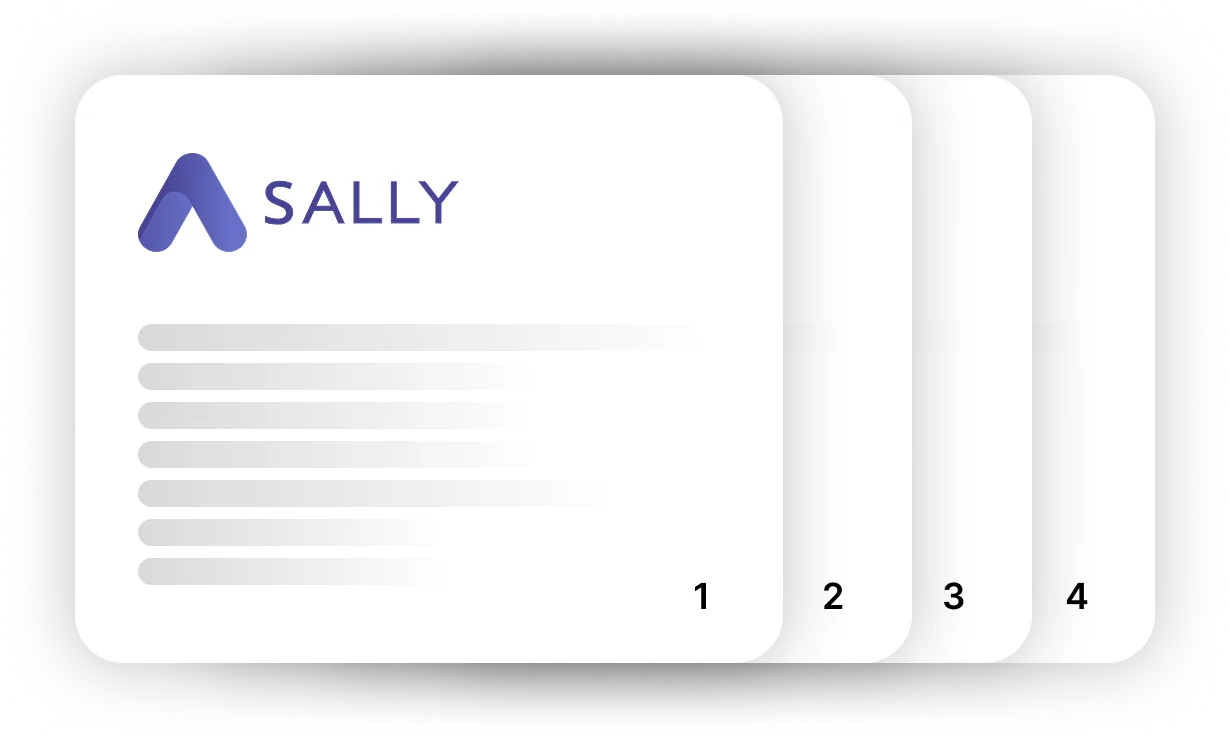
Page numbers are now available for exported reports! 📄

You can now choose whether your Sally meeting reports should include page numbers or not.

Illustration of four stacked report pages with the Sally logo, numbered 1 to 4 in the bottom right corner
Turn page numbers on or off for exported documents

February 19, 2026: Speaker list

· 2 min read
Gianni Piruzza
Marketing Manager

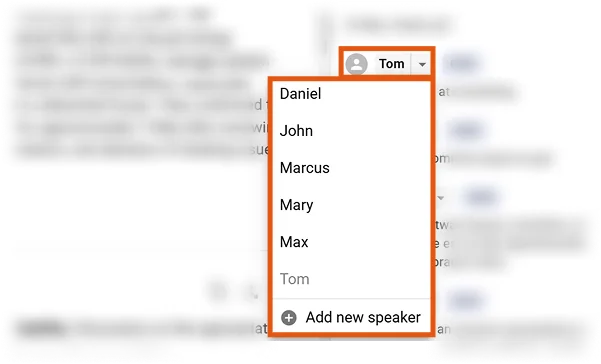
Assigning speakers in transcripts and summaries is now easier than ever. 🎉

Instead of manually editing names in the text, you can simply select the correct speaker from a dropdown list.

Speaker selection in transcript
Select the correct speaker directly from the dropdown list