October 5, 2026: Small talk, internal sections and a linked section library in meeting templates
· 2 min read

Sections in meeting templates can do more: small talk and private topics are now set in the template, a section can stay inside your organization, and sections from the library stay linked to their entry.
You decide per template and per section instead of with one setting for every summary, and you maintain shared sections in one place.
What's new?
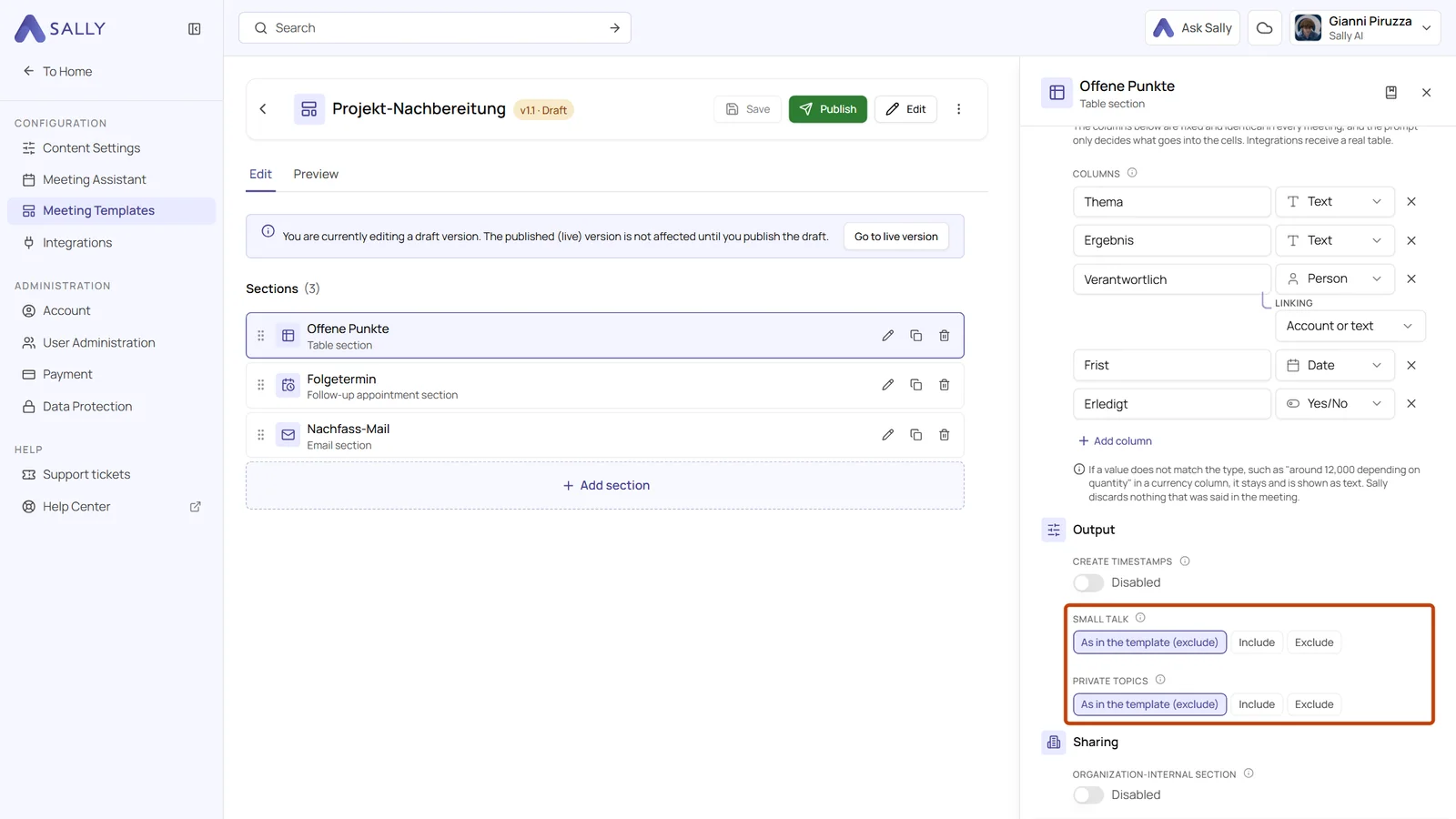
- Small talk and private topics in the template: these used to be two switches in the Summary tab of the meeting assistant. Now you set them per template: open a draft, click Edit and turn on Include small talk or Include private topics under Output for every section. In a new template, both are off
- Exceptions per section: under Output, every section offers As in the template, Include and Exclude for small talk and for private topics. A section that deviates shows its choice in the section list
- Organization-internal section: turn on this switch under Sharing for results that are meant for your own team only, coaching notes for example. In Sally the section carries a badge, in the Share panel it starts switched off, and the regular download leaves it out. Only the extra summary row with organization-internal sections includes it
- Linked library sections: sections from the Section library are no longer copies. A change to the library entry reaches every template that uses it right away, published versions included, without a new version
- Deleting with a check: deleting a library entry removes its sections from every template that uses it. Before anything happens, Sally asks for confirmation and lists the affected templates
What stays the same?
Small talk and private topics only affect what Sally writes into the sections. The transcript stays word for word what was said, and summaries that already exist do not change. A published version keeps the value it was published with, so you change it in a new draft.
Want the details? See How to build sections and use the section library.