November 3, 2026: Edit meeting templates directly and publish when you are ready
· 2 min read

Meeting templates no longer need a draft version. You open a template and change it directly. Sally saves every change automatically, but only puts it live when you click Publish. Until then your meetings keep using the published version.
Creating a draft, picking a version number and clicking Save are gone. Sally counts the version up on its own when you publish.
What's new?
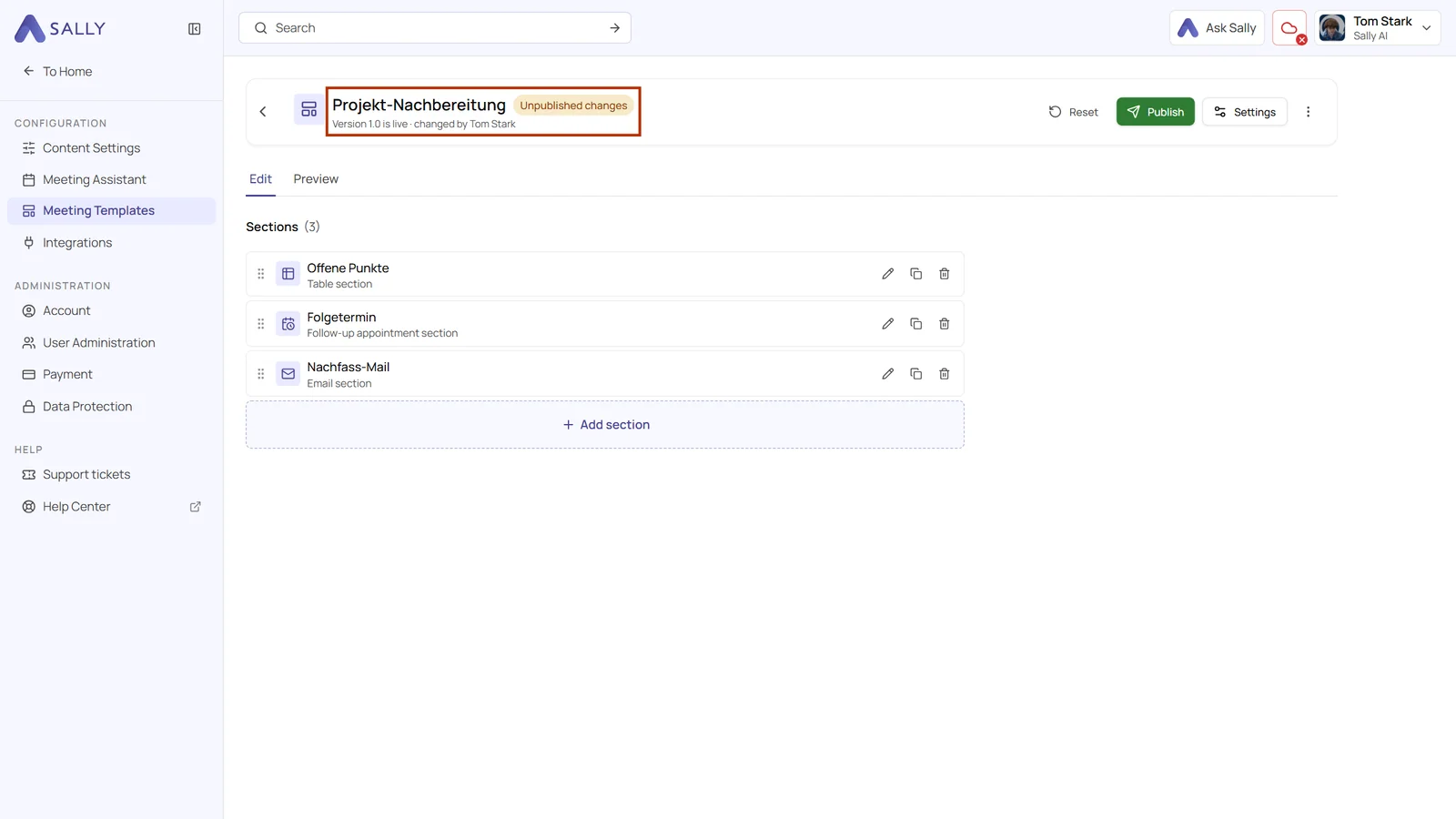
- Edit right away: add, adjust, reorder or delete sections in a published template. Next to the name it then says Unpublished changes, along with the live version and who changed the template last
- Automatic saving: there is no Save button any more. The header shows Saving… and Saved
- Publish: one click and a confirmation make your changes the new live version. The version number counts up automatically, for example from 1.1 to 1.2
- Reset: discards every unpublished change and brings back the live version
- Restore: in the version history, the three dots next to an earlier version bring its content back. It only goes live once you publish
- Settings: title, description, category and visibility now sit behind Settings in the top right
- Preview with memory: the Preview tab shows the recording you tested last together with its result, always for the current state with every unpublished change
More time for custom insights
Converting custom insights into library sections with Convert to library section is now possible until January 31, 2027.
Want the details? See Edit and publish a template and Moving custom insights to meeting templates.