October 28, 2026: Consent emails with a confirmation page and who objected
· 3 min read

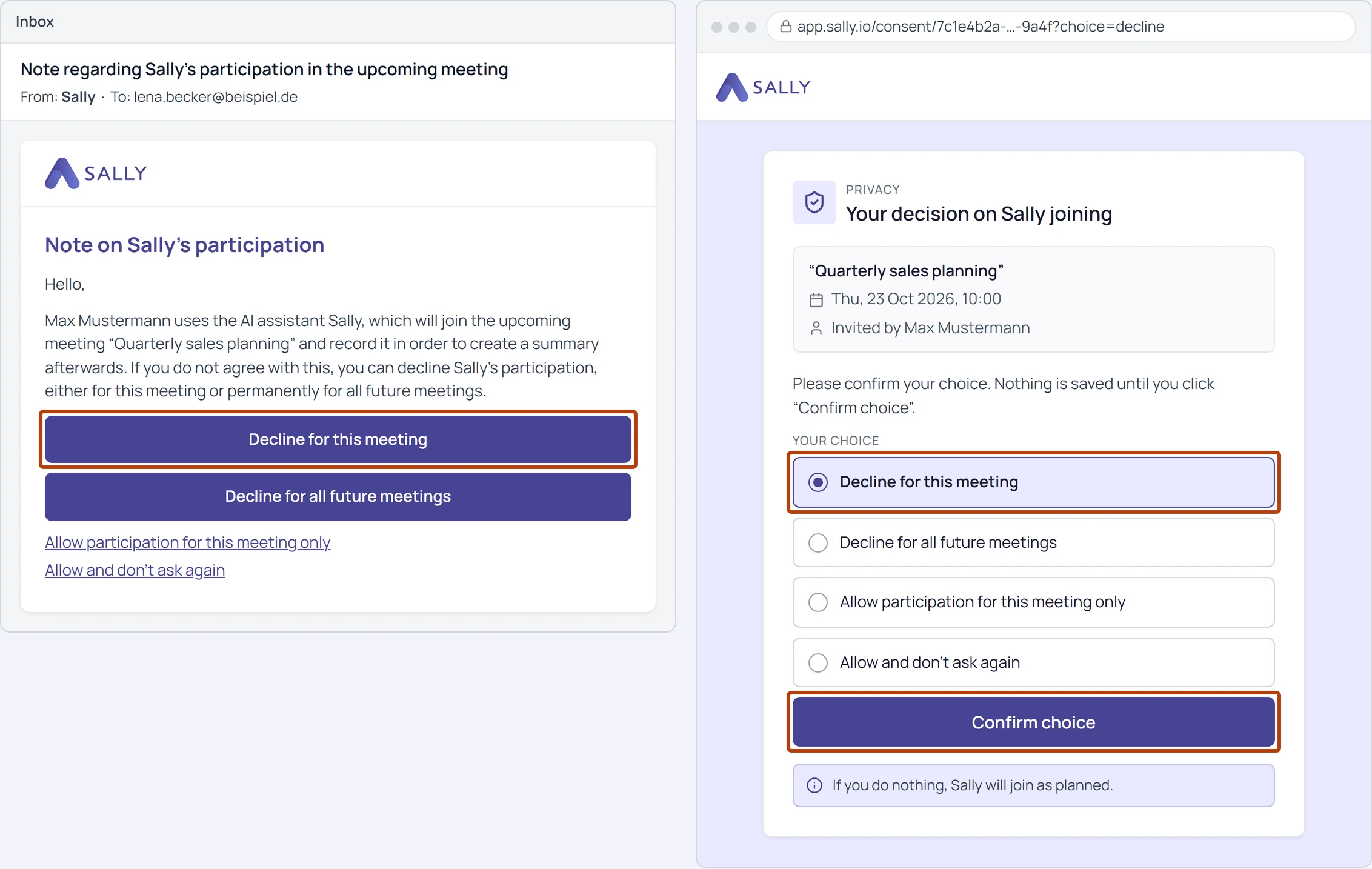
A click in the consent email no longer decides on its own: participants now confirm their choice on a separate page. Many companies have every link in an incoming email opened automatically to check it. Opening the page changes nothing, so the decision always comes from the participant, not from a mail filter.
On top of that, the privacy notice now goes to every participant, and Sally shows on the appointment who objected to the recording.
What's new?
- Confirmation page: a button in the email opens a page in the design and language of the email, with the clicked option already selected. The decision is saved with Confirm choice, and participants can change it with Change choice until the meeting starts
- Email to every participant: the privacy notice now also goes to colleagues from your own company. It is not sent to whoever switched on the recording for this meeting, to anyone who has already given permanent consent, or to anyone who declined the meeting invitation
- Opt-in includes colleagues: with opt-in, Sally only joins once every participant has consented. Sally checks 30 minutes before the start, and a consent that arrives after that but before the start still counts
- See who objected: the attendee list of the appointment marks the person with Consent denied or Opt-out, and the status names them, for example "Name did not consent to the recording." This applies to declining in the email and to typing "opt out" in the meeting chat
- Names can be hidden: owners and admins can turn off Show objecting participants by name under Data Protection › Duty To Inform. Sally then still shows that someone objected, but names nobody
Consent email with your own wording
If your company uses a consent email with wording created specifically for you, a click still saves the decision straight away for now. The confirmation page follows once your company has approved it.
Want the details? See How participants confirm their choice and See who objected to the recording.