November 9, 2026: Make a sub-folder visible only to the people you choose
· 2 min read

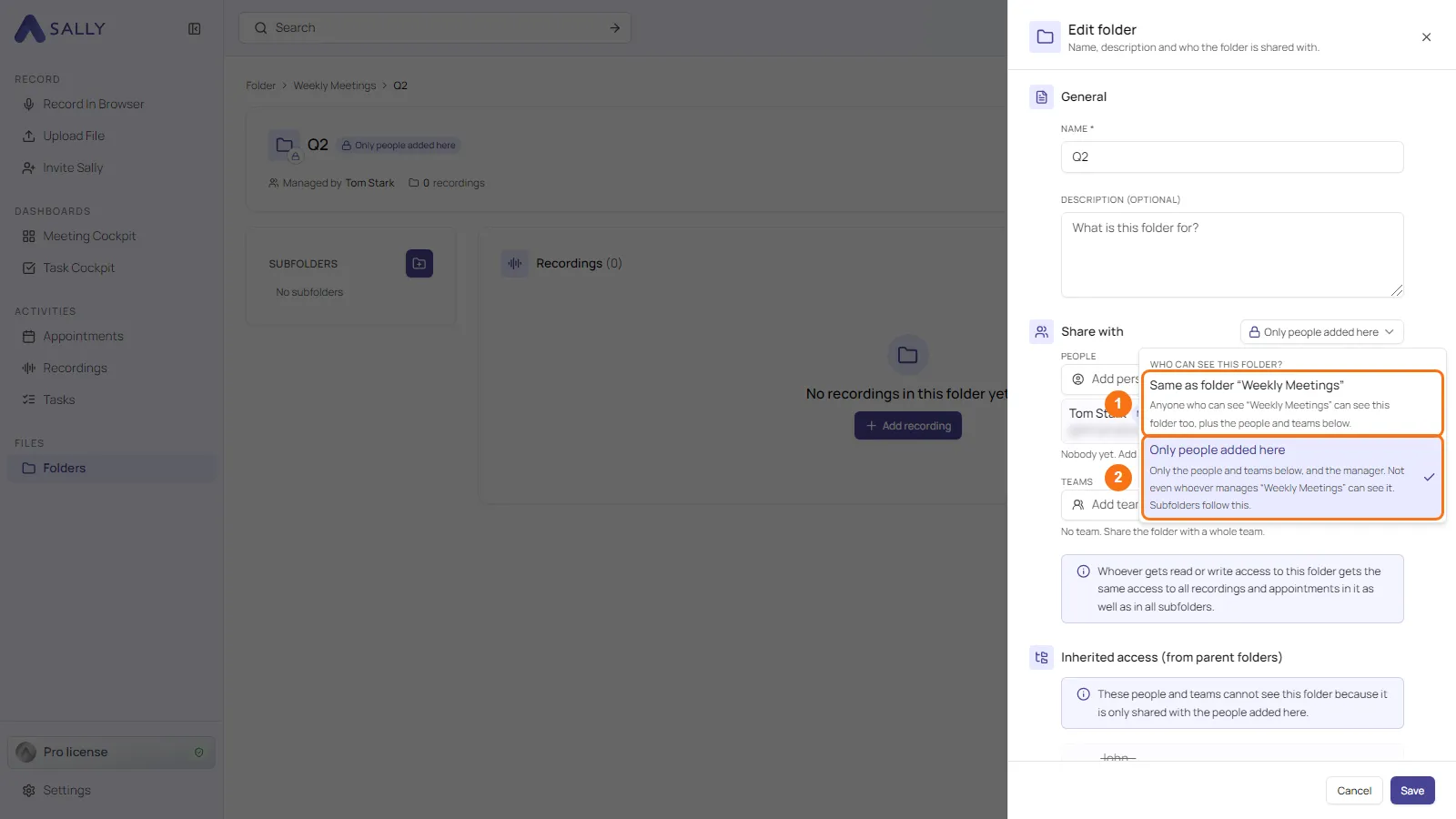
Sub-folders can now be closed off from the folder above them. Until now, whoever could see a folder could also see all its sub-folders. Set a sub-folder to Only people added here, and only the people and teams you add to it, plus its manager, can see it.
That is useful for confidential content inside a shared folder, for example HR conversations in a department folder. The rest of the structure stays shared as before.
What's new?
- New selector: Who can see this folder? sits to the right of Share with when you create or edit a sub-folder
- Two answers: Same as folder “…” stays the default. Only people added here limits the folder to the people and teams you add directly, and the manager
- Clear overview: under Inherited access (from parent folders), shares that no longer apply are struck through and marked Cannot see it
- Easy to spot: a label with a lock next to the folder title shows that a sub-folder is set to Only people added here
- Only the manager decides: for everyone else, the selector is locked
- Nothing gets lost: existing shares stay. Switch back to Same as folder “…” and they apply again
Also new: sub-folders in the sidebar
When you open a folder, its sub-folders are now listed on the left in the Subfolders sidebar, and the recordings start right next to it.
Want the details? See Decide who can see a sub-folder.