November 5, 2026: Hide date, attendees and location in downloaded documents per meeting template
· 2 min read

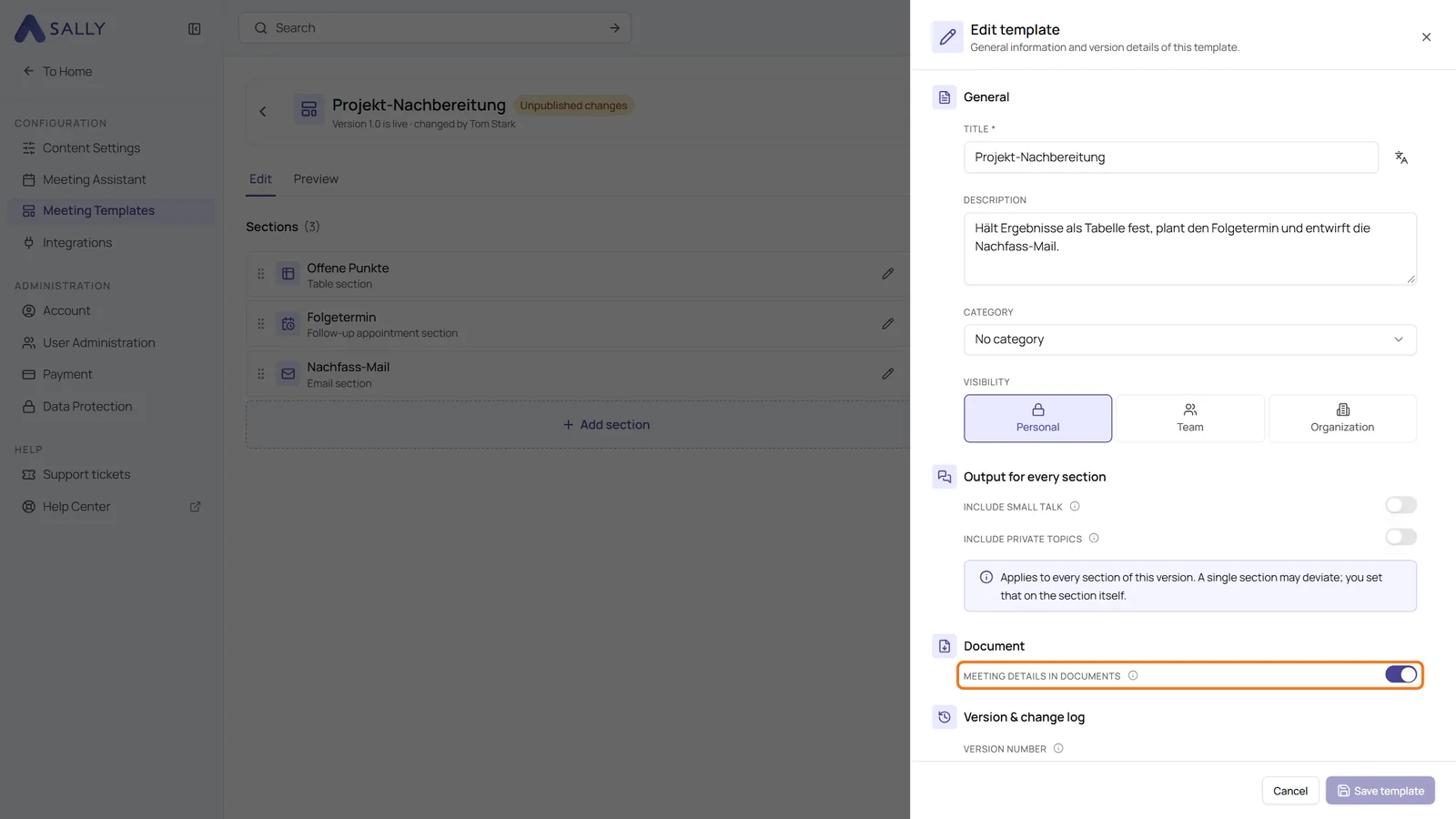
Each meeting template now decides whether downloads show the meeting details. The new Meeting details in documents switch controls the block with date, time, attendees and location that Sally adds below the title of every downloaded document.
That helps if your template already has a section of its own with these details, such as "Basic information". Until now they appeared twice in the document. Turn the switch off, and the automatic block disappears while your own section stays.
What's new?
- New switch: Meeting details in documents in the Document section of the Edit template panel, which you open through Settings in the template
- When to leave it on: if your template has no section with these details, otherwise date and attendees are missing from the document altogether
- Part of the version: the switch takes effect once you publish the template
- Applies everywhere: after publishing, it counts for every summary that uses the template, including older ones, and for every format from PDF and Word to Markdown and text
Want the details? See Edit and publish a template.