October 8, 2026: Edit your billing address and tax ID directly in Sally
· 2 min read

Billing address and tax ID, right in Sally: Edit invoice information in the payment settings now opens a form inside Sally. You no longer need the Stripe customer portal to change the details on your invoices.
Until now, the same button took you to Stripe, and adding a tax ID there took seven steps. Now the address and the tax ID sit together in one form that you fill in and save.
What's new?
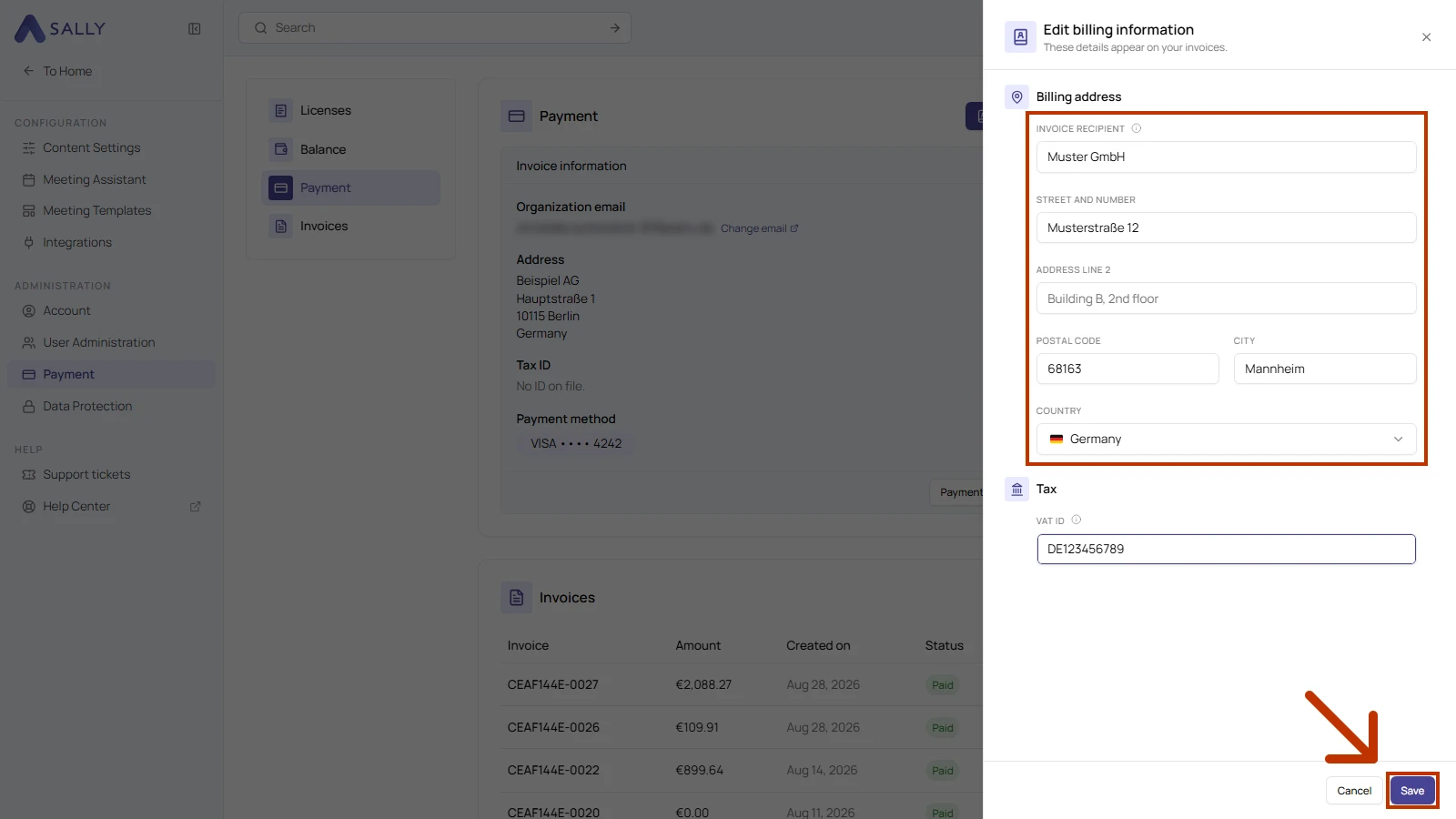
- One form for your invoice details: under Settings › Payment, go to the Payment section and click Edit invoice information at the top right. The form opens on the right
- Billing address: fill in Invoice recipient, Street and number, Postal code, City and Country. Address line 2 is optional. If you leave Invoice recipient empty, the name of your organization account appears on the invoice
- Tax ID in the same form: enter your number under Tax in the VAT ID field, starting with the country code. Sally recognizes the formats used in EU countries, Switzerland, the United Kingdom and Norway
- Before your first subscription: you can add your billing address before you have an active subscription. Sally then uses it for your first invoice
- Owners and admins only: only owners and admins of your organization can change the billing address and the tax ID
- Stripe only for payment methods: the Stripe customer portal now opens through Payment methods and invoices, where you manage your payment methods. This button only appears when your organization has an active subscription
What stays the same?
The new details appear on every invoice created after you save. Earlier invoices keep the details they were issued with, and the email address your invoices go to is still set in your organization account.
Want the details? See How to change invoice recipients and billing address and How to add or update your tax ID.