September 29, 2026: Have Sally join a meeting again, as a copy or as a replacement
· 2 min read

Bring Sally back into a running meeting: if Sally left too early, Join again sends her back while the appointment is still running. If there is already a recording, you decide what happens to it.
This helps when someone removed Sally by mistake or she left automatically during a short break. The rest of the conversation still ends up in your transcript and summary, and nothing gets deleted unless you choose to.
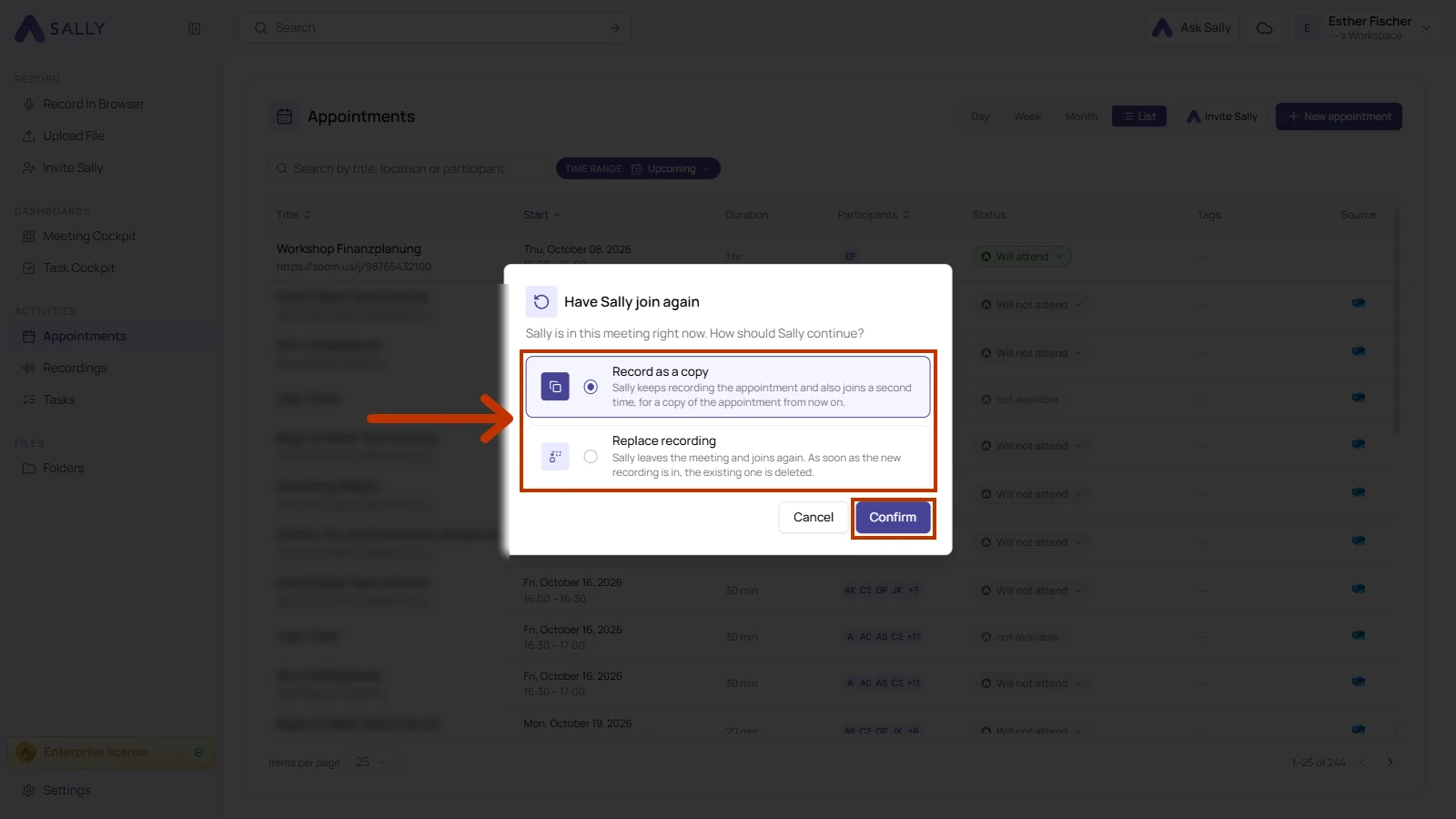
What's new?
- Join again from the appointment list: under Appointments › List, click Sally's status in the Status column and choose Join again
- Record as a copy: selected by default. Sally creates a copy of the appointment that only you can see, with its own transcript and summary. The copy lasts at least 15 minutes, and the existing recording stays with the original appointment
- Replace recording: Sally joins the meeting again. The existing recording is only deleted once the new one is in, and if joining fails, it is kept
- Sally still in the meeting: with a copy, she keeps recording the original appointment and a second Sally joins for the copy
- Consent carries over: if someone agreed to or objected to the recording of the original meeting, that decision also applies to the copy
- Time window: Sally can join again from 30 minutes before the appointment starts until 30 minutes after it ends
- Same choice when uploading: if you upload a file to an appointment that already has a recording, the This appointment already has a recording section offers the same two options
If the appointment has no recording yet and Sally isn't in the meeting, she skips the question and joins right away.
Want the details? See Have Sally join again.