5 posts tagged with "Recordings"

View All Tags

November 10, 2026: Record Google Meet, Teams and Zoom in the browser with the Sally Browser Extension

· 3 min read
Gianni Piruzza
Marketing Manager

Sally now records meetings straight from your browser tab. The new Sally Browser Extension for Chrome and Edge notices when you join a meeting in Google Meet, Microsoft Teams or Zoom and asks with a small card whether Sally should take notes. One click on Record now, and Sally records the tab together with your microphone.

Nobody sees an extra participant in the meeting. That helps whenever Sally cannot join as a bot, for example when a meeting only admits signed-in participants. After the meeting, the recording lands on the matching appointment in Sally, with the speakers' names in the transcript.
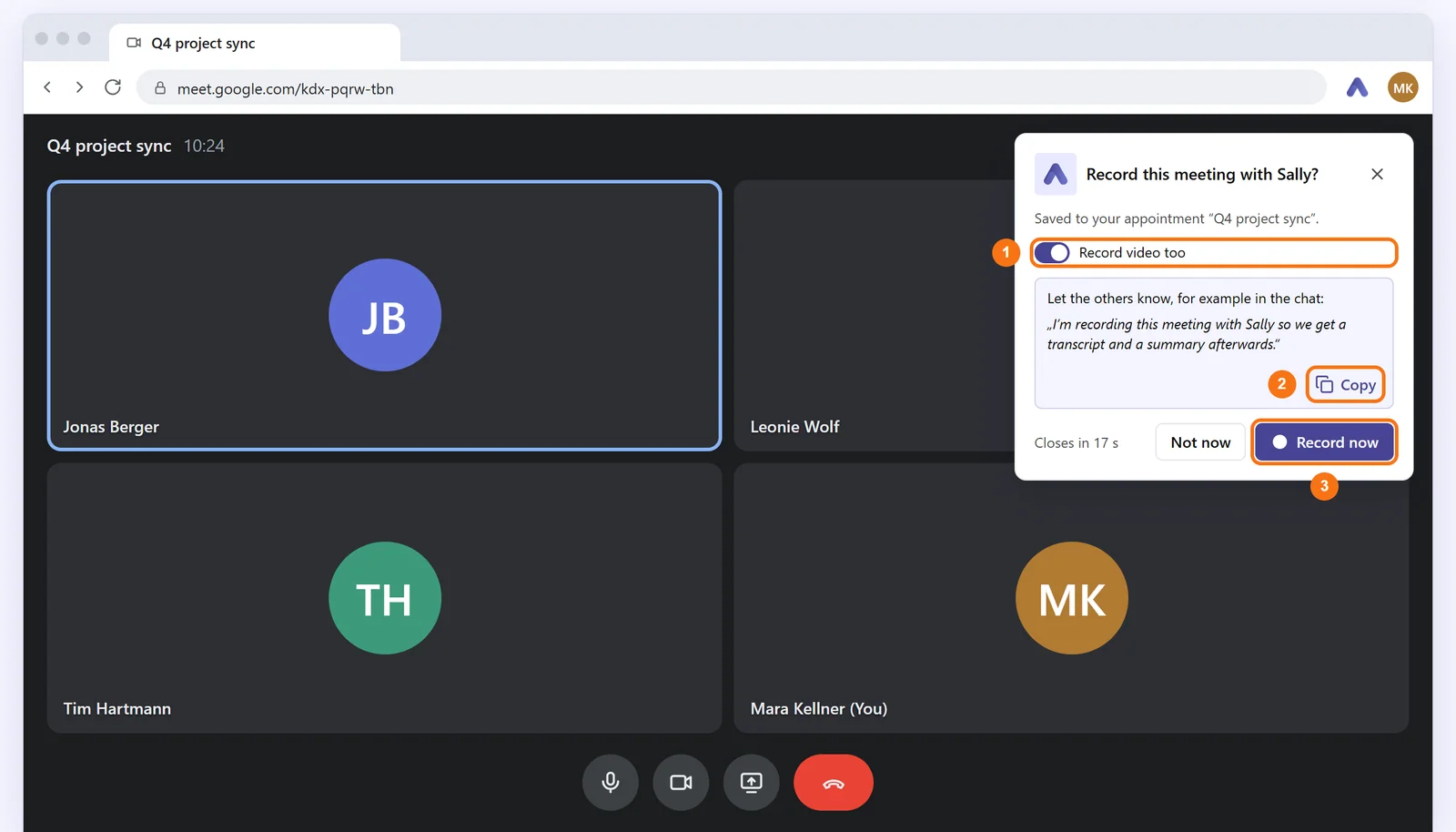
Google Meet in the browser with the card Record this meeting with Sally, the Record video too switch, the note for the chat and the Record now button
(1) Record video too, (2) copy the note for the chat, (3) Record now

November 2, 2026: The Sally app warns you when an Android recording has no sound

· 2 min read
Gianni Piruzza
Marketing Manager

The Sally app on Android now notices when a recording stays silent. If Sally gets nothing but silence from the microphone for 30 seconds, she warns you right away instead of recording a silent hour.

The most common cause is another app using the microphone at the same time, for example a phone or video call on the same device. Android then mutes Sally's recording without stopping it.

October 7, 2026: The host pauses a group recording for all devices at once

· 2 min read
Gianni Piruzza
Marketing Manager

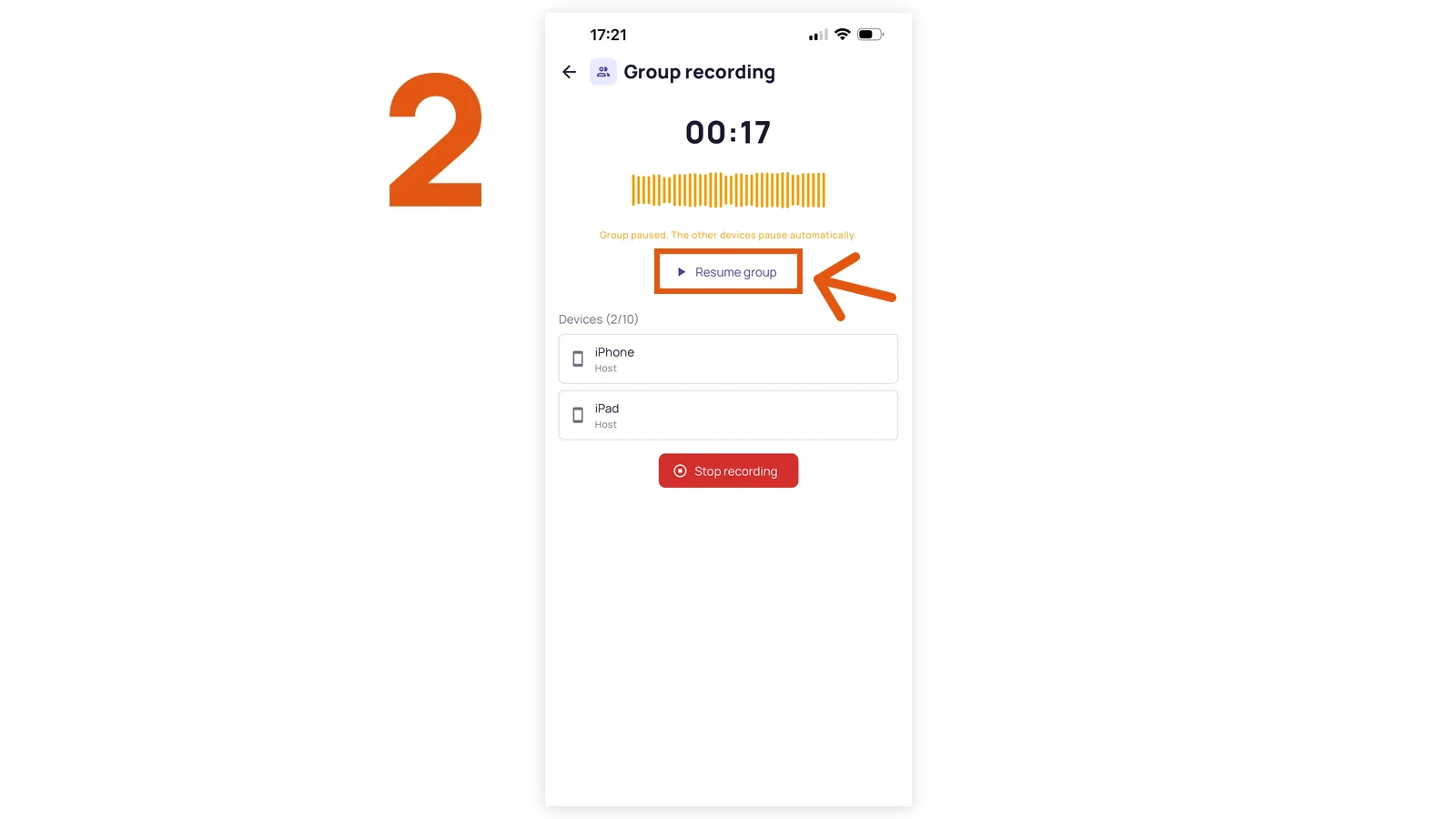
One pause for the whole group: in a group recording, the host now pauses every device at once with Pause group and resumes them all together with Resume group.

If your meeting alternates between the whole group and smaller breakout groups, you no longer have to stop the recording. Nothing said during the pause becomes part of the recording.

Paused group recording on the host's device with an orange waveform, the pause notice and the Resume group button
The paused group on the host's device, ready to resume

September 29, 2026: Have Sally join a meeting again, as a copy or as a replacement

· 2 min read
Gianni Piruzza
Marketing Manager

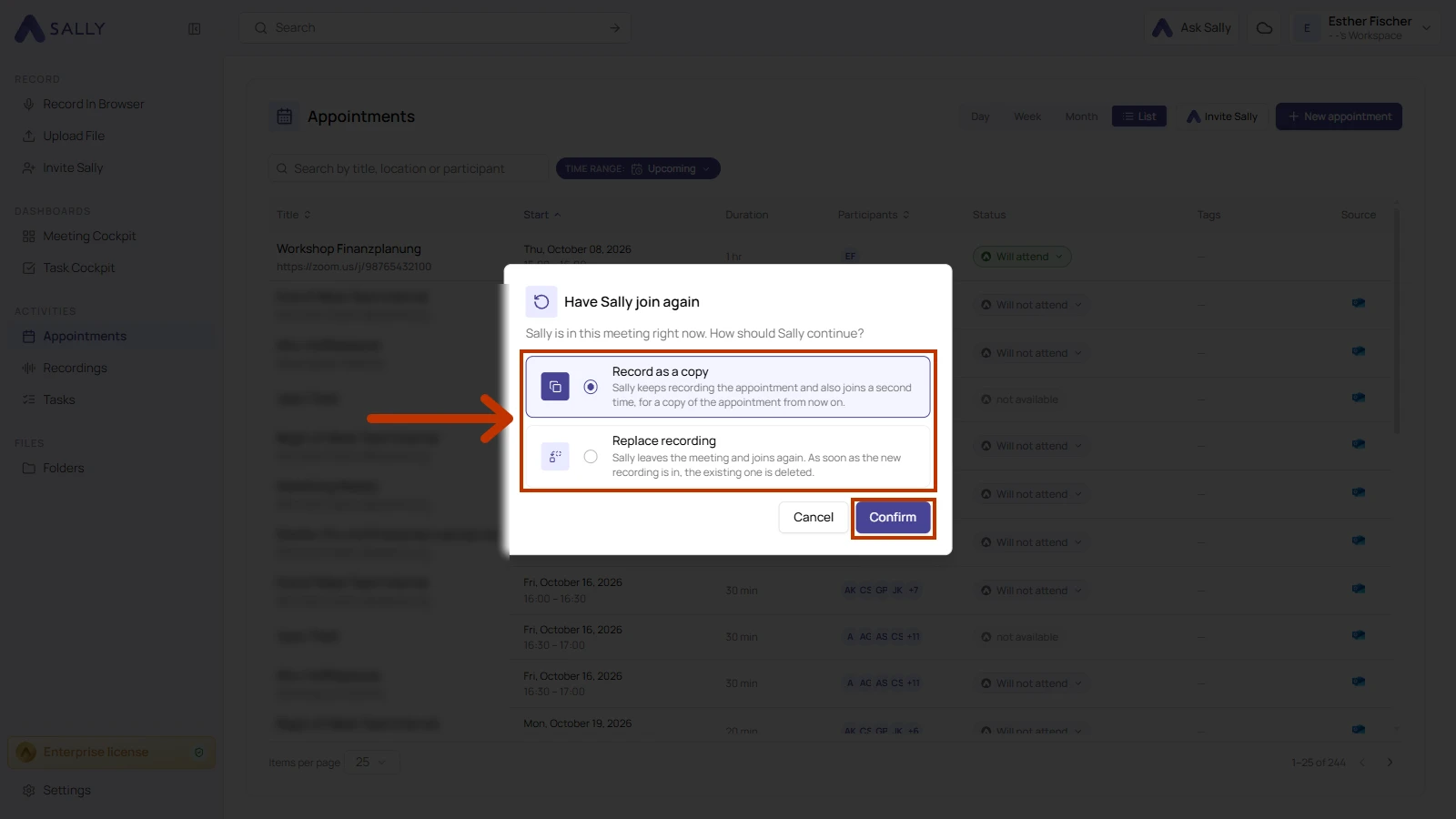
Bring Sally back into a running meeting: if Sally left too early, Join again sends her back while the appointment is still running. If there is already a recording, you decide what happens to it.

This helps when someone removed Sally by mistake or she left automatically during a short break. The rest of the conversation still ends up in your transcript and summary, and nothing gets deleted unless you choose to.

Have Sally join again dialog with the Record as a copy and Replace recording options and the Confirm button
Choose whether Sally records a copy or replaces the recording