September 16, 2026: See who actually attended your meeting
· 2 min read

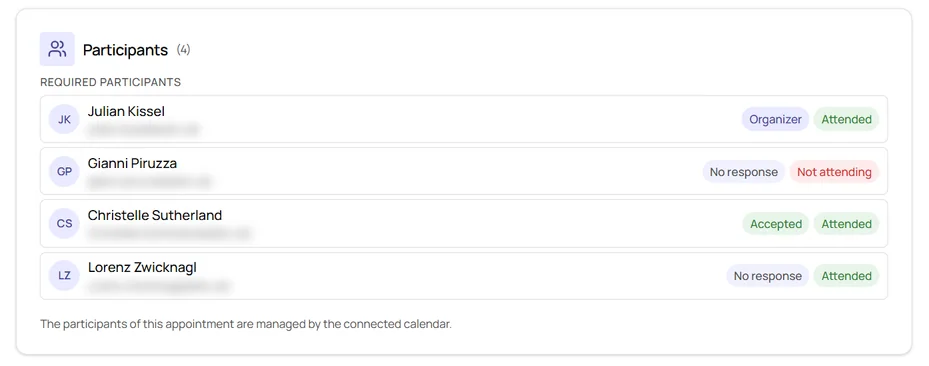
Sally now shows who was actually in your meeting. After the meeting, Sally compares the recording with the participant list of the appointment and marks every person as Attended or Not attending, right next to their invitation status.
That way you see at a glance whether someone who accepted did not show up, without going through the recording.
What's new?
- Two labels: Attended (green) means Sally recognized the person in the recording, Not attending (red) means Sally did not find them there
- Wherever you open the appointment: in the Participants section of the Preparation tab, in the overview behind the participant icons at the top of the appointment page, and in the same overview in the appointment list of the calendar
- No guessing: if there is no recording for the appointment, Sally shows neither label
Good to know
Sally matches the speakers in the recording to the names on the invitation. If the invitation only shows an email address instead of a name, that does not always work, and the person may appear as Not attending even though they were there.
Want the details? See Who actually attended?