
3 posts tagged with "Share"

View All Tags

November 9, 2026: Make a sub-folder visible only to the people you choose

· 2 min read
Gianni Piruzza
Marketing Manager

Sub-folders can now be closed off from the folder above them. Until now, whoever could see a folder could also see all its sub-folders. Set a sub-folder to Only people added here, and only the people and teams you add to it, plus its manager, can see it.

That is useful for confidential content inside a shared folder, for example HR conversations in a department folder. The rest of the structure stays shared as before.
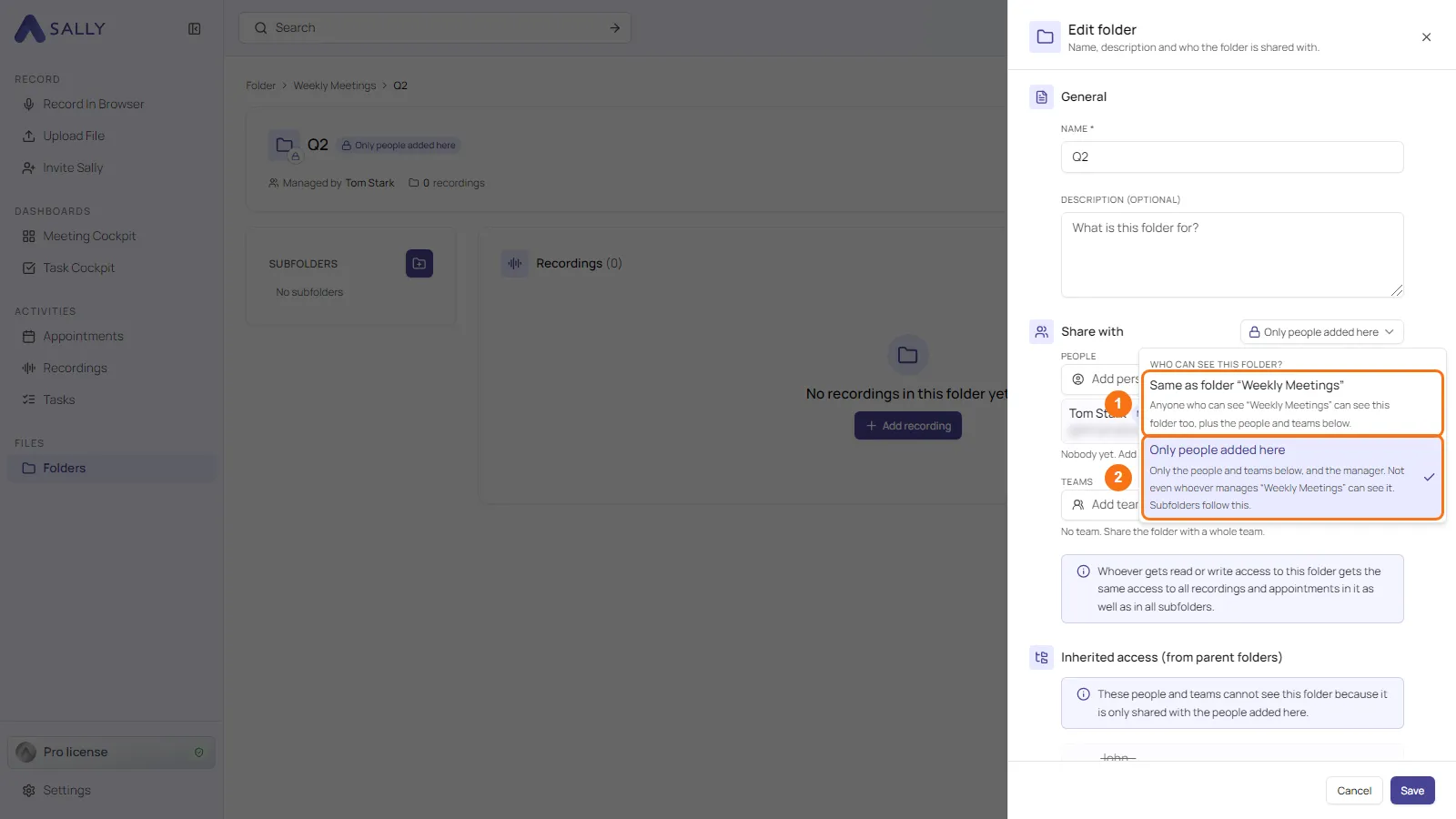
Edit folder panel for the Q2 sub-folder with the open Who can see this folder selector and the answers Same as folder Weekly Meetings and Only people added here
(1) Same as folder “Weekly Meetings”, (2) Only people added here

October 15, 2026: Hand over folders to a colleague or leave them

· 2 min read
Gianni Piruzza
Marketing Manager

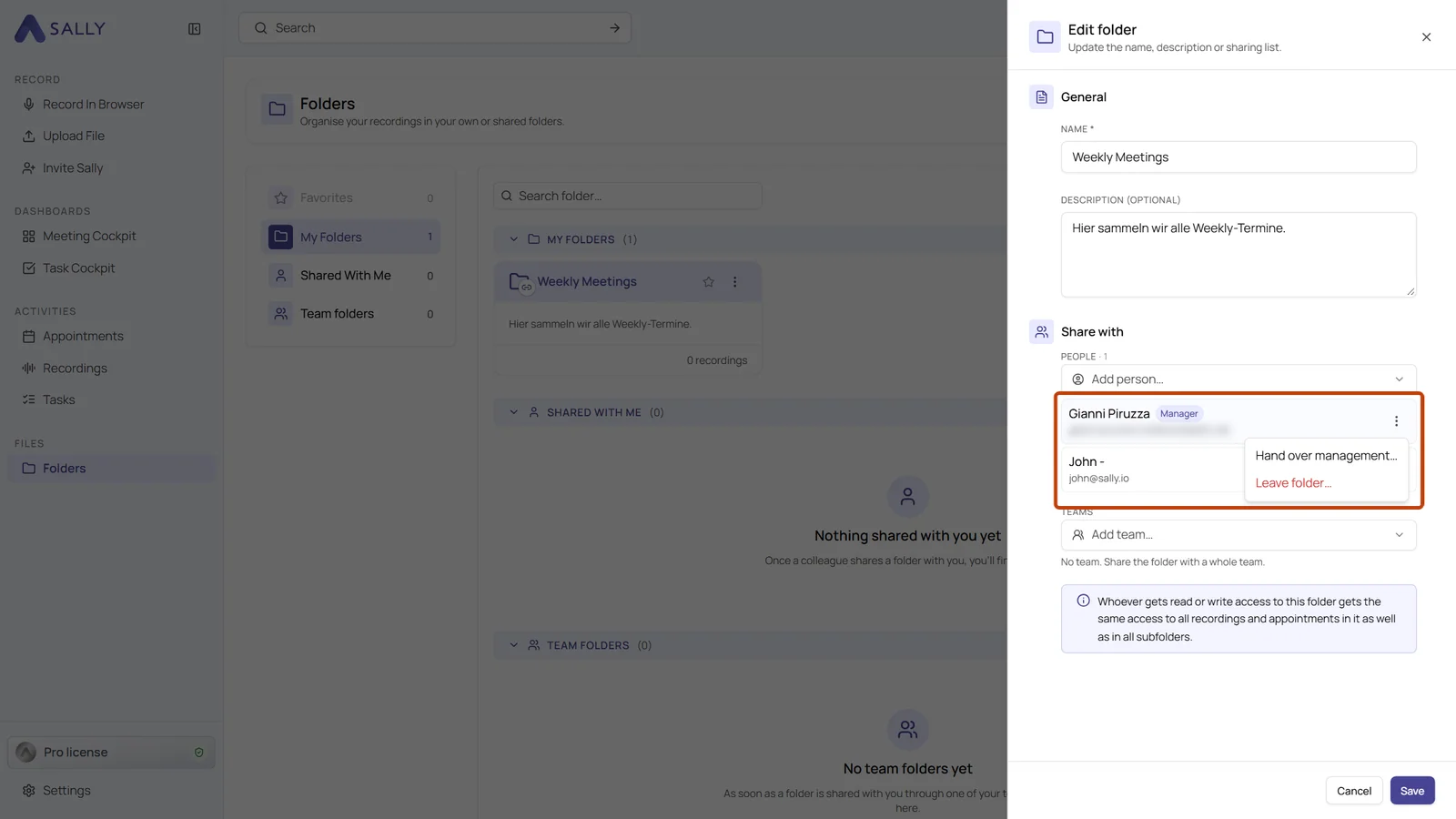
Folders can now change hands: every folder has exactly one Manager, and you can now pass that role on to a colleague in your organization. Folders you no longer need, you simply leave.

Until now, a folder stayed with the person who created it. Now your team keeps working with its folders, for example when a project changes hands or someone leaves the company.

Edit folder panel with the manager's own entry under Share with, the Manager badge and the menu with Hand over management and Leave folder
Hand over management and Leave folder in the menu on your own entry