9 posts tagged with "Privacy"

View All Tags

November 12, 2026: New rules for attendance and emails

· 3 min read
Gianni Piruzza
Marketing Manager

You now decide in more detail when Sally joins and who gets her emails. Three new settings cover meetings that the previous options did not fit: attendance depending on the host, a summary email you can stop for one meeting, and a privacy notice that only goes out when someone from outside is invited.

A weekly sync among colleagues no longer needs the same treatment as a call with a customer, and a confidential summary stays in Sally without you switching the email off for every meeting.
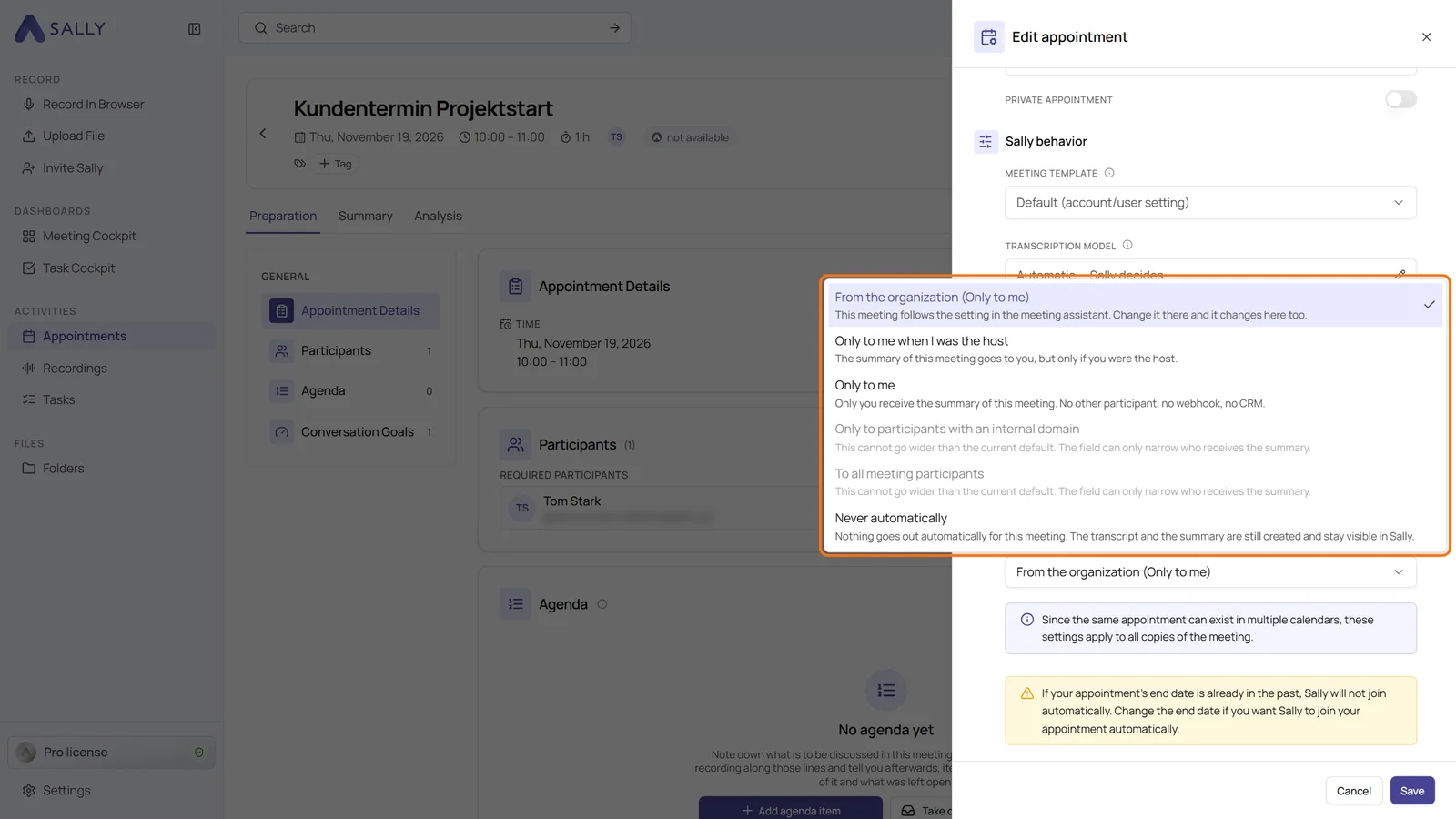
Edit appointment panel with the Automatic summary email dropdown open, options that would reach more people are greyed out
The options of Automatic summary email for a single meeting

October 28, 2026: Consent emails with a confirmation page

· 3 min read
Gianni Piruzza
Marketing Manager

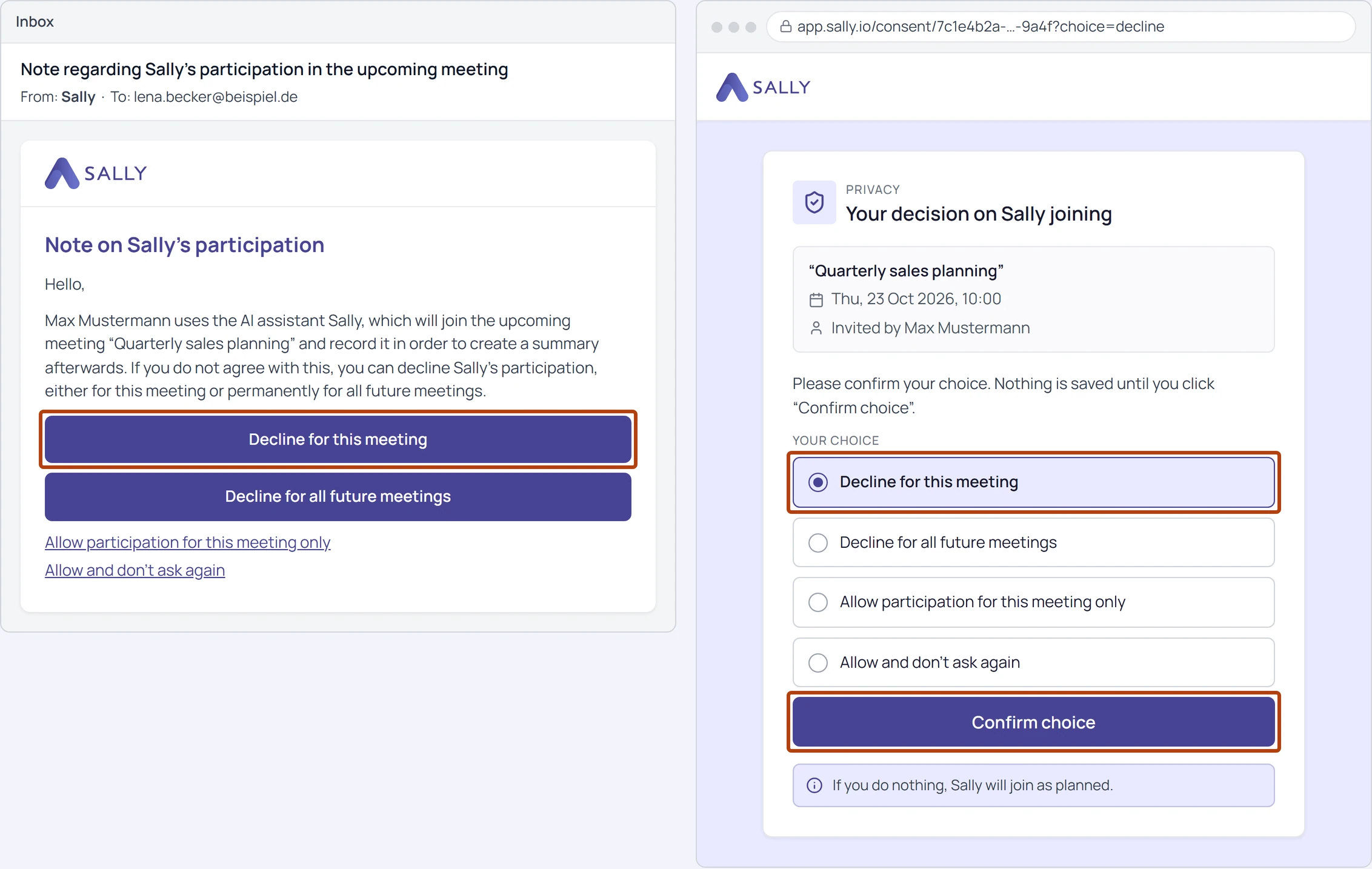
A click in the consent email no longer decides on its own: participants now confirm their choice on a separate page. Many companies have every link in an incoming email opened automatically to check it. Opening the page changes nothing, so the decision always comes from the participant, not from a mail filter.

On top of that, the privacy notice now goes to every participant, and Sally shows on the appointment who objected to the recording.

Opt-out email with the Decline for this meeting button highlighted, next to the confirmation page with the same option preselected and the Confirm choice button highlighted
The button in the email opens the confirmation page

October 14, 2026: Decide who can delete recordings

· One min read
Gianni Piruzza
Marketing Manager

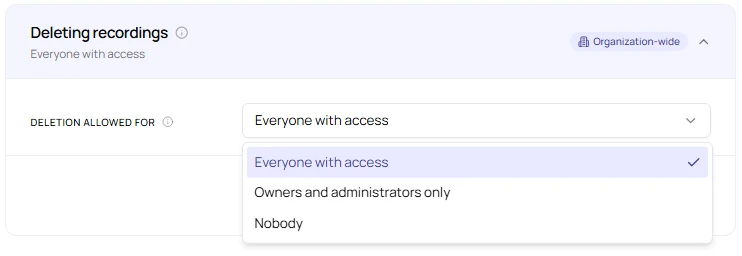
More control over your recordings: owners and admins can now decide who is allowed to delete recordings in their organization. Until now, anyone with access to a recording could delete it for every participant.

This is useful if recordings have to be kept, for example for documentation, or if you want to make sure nobody deletes a recording by mistake.

Open Deleting recordings dropdown with Everyone with access, Owners and administrators only, and Nobody
Choose who can delete recordings

October 2, 2026: Stop Sally from assessing people

· 2 min read
Gianni Piruzza
Marketing Manager

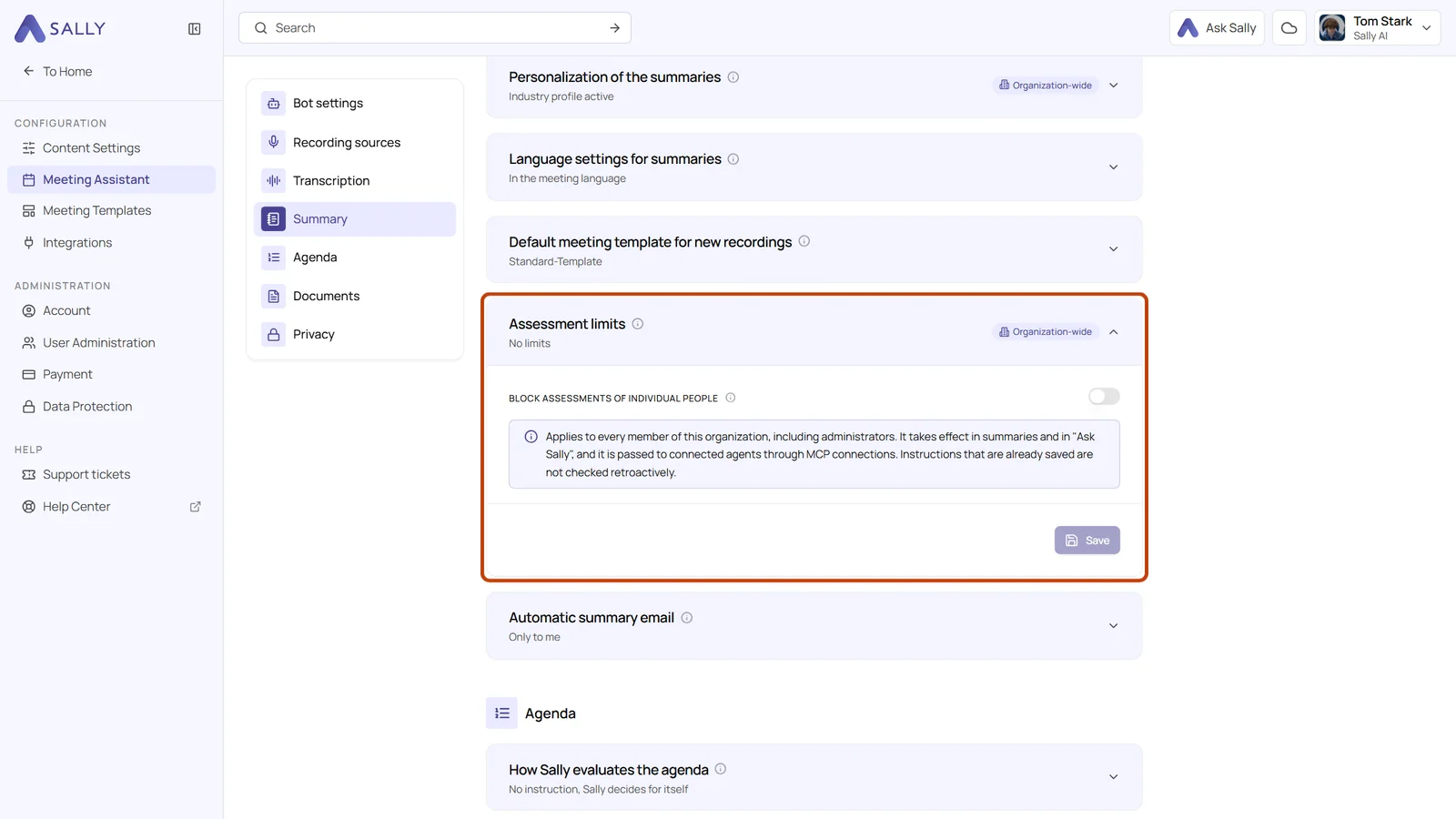
You decide whether Sally may judge individual people: the new Assessment limits card in the meeting assistant blocks assessments of individual people for your whole organization.

Organizations with a works council often need this. Until now, anyone could write an instruction that asked Sally to rate how a participant performed, behaved or felt, and Ask Sally answered such questions as well. With the limit turned on, Sally sticks to what was said.

Summary tab of the meeting assistant with the Assessment limits card expanded, the Block assessments of individual people switch and the Save button
The new Assessment limits card in the meeting assistant

September 22, 2026: Professional secrecy

· 2 min read
Gianni Piruzza
Marketing Manager

Professional secrecy is here: anyone bound by § 203 StGB can have their data stored separately from all other customers 🚀

Lawyers, notaries, doctors, psychotherapists and tax advisors answer to a chamber that wants to know where their client data sits. From today you can request that answer yourself, in the privacy settings, and Sally moves your account to a server that holds professional secrecy holders only.

Title graphic with the legal reference § 203 StGB
Professional secrecy under § 203 StGB, now a classification you can request in Sally

April 7, 2026: Auto-deletion settings

· 2 min read
Gianni Piruzza
Marketing Manager

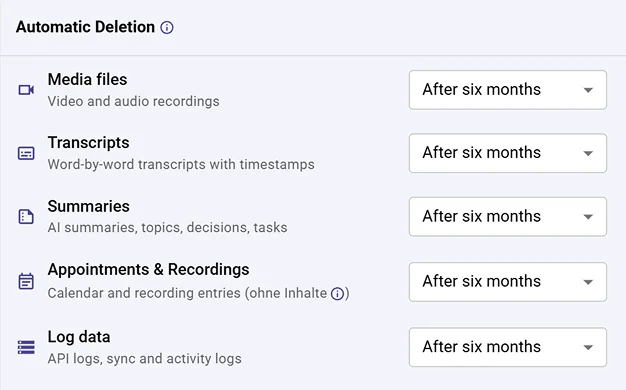
Full control over what gets deleted and when, now for each data type separately. ✨

Set individual retention periods for transcripts, audio & video, summaries, appointments, and log data. Each one on its own schedule.

Automatic deletion settings with separate retention periods per data type
Set a different retention period for each data type