Meeting types
Quick navigation:
- What are meeting types?
- Why use meeting types?
- How to select meeting types
- Overview of meeting types
1. What are meeting types?
With meeting types in Sally, you can tailor your meeting summaries to the specific purpose of a meeting.
This ensures you receive a customized summary that highlights exactly the information that matters most for the selected meeting type.
If you select “Job Interview” as your meeting type, Sally highlights the information typically most relevant in interviews, such as:
- Relevant experience and qualifications
- Technical and personal strengths mentioned during the conversation
- Answers to key questions (e.g., motivation, working style, team fit)
- Open points, follow-up questions, and agreed next steps
2. Why use meeting types?
By choosing the right meeting type, you can:
- Ensure your summaries focus on the most important points
- Reduce irrelevant information and improve clarity
- Standardize meeting documentation across your team
- Save time because the output is already structured for your workflow
If no meeting type is selected, Sally uses General Meeting by default.
This includes: Key Points, Tasks & Decisions.
3. How to select meeting types
You can choose or change the meeting type when creating a new appointment or after the meeting has taken place.
To change the meeting type afterwards:
- Open the appointment in Sally.
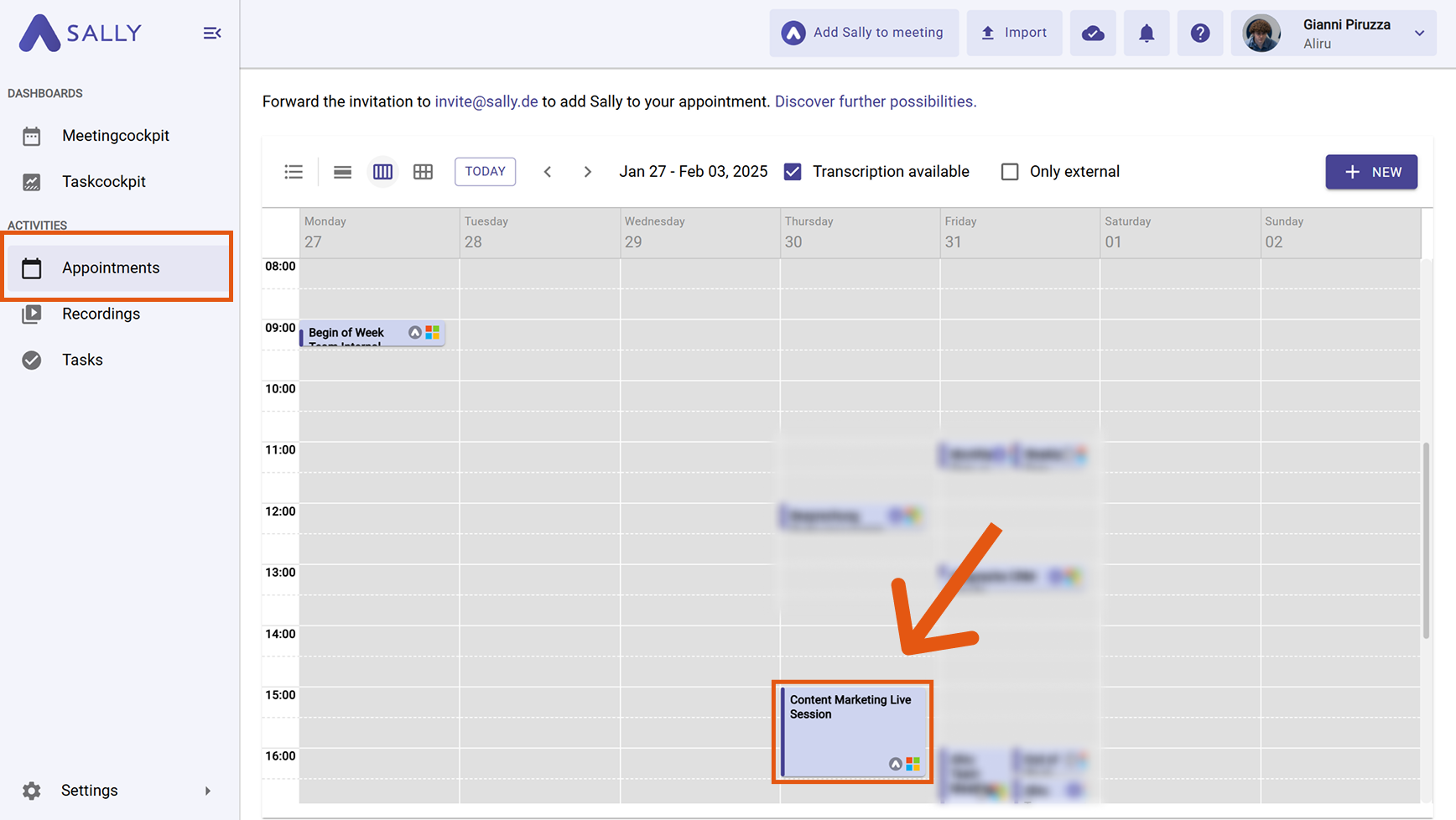
-
Go to the Summary section.
-
In the Meeting Type tab, click the ”Select Type” button.

- Select your desired meeting type.
- Click “Regenerate Summary”.
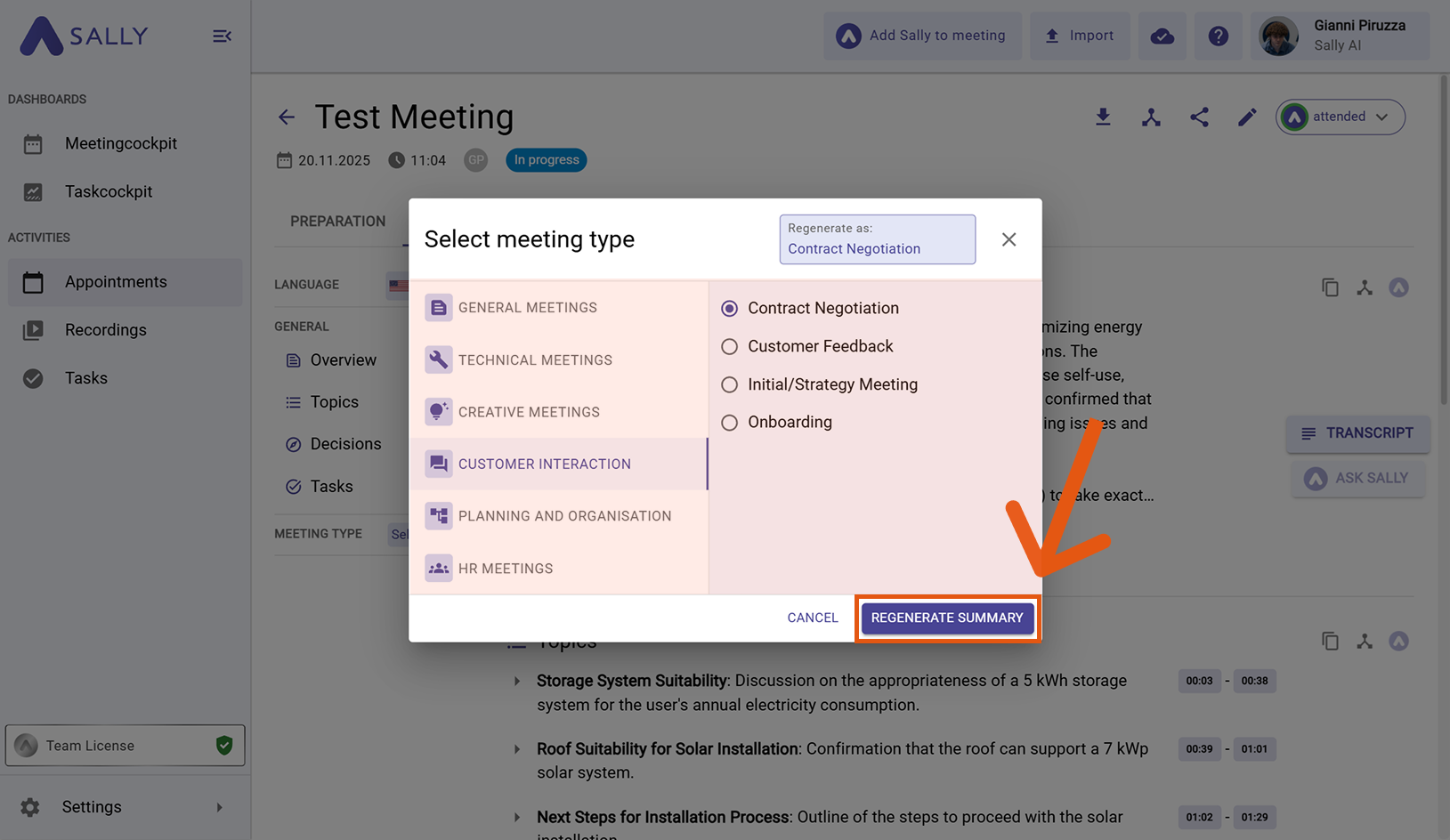
- The information relevant to the selected meeting type will now appear at the bottom of your summary. You can also access it on the left under Meeting Type.
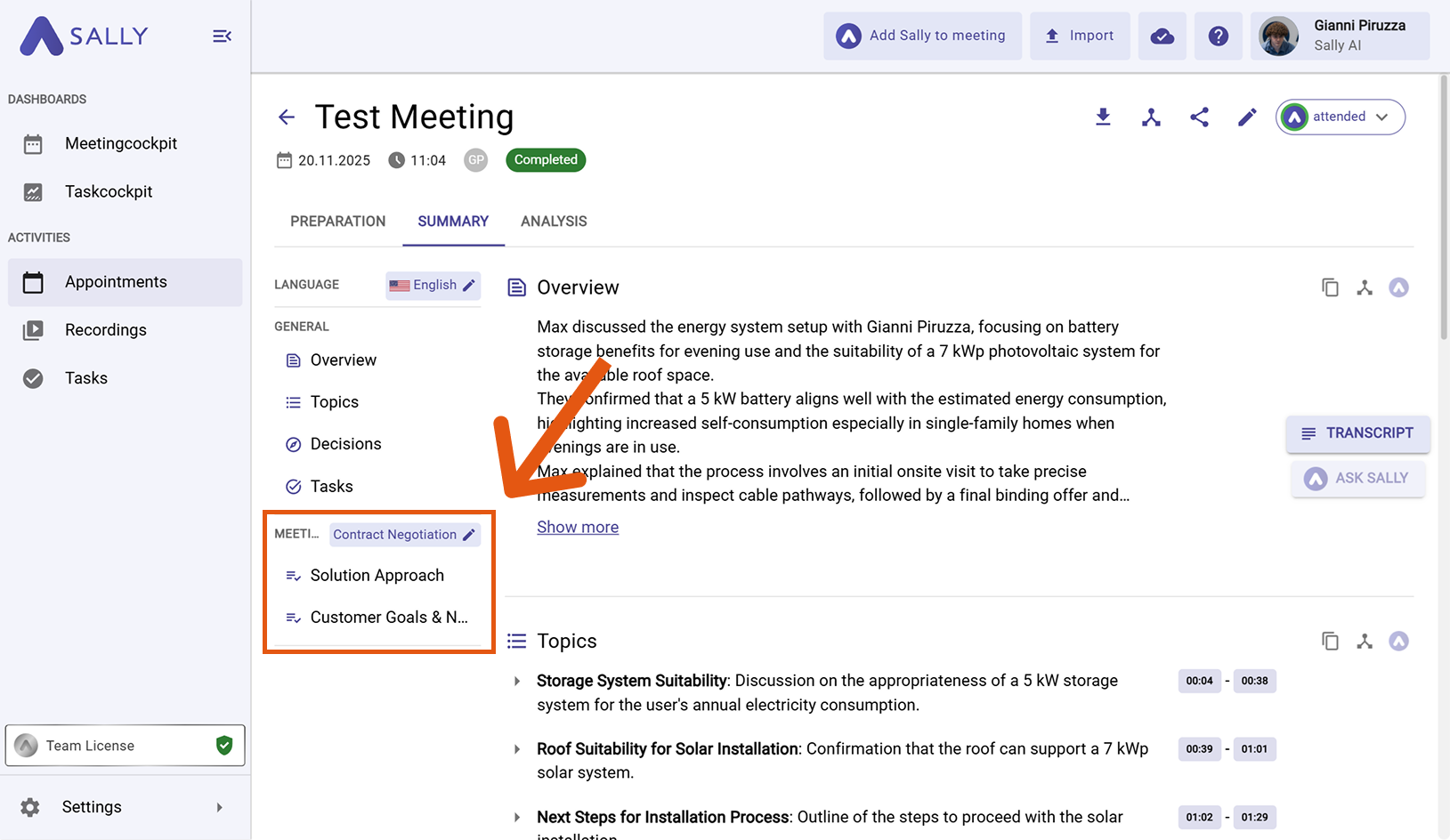
If you choose the meeting type in advance, Sally structures the summary correctly from the start — saving you time on editing later.
If you want to change the meeting type again, simply click Meeting Type in the top right and select another type. The summary will update accordingly.
If you feel like important information is still missing in the summary for a specific meeting type, you can create your own prompt using Custom Insights to tailor the results even further. Learn more under Custom Insights.
4. Overview of meeting types
4.1 General Meetings
4.1.1 General Meeting
- Key Points: Main topics discussed
- Tasks: Assigned tasks with responsibilities
- Decisions: Agreements made
- Next Steps: Planned follow-up actions
4.1.2 Team Meeting
- Responsibilities: Assigned responsibilities and deadlines
- Team Collaboration: Discussion around team dynamics, communication, and cooperation
- Tickets: Status of open or new tickets (if a ticketing system is used)
4.1.3 Status Meeting
- Risks & Issues: Current risks or blockers
- Tickets: Status of open or new tickets
- Milestones: Important upcoming deadlines or goals
4.2 Technical Meetings
4.2.1 Daily
- Current Focus: What each team member is working on today
- Team Sync: Important updates for collaboration
- Priorities: Most important tasks for the day
- Blockers: Issues preventing progress
4.2.2 Sprint Planning
- Sprint Goals & Priorities: Objectives and their importance
- Team Capacity & Allocation: Workload distribution for the sprint
- Dependencies: Tasks that depend on one another
4.2.3 Refinement
- Clarity & Detailing: Which user stories require refinement
- Estimates & Effort: Expected effort for backlog items
- Tickets: Breakdown of tasks into tickets (e.g., JIRA/Asana)
4.2.4 Architecture / Design Meeting
- Design Decisions: Important technical decisions
- Tickets: Breakdown of tasks into tickets
4.2.5 Retrospective
- Process Improvements: Identified optimizations
- Successes & Strengths: What went well and key learnings
- Challenges & Needs: Issues to avoid in the future
- Improvement Actions: Concrete steps for better processes
4.3 Creative Meetings
4.3.1 Brainstorming
- Idea List: All generated ideas without evaluation
- Open Questions: Topics requiring further exploration
4.3.2 Workshop
- Solution Approaches: Developed solutions
- Tickets: Breakdown of tasks into tickets
4.4 Customer-Related Meetings
4.4.1 Initial / Strategy Call
- Customer Goals & Needs: Main objectives and challenges
- Solution Approach: Proposed or discussed solutions
4.4.2 Contract Negotiation (Customer)
- Negotiation Status: Progress toward an agreement
- Contract Terms: Discussed terms (payment, SLAs)
- Pricing & Discounts: Pricing structures or offers
- Contract Duration & Termination: Agreed duration and termination rules
- Special Requirements: Requested customizations or services
4.4.3 Onboarding
- Introductions & Roles: Who was introduced and their roles
- Open Questions: Topics still requiring clarification
4.4.4 Customer Feedback (Customer Success Meeting)
- Customer Satisfaction: General sentiment (positive, neutral, negative)
- Pain Points: Detailed description of challenges
- Improvement Suggestions: Requested features or changes
4.5 Planning & Organization
4.5.1 Project Kickoff
- Project Goals & Vision: Overarching objectives
- Team Structure & Roles: Responsibilities
- Resources & Tools: Available tools and documentation
4.5.2 Review Meeting
- Achieved Goals: Overview of completed tasks/tickets
- Feedback: Insights from stakeholders or team
- Open Points: Remaining tasks or issues
4.6 HR Meetings
4.6.1 Job Interview
- Candidate Profile: Qualifications, strengths, weaknesses
- Discussed Questions: Key answers and insights
4.6.2 Contract / Salary Negotiation
- Negotiation Positions: Requests and counteroffers
- Compromise Options: Alternatives or concessions
- Open Points: Unresolved topics
4.6.3 Performance Review
- Performance Overview: Achievements, challenges, development areas
- Career Perspectives: Discussed development or promotion opportunities
- Individual Goals: Agreed milestones for the coming months
- Support Needs: Required resources
4.6.4 Goal Setting Meeting
- Individual Goals: Clear objectives with measurable criteria
- Resource Planning: Needed tools, training, or support
4.6.5 Conflict Resolution Meeting
- Conflict Origin: Description of the issue and involved parties
- Perspectives: Main arguments from each side
- Actions: Steps to resolve the conflict
4.6.6 Exit Interview
- Reasons for Leaving: Main motives for resignation
- Feedback on Organization: Positive and negative feedback
- Improvement Suggestions: Ideas to reduce turnover
If customizing via Meeting Type still doesn’t highlight the information exactly the way you need,
you can tailor your summaries even further using Custom Insights with your own prompts.