Automated summary email
After each meeting, you automatically receive an email with the most important details. This way, you don’t have to log in to the platform to get the key information right away.
1. What’s included in the email
After a meeting, simply check your regular email inbox - the summary is delivered automatically, no extra steps needed.
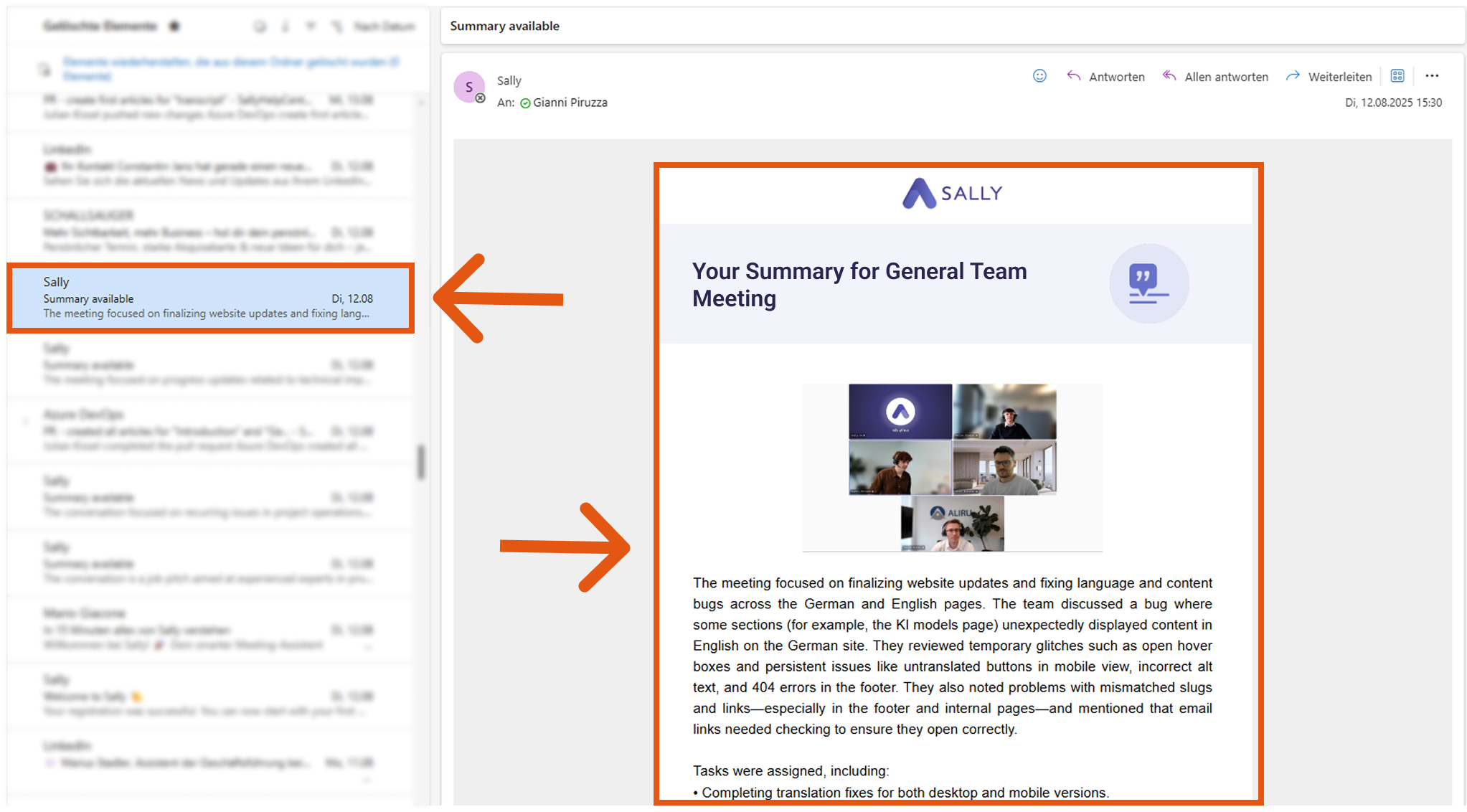
The summary email contains the following sections:
- General meeting summary
- Topics
- Tasks
- Next steps
- Decisions
The automated email makes it easy for you to:
- quickly forward the summary to colleagues or clients.
- keep a written record of important discussions without extra effort.
- follow up on tasks and next steps right from your inbox.
- stay organized, even if you don’t have time to log in to the platform.
With just one email in your inbox, you always have the key meeting outcomes at hand.
tip
If you want to control who receives the automated summary email after each meeting, you can adjust this in the automation settings.