30 posts tagged with "Feature release"

View All Tags

September 7, 2026: Sally 2.0 is live

· 3 min read
Julian Kissel
Founder & CEO of Sally AI

Today is the day: Sally 2.0 is live and open to everyone 🚀

This is not the kind of update that moves a few buttons around. We rebuilt Sally from the inside. As of today she runs on our own language model. And every byte of your meeting data sits in German data centers. No third party involved in the processing. No personal data leaving the EU.

We have been working towards this for a long time. Everything else we have shipped over the past months comes with it.

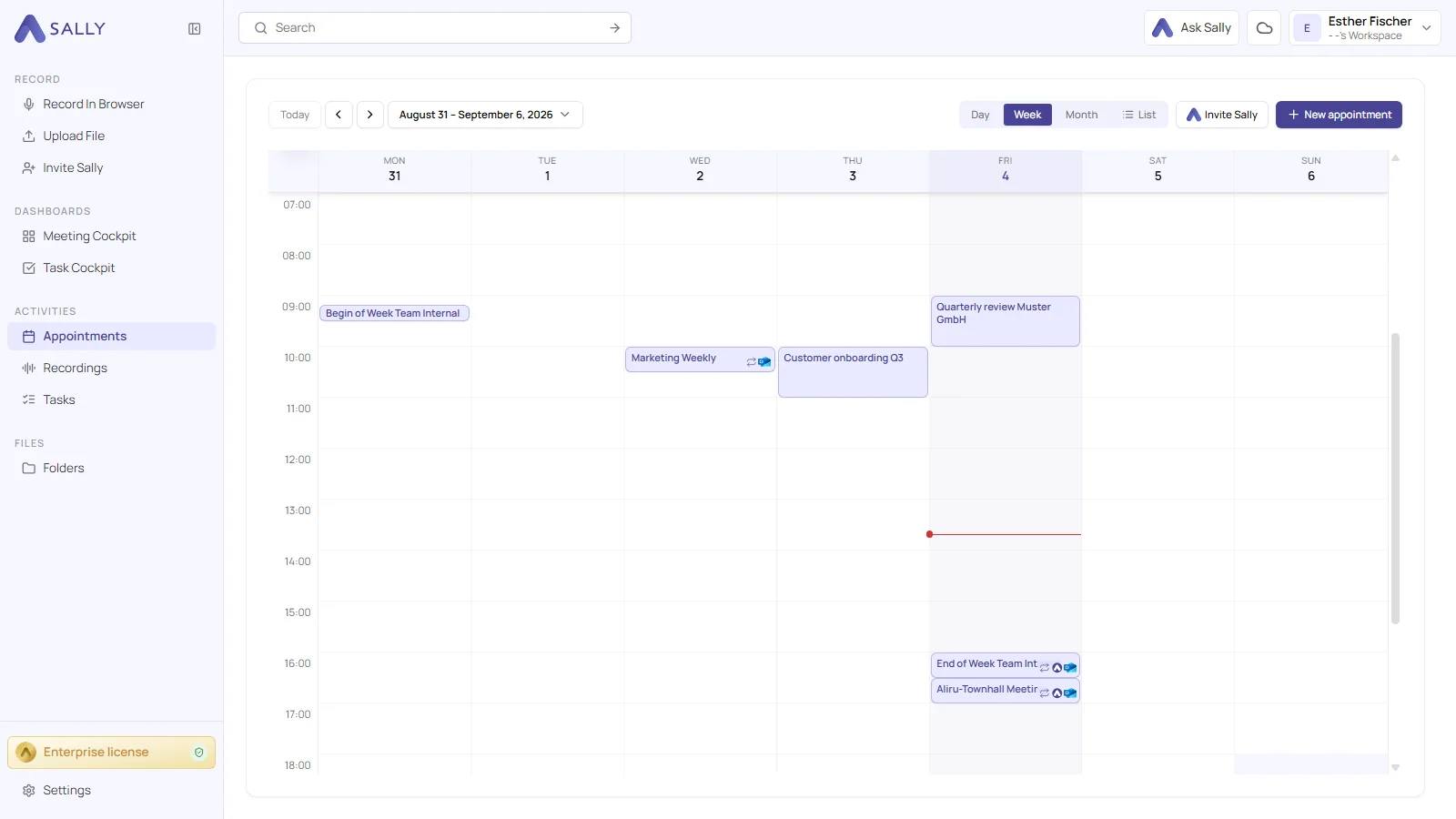
You can see the difference as soon as you open Sally: the interface has a fresh, more modern design. The familiar structure stays as it was, so nobody has to find their way around again.

The new Sally AI design with the week calendar and the sidebar for recording, dashboards and tasks
The new design: the week calendar with appointments, next to recordings, dashboards and tasks

August 27, 2026: Meeting templates

· 2 min read
Gianni Piruzza
Marketing Manager

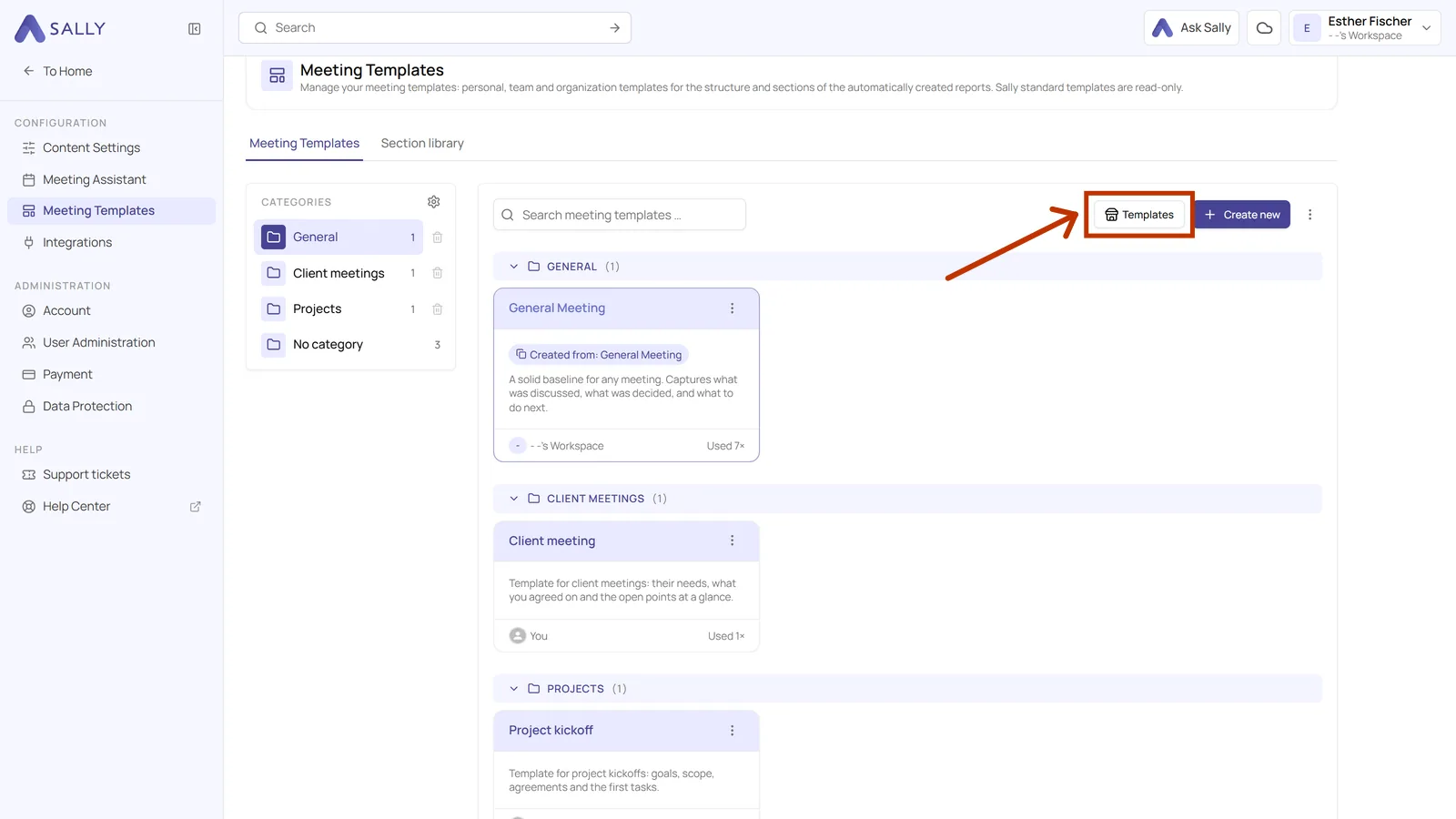
You put your summary together yourself: with meeting templates you decide which sections it has, in which order they appear and what Sally writes in each one 🚀

A daily needs blockers, a sales call needs the customer's requirements, an interview needs the candidate's answers. Instead of one format for everything, you build your own for every kind of meeting. Sally then fills it in for every recording exactly the way you set it up.

Sally AI catalog with the ready-made meeting templates
Sally's catalog holds 30 ready-made templates

August 19, 2026: Tags

· 2 min read
Gianni Piruzza
Marketing Manager

Tags are here: you can label your meetings and recordings with your own color-coded keywords 🚀

Customer, onboarding, internal: the tag sits on the meeting, and everyone in your company works from the same list. Sally can also set a tag herself, whenever a word you defined appears in the meeting title.

Appointment list in Sally AI with the tags of each meeting
Appointments show their tags right in the list

August 11, 2026: Ask Sally

· 2 min read
Gianni Piruzza
Marketing Manager

Ask Sally is here: the chat you can ask anything about your meetings 🚀

You know something was discussed, but not in which meeting. You want to know what is coming up this week, or which tasks are still open. Instead of opening transcripts and hunting down appointments, you just ask, and Sally looks through your recordings, appointments and tasks.

The Ask Sally chat area on the right of the Sally AI interface
The chat opens on the right and you keep working while you ask

June 9, 2026: Sally AI in ChatGPT

· 2 min read
Gianni Piruzza
Marketing Manager

Sally AI lives inside ChatGPT now. 🤖

You can now connect Sally AI to ChatGPT through the native Apps directory and pull your meetings, summaries, decisions, and transcripts into any conversation.

ChatGPT chat input with the Sally AI app selected, asking to summarize the last three meetings with Beta GmbH
Sally AI as a native app inside ChatGPT

April 21, 2026: Meeting folders

· 2 min read
Gianni Piruzza
Marketing Manager

Bring order to your meetings. 📁

Sort your recordings into folders, build your own structure with sub-folders, and share selected folders with individual people or whole teams.

Recording list connected to three folder types: private, shared with a person, and shared with a team
Group recordings into private, shared, and team folders