Connect Apple Calendar
By connecting your Apple Calendar, Sally can automatically access your meetings (with the required permissions) and appear without needing a separate invitation. After the integration is successful, you will see all your scheduled events directly in the Sally platform.
info
Apple Calendar requires an app specific password instead of your regular Apple ID password. This is a security requirement by Apple for third-party integrations.
How to connect Apple Calendar
- Open Settings in the left sidebar.
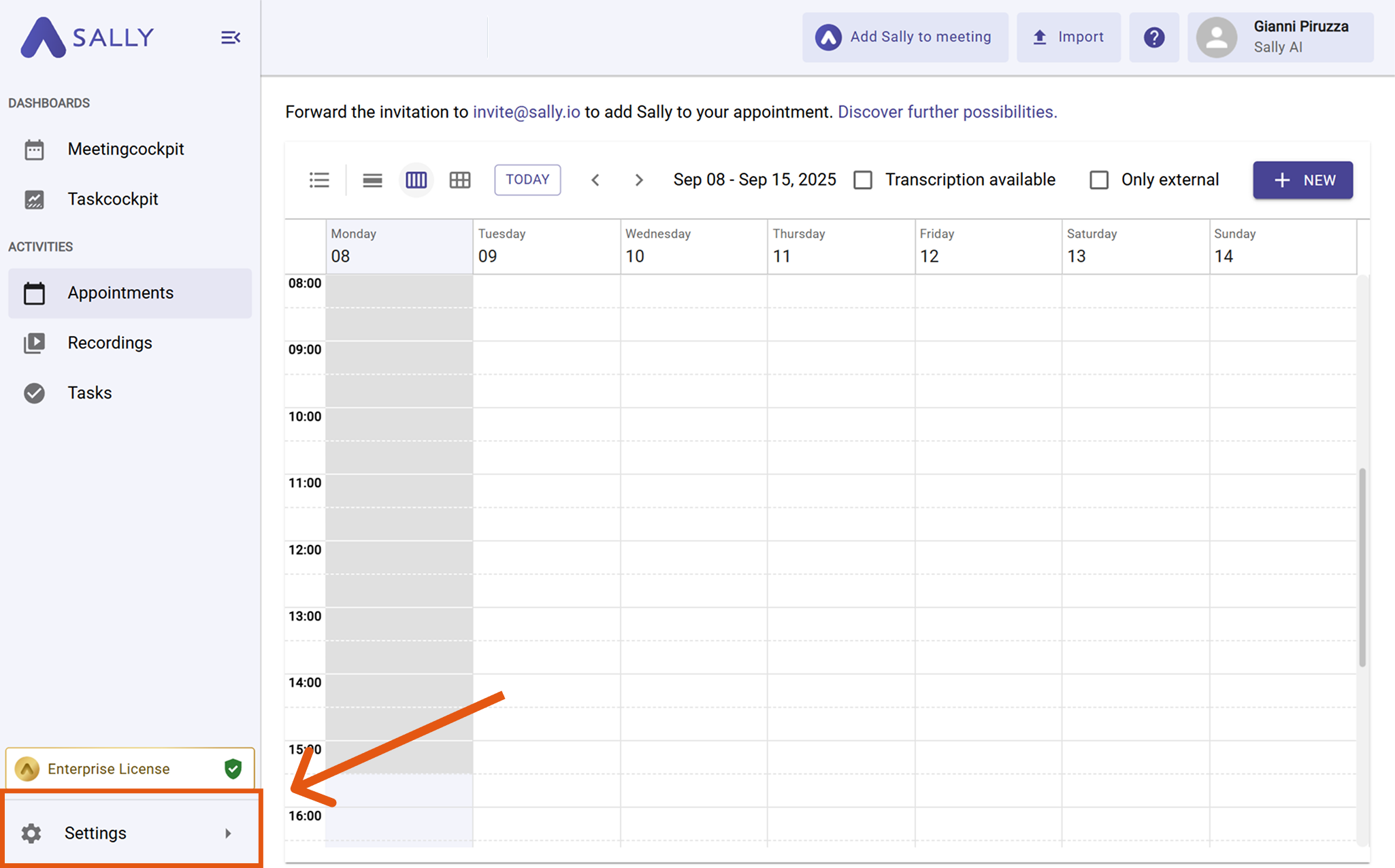
- Select "Integrations" and click "+ Add Calendar".
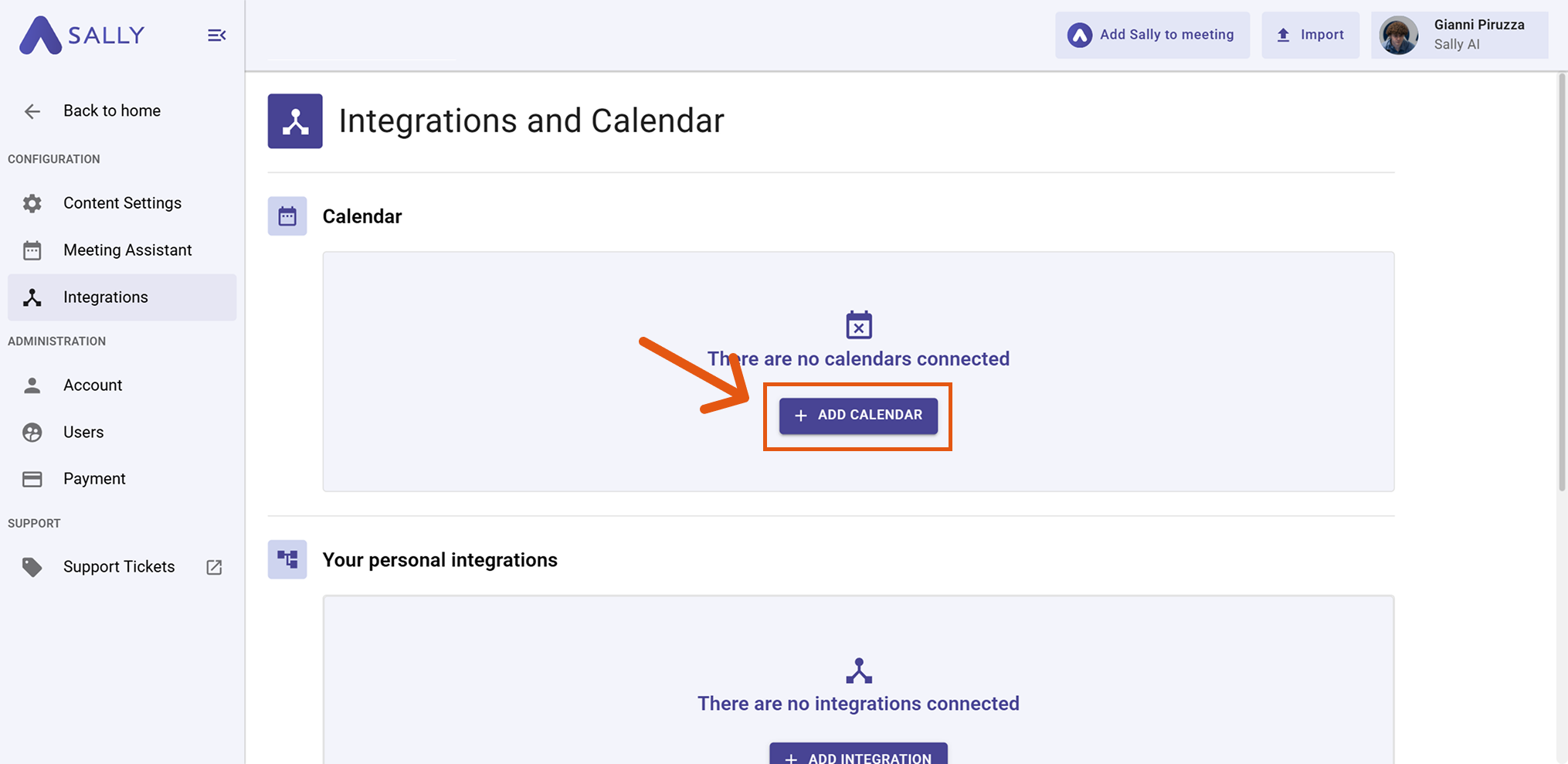
- Choose "Apple Calendar" and click "Connect".
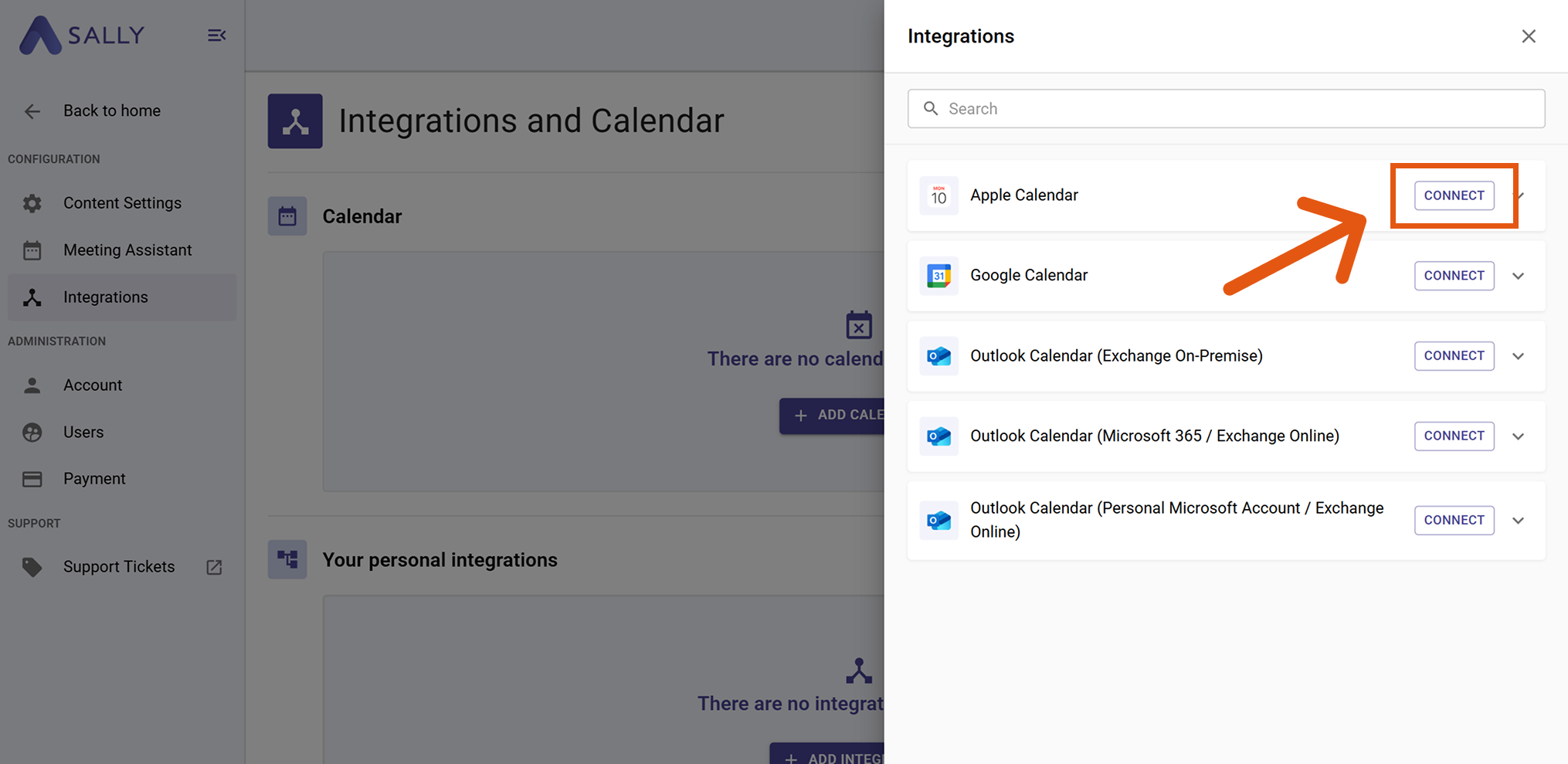
- A dialog opens asking for your Apple ID (email address) and an app specific password.
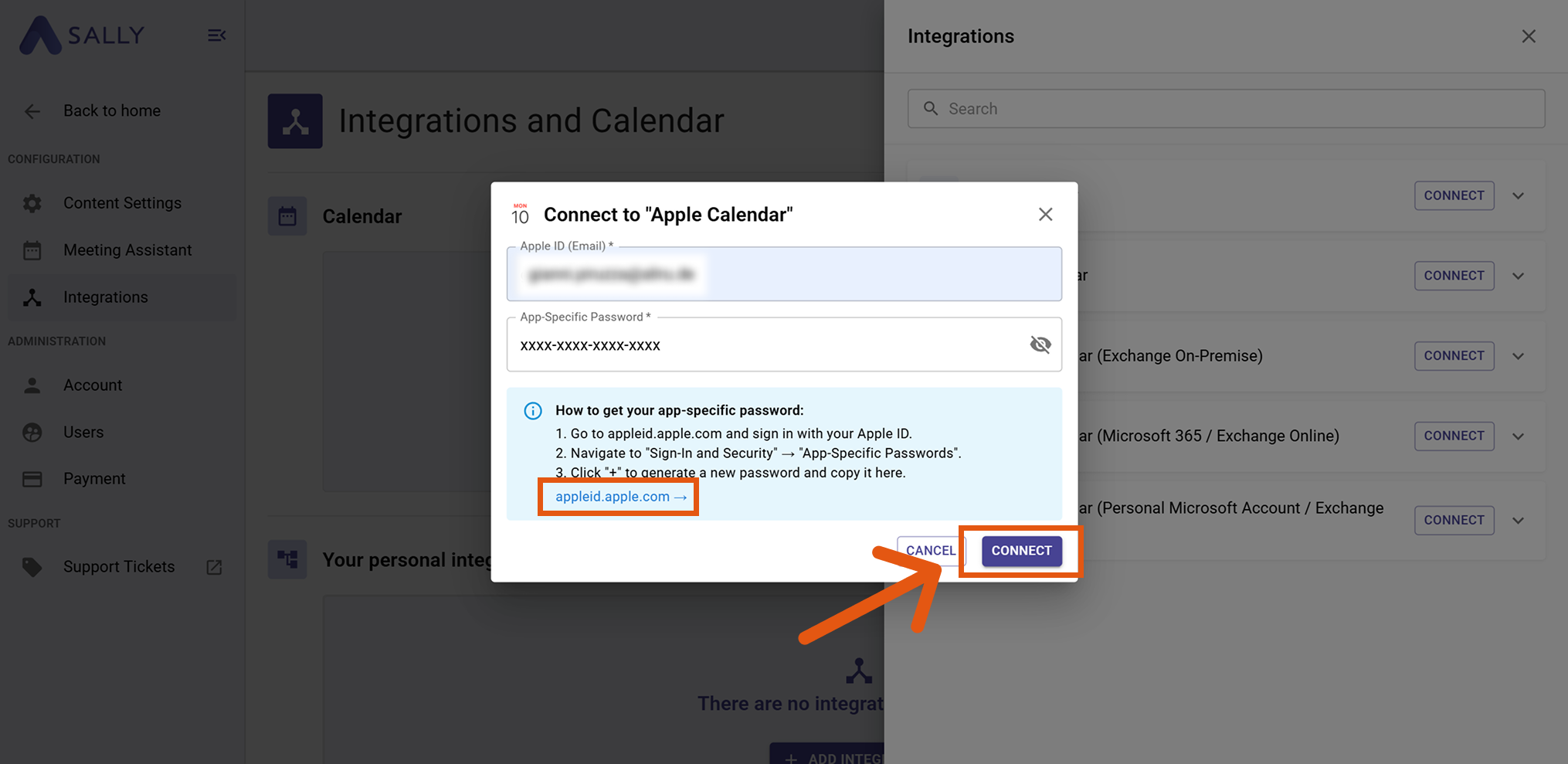
- To get your app-specific password, go to appleid.apple.com, navigate to "Login and Security" → "Application Specific Passwords".
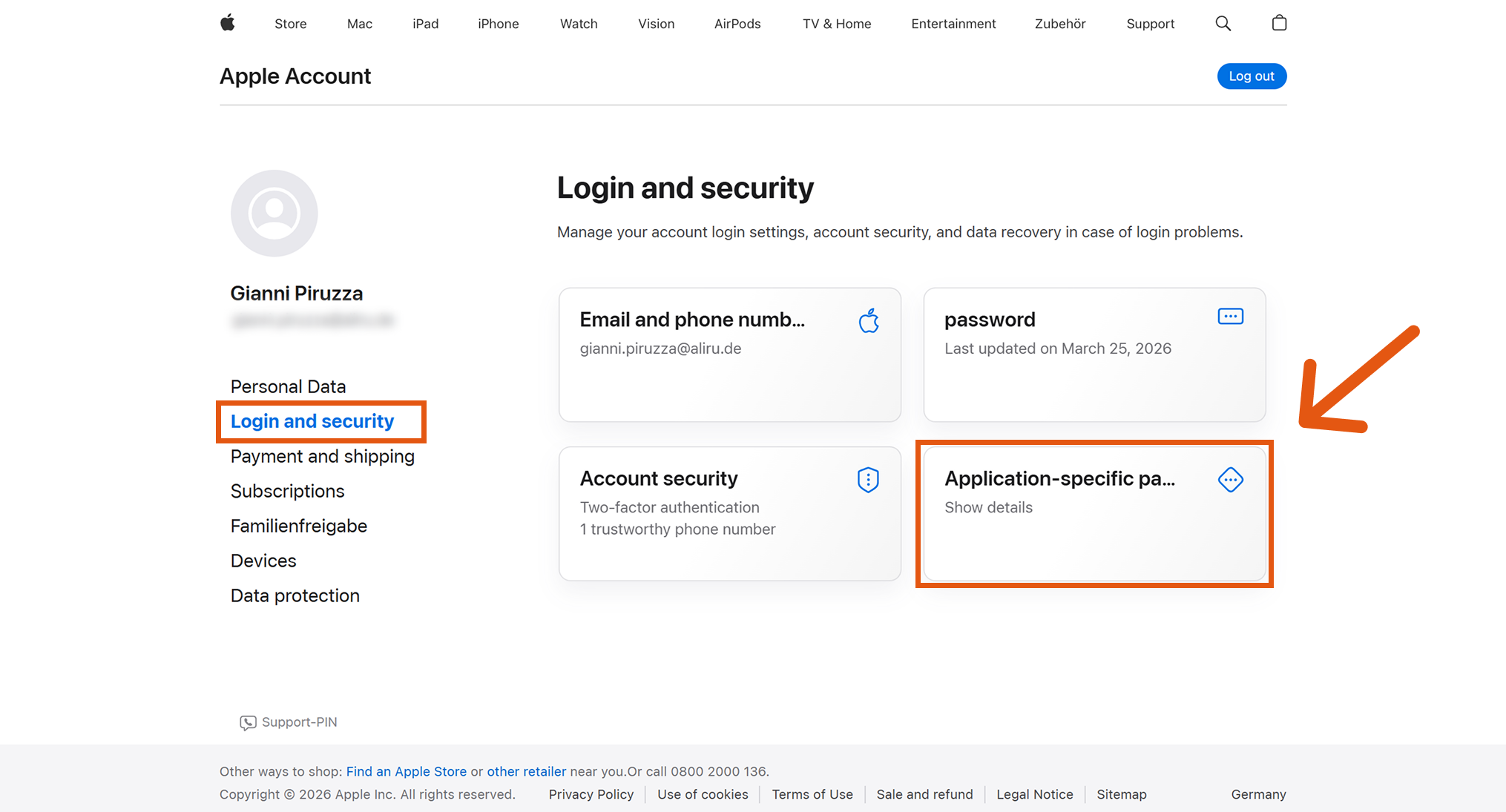
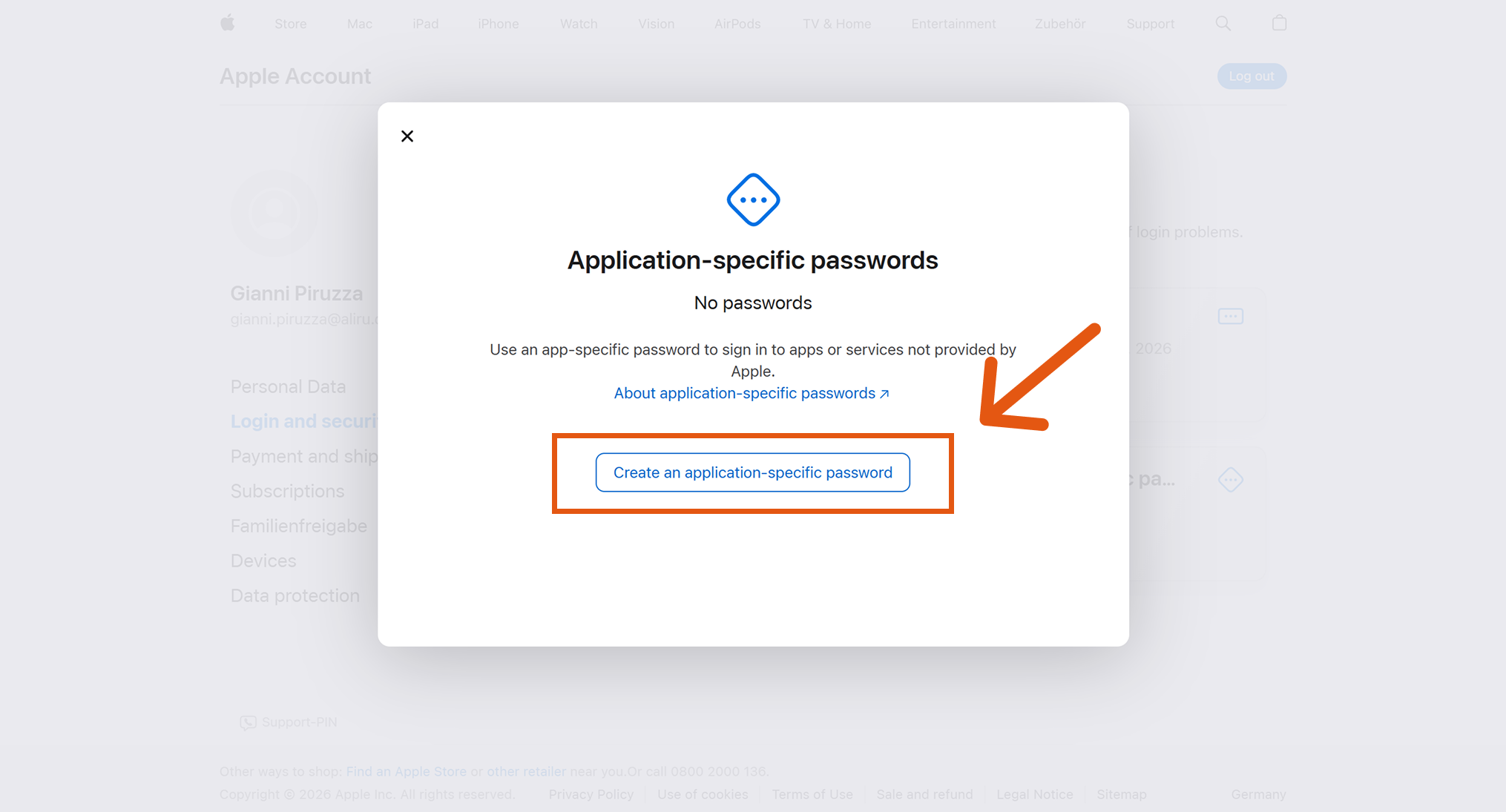
Click "Create an application specific password", give it a name (e.g. "Sally"), confirm, and copy the generated password.
- Paste the password into the Sally dialog and click "Connect". Your Apple Calendar events will now appear in Sally.
info
Synchronization may take a few moments. Restart Sally if necessary.
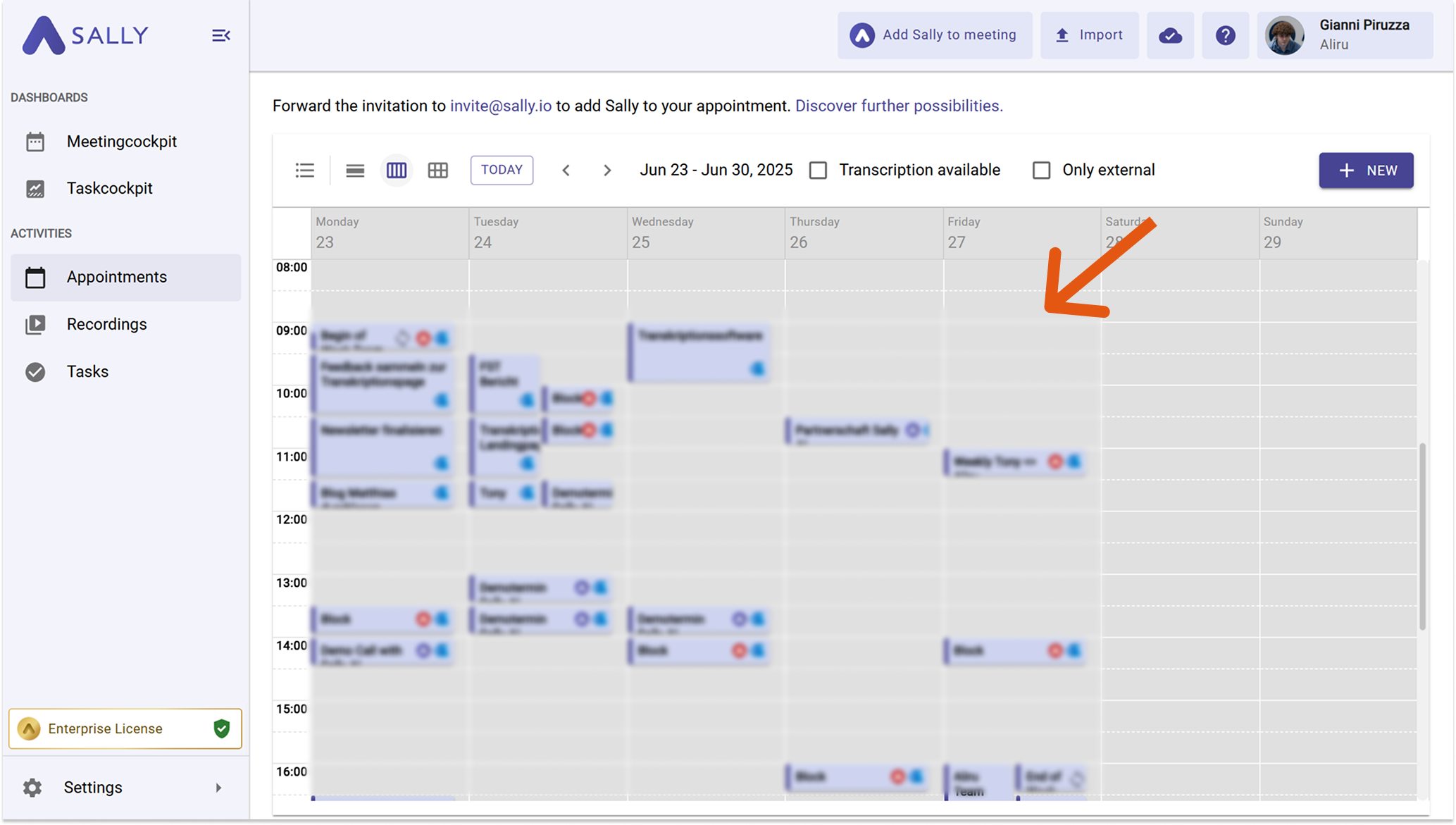
Once successfully connected, you can set whether and when Sally should automatically join your meetings.