Download restrictions
Administrators can restrict which file types users are allowed to download from Sally. This helps protect sensitive meeting data and ensures compliance with your organization's privacy policies.
By enabling download restrictions, you can prevent users from exporting transcripts, summaries, video recordings, or audio recordings — while still allowing them to view these items within Sally.
Configure download restrictions
- Open Settings in the left sidebar.
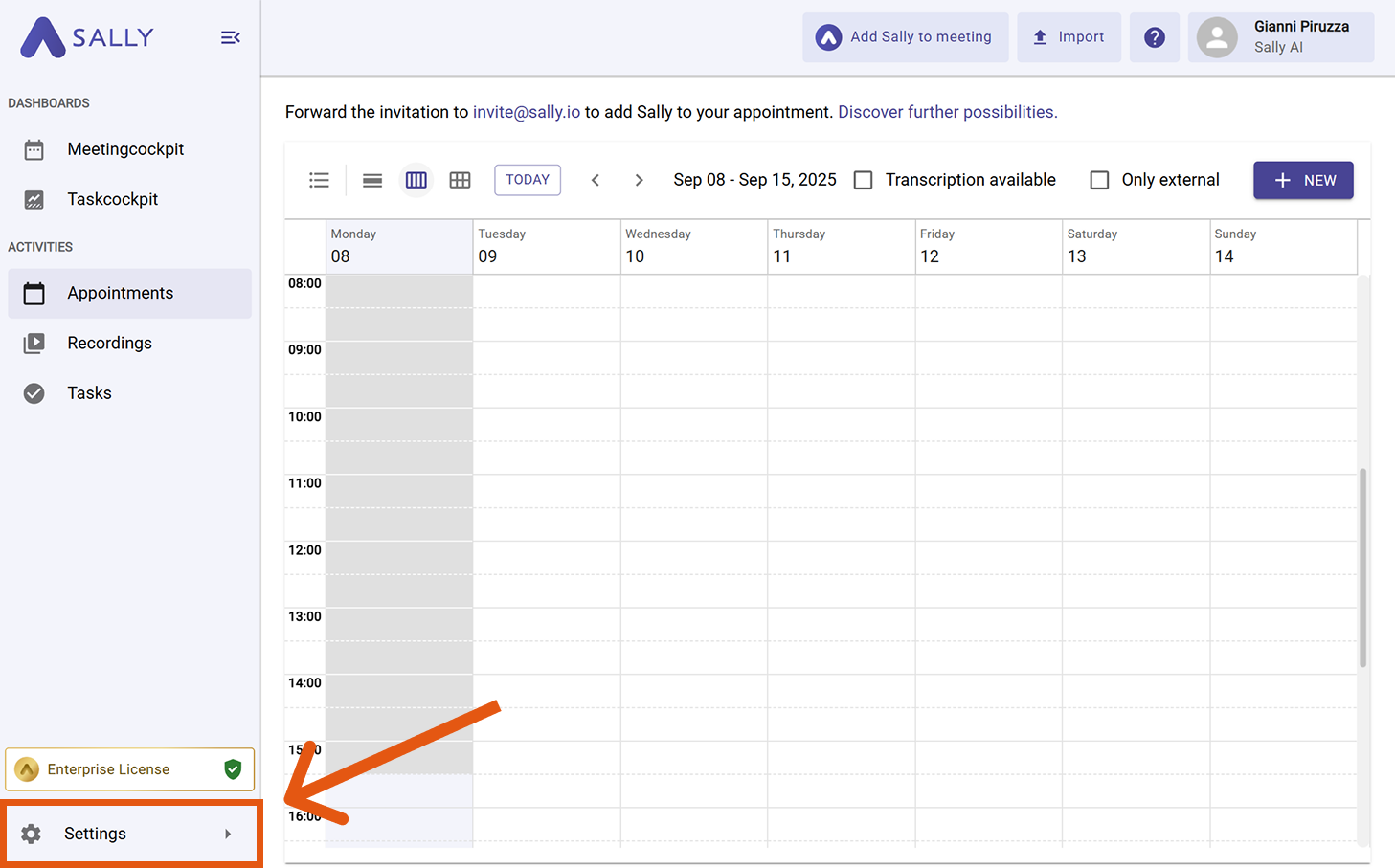
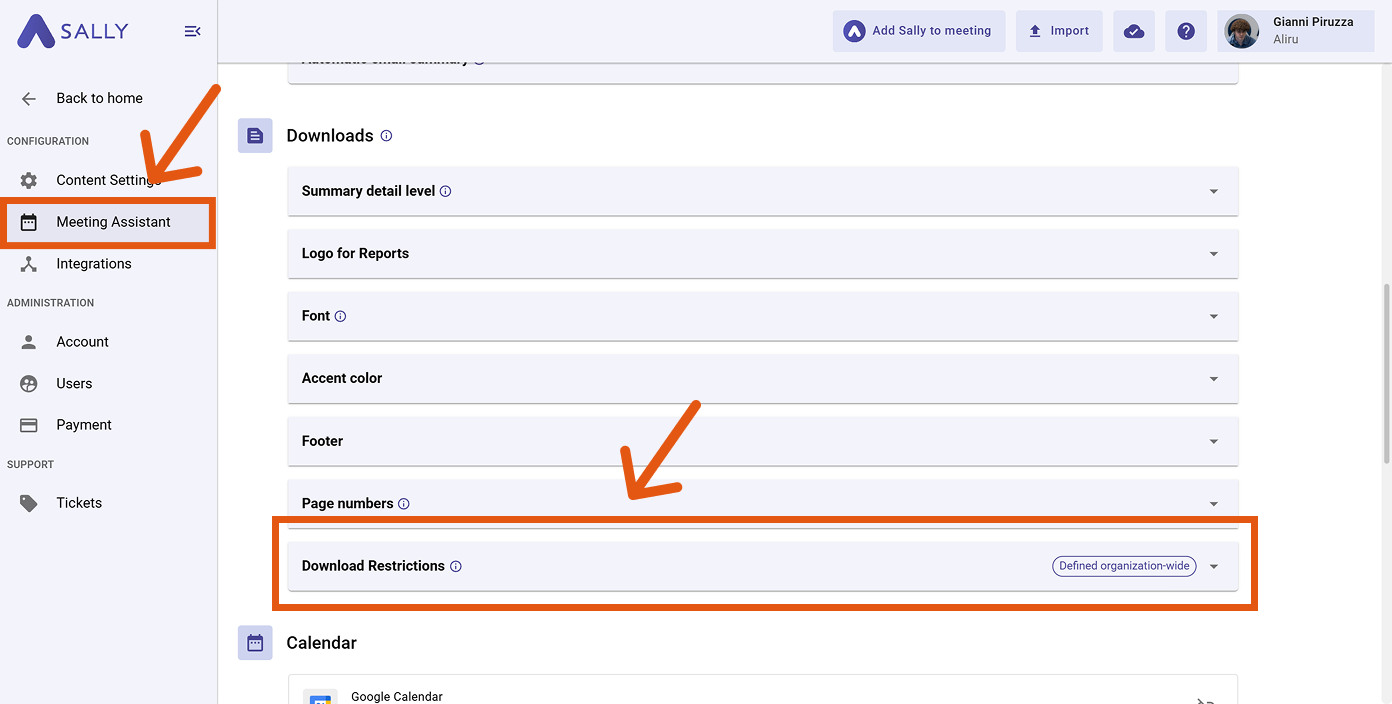
- In Configuration, select Meeting Assistant.
- Scroll down to the Downloads section and open "Download Restrictions".
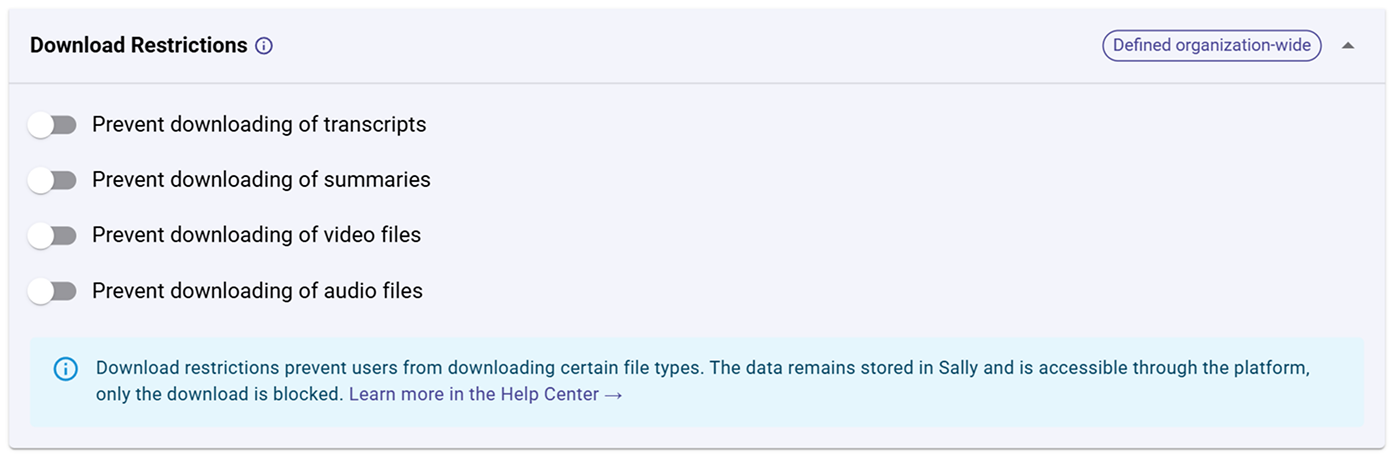
- Check the boxes for the file types you want to restrict. The following options are available:
-
Prevent downloading of transcripts: Users won't be able to export or save written transcripts of meetings as files. This is useful when internal discussions should stay within Sally.
-
Prevent downloading of summaries: Blocks users from downloading Sally's automatically generated summaries. This ensures that sensitive insights remain in the system and aren't shared externally.
-
Prevent downloading of video files: Disables the option to download meeting video recordings. Videos can still be viewed within Sally but not exported to local storage.
-
Prevent downloading of audio files: Stops users from saving the raw audio recordings of meetings. This helps reduce data exposure and comply with stricter privacy rules.
Restrictions are defined organization-wide: All users in the organization follow the same rules.