Add or update your Tax ID
You can add or update your Tax ID in Sally at any time. This ensures that your tax information is displayed correctly on all future invoices.
To update your Tax ID:
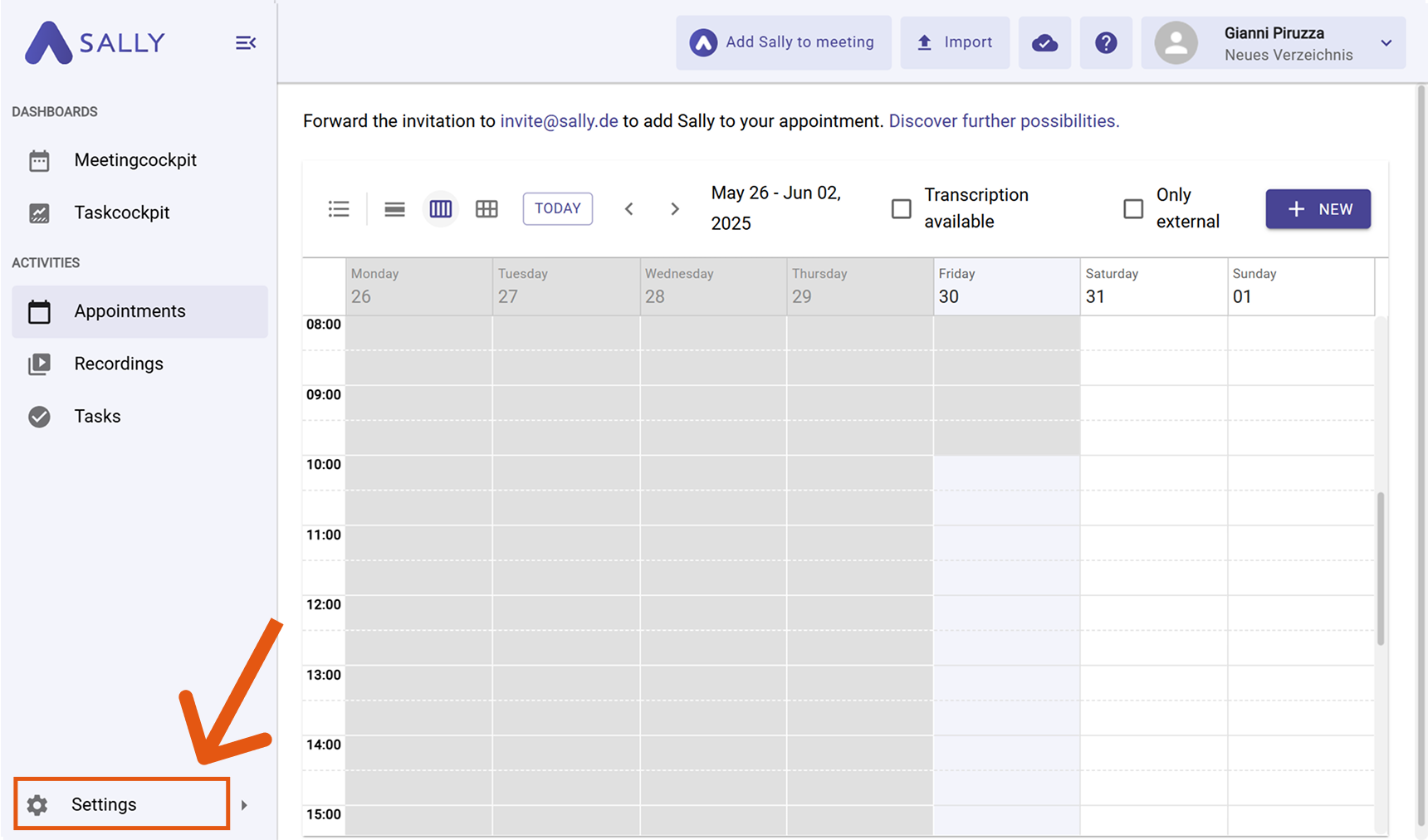
- Go to Settings in the left sidebar.
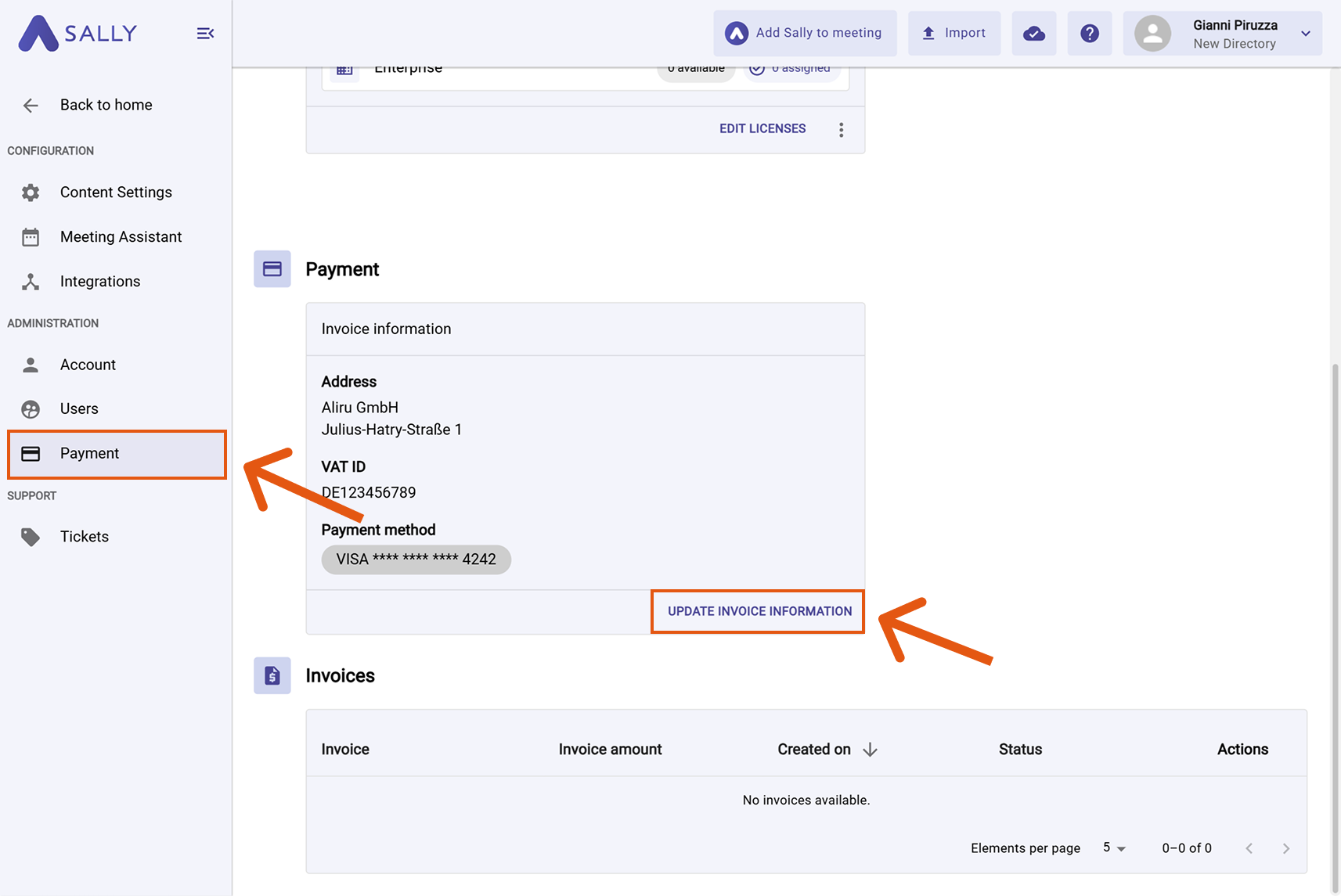
- Select Payment under Administration.
- Click "Update Invoice Information" — you will be redirected to the secure payment provider.
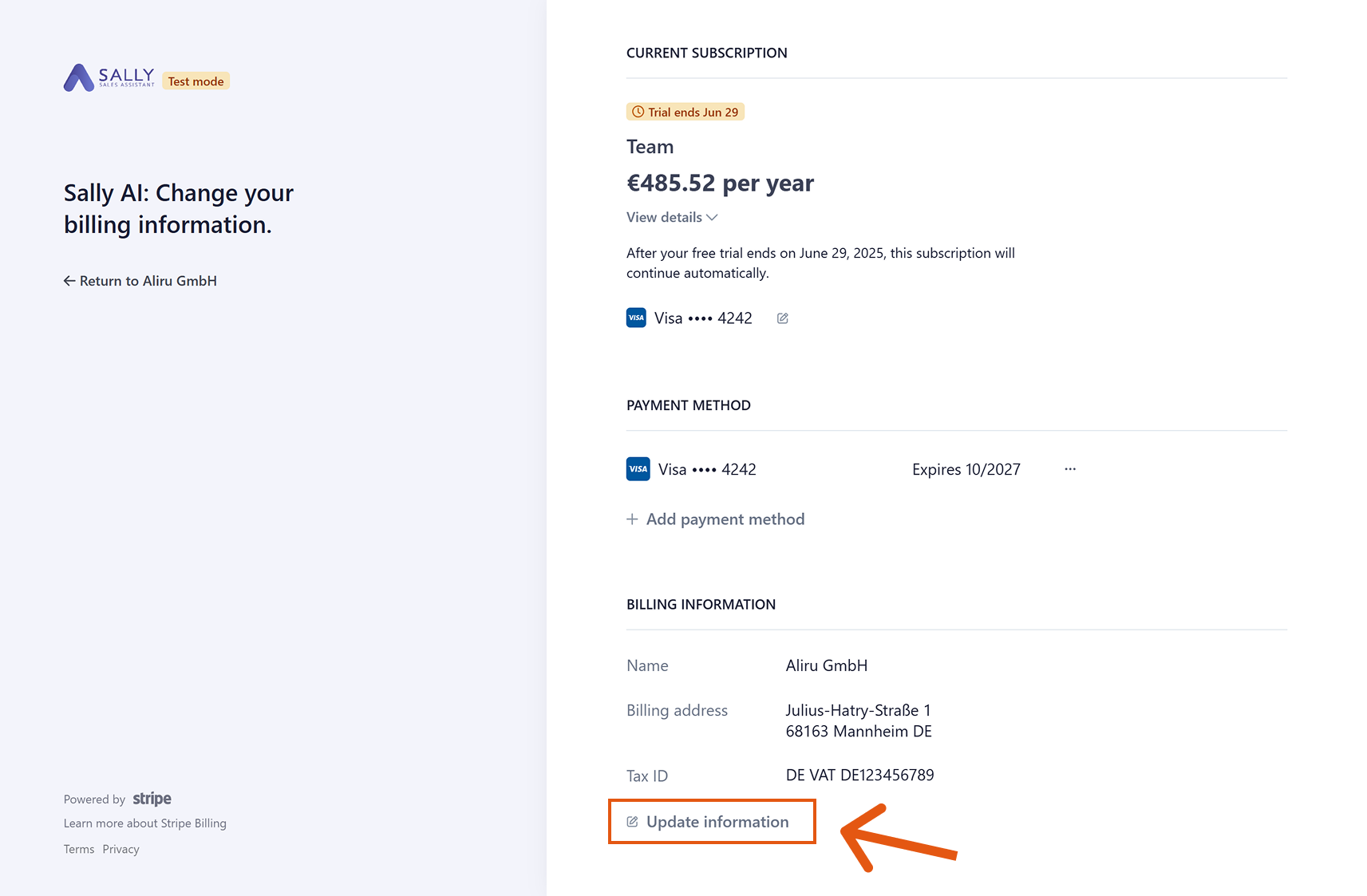
- Under "Billing Information", click "Update information".
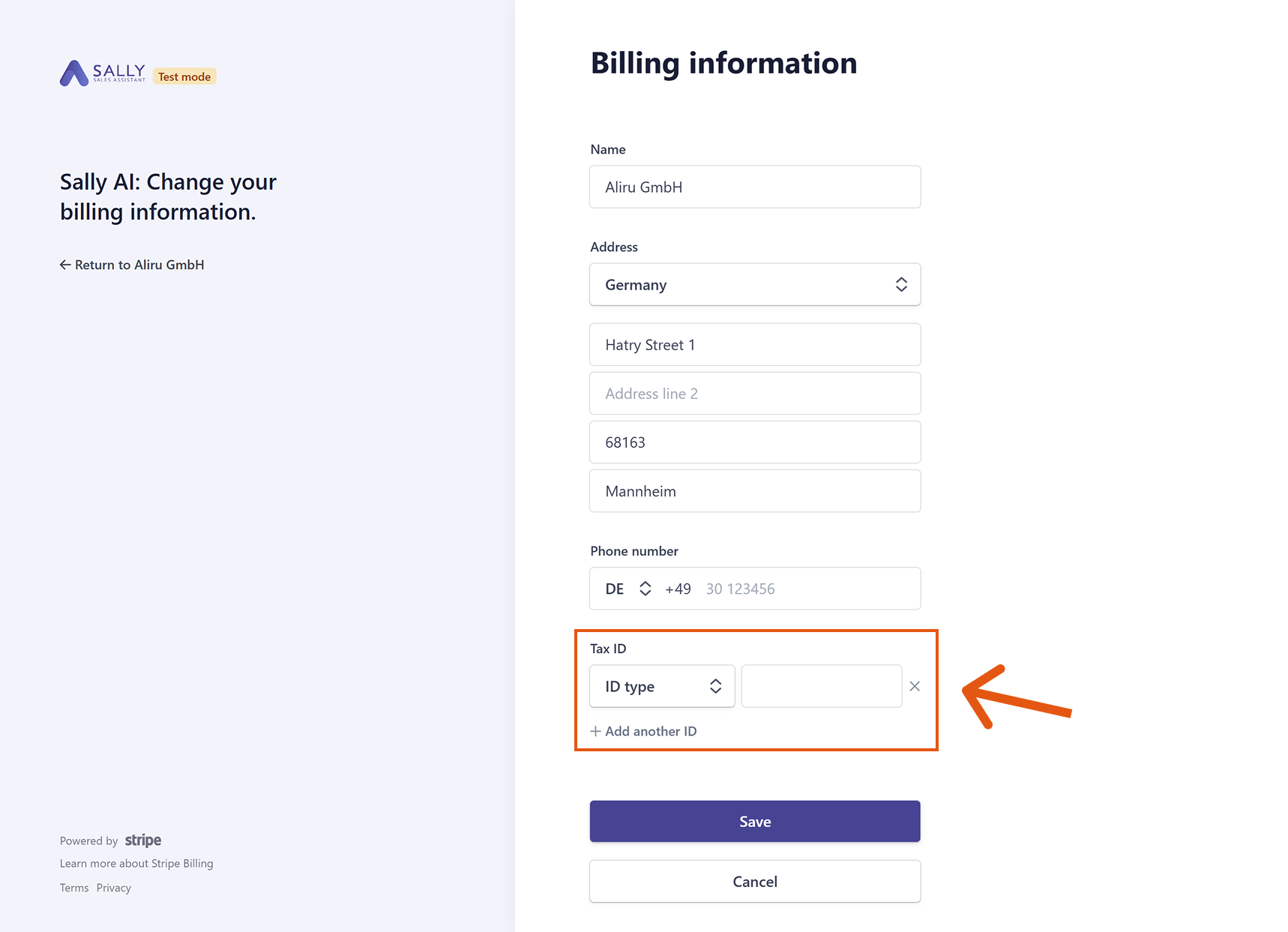
- Enter your Tax ID.
- Click on Save.
info
After your update, the entered Tax ID will appear on all future invoices.
Please note: Updates are not applied retroactively. Your Tax ID will only be included in invoices issued after the change.