How to cancel your Sally AI subscription

You can cancel your Sally subscription at any time. Cancelling means your plan will not renew at the next billing cycle, but you keep access to every feature until your current plan expires.

You cancel directly in the payment settings, no need to contact support. And you can undo it yourself any time before the end date.

Here's how to do it:

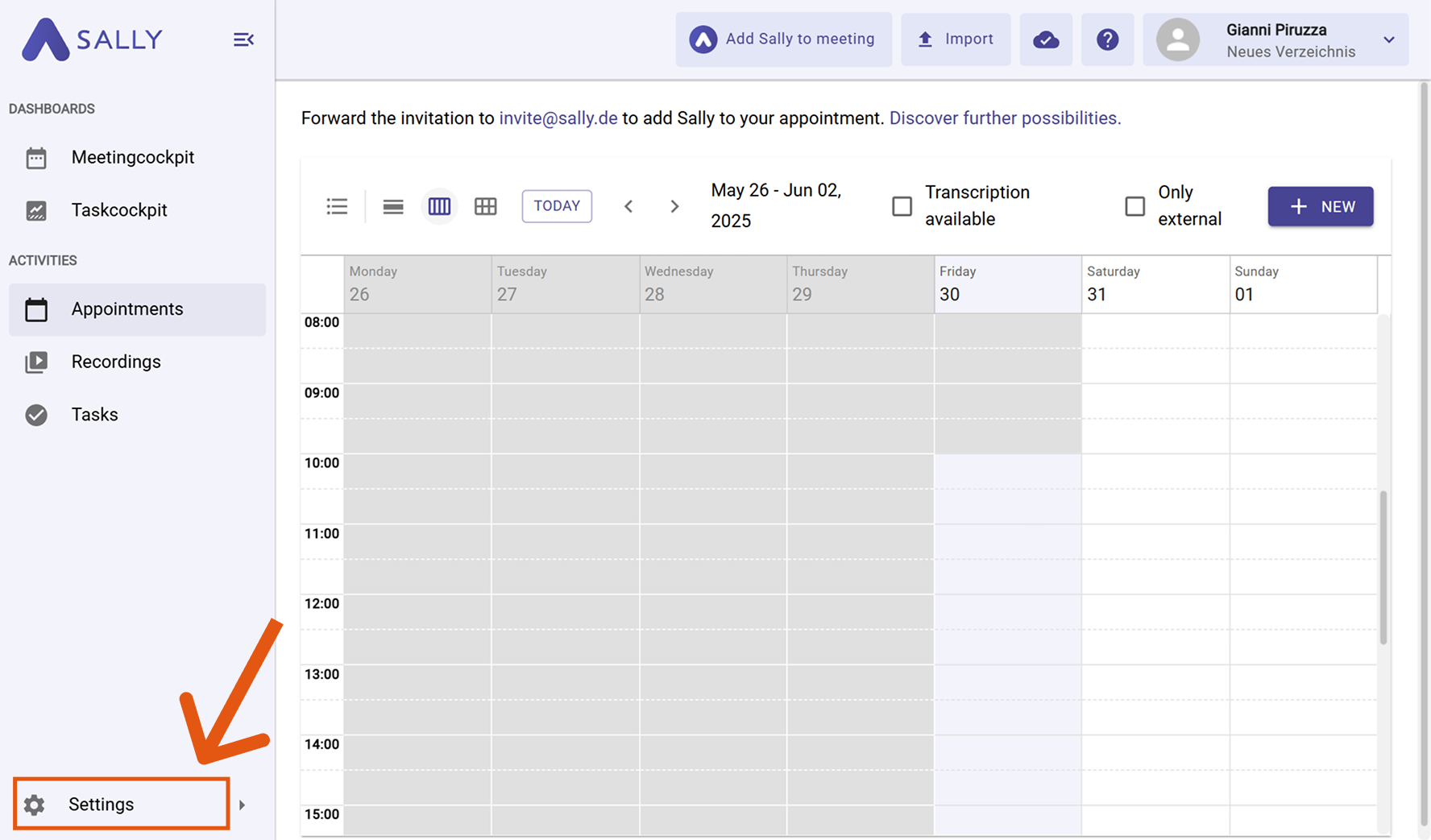
  1. Open Settings at the bottom of the left sidebar.
Sally sidebar with the Settings entry highlighted at the bottom left
Figure 1: Open Settings
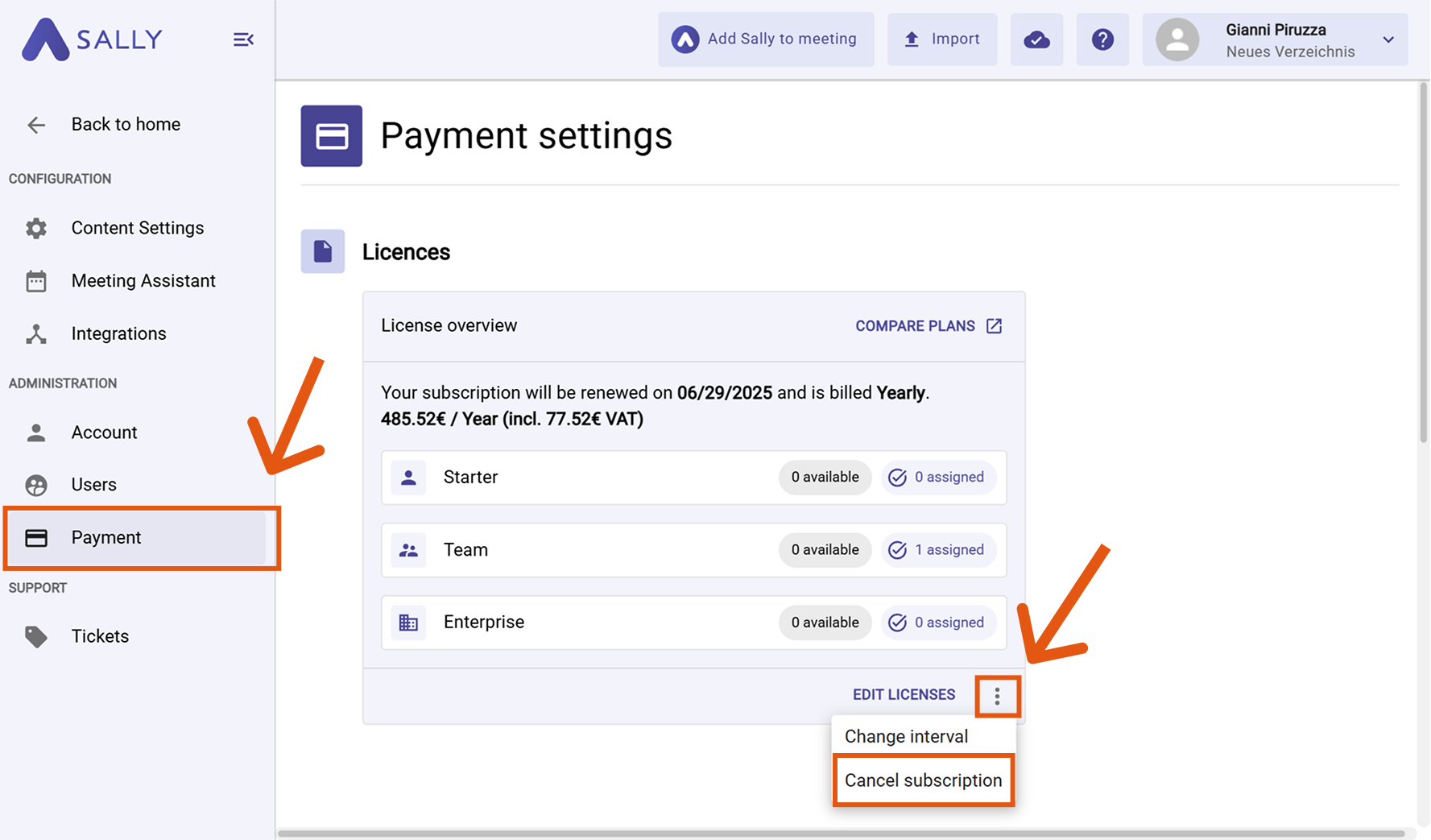
  1. Under Administration, open Payment and go to the Licenses section.
  2. In the license overview, click the three dots next to Adjust licenses.
  3. Choose Cancel subscription.
License overview in the payment settings with the menu open and the Cancel subscription entry highlighted
Figure 2: Pick Cancel subscription in the menu
  1. In the "Cancel your Sally subscription?" dialog, pick a reason, I don't use Sally often enough for instance. Your feedback below is optional and lets you add what was missing.
  2. The Note underneath names the date your subscription stays active until. Confirm with Cancel subscription, or back out with Never mind.
Cancel your Sally subscription dialog with the list of reasons, the feedback field, and the red Cancel subscription button
Figure 3: Give a reason and confirm the cancellation

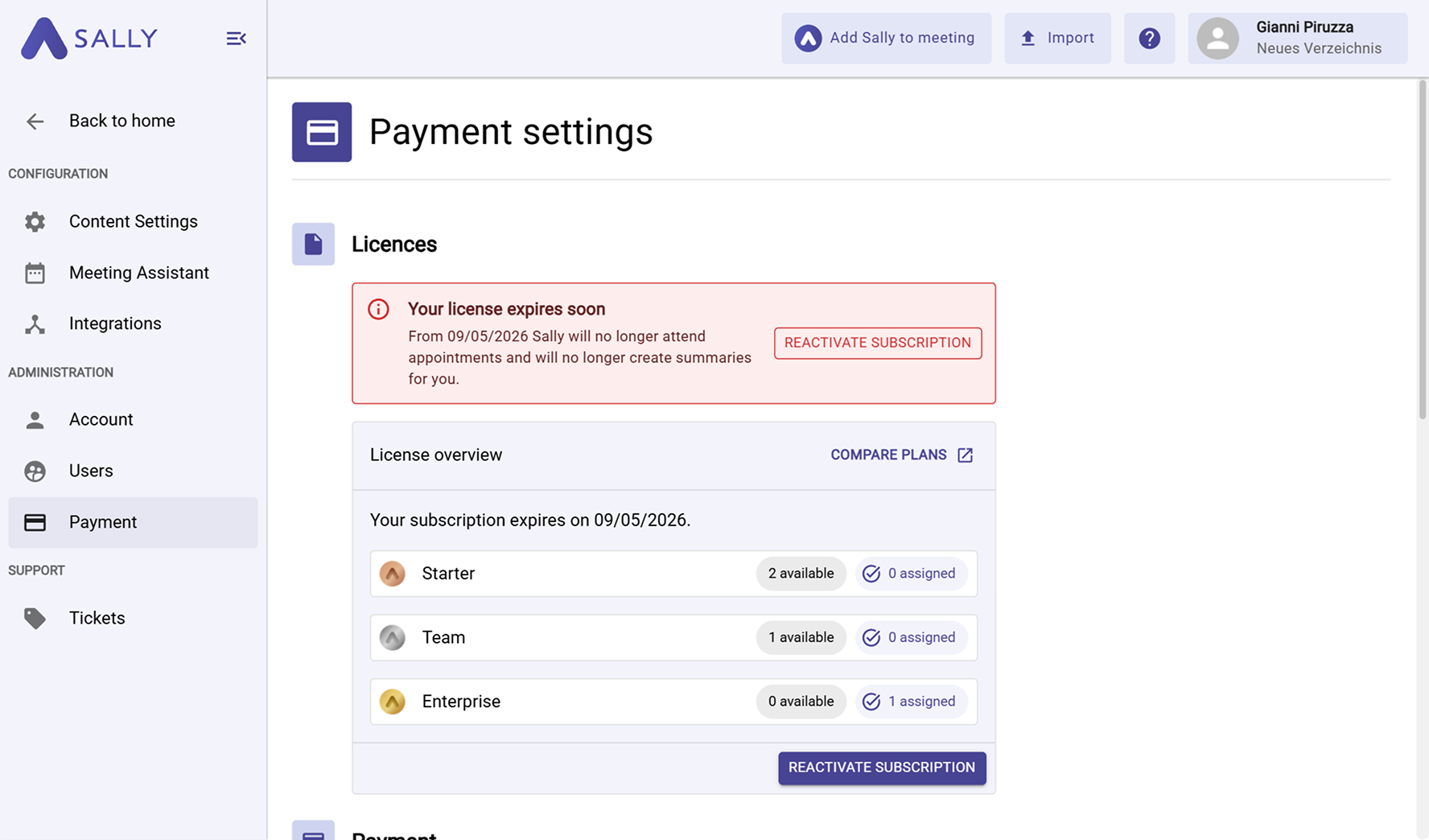
You then land back in the license overview. A Subscription ending notice now sits at the top with the date Sally runs until, and a chip in the header counts the remaining days. Reactivate takes the cancellation back at any time.

License overview with the red Subscription ending notice, the end date, and the Reactivate button
Figure 4: The cancellation notice with the Reactivate button
Important
  • After cancellation, no further charges apply once your current billing period ends.
  • Until that date, you and your team can keep using Sally without restrictions.
  • After that, the account is set to read-only.
  • You can reactivate your subscription at any time if you change your mind.
  • While the cancellation is pending, the three dots menu is hidden. Adjust licenses stays available.