Add or reduce licenses
In this article, you'll learn how to add more licenses to your Sally account to give additional users access – or remove licenses you no longer need.
info
To add licenses, you must have purchased them beforehand. If you don’t have any available, please buy additional licenses via your Payment section before assigning them to users.
Steps to add or remove licenses
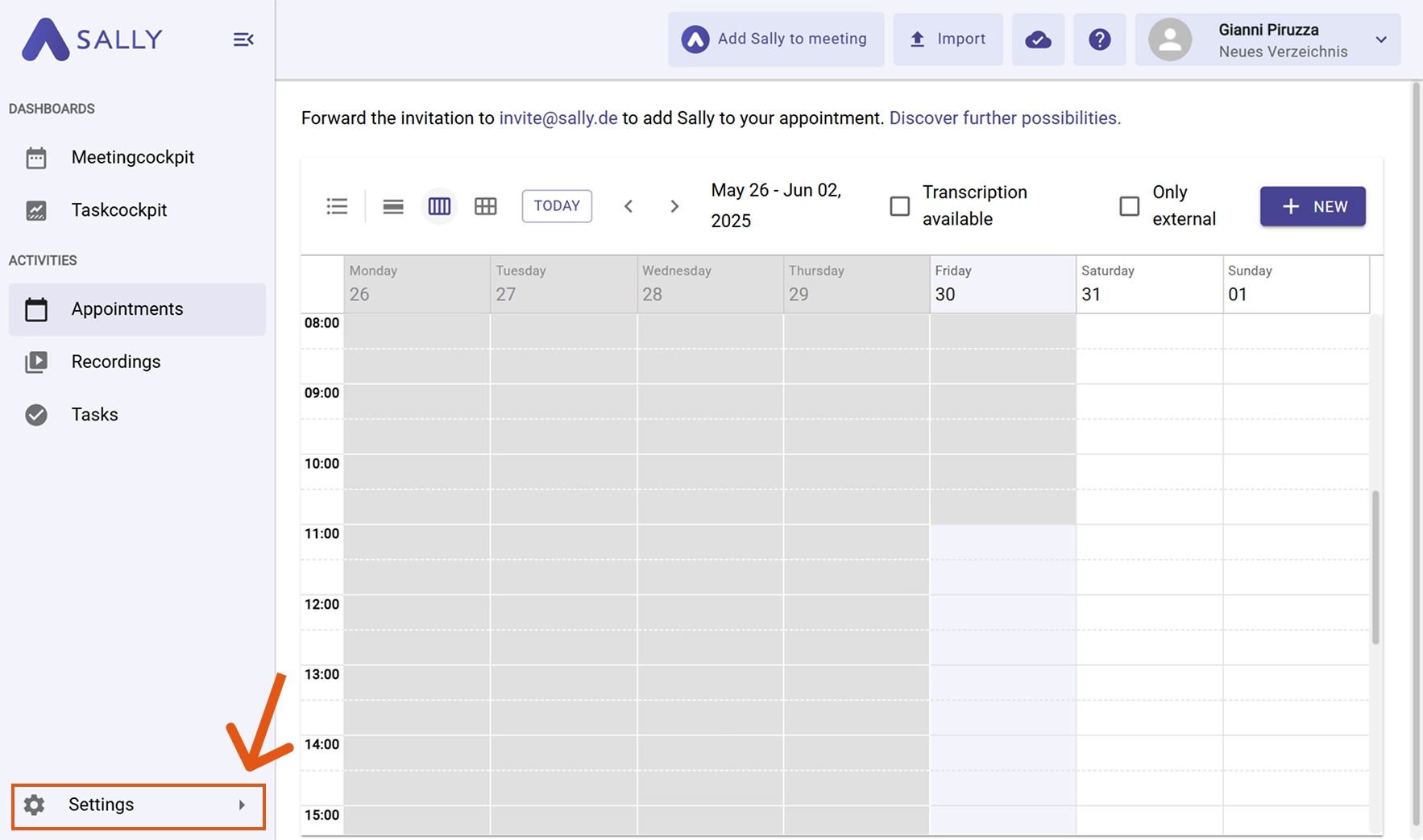
- Open Settings.
-
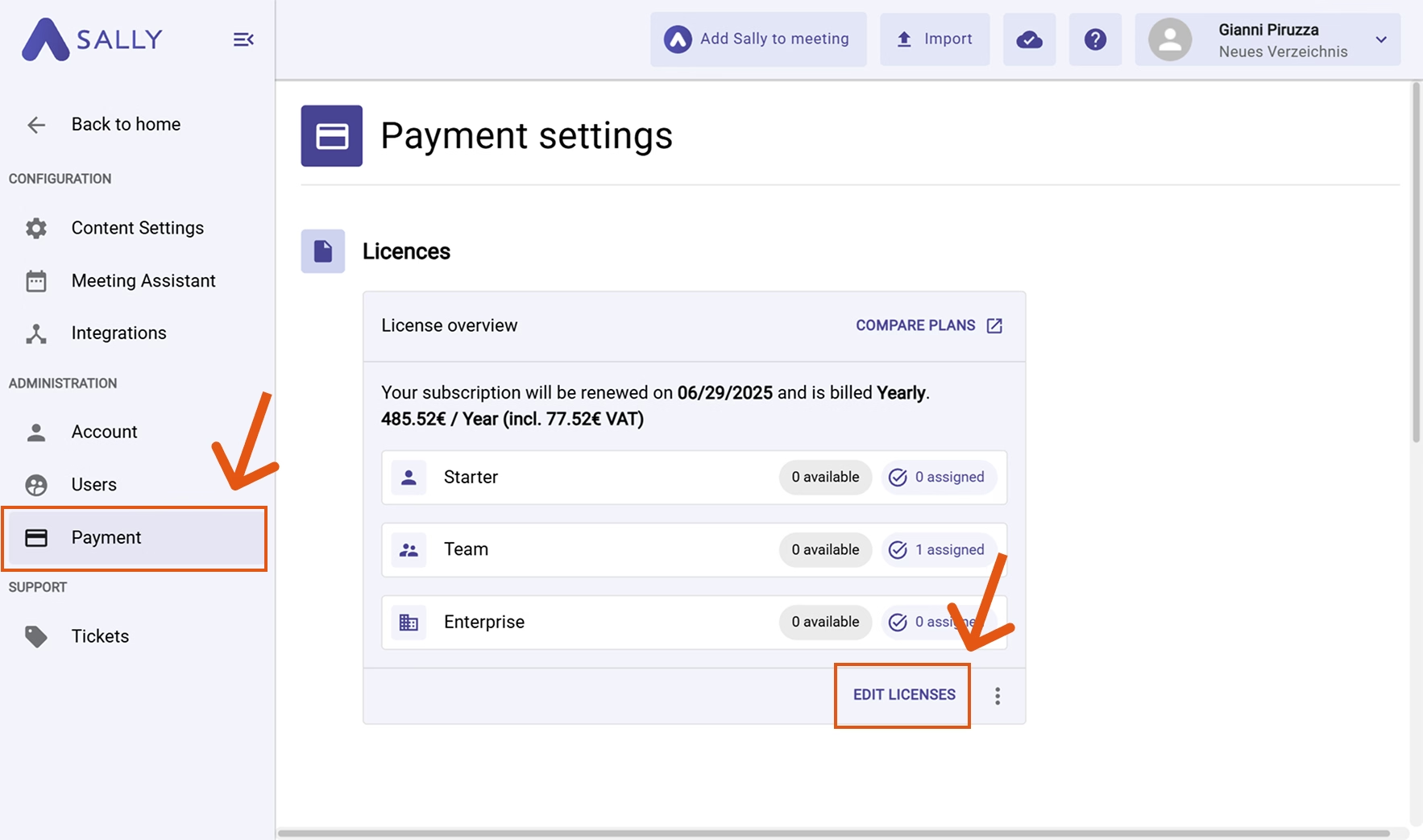
Click on Payment.
-
Under Licenses, select Edit licenses.
-
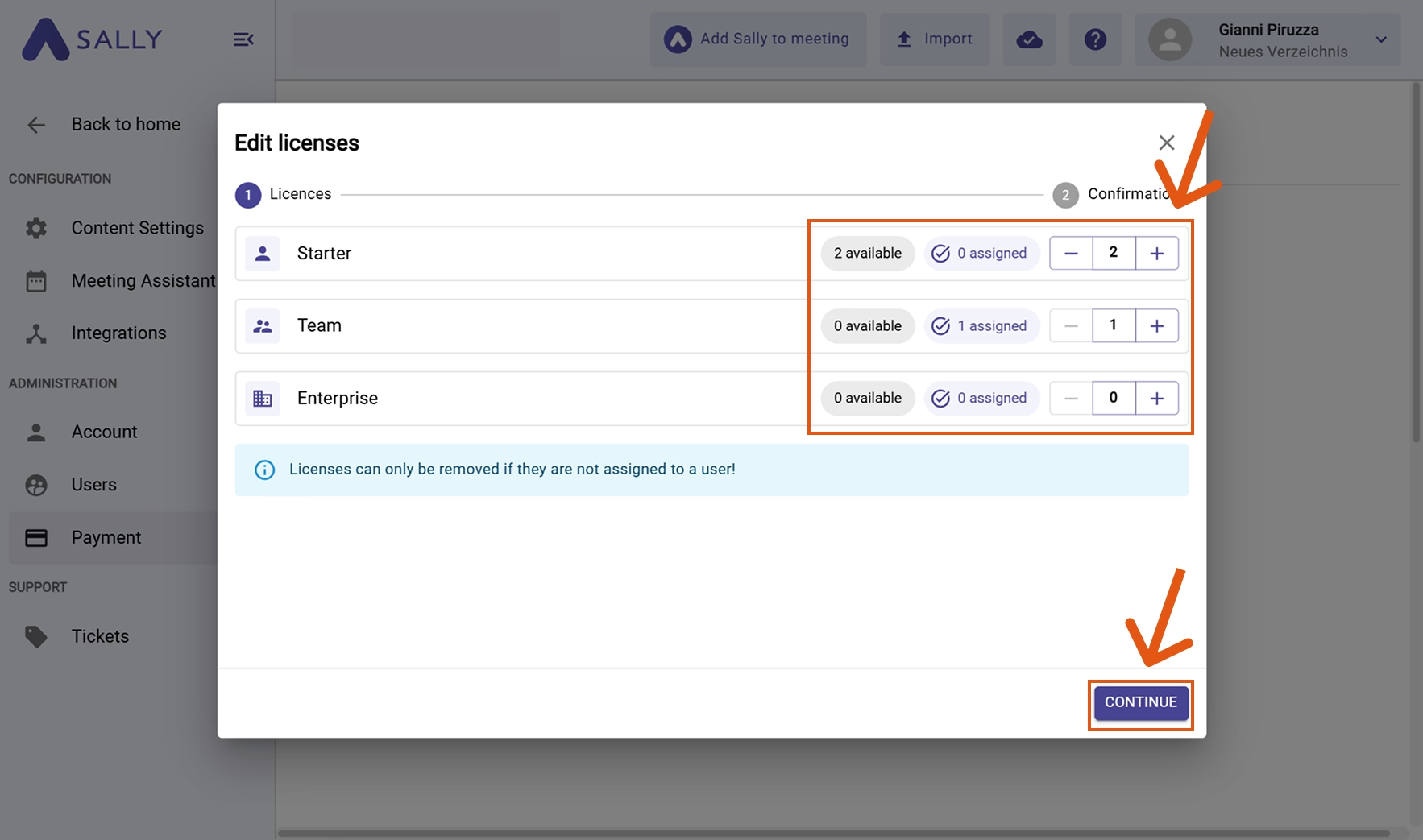
In the pop-up, change the number of licenses – either increase or decrease them.
Note: Licenses can only be removed if they are not currently assigned to a user.
Simply enter the desired total number of licenses. -
Click Next.
- Confirm by clicking Confirm payment.
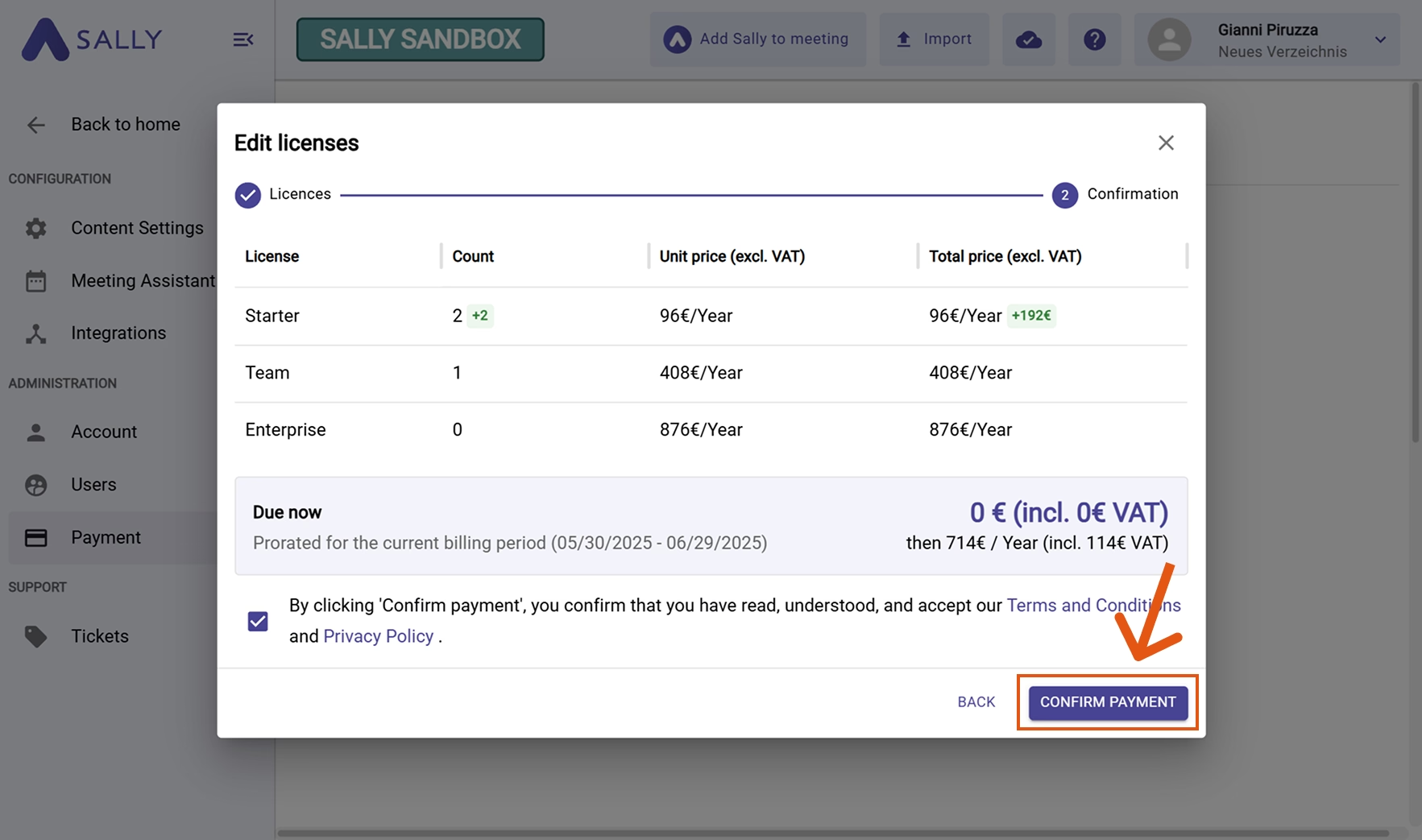
Once confirmed, the purchased license still needs to be assigned to a user. Learn how to do this in Assign licenses.