Configure Sally AI Auto-Leave on Silence Timeout
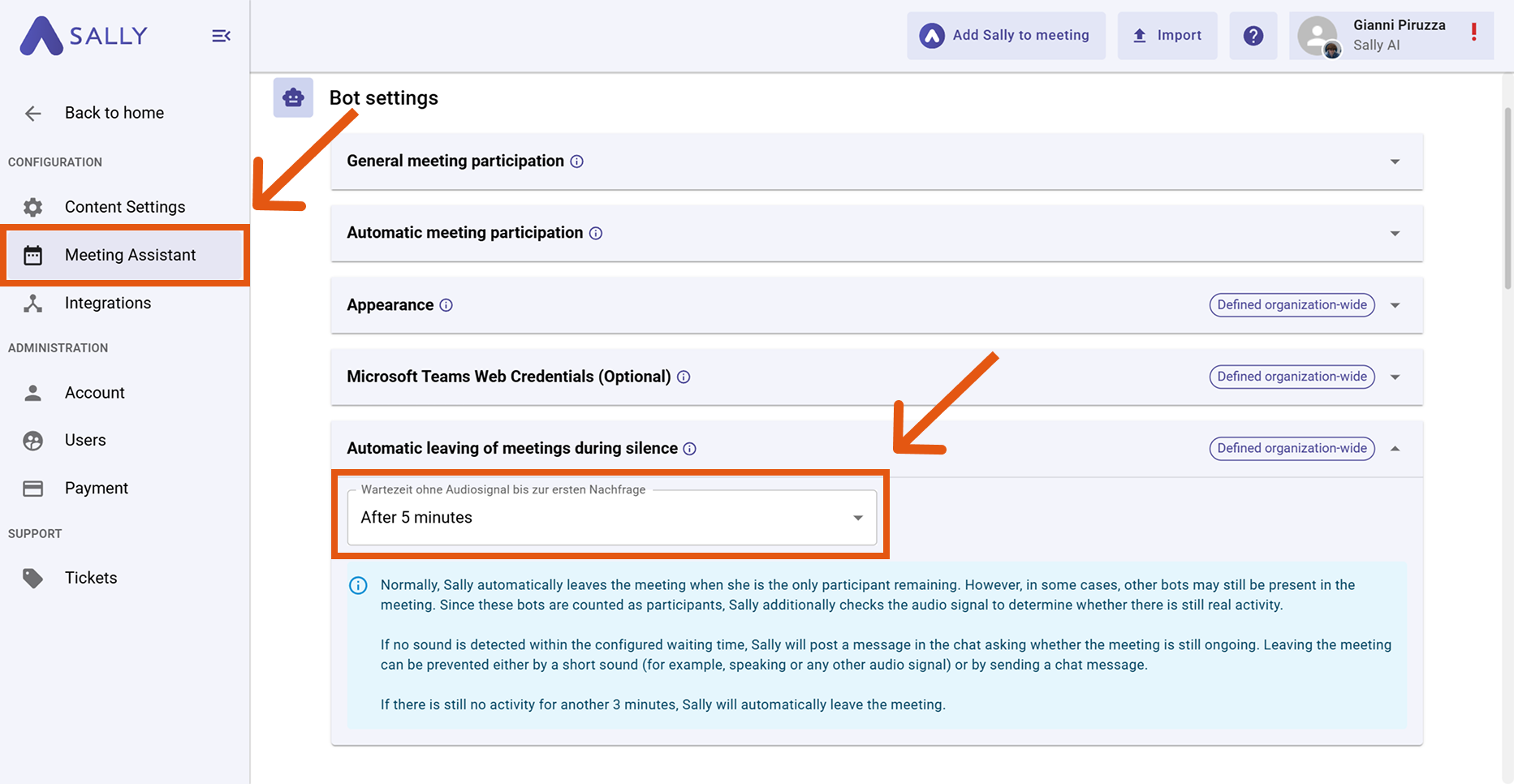
With the Auto leave on silence setting, you can define how long Sally should wait during inactivity before leaving a meeting automatically.
This helps prevent Sally from staying in meetings that have already ended — especially in cases where other bots are still present and counted as participants.
Sally normally leaves a meeting when she is the only participant remaining. If other bots are still present, she checks the audio signal to detect real activity.
If no sound is detected within the configured waiting time, Sally posts a message in the chat to confirm whether the meeting is still ongoing. You can prevent her from leaving by speaking briefly or sending a chat message.
If there is still no activity for another 3 minutes, Sally automatically leaves the meeting.
How to Configure the Silence Timeout
You can adjust the waiting time individually.
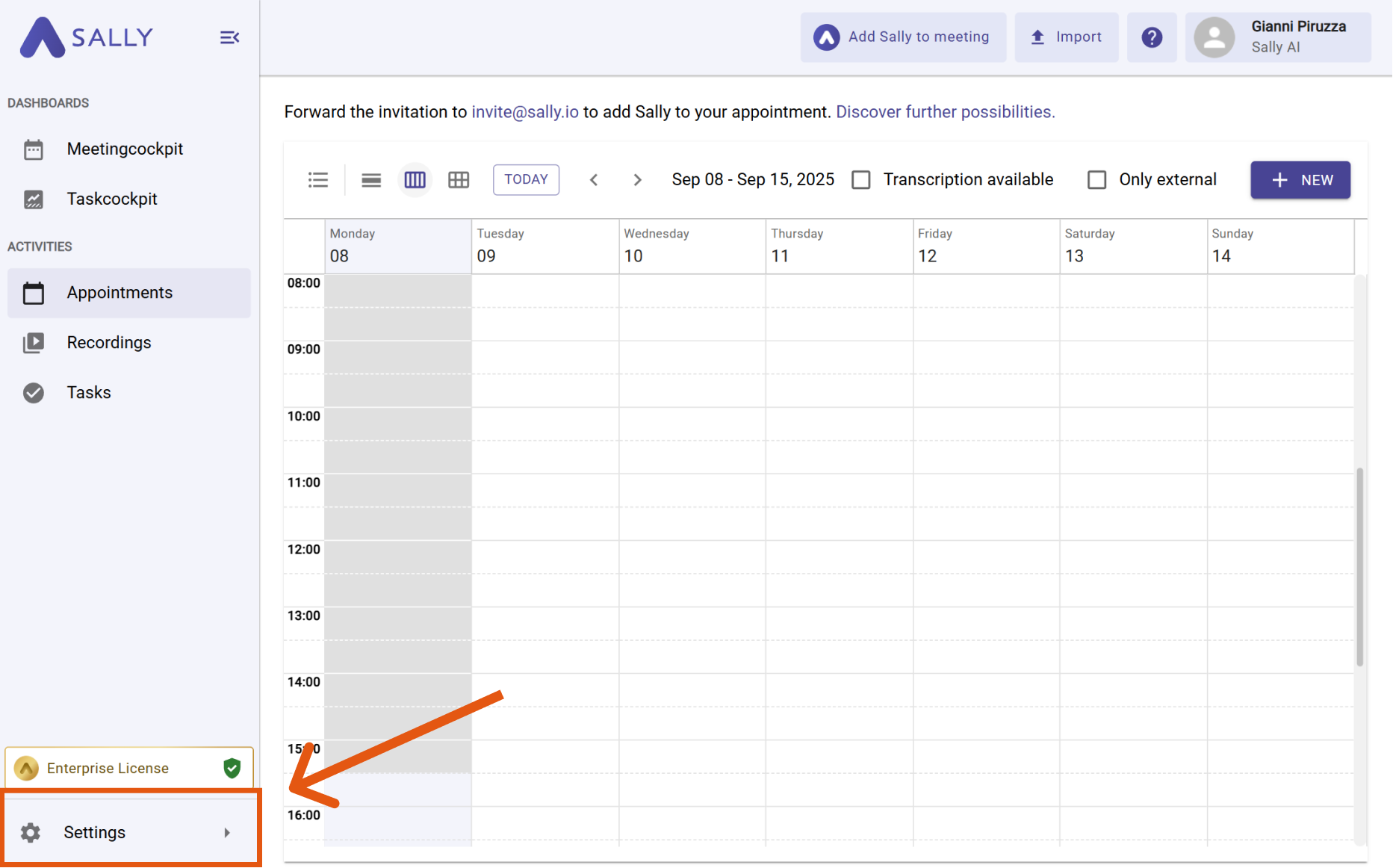
- Open the settings.
- Scroll to the section "Automatic leaving of meetings during silence" under Bot settings.
- Select the desired waiting time from the dropdown menu, where you can choose between 3 minutes, 5 minutes, 10 minutes, 15 minutes, 30 minutes, 1 hour, or 2 hours.
This setting is defined organization-wide and cannot be modified individually. If a different waiting time is required, please contact a user with the role “Admin” or “Owner”.