Manual Attendance
Besides automatic attendance, there are two ways to manually add Sally to your meetings:
- Via meeting link — Copy the URL of your online meeting and paste it directly into Sally. This is the fastest way to add Sally to a spontaneous or already running meeting, even without a connected calendar.
- Via invitation & email — Add Sally as a guest to your calendar invitation or send her an email with the meeting details. This works like inviting any other colleague and is ideal for planned or recurring meetings.
Quick Navigation:
Option 1: Via Meeting Link
Even without a connected calendar, you can add Sally to any meeting — you just need the meeting link.
tip
Find out how to get your meeting link:
Steps
- On the homepage, click Add Sally to meeting.
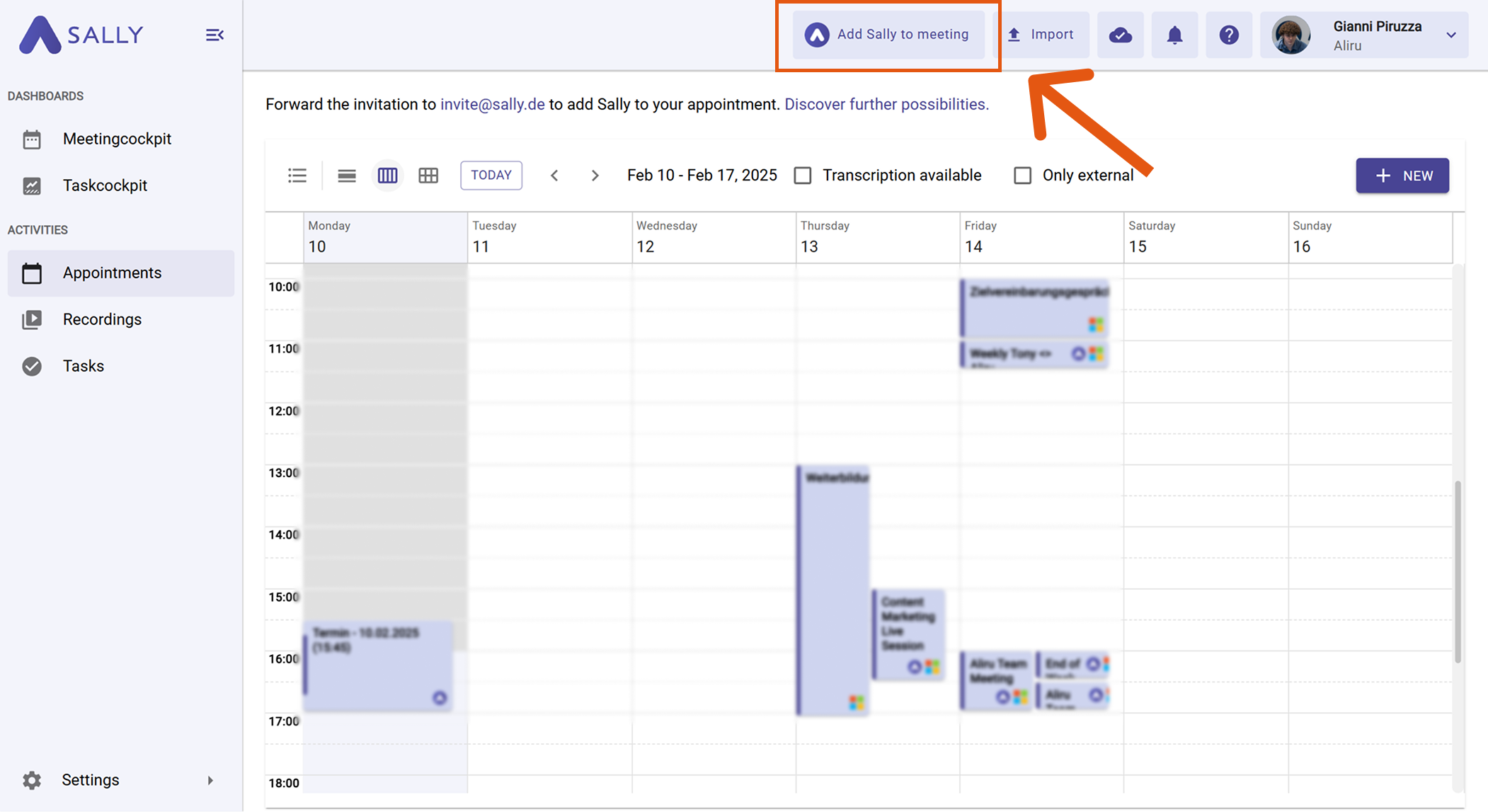
- Paste the meeting link into the Link field.
- Set the desired meeting time.
- Click Add to confirm.
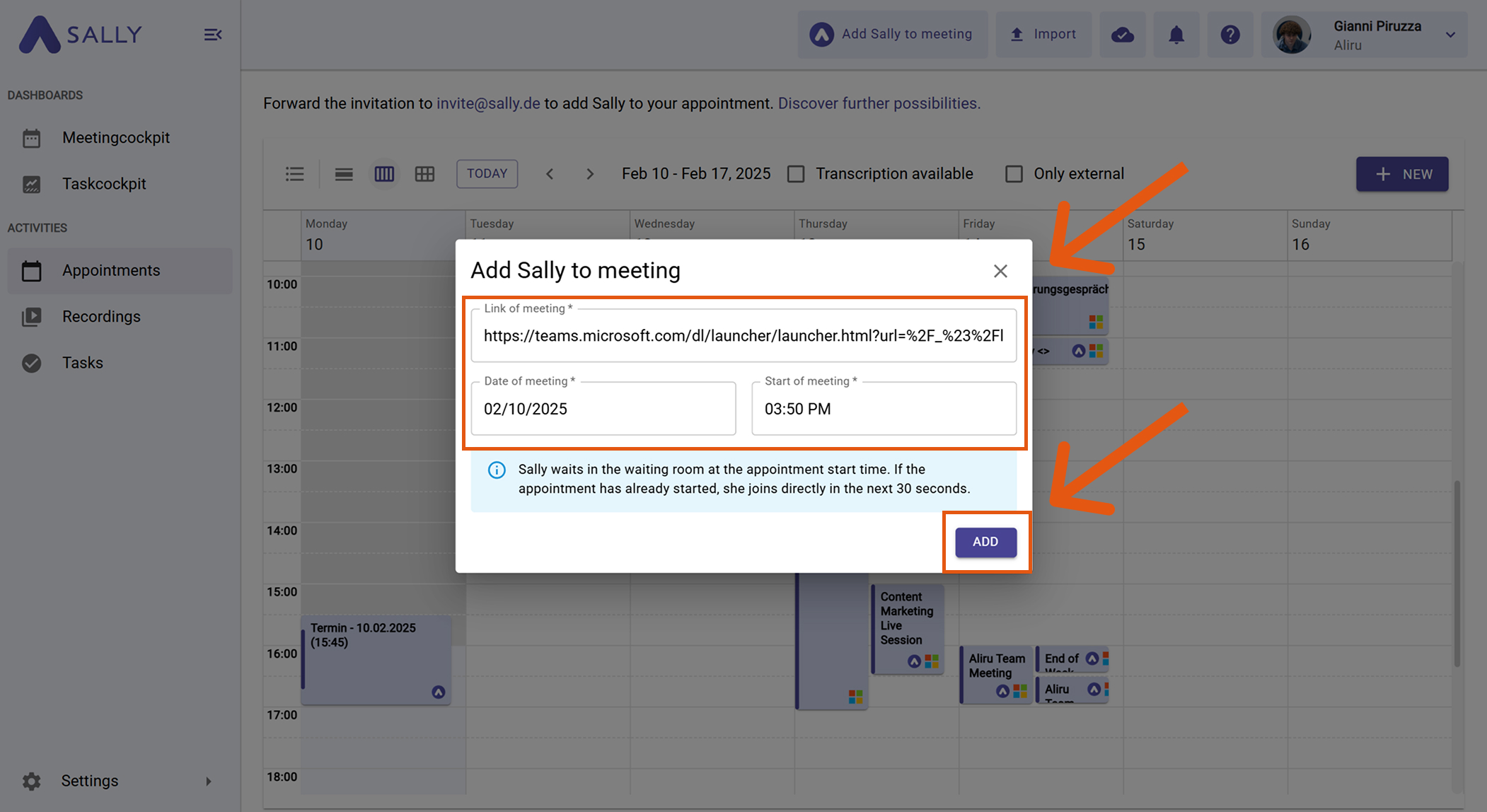
- Sally will join your meeting automatically.
info
If you add Sally to a meeting that's already in progress, allow about one minute for the bot to join.
Option 2: Via Invitation & Email
Invite Sally just like any other colleague — using her dedicated email address: invite@sally.io
2.1 Before the meeting
- Copy Sally's email: invite@sally.io
- Create a new meeting in your calendar.
- Add the email to the guest list (CC):
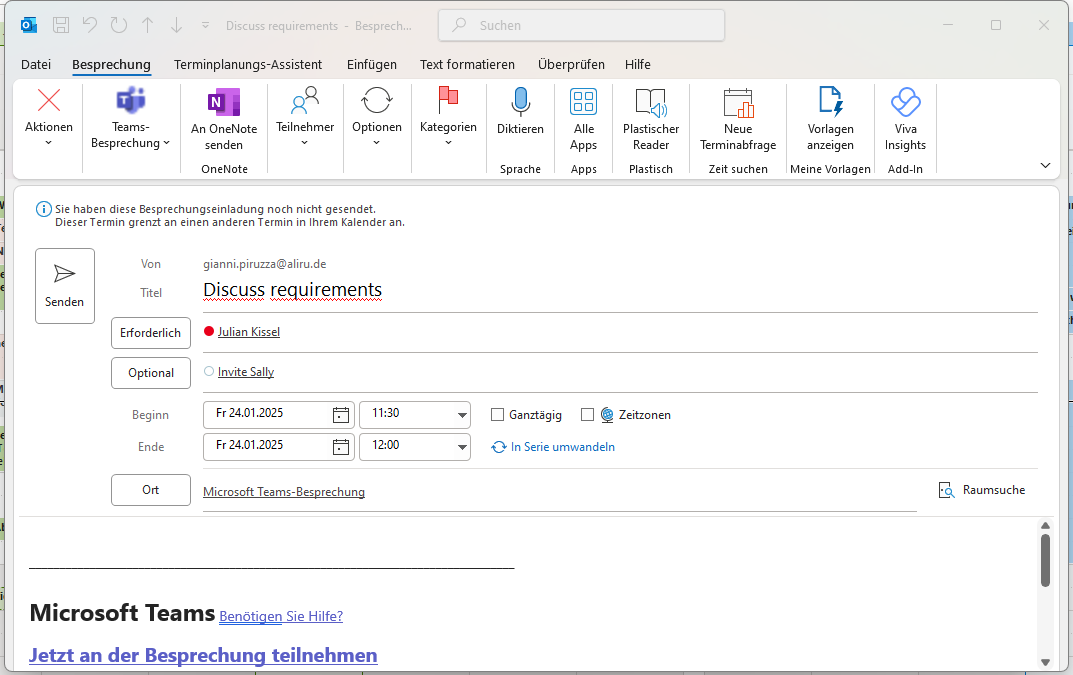
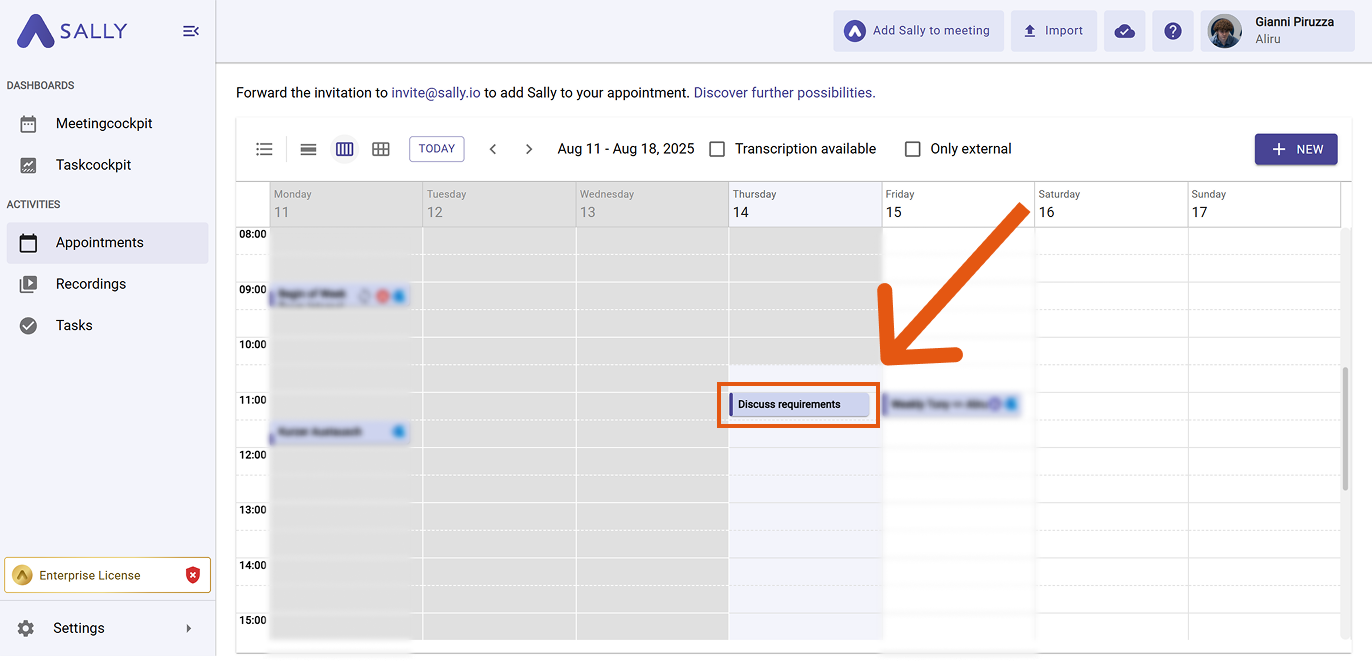
- Save the meeting — Sally will automatically join when it starts.
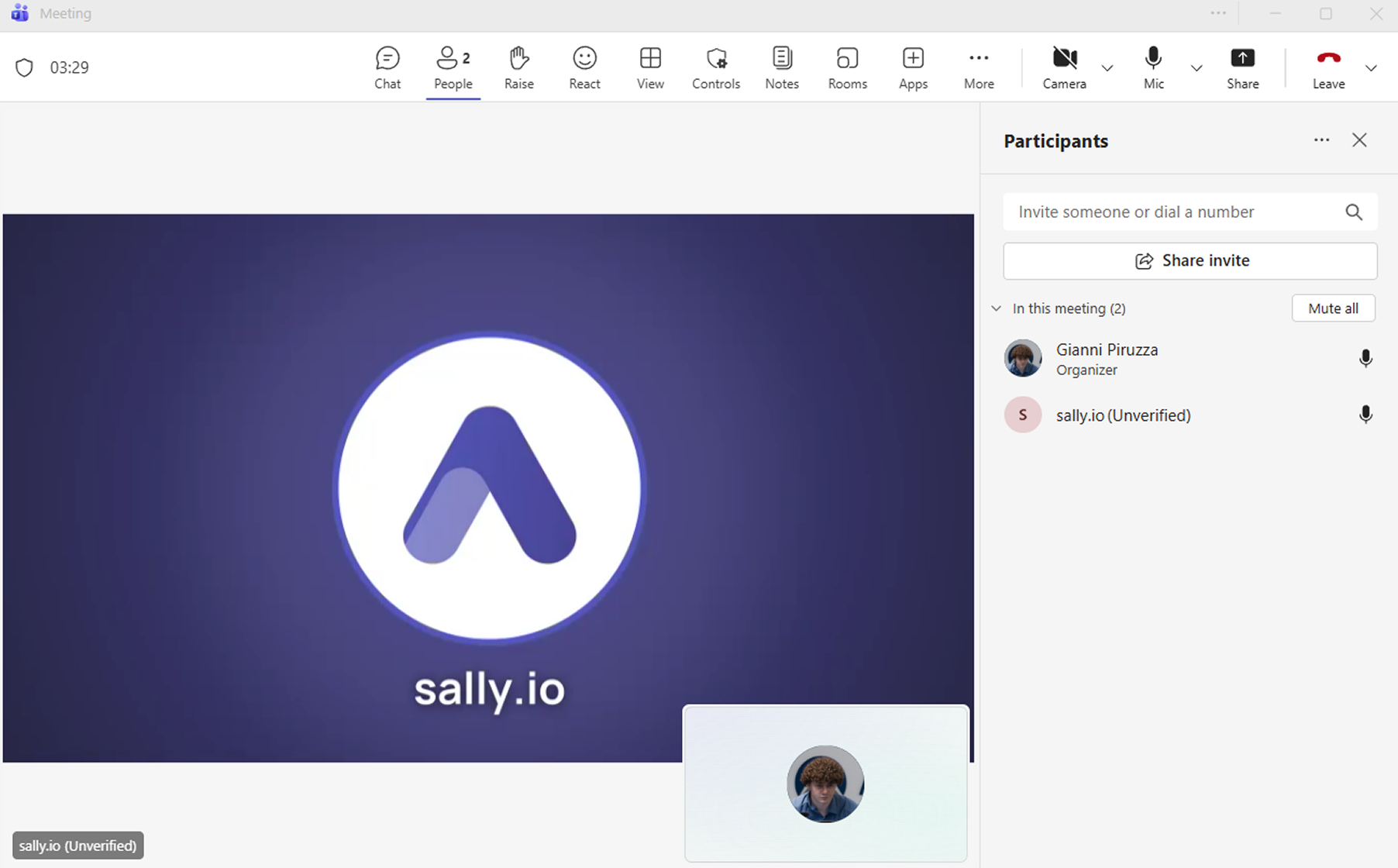
2.2 During an ongoing meeting
You can also invite Sally while a meeting is already in progress. Example using Microsoft Teams:
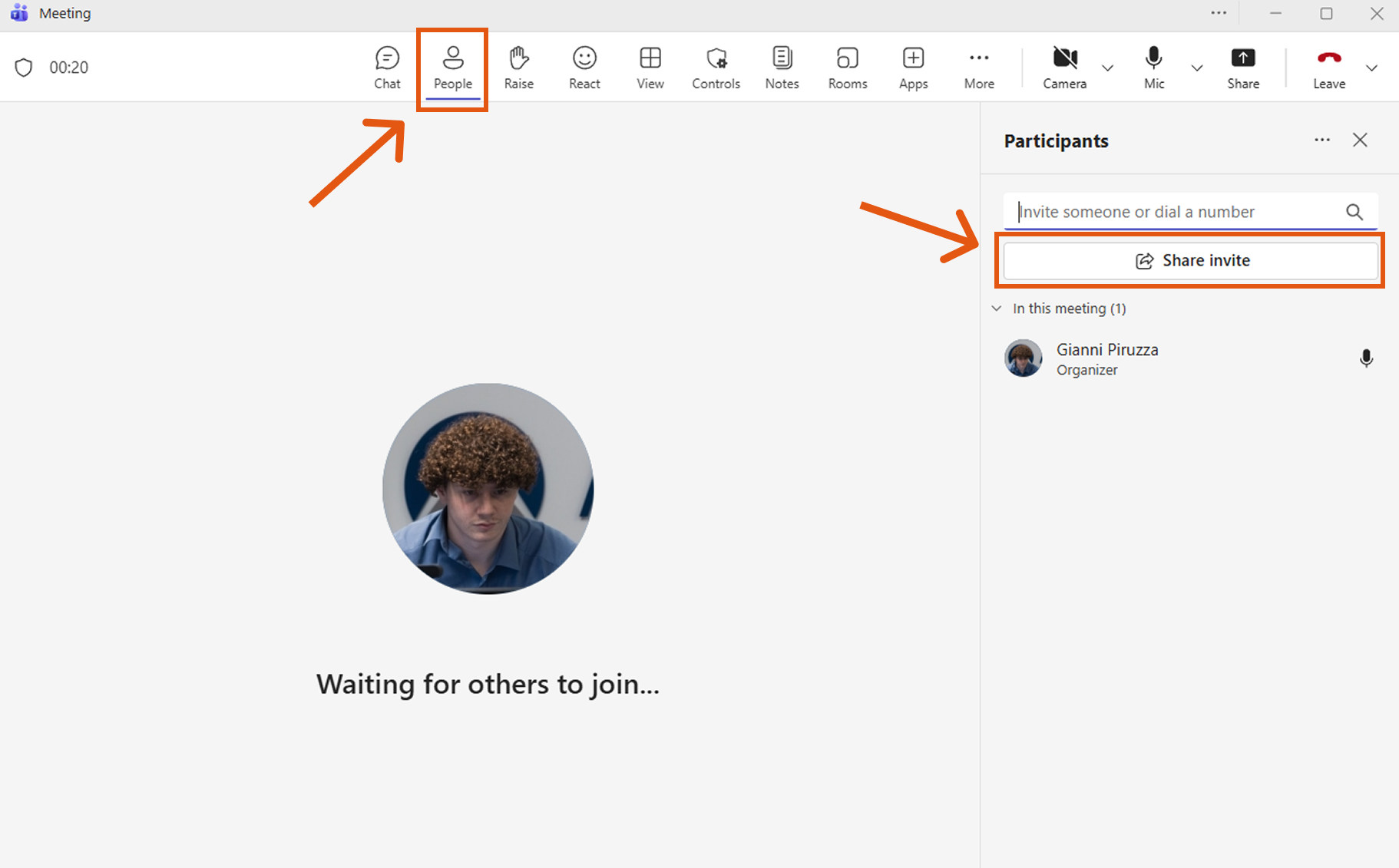
- Open the participant panel ("People" icon) → click "Share invite".
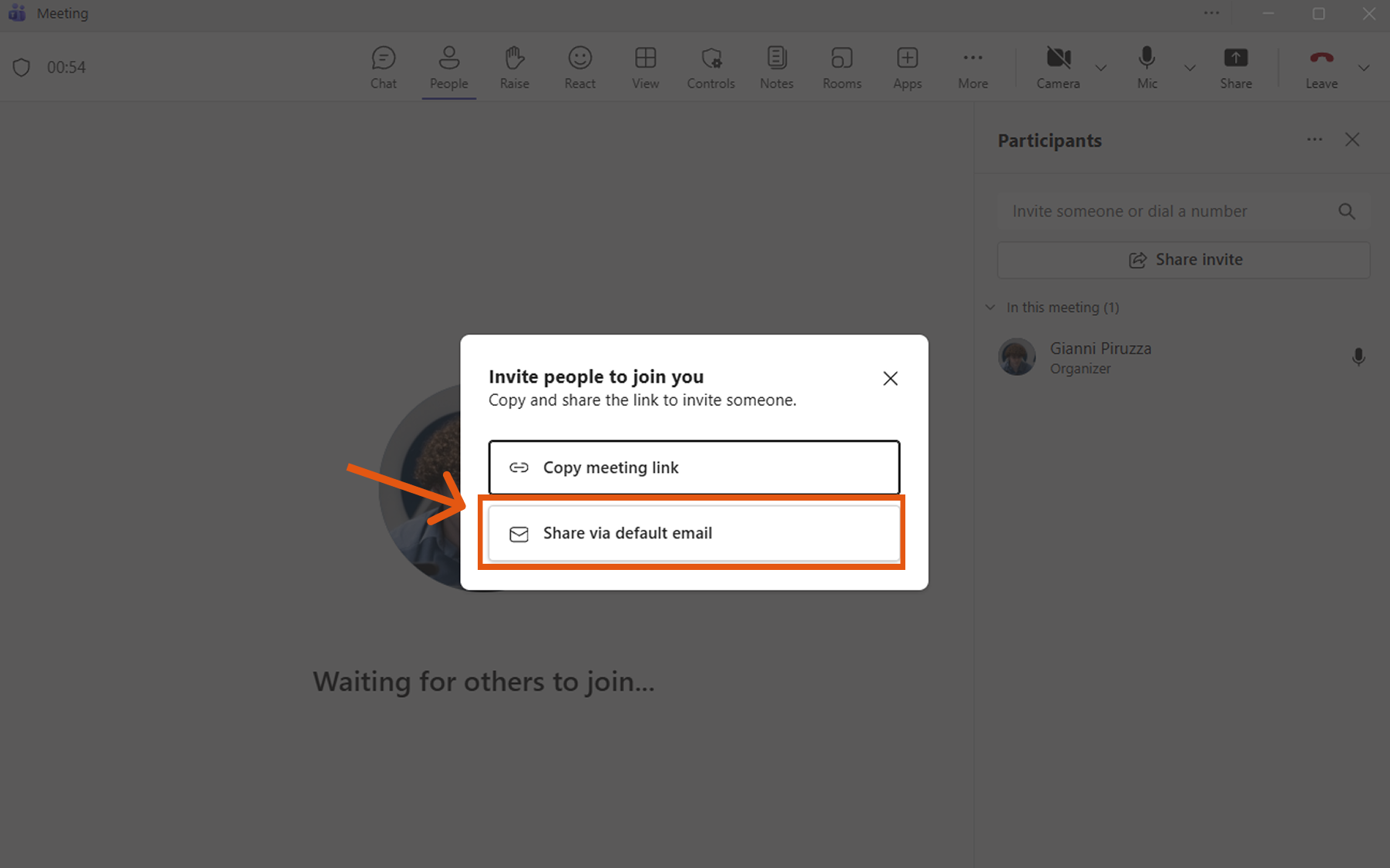
- Click "Share via default email".
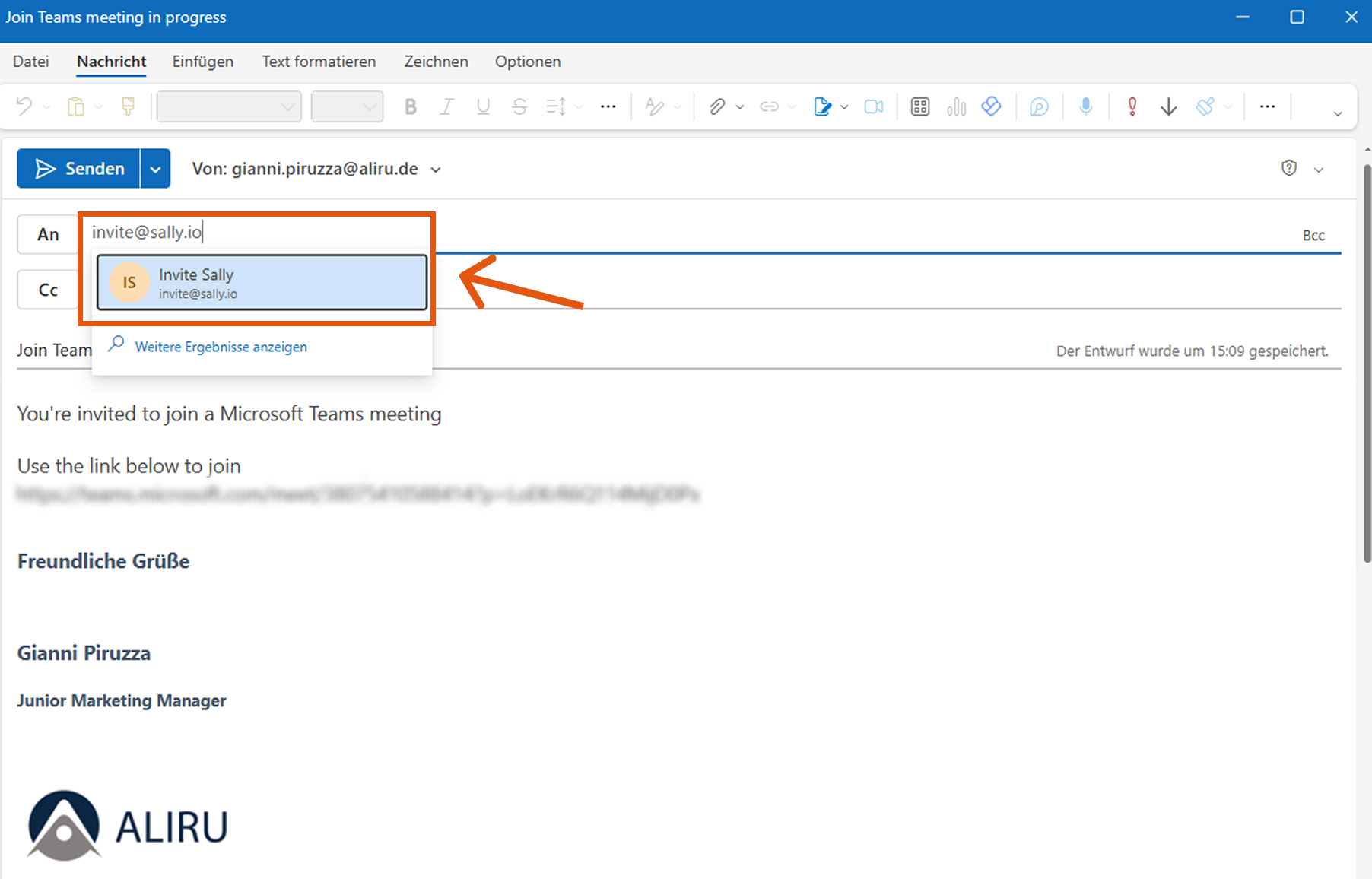
- Add invite@sally.io and send.
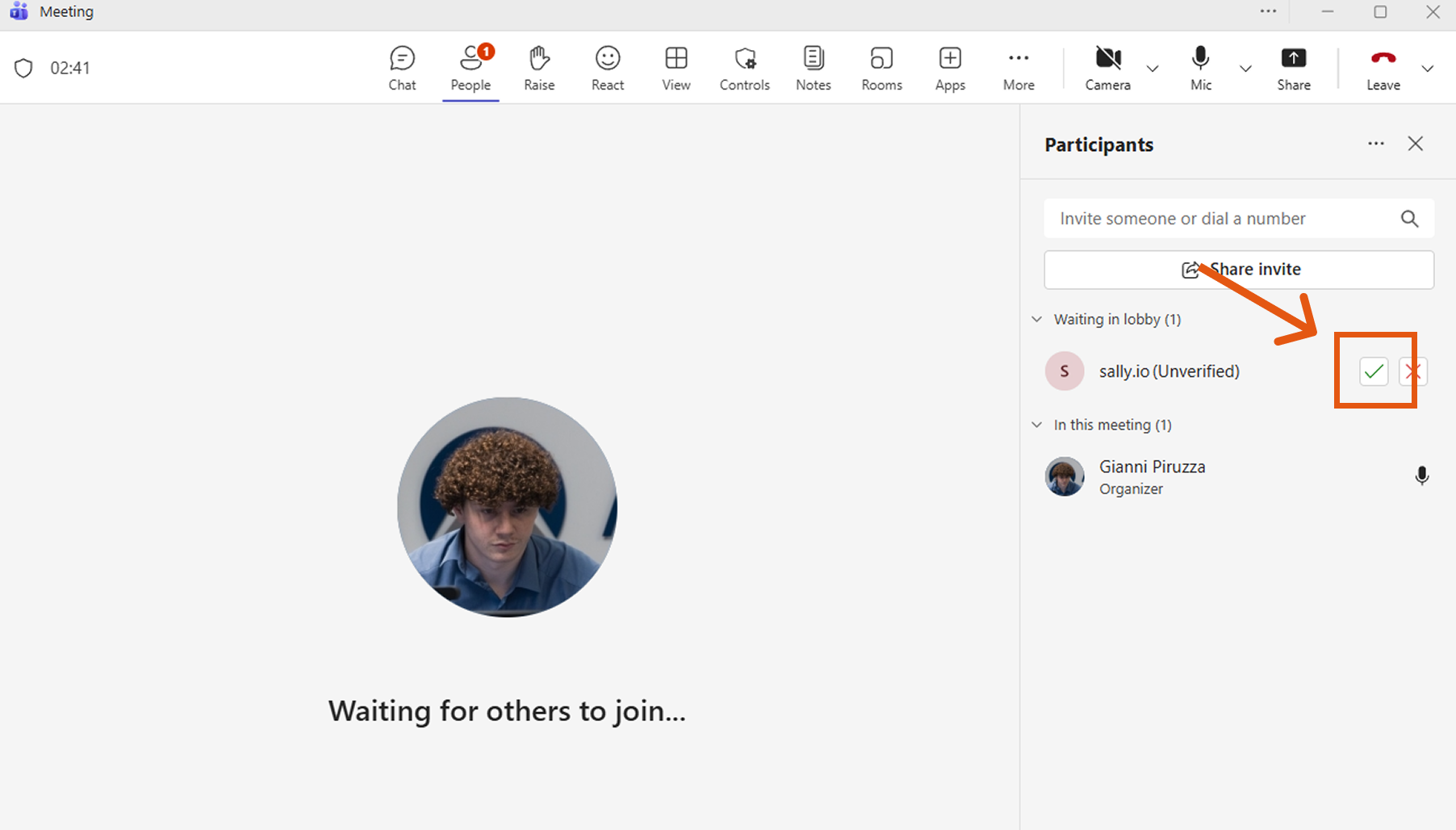
- Sally appears in the lobby within one minute — admit her to the meeting.
- Sally is now part of the meeting and will create the transcript and summary.
2.3 Invite via plain email
Alternatively, send an email to invite@sally.io with all meeting details:
Subject: Meeting Invitation – Marketing Sync on DD.MM.YYYY
To: invite@sally.io

Hello Sally,

please join the following meeting:

Title: Marketing Sync
Date: DD.MM.YYYY
Time: XX:XX – XX:XX
Time zone: CET
Meeting link: [link]
Participants: max.mustermann@company.com, anna.beispiel@company.com
Important
The more complete the information, the more reliably Sally can join. Missing date, time, or meeting link will prevent Sally from attending.