How to integrate Confluence with Sally AI
Connect Sally AI with Confluence to turn what came out of a meeting into structured knowledge, right in the matching organization, space and page. With the Sally Confluence integration you send action items, decisions and follow-ups to Confluence in one click, so nothing gets typed twice and your documentation stays current.
Quick navigation
1. How do I connect Confluence with Sally AI?
Follow these steps to enable the Sally Confluence integration.
- Open Settings from the bottom-left corner of the sidebar.
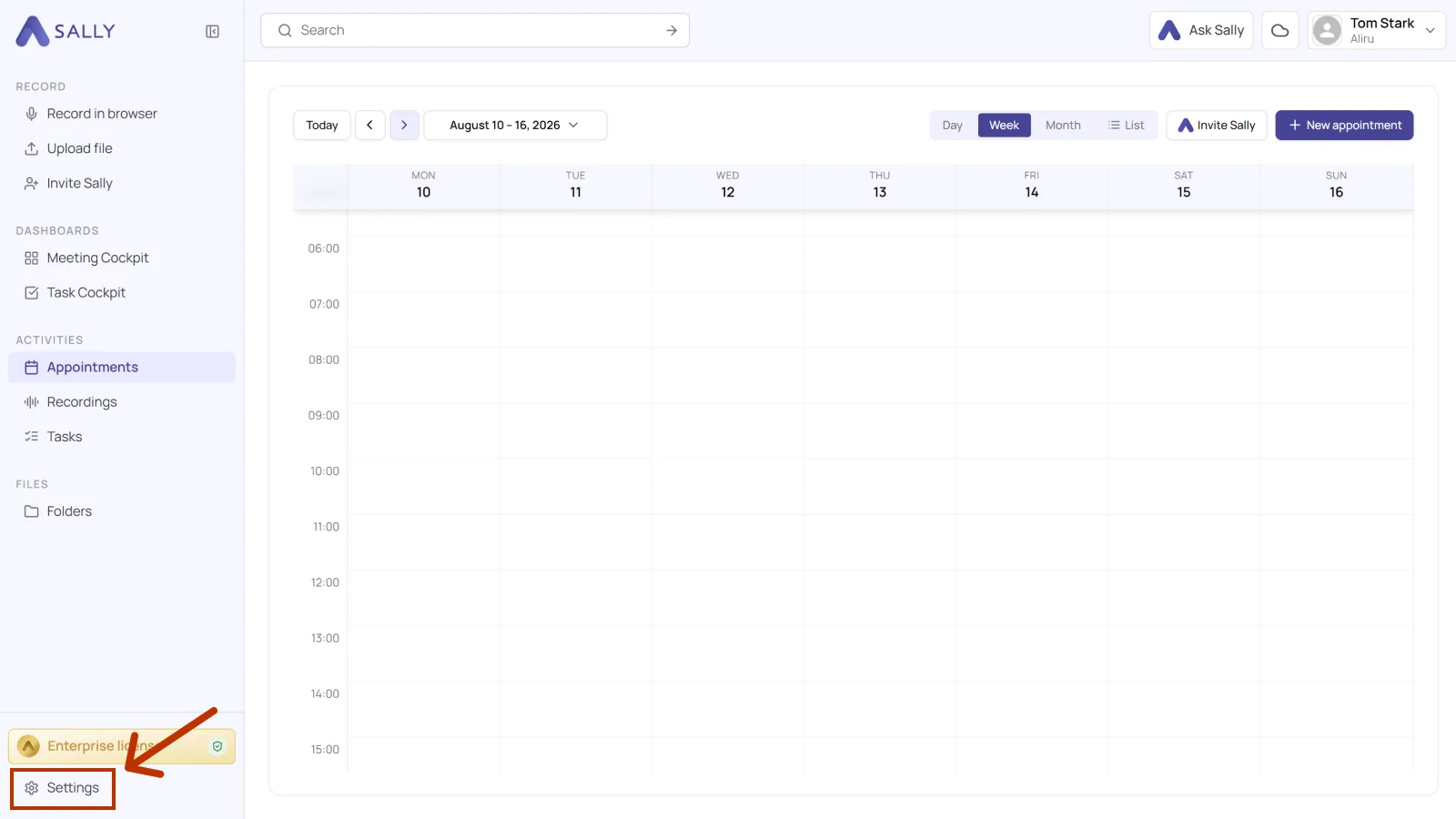
- Under Configuration, select Integrations. If no integration is connected yet, click Discover integrations, otherwise click Add integration in the top right corner.
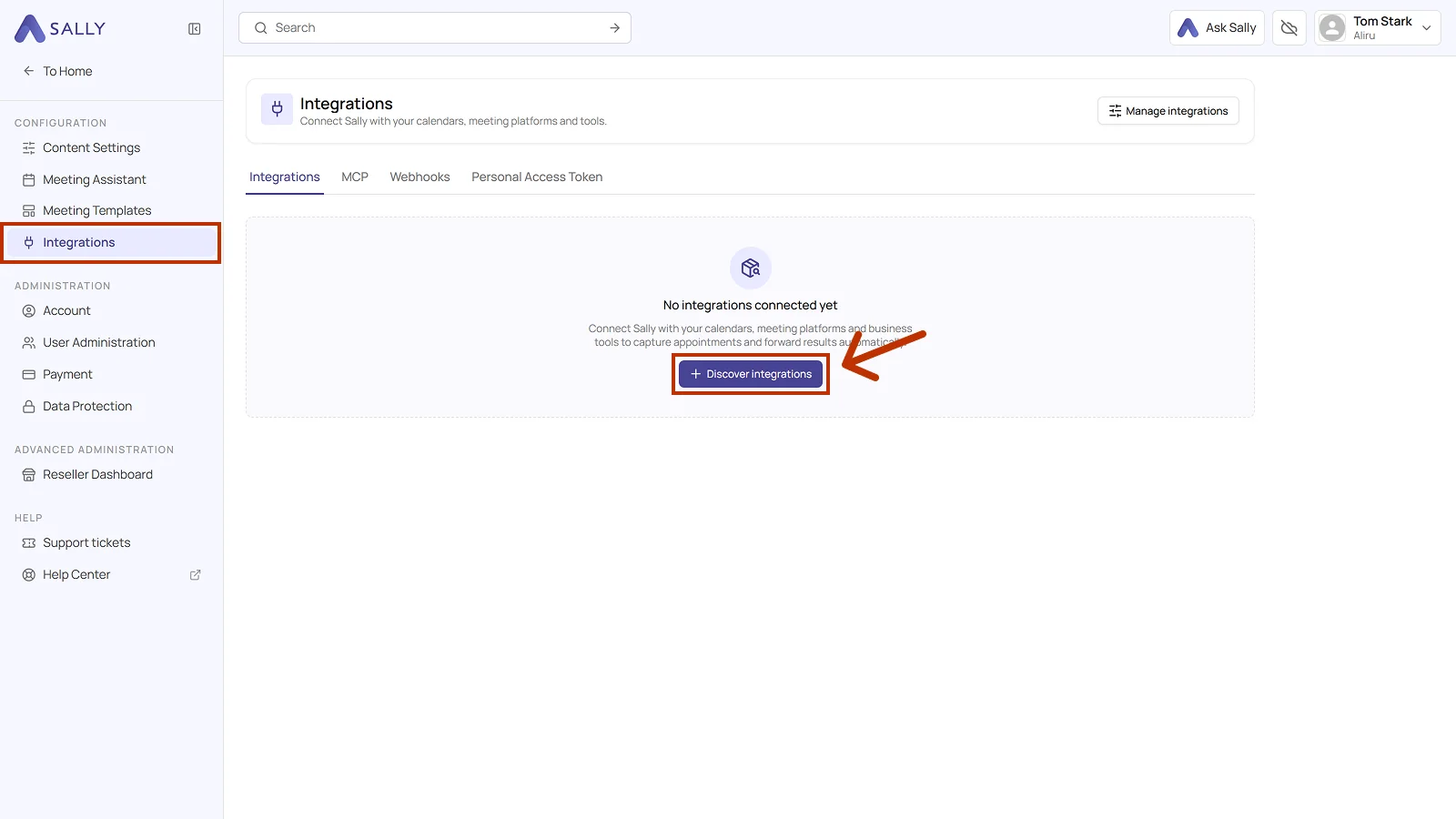
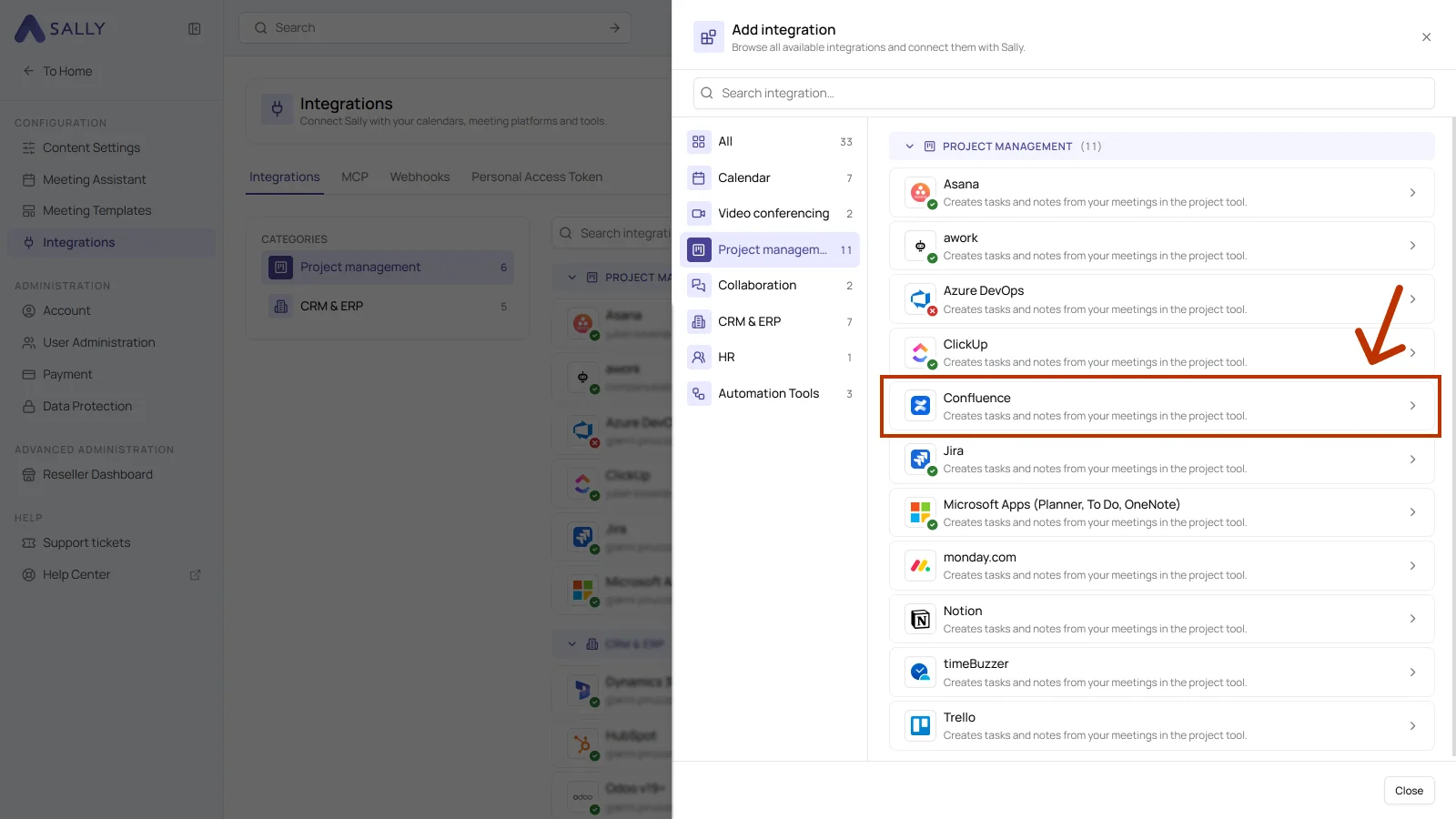
- In the Add integration panel, pick the Project management category on the left and then Confluence. Complete the authorization on the Atlassian side.
- After the authorization, Confluence appears in the list under the Project management category. Disconnect in the top right corner ends the connection whenever you need to.
1.1. Which actions may Sally use?
A connected integration has two tabs, Overview and Actions. The Actions tab defines what Sally offers through this integration, in the Sally chat and after the meeting.
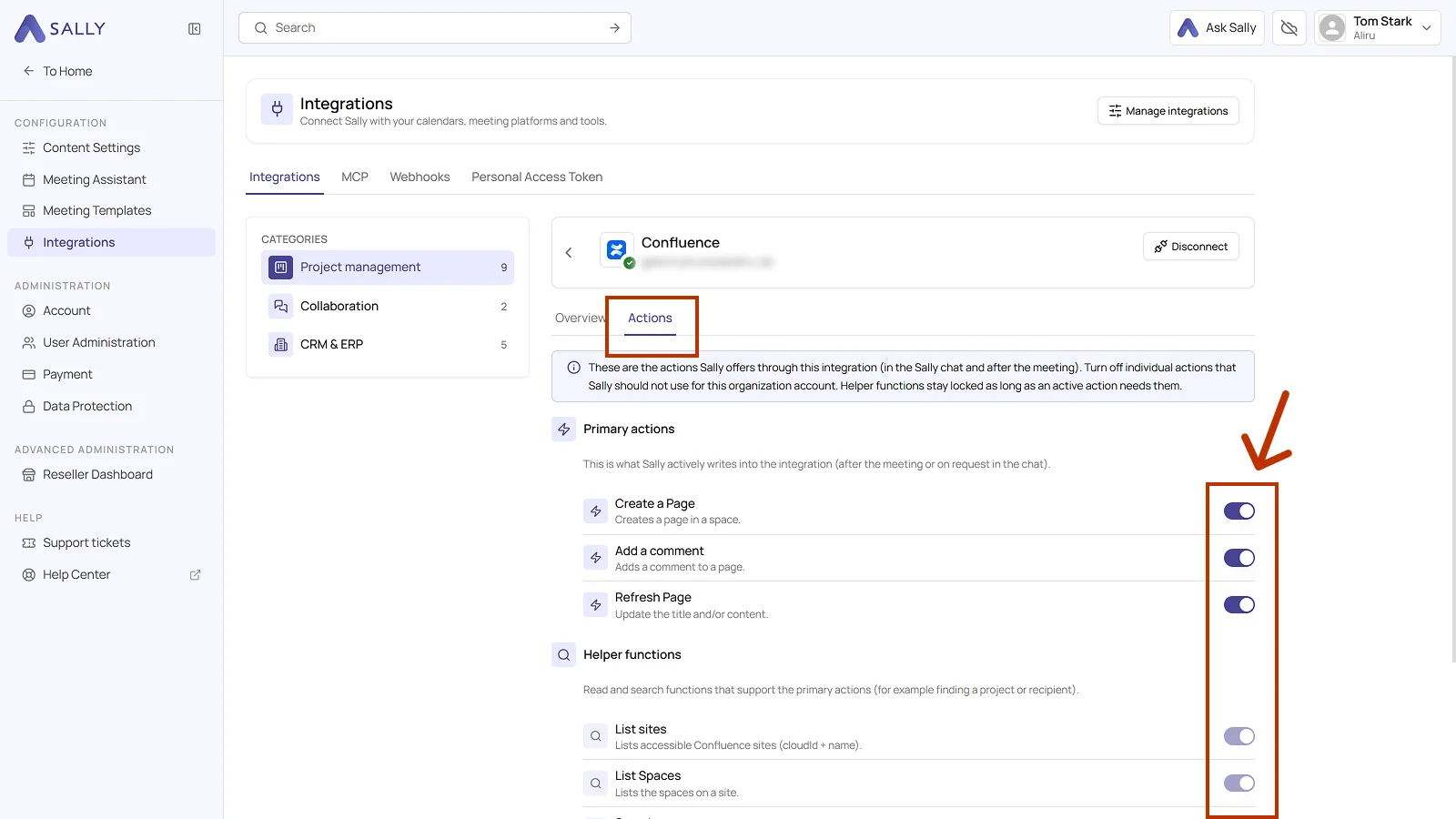
Primary actions are what Sally actively writes into Confluence, meaning creating and updating pages and commenting on them. Each action explains what it does in the line below it.
Use the toggle on the right to take out a single action that Sally should not use for this organization account.
Not every action shows up in the selection at the meeting. Sally uses some of them itself, in the chat or as part of another action. Leave them switched on so the integration works in full, and switch off only what Sally really should not do in this organization account.
Below that sit the helper functions, the read and search functions that support the primary actions, for Confluence those include List sites and List Spaces. They stay locked as long as an active action needs them.
2. How do I send meeting insights to Confluence?
Once Confluence is connected, you can send meeting insights from Sally to Confluence with a single click, into the right organization, space, and page.
You can:
- Create page in Confluence for a new documentation page with its own title and its own content.
- Add comment to Confluence page for extra context on an existing page, without creating a new document.
2.1. Create a page in Confluence
Turn a Sally insight into a new page in Confluence.
- Open the meeting in Sally.
- In the summary, hover over a block or over a single entry and click the plug icon. In the list, choose Create page in Confluence under Confluence.
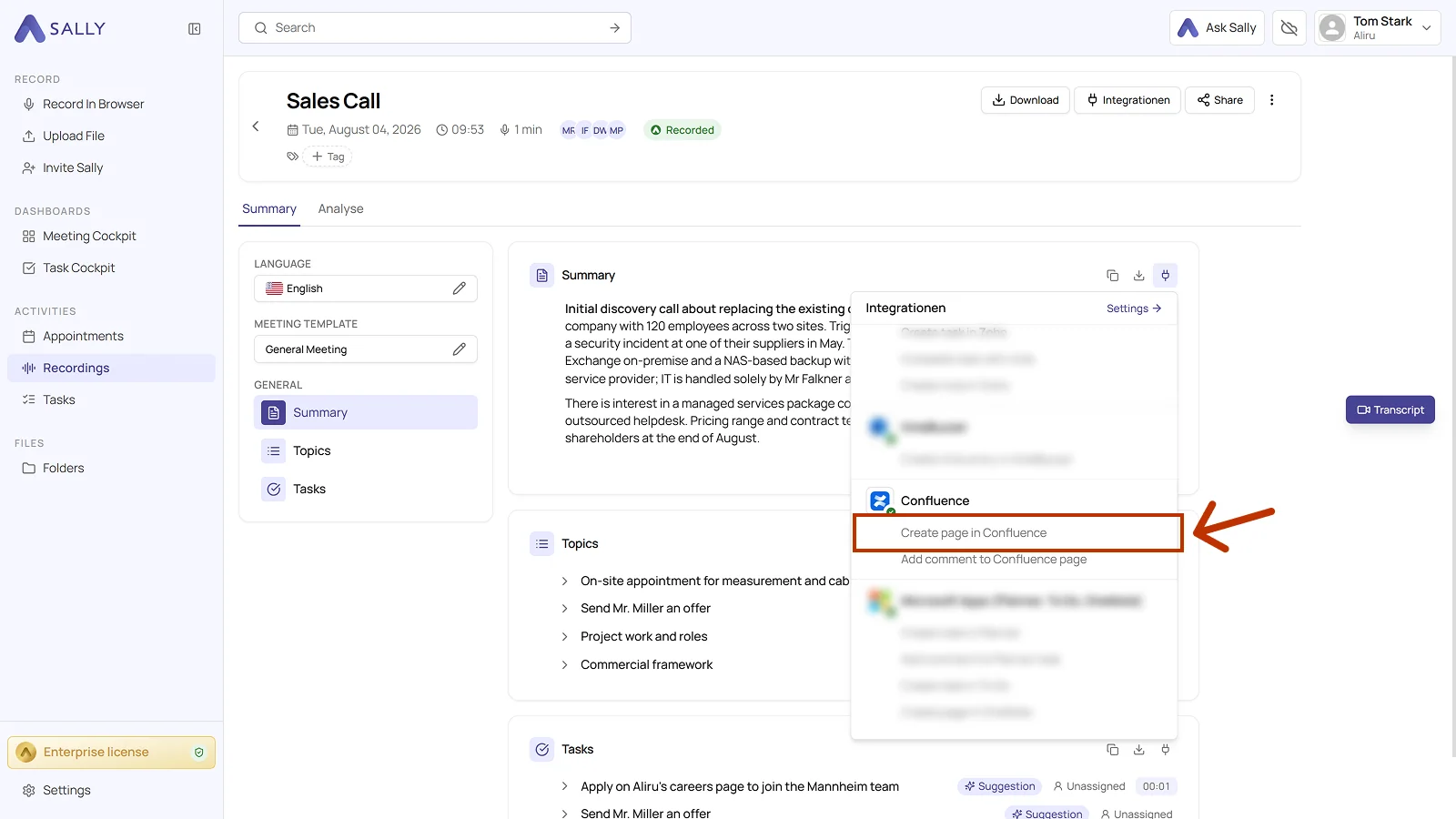
- Fill in the dialog. Organization, Area, and Title are required, and the title already comes prefilled from Sally. Area is the Confluence space the page goes into.
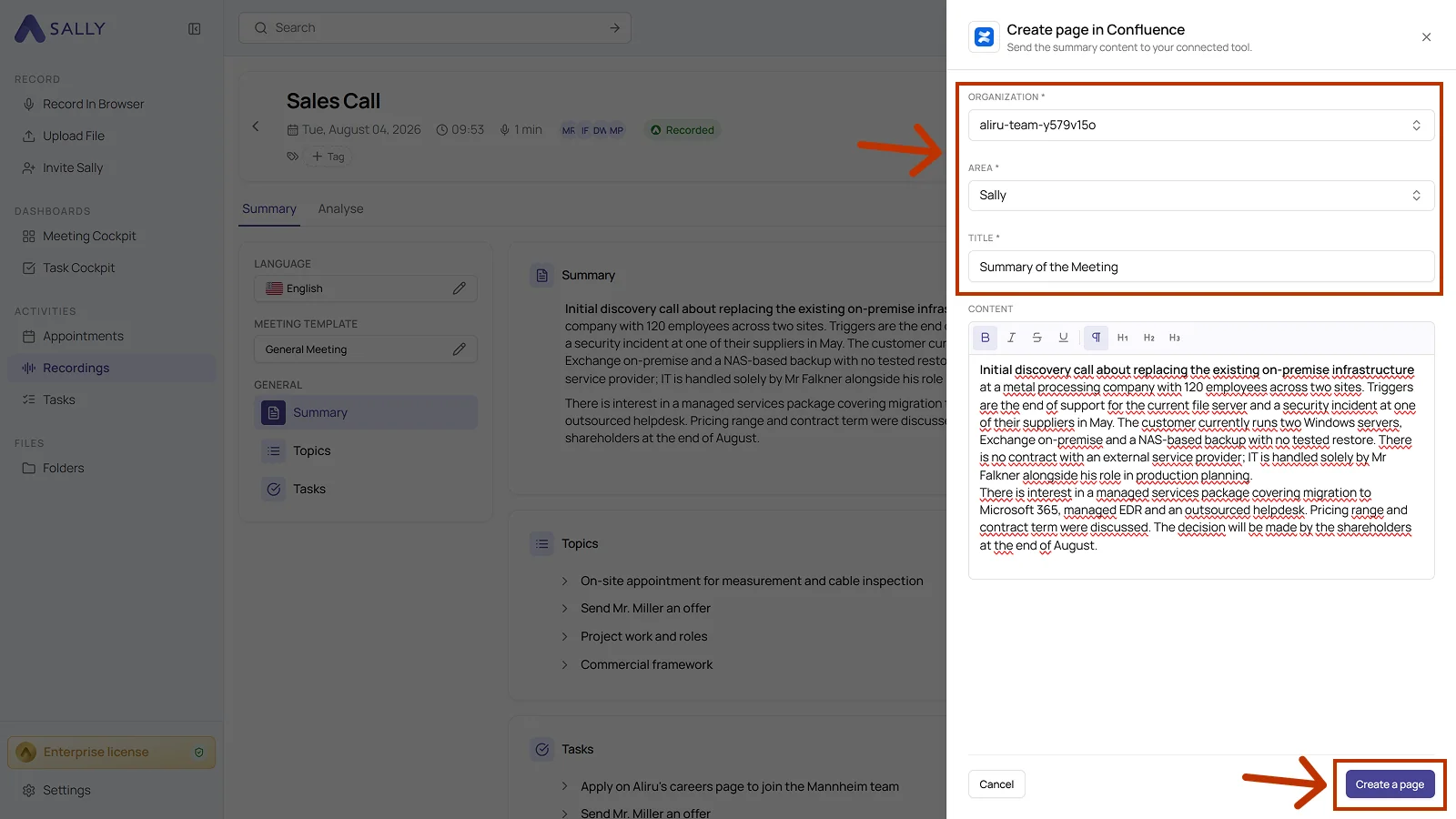
- The content field holds the text from the summary, which you can edit and format in the editor.
- Click Create a page to create the page in Confluence.
Pick the space deliberately and give the page a meaningful title. That way your team finds the meeting documentation again through the search in Confluence instead of losing it in some general area.
2.2. Add a comment to a Confluence page
Add meeting context to an existing page, which is ideal for updates, decisions, or extra notes.
- Open the meeting in Sally.
- Click the plug icon on the block or on the entry and choose Add comment to Confluence page under Confluence.
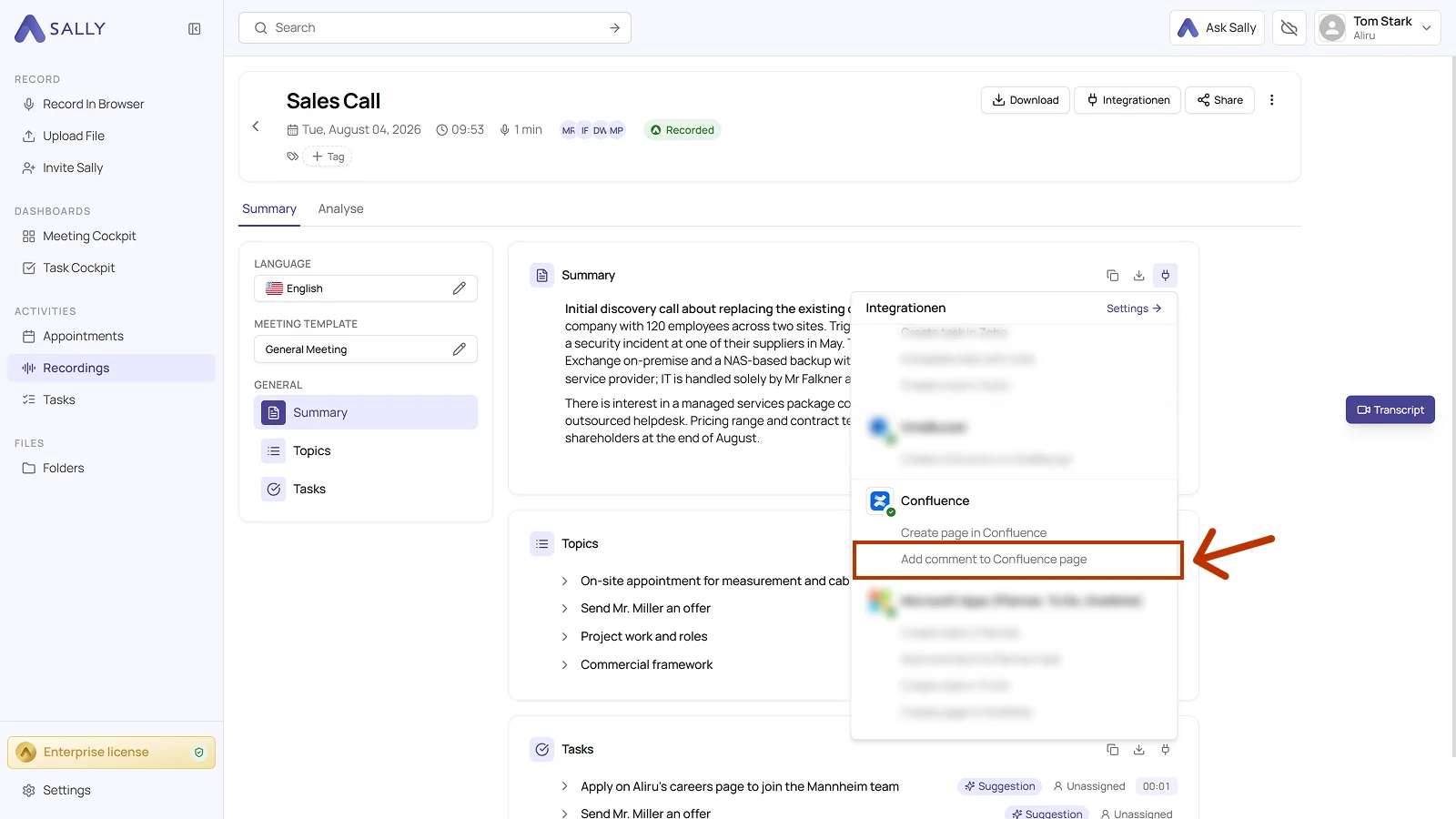
- In the dialog, pick the organization and the page the comment belongs to. Both fields are required.
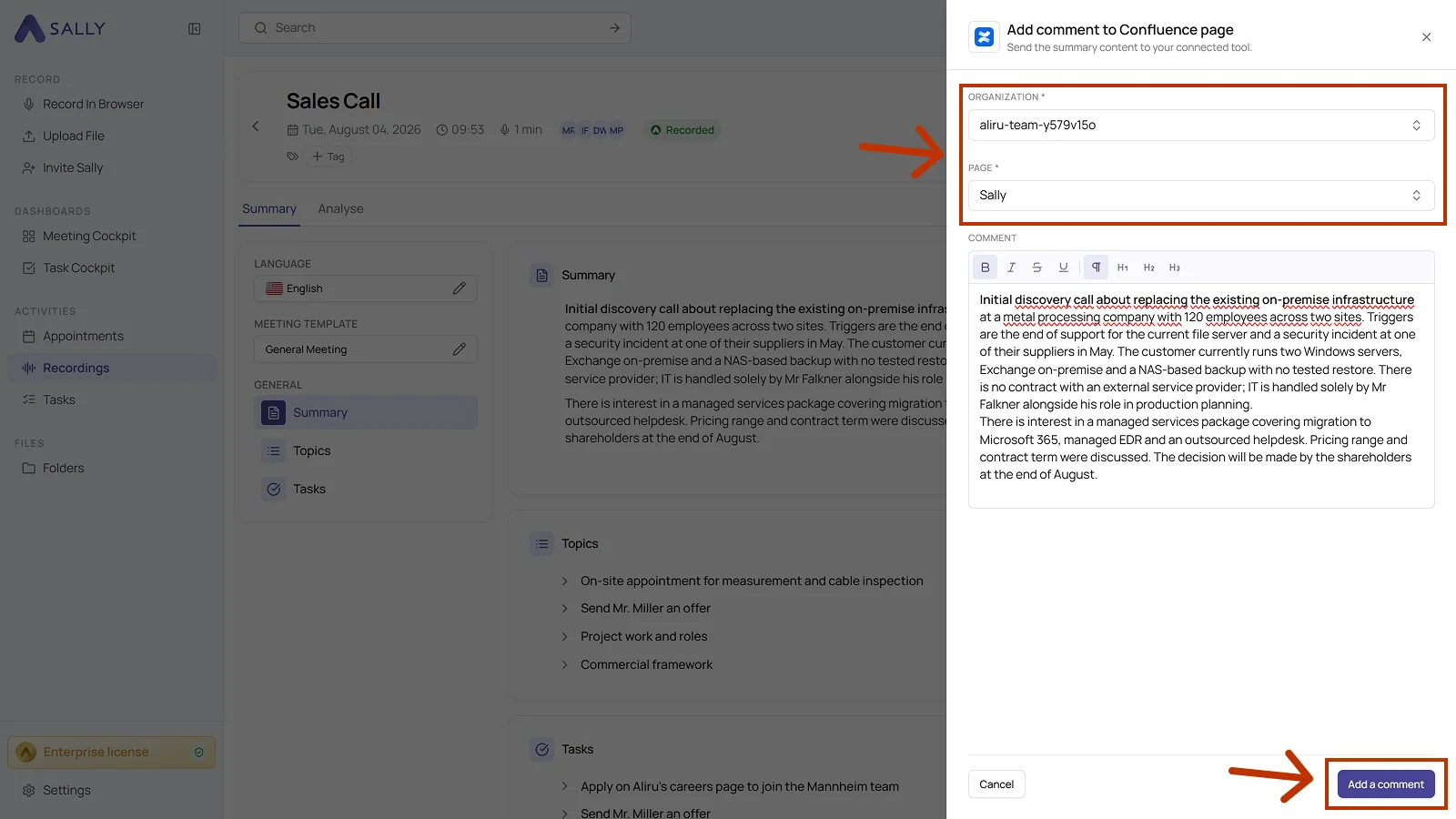
- The comment field holds the text from the summary, which you can edit in the editor.
- Click Add a comment to send the comment to Confluence.
3. What OAuth scopes does the Confluence integration require?
For the integration with Confluence, Sally uses OAuth 2.0 for authorization. The following scopes define which areas Sally can access on behalf of the authenticated user.
-
Sally accesses this information solely to technically establish and maintain the connection to the user account.
-
Sally does not make any autonomous changes. Actions are performed exclusively upon the explicit initiative of the user.
-
API endpoints are only called within the scope of an active action initiated by the user within the platform.
Technical overview of required scopes
| Scope | What Atlassian technically allows with this scope | How Sally uses this scope |
|---|---|---|
offline_access | Issuance of long-lived access tokens | Enables a stable connection without repeated login. No content is modified. |
read:me | Read access to the authenticated user's profile | Sally reads basic account information for authentication purposes. |
write:confluence-content | API permission for Confluence content | Part of Atlassian's OAuth model. Sally does not independently modify existing content. |
read:confluence-space.summary | Read access to space metadata | Sally reads space information to correctly display available target areas within the integration. |
write:confluence-file | API permission for file attachments | Technically defined within the permission model. Sally does not independently upload files. |
read:confluence-content.all | Read access to accessible content | Sally reads page information where required within the integration context. |
read:confluence-content.summary | Read access to content summaries | Sally reads metadata for structured display within the integration. |
read:confluence-user | Read access to user information | Sally reads user information for display purposes within the integration. |
readonly:content.attachment:confluence | Read access to attachments | Sally does not independently access or modify attachments. |
read:space:confluence | Read access to spaces | Sally reads space information for technical assignment within the integration. |
search:confluence | Permission to search content | Sally uses this permission solely to display relevant content within the integration context. |
write:page:confluence | API permission for page objects | Part of the OAuth model. Sally does not create or modify pages without explicit user action. |
write:comment:confluence | API permission for comments | Technically defined for integrations. Sally does not independently add comments. |