How to add Sally AI to your meetings
Once your calendar is connected to Sally, she joins every meeting in it by default, so there is nothing else to set up.
To change that:
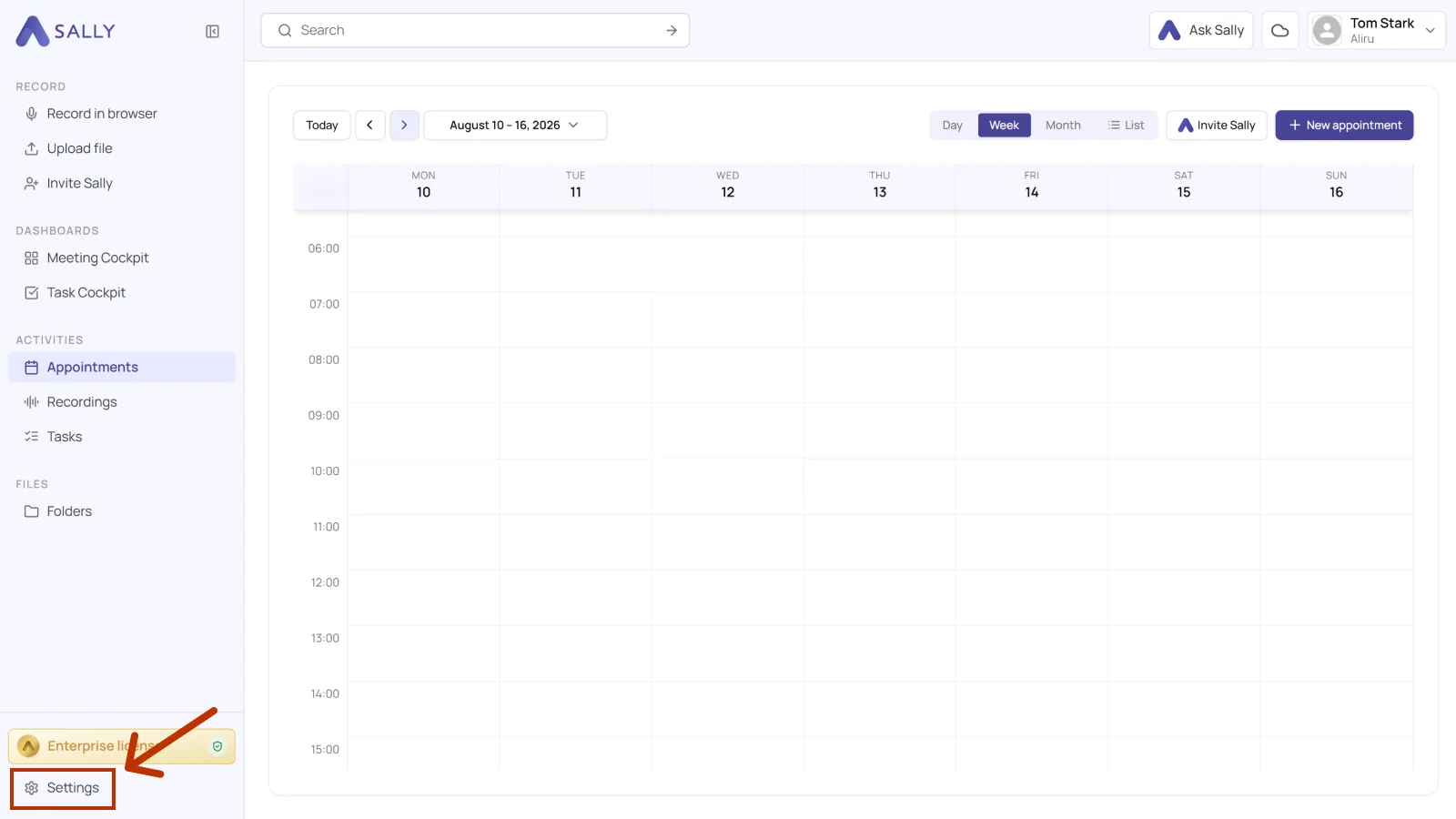
- Click Settings in the bottom left corner of the main menu.
-
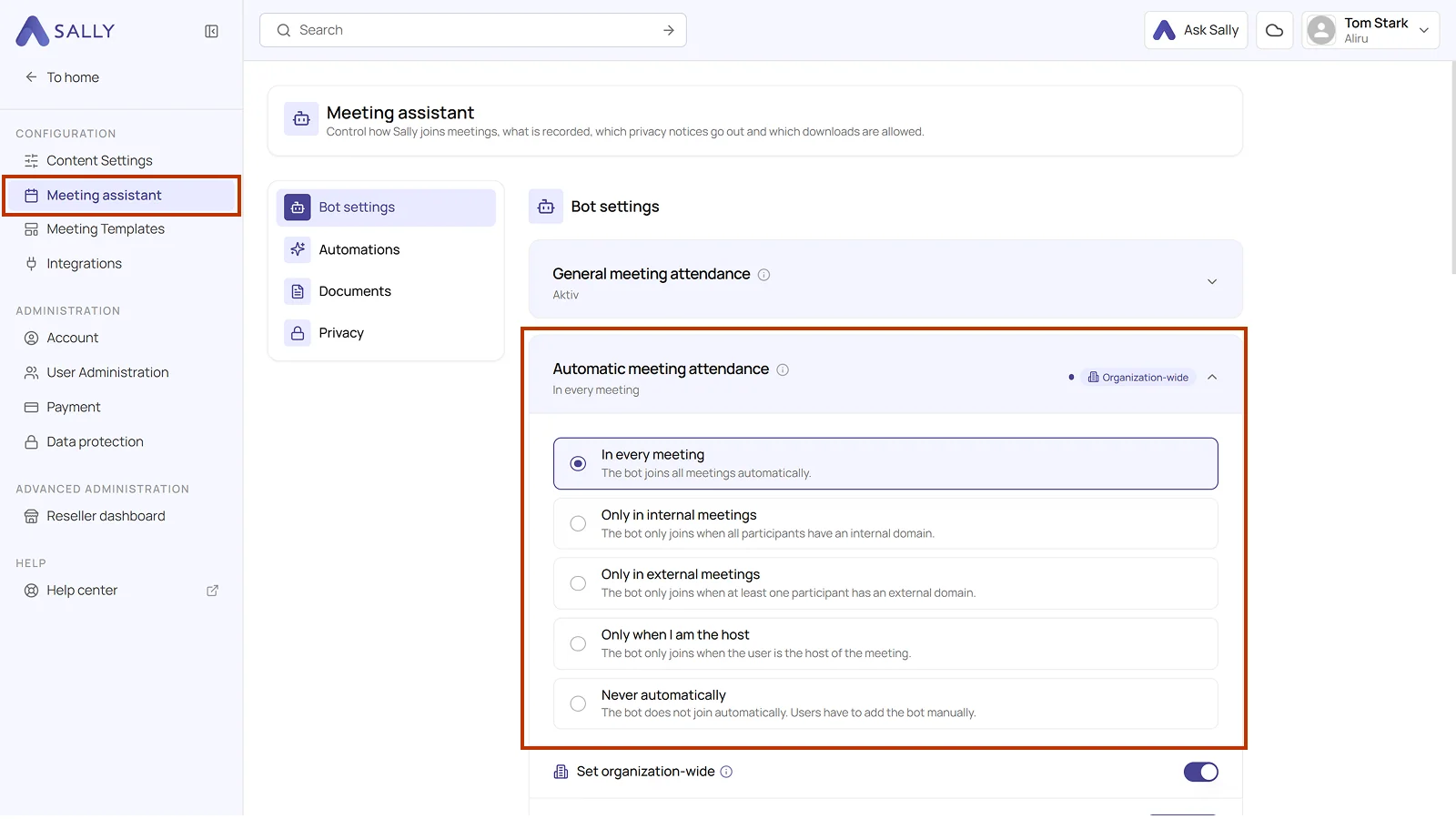
Select Meeting assistant and open Bot settings.
-
Expand the Automatic meeting attendance section.
Info
With In every meeting, Sally joins every future meeting.
What are the meeting participation modes?
You have five options:
-
In every meeting: Sally joins all meetings automatically.
-
Only in internal meetings: Sally only joins when all participants have an internal domain.
-
Only in external meetings: Sally only joins when at least one participant has an external domain.
-
Only when I am the host: Sally only joins meetings that you are hosting.
-
Never automatically: Sally does not join any meetings automatically. You can still add her manually to individual meetings.