November 16, 2026: Find meetings faster

· 3 min read

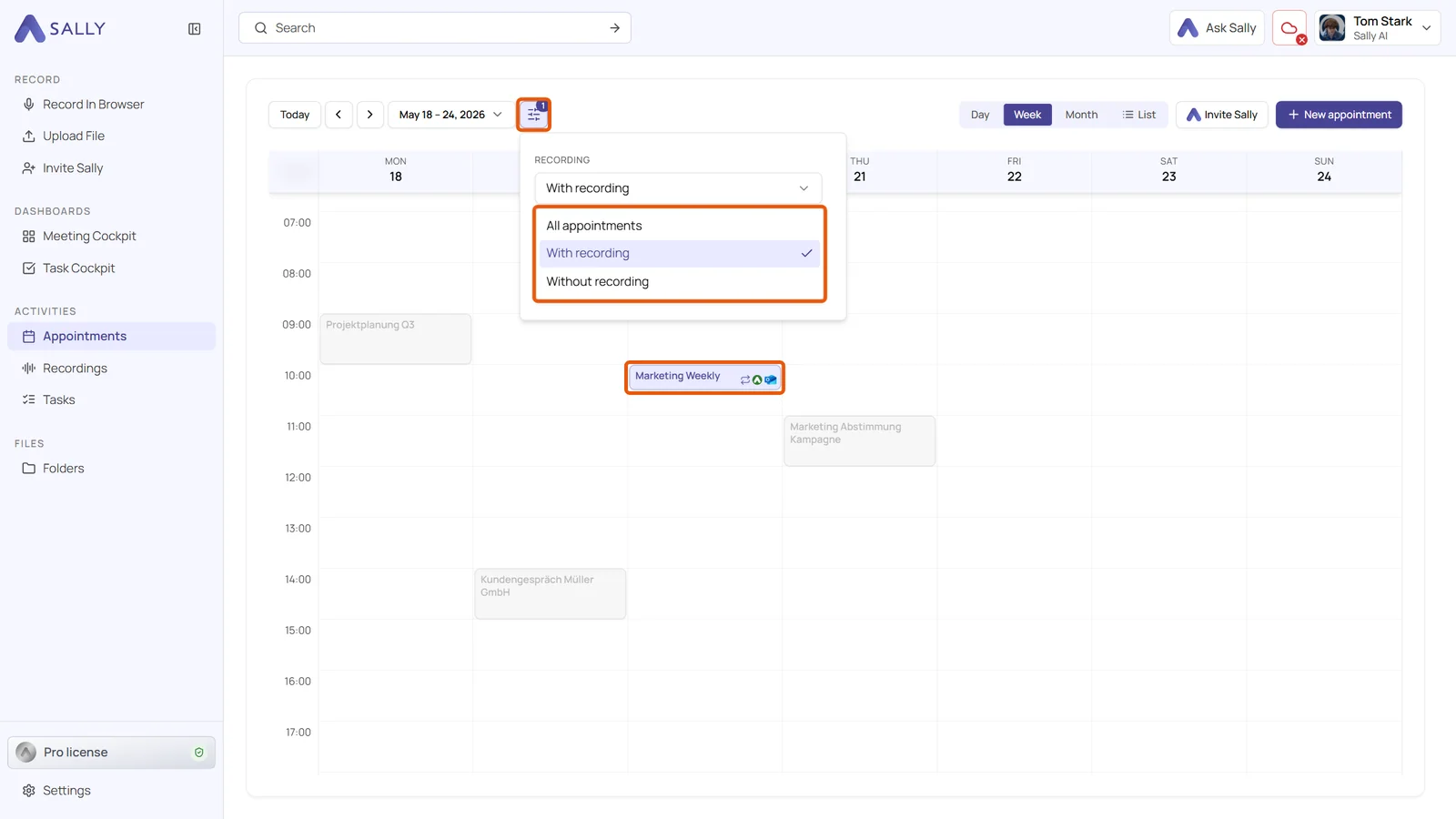
The calendar now highlights every appointment with a recording or a certain tag. Everything else turns grey but stays in place, so you see your week as it was and spot the meeting you remember as "Tuesday afternoon" at a glance.
On top of that, you can move a recording to the right appointment afterwards, and recordings from the Sally app are now regular audio files on your phone.
What's new in the calendar?
- Filter next to the date: in the Day, Week and Month views, the filter icon opens the fields Recording and Tags
- With or without recording: With recording highlights every meeting Sally recorded, Without recording shows which ones she missed
- Tags: pick one or more tags. While the filter is active, the appointments also show their tags
- Summary in the preview: hovering over an appointment shows the first sentences of its summary. Tags that Sally set from the title carry a padlock
- List view: here the filters Recording and Tags sit next to the time range and hide appointments that do not match
Move a recording to another appointment
- Switch the appointment: in Edit the recording, clear the current appointment with the x and search for the right one
- Copy or replace: if the appointment already has a recording, choose Record as a copy or Replace recording
- Sally Desktop App: recordings that sit on an appointment the app created can be moved to the appointment from your calendar this way
App recordings as files
- Playable audio files: on the iPhone, every recording that has not been uploaded yet is a
.wavfile in Files › On My iPhone › Sally AI › SallyRecordings, including the one that is running - Android: from Android 10, Sally puts a copy of every finished recording into the Recordings folder of your phone
- Clear names: each file carries the name of the recording plus date and time. You can play it, attach it to an email or upload it to Sally again
Want the details? See How to highlight appointments in the calendar, Link a recording to an appointment afterwards or switch it and Where can I find my recording files?