April 7, 2026 - Auto-Deletion Settings

Full control over what gets deleted and when, now for each data type separately. ✨
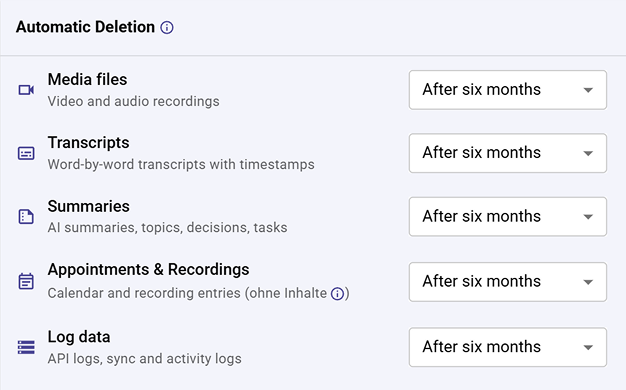
Set individual retention periods for transcripts, audio & video, summaries, appointments, and log data. Each one on its own schedule.
🚀 What's new?
Until now, automatic deletion applied the same retention period across the board. Now you can fine-tune exactly how long each type of data is kept:
- Media files: video and audio recordings
- Transcripts: word-by-word meeting transcriptions
- Summaries: AI-generated summaries, action items, and tasks
- Appointments & Recordings: calendar entries and recording metadata
- Log data: technical logs for troubleshooting and auditing
Choose from options like two weeks, three months, six months, one year, two years, or never delete. Individually for each category.
Why it matters
Different types of data have different sensitivity levels. Maybe you want to keep summaries for a year but delete raw recordings after two weeks. With granular deletion settings, your data retention policy can match your actual compliance and privacy needs.
👉 Learn more in the Automatic Deletion guide.