How to Connect Odoo with Sally AI
Connect Sally AI with Odoo to automatically store detected meeting insights directly as to-dos, activities, or chatter messages in your Odoo system.
With the Sally Odoo integration, you can transfer insights from meetings to Odoo with just one click, assign responsibilities, and keep your ERP or CRM up to date — without duplicate entries.
Quick navigation
1. Connect Odoo with Sally
Follow these steps to set up the Sally Odoo integration.
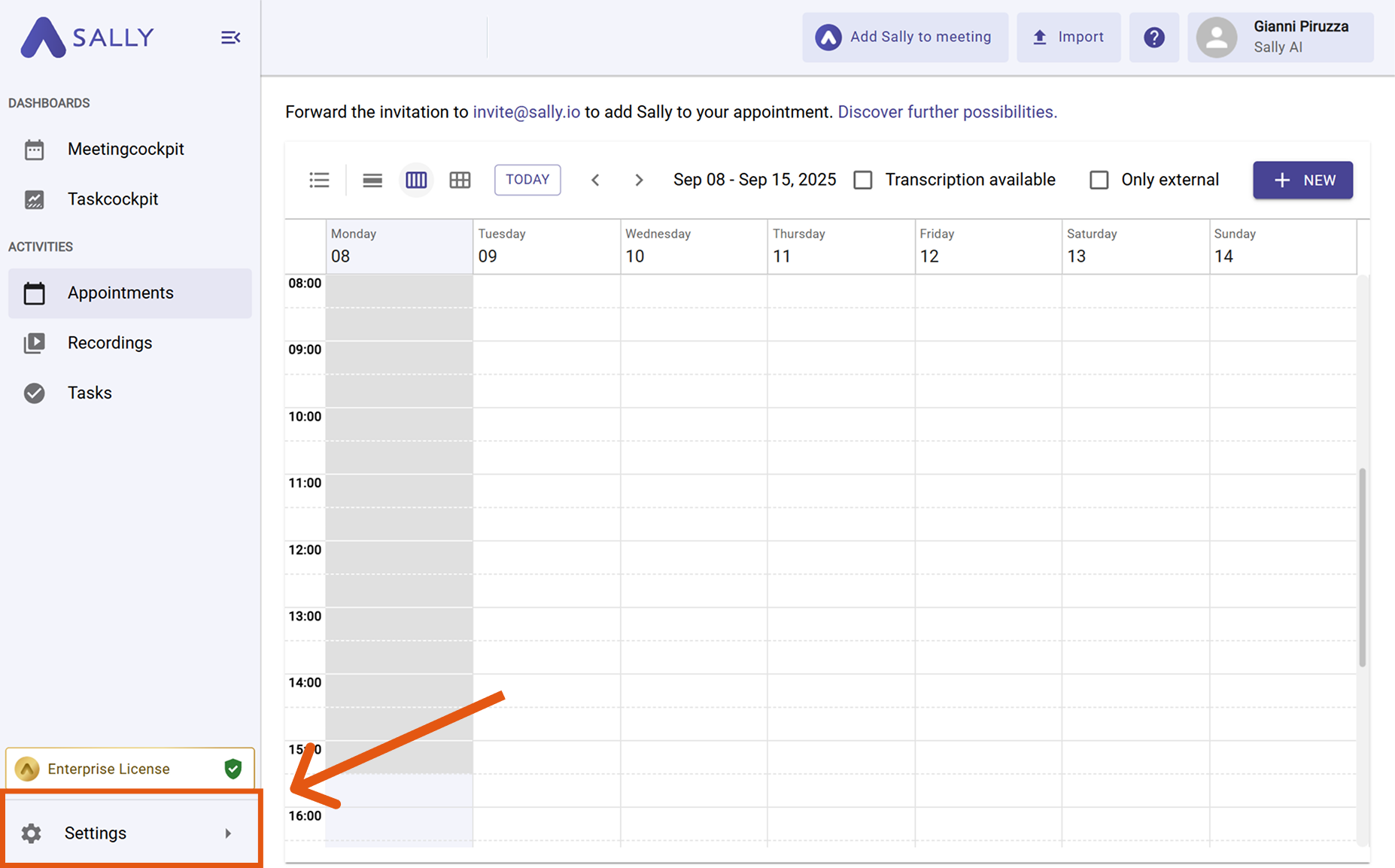
- Open Settings in the left sidebar.
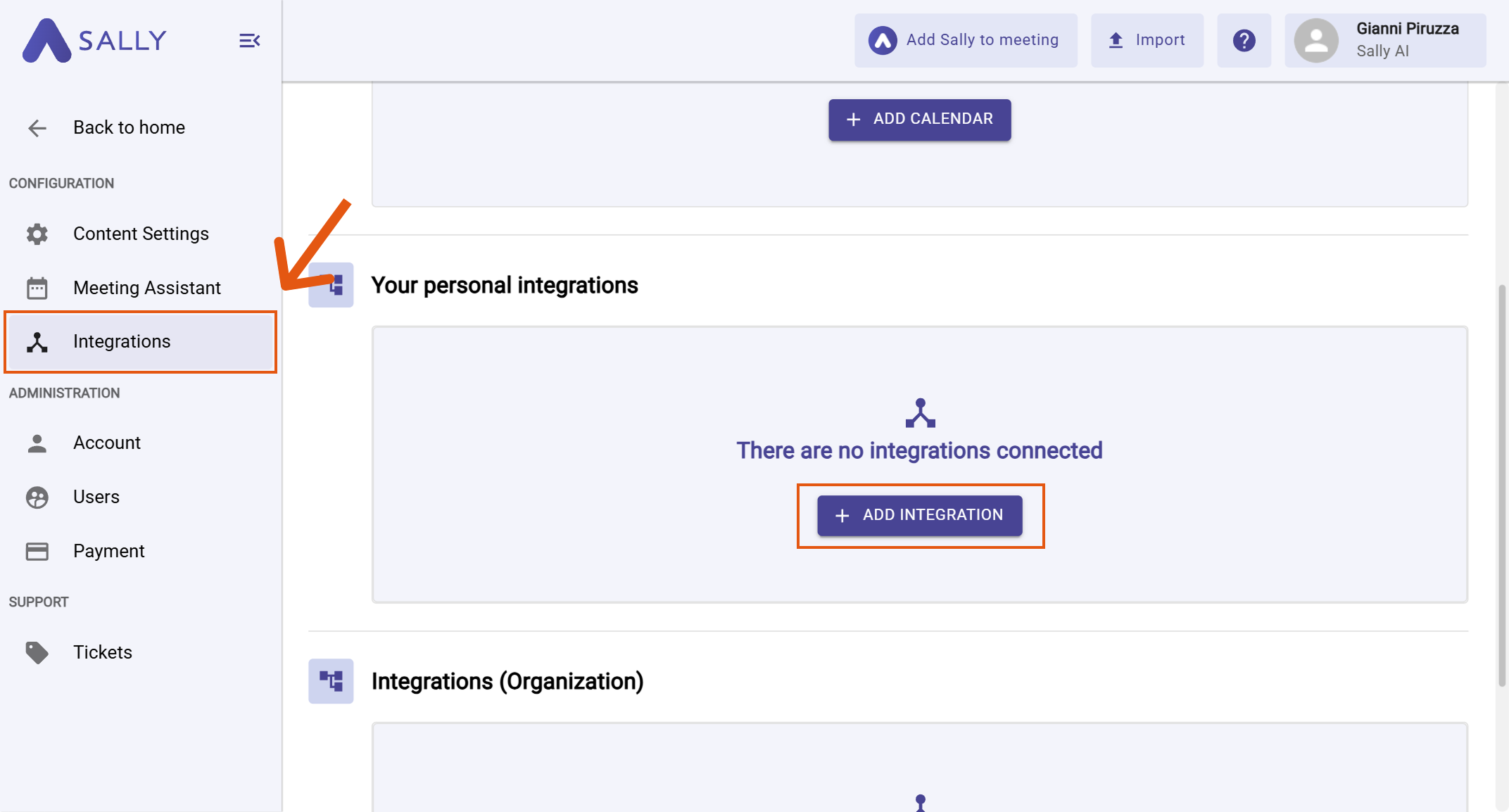
- Go to Integrations and click “+ Add integration” under “Your personal integrations”.
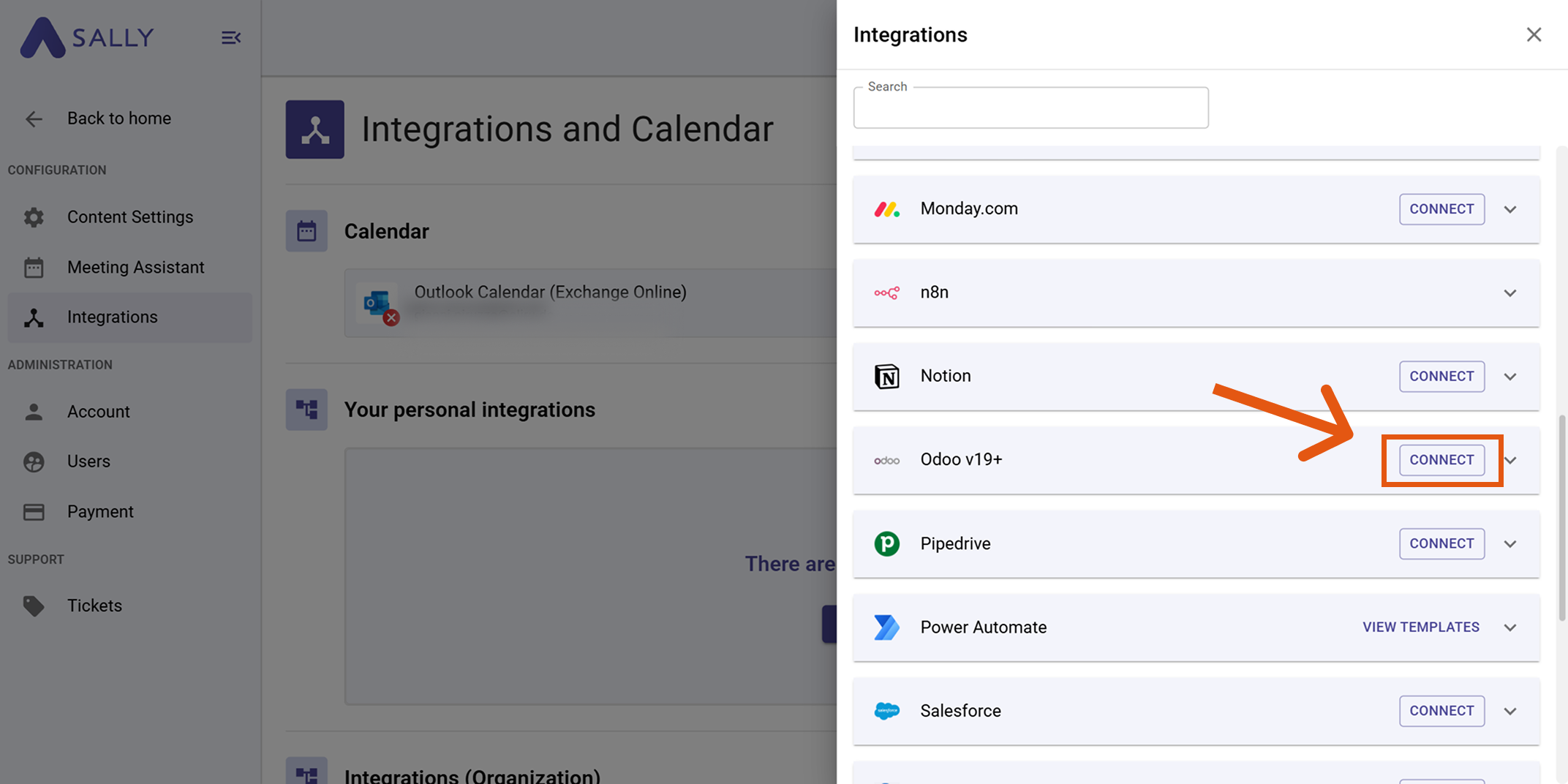
- Select Odoo v19+ and click Connect.
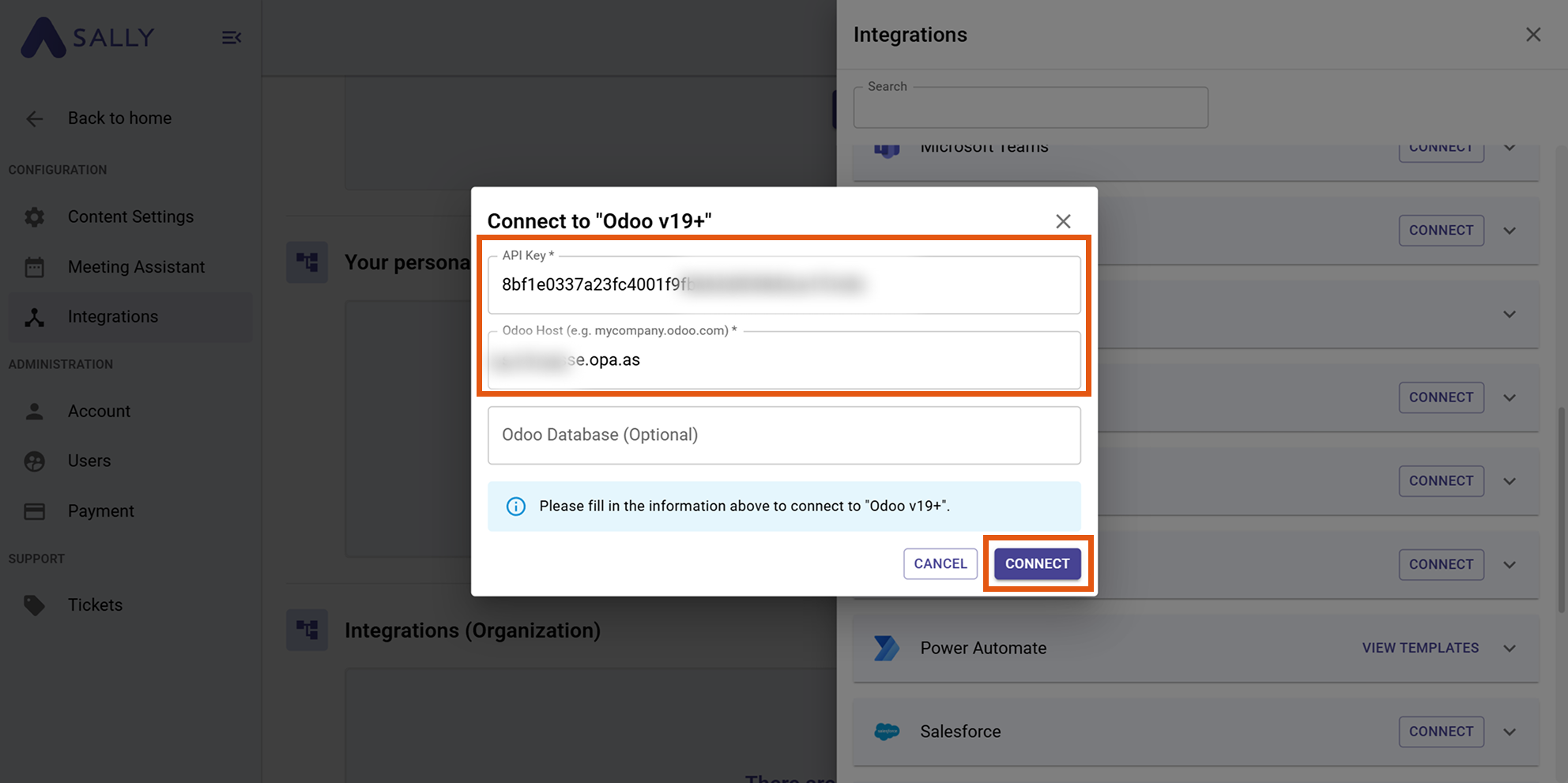
- Enter your API key and Odoo host. You can find instructions on how to create an API key in Odoo here.
The Odoo host must be entered as a plain hostname (domain).
✅ Example:
mycompany.odoo.com
❌ Incorrect:
https://mycompany.odoo.com/odoo/crm
mycompany.odoo.com/odoo/crm
Enter only the domain without https:// and without additional paths.
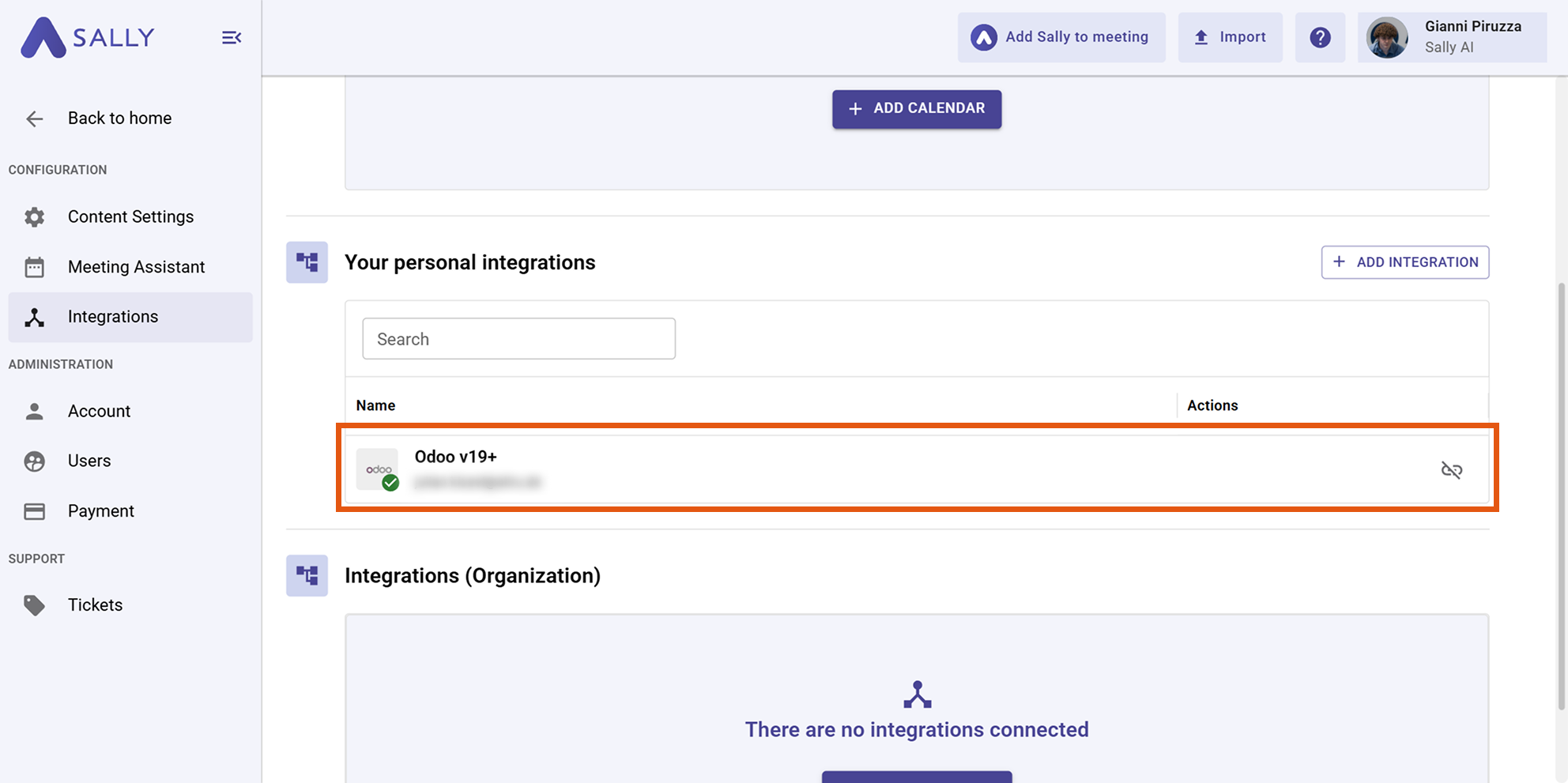
After a successful connection, Odoo will appear under “Your personal integrations.”
API key in Odoo
To establish the connection, Sally requires an API key from your Odoo account.
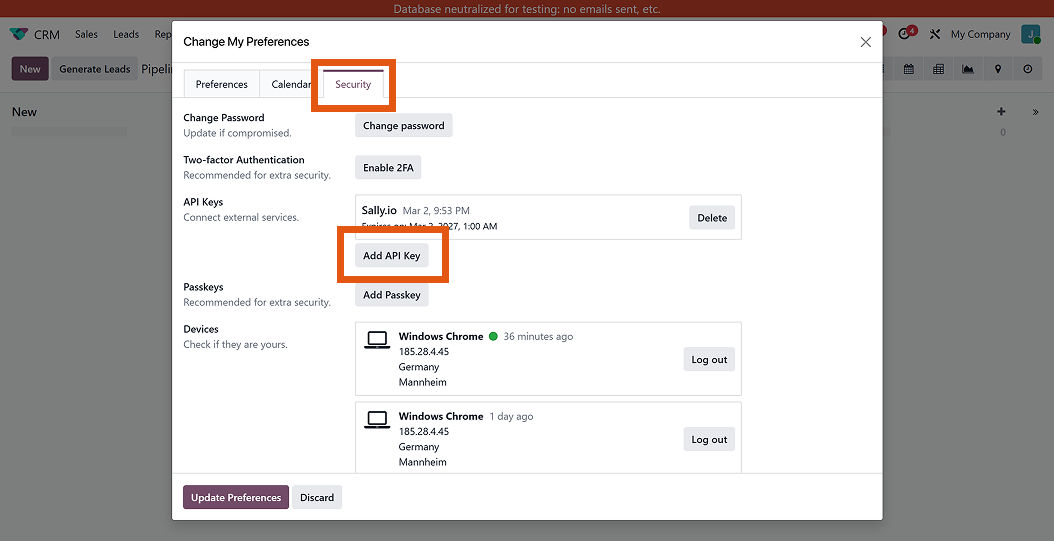
4.1. In Odoo, open your user profile and go to Change My Preferences.
4.2. Switch to the Security tab.
4.3. Scroll to the API Keys section and click Add API Key.
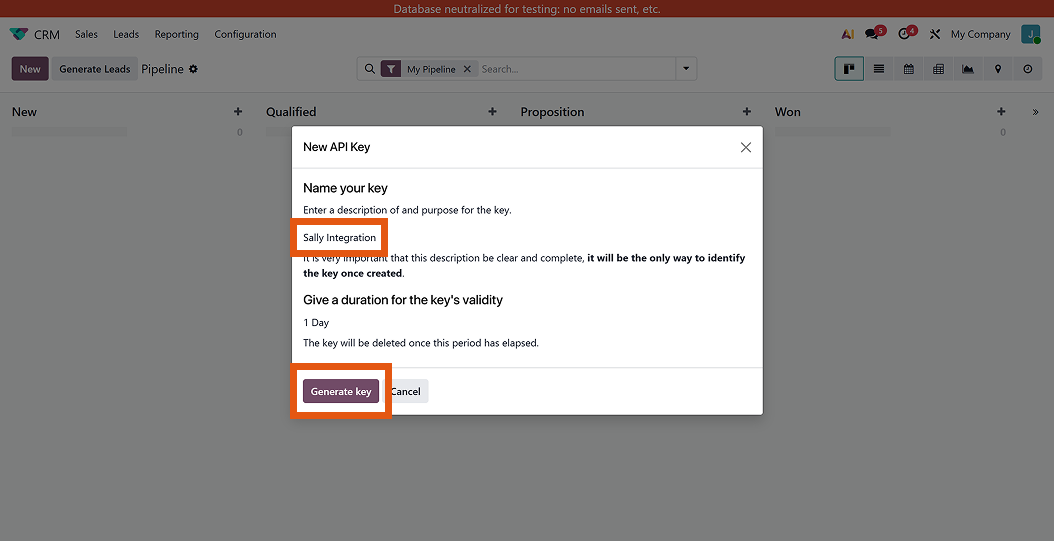
4.4. Enter a name for the key (e.g., Sally Integration) and click Generate key.
- Copy the generated API key.
The API key is only displayed once in full. Make sure to store it securely or copy it directly into the Sally integration.
2. Send insights to Odoo
Once Odoo is connected, you can send meeting insights from Sally to Odoo with just one click.
You can:
- Create a To-Do in Odoo
- Create an Activity To-Do in Odoo
- Complete an Activity To-Do in Odoo with feedback
- Create a Chatter message in Odoo
2.1. Create a To-Do in Odoo
Convert a meeting insight into a personal Odoo To-Do or a To-Do within a project.
-
Open the desired meeting in Sally and navigate to the summary.
-
Hover over an insight or task and click the integration icon.
-
Select “Create To-Do in Odoo”.
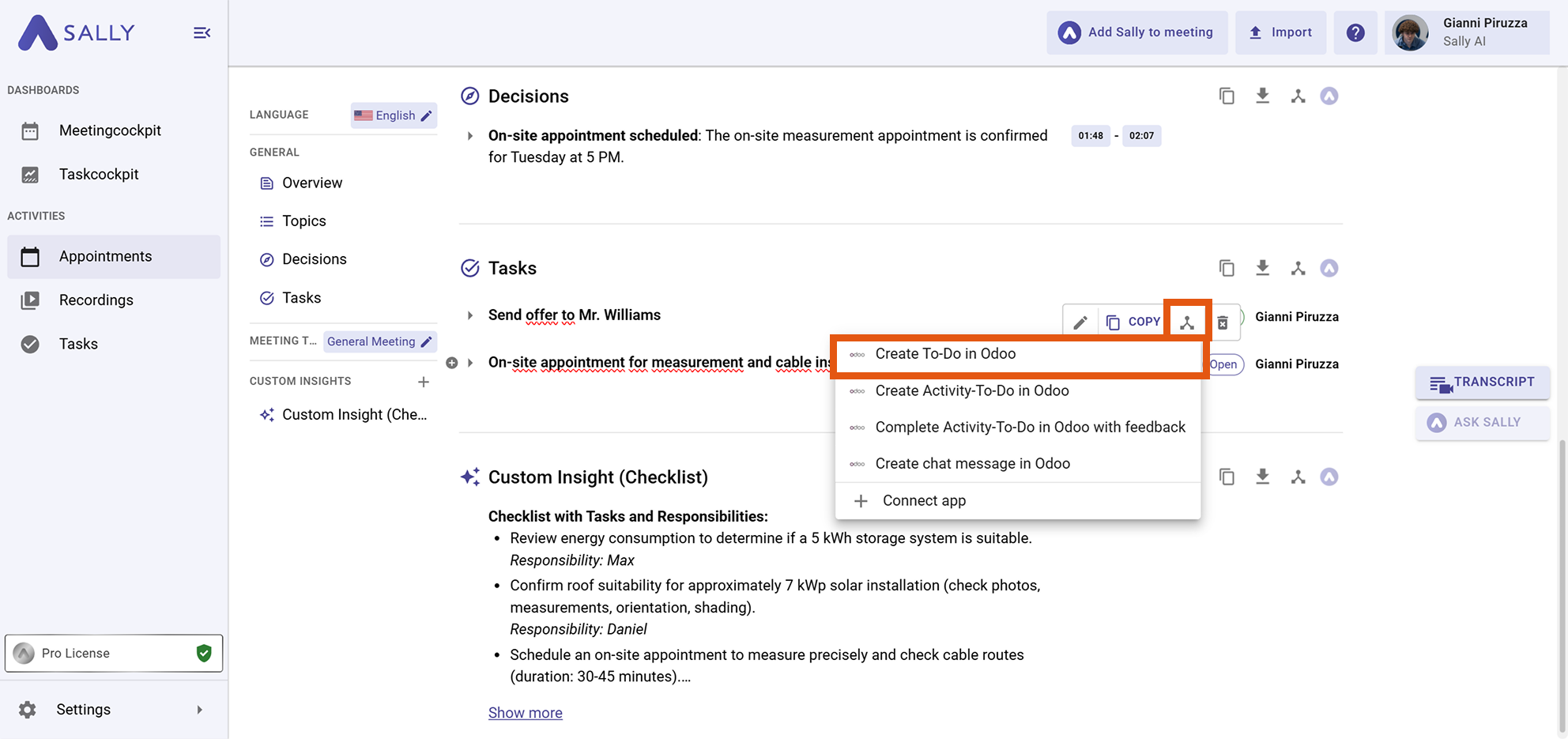
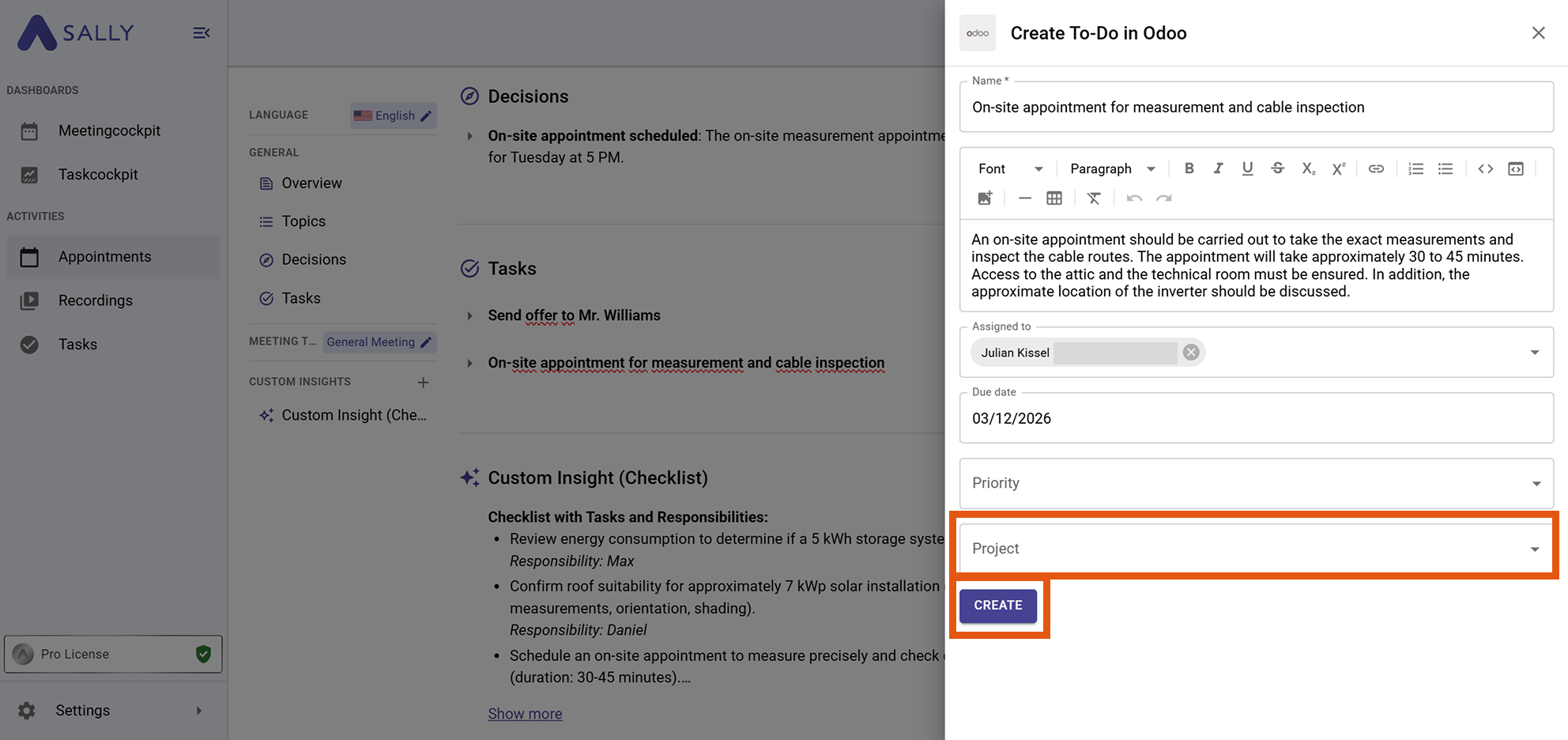
- Fill out the creation form:
- Name*
- Description
- Assigned to
- Due date
- Priority
- Project (If you leave this field empty, the To-Do will automatically be created as a personal Odoo To-Do.)
- Click Create to send the To-Do to Odoo.
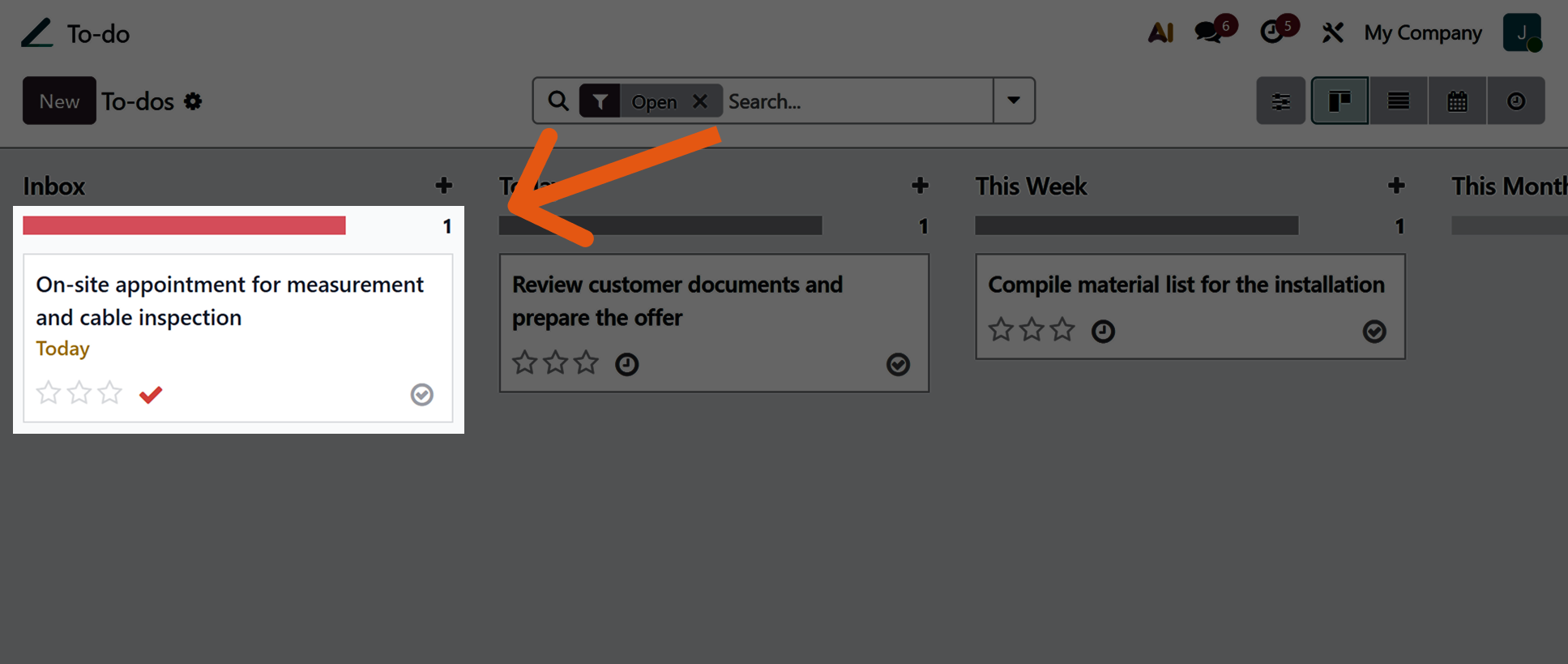
- The task identified by Sally has been successfully added to the inbox of your personal or project-related To-Do list.
2.2. Create an Activity To-Do in Odoo
You can also create insights as an Odoo activity To-Do linked to a specific record (e.g. Lead, Opportunity, or Contact).
-
Open the desired meeting in Sally and navigate to the summary.
-
Hover over an insight or task and click the integration icon.
-
Select “Create Activity To-Do in Odoo”.
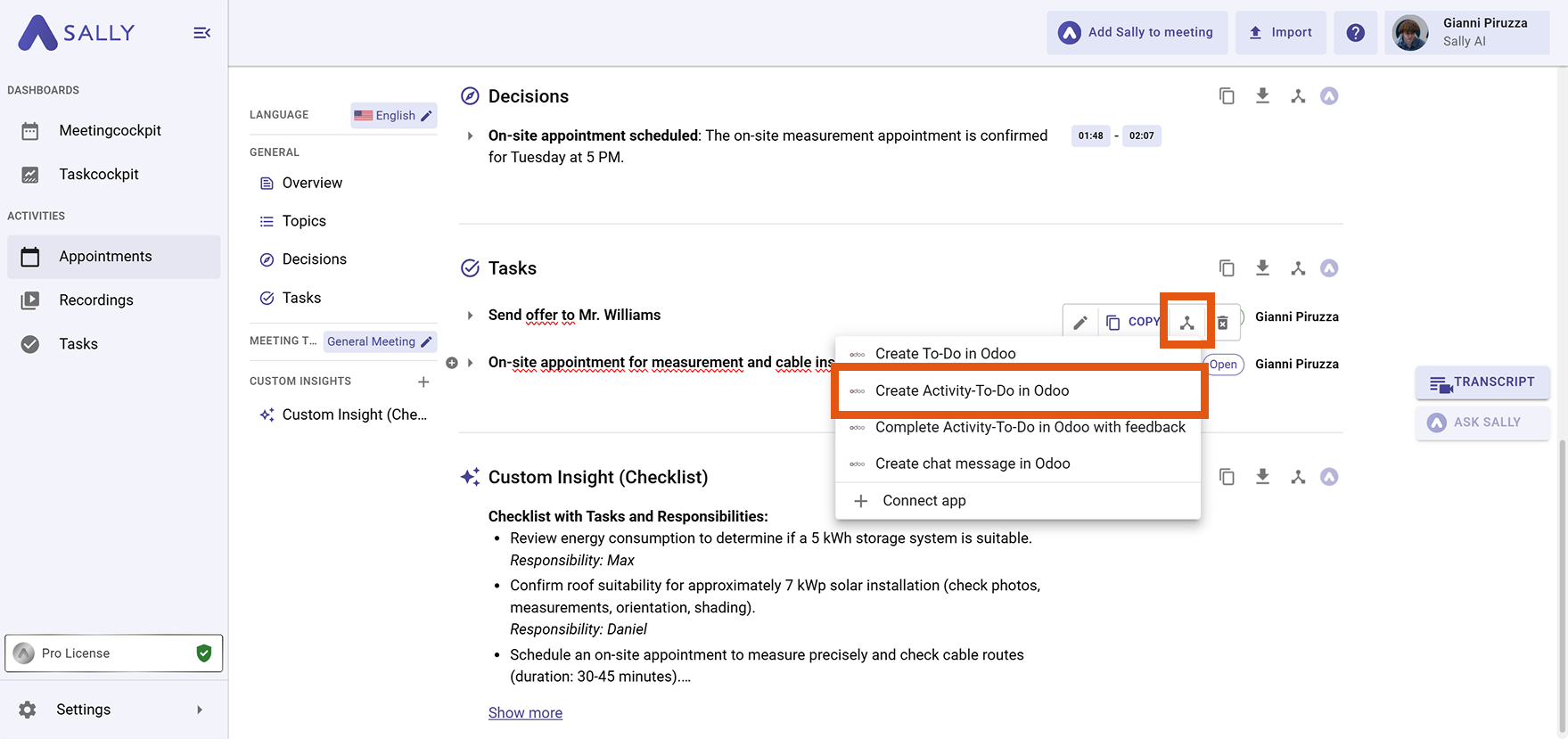
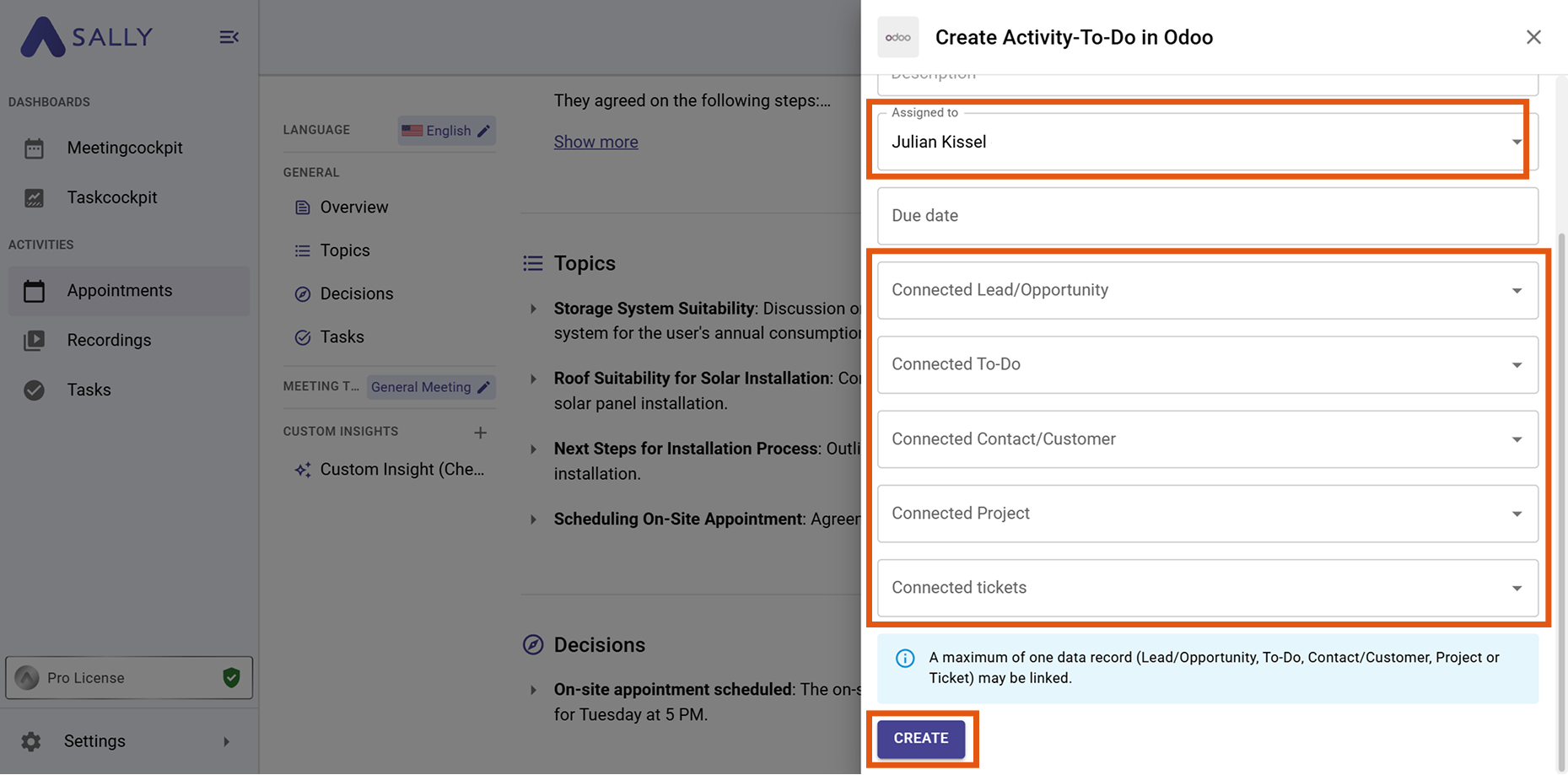
- Select a responsible user and optionally link a related record:
- Lead / Opportunity
- To-Do
- Contact / Customer
- Project
- Ticket
- Click Create.
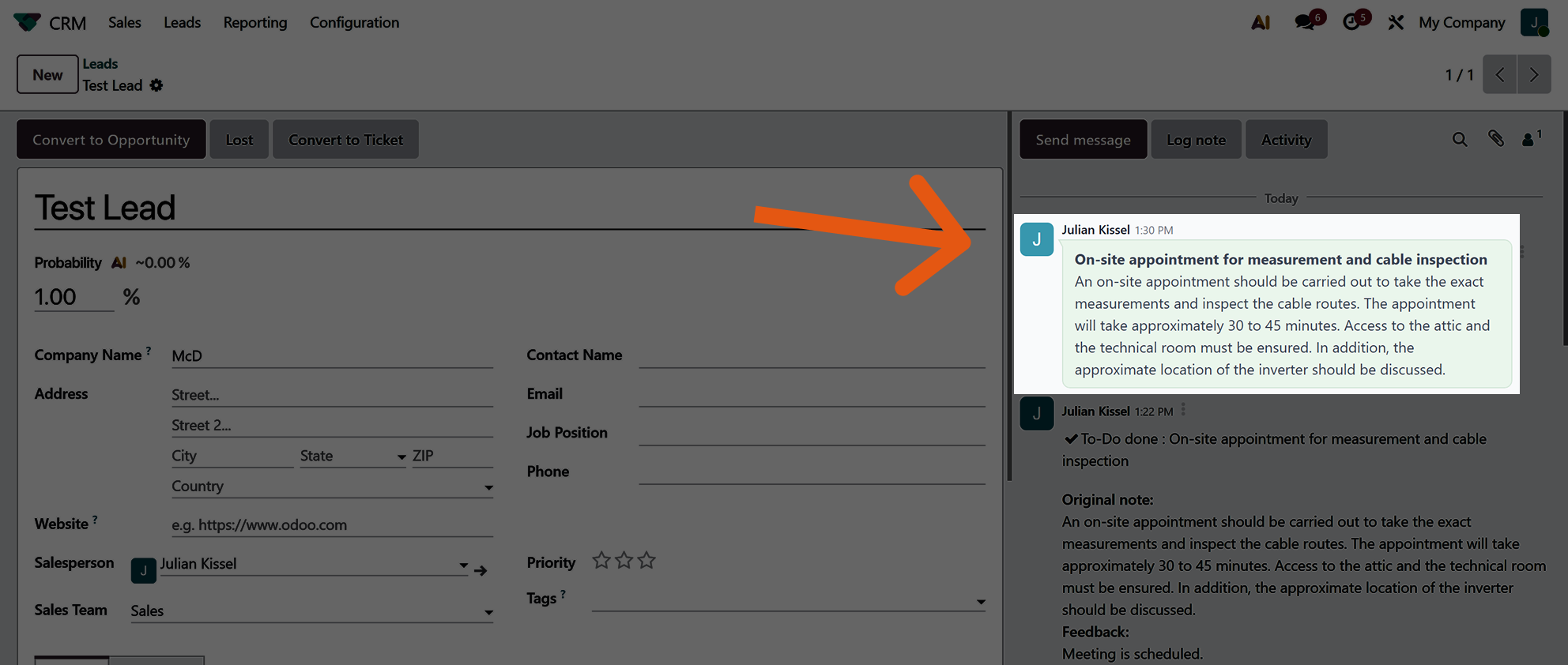
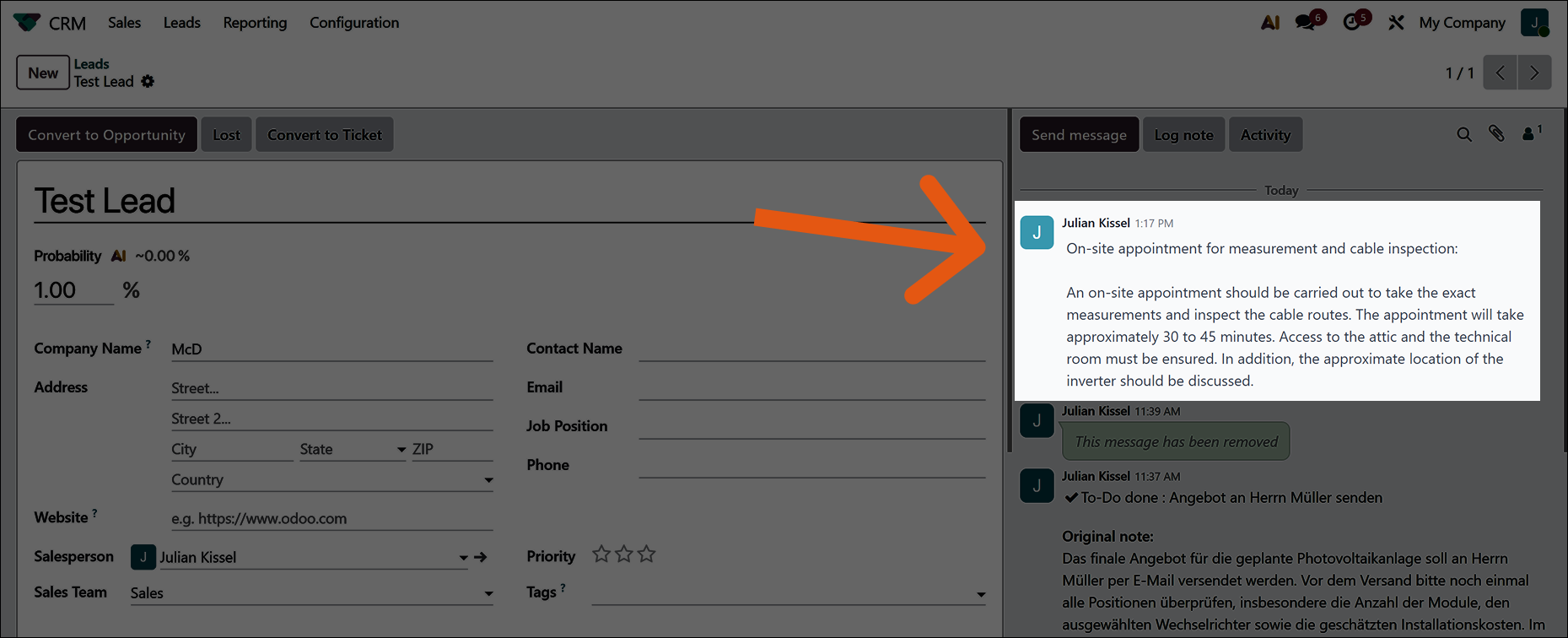
- The insight detected by Sally has now been successfully added to your target record (in this example, a Lead).
2.3. Complete an Activity To-Do in Odoo with feedback
You can complete an existing Odoo activity directly from Sally and add feedback at the same time.
-
Open the desired meeting in Sally and navigate to the summary.
-
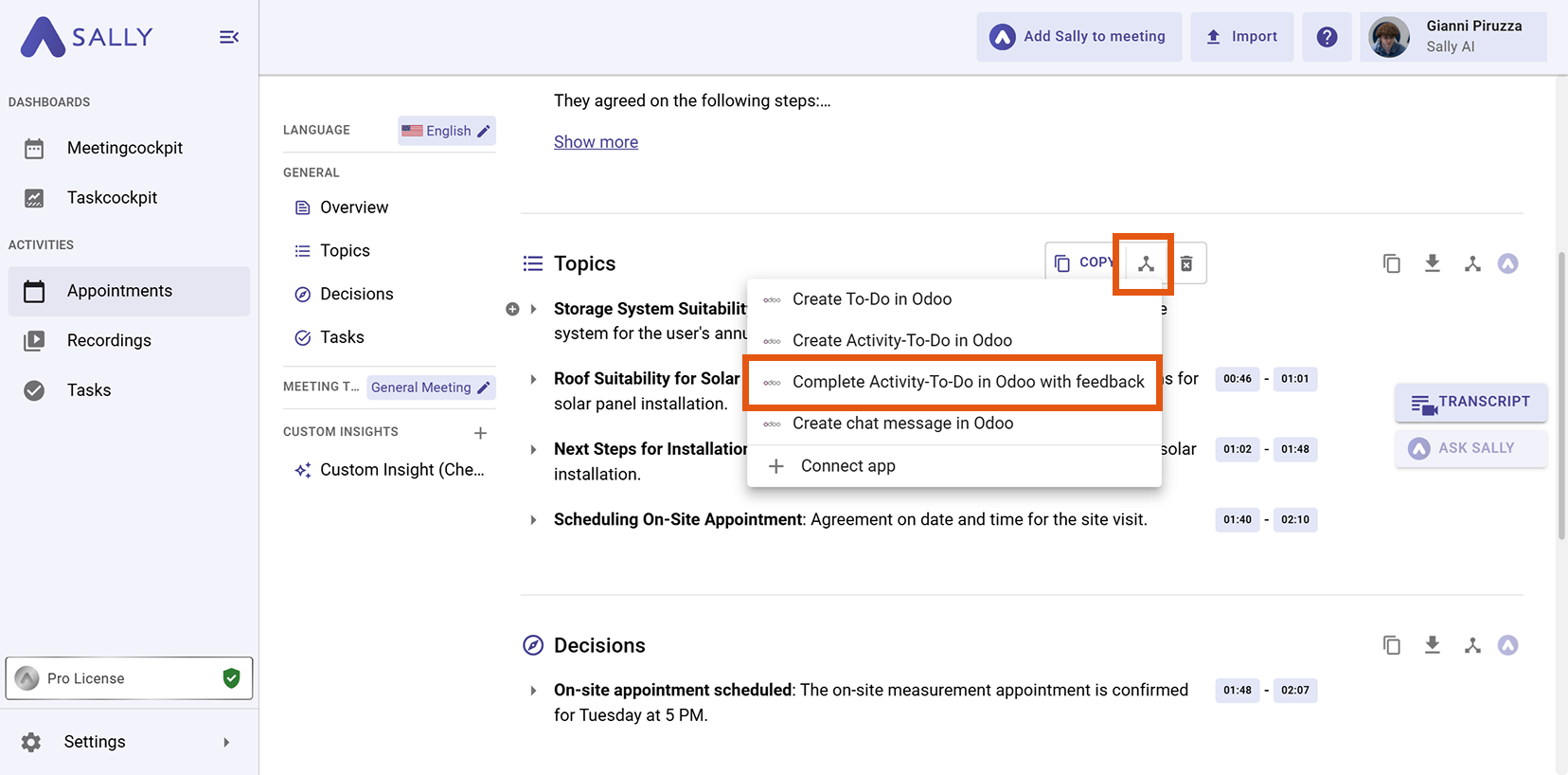
Hover over an insight or task and click the integration icon.
-
Select “Complete Activity To-Do in Odoo with feedback”.
-
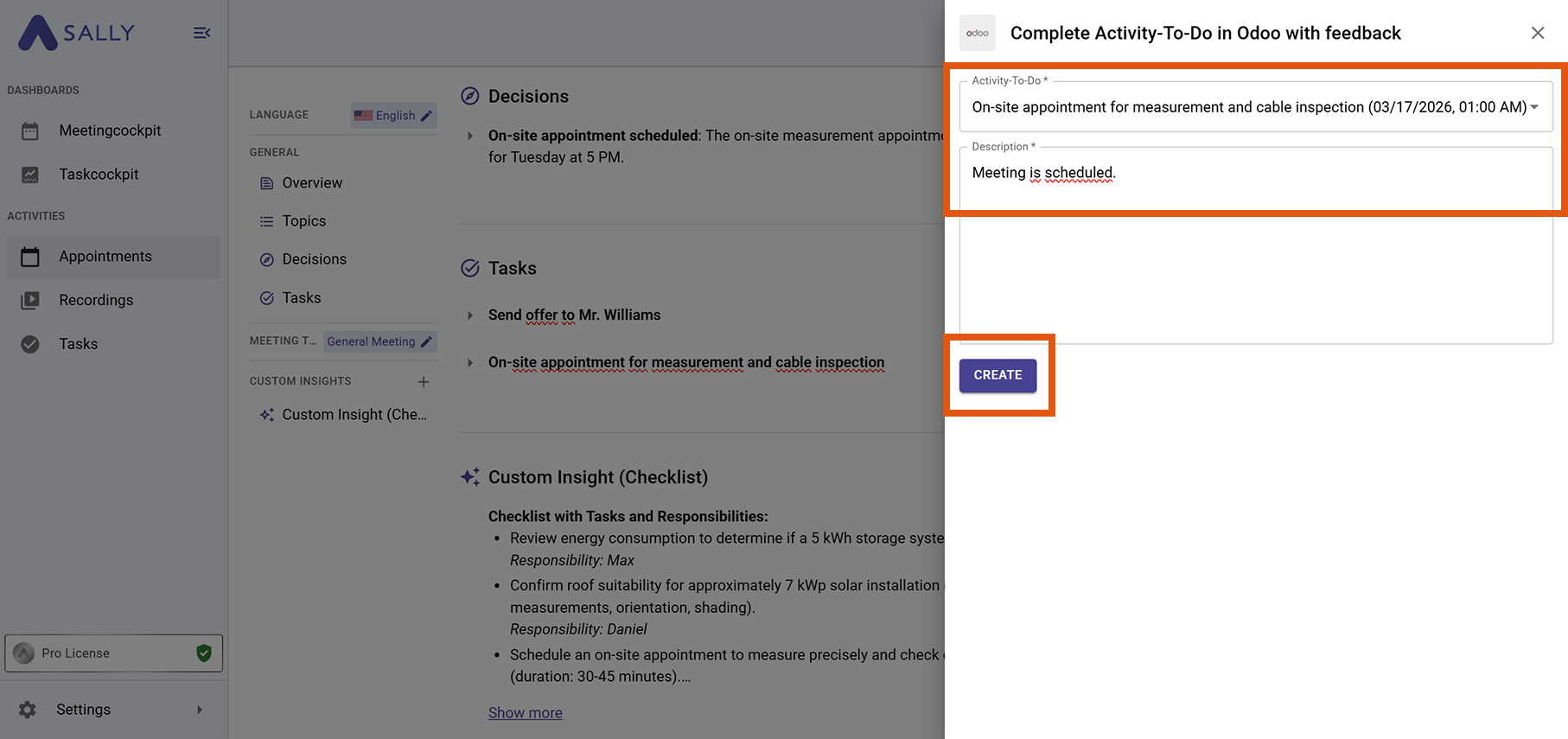
Select an existing activity To-Do and add feedback or additional information.
-
Click Create to complete the activity.
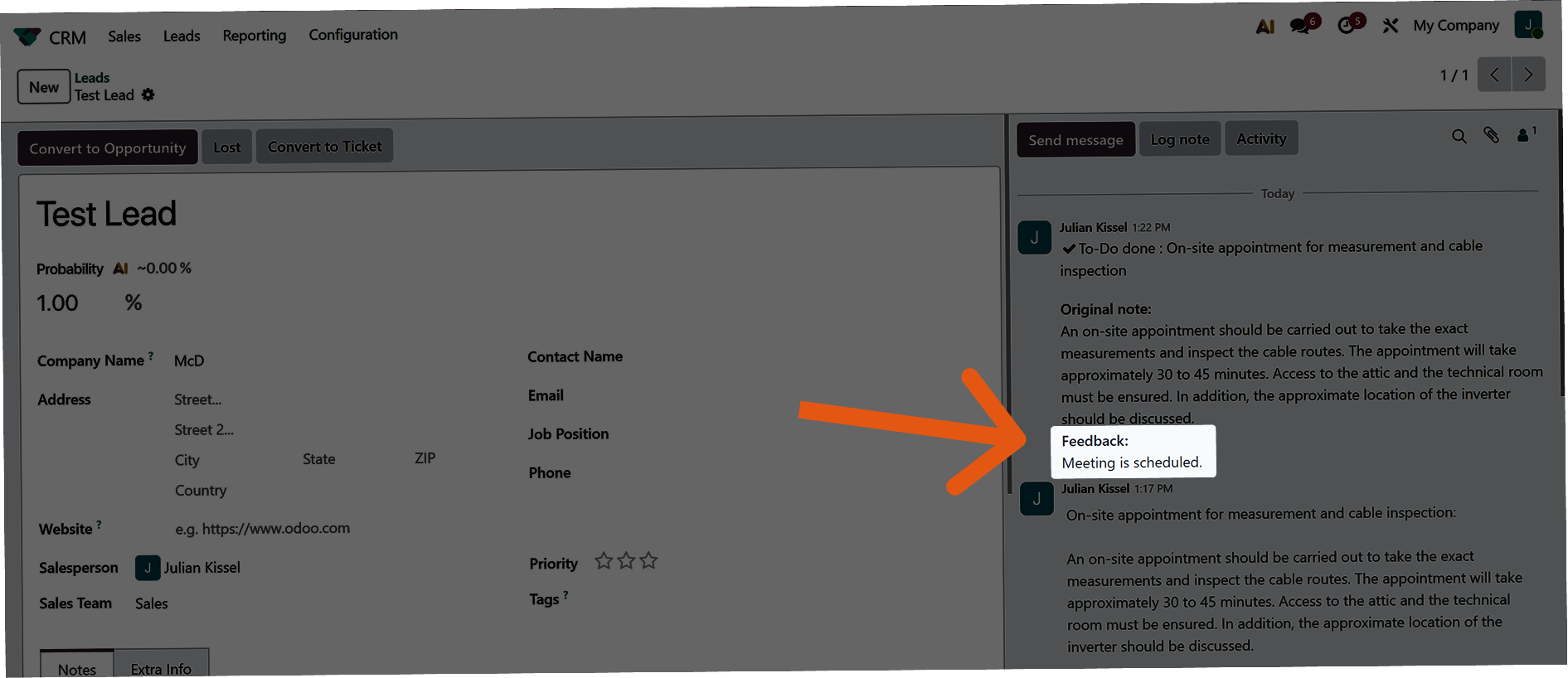
- The activity To-Do has been successfully completed and updated with feedback.
2.4. Create a Chatter message in Odoo
You can also store meeting context directly in Odoo as a Chatter message.
-
Open the desired meeting in Sally and navigate to the summary.
-
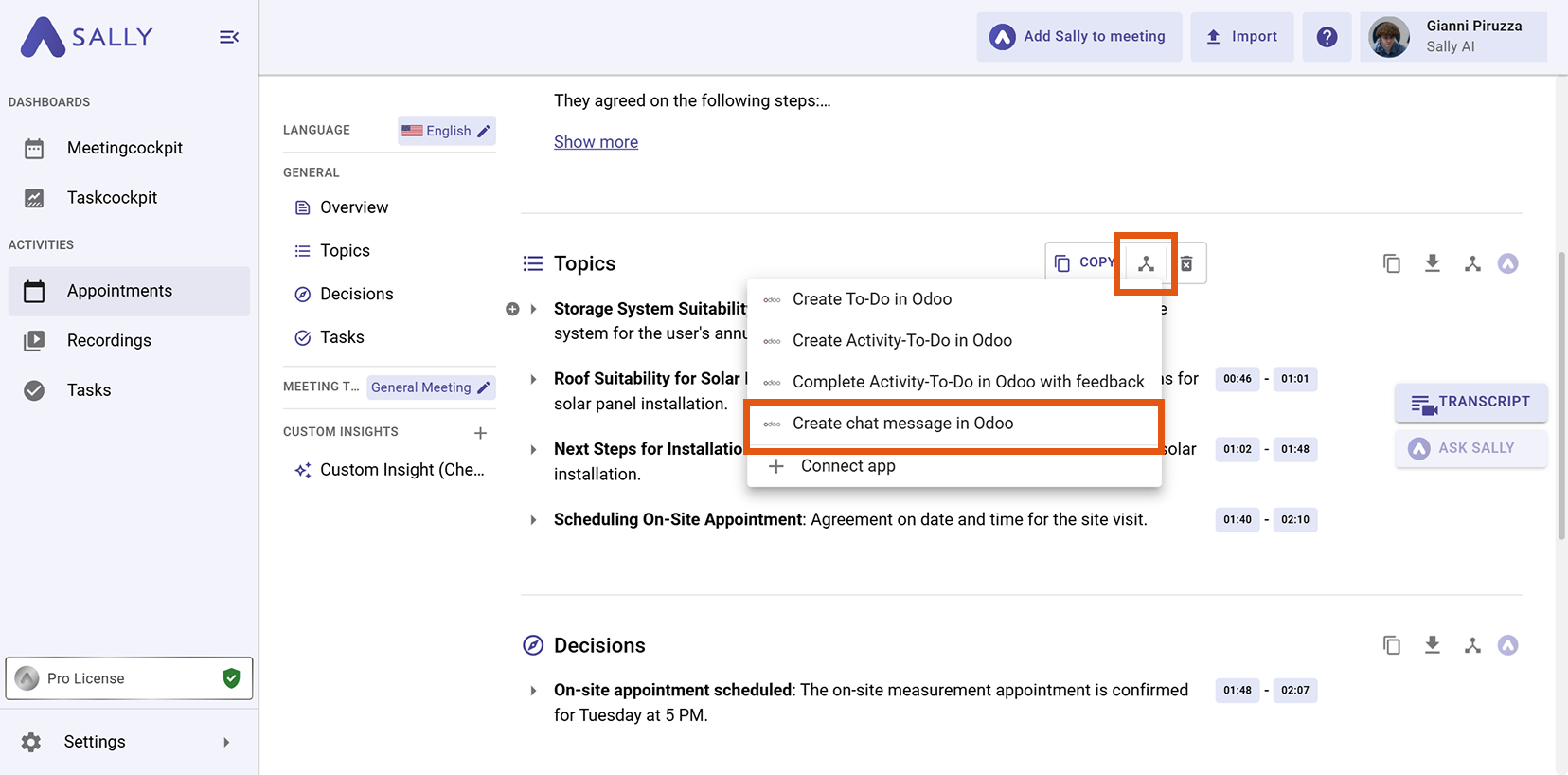
Hover over an insight or task and click the integration icon.
-
Select “Create Chatter message in Odoo”.
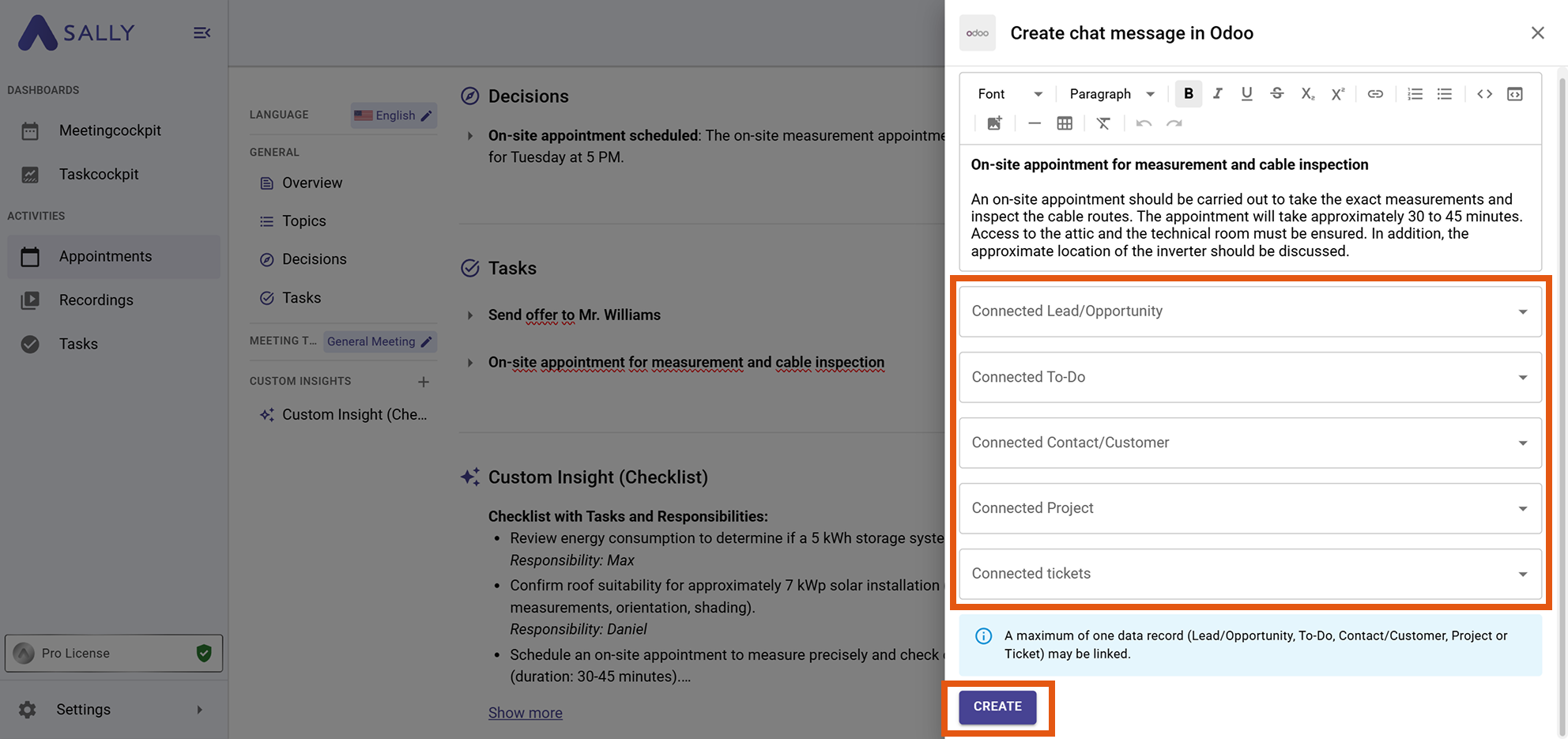
- Link the message to a record, for example:
- Lead / Opportunity
- To-Do
- Contact / Customer
- Project
- Ticket
- Click Create to send the message to Odoo.
- The chatter message has now been successfully added to the linked activity To-Do.