November 24, 2026: Access to all recordings
· 2 min read

Owners can now give selected members access to every recording of the organization account. A team lead, quality management or an AI assistant connected through MCP can then read, play and download every meeting, without anyone having to share folders first.
The access is for reading only, sharing, editing and deleting stay with whoever owns the meeting. It comes with the new organization-wide settings, where the owner also decides whether impersonation is allowed in the account.
What's new?
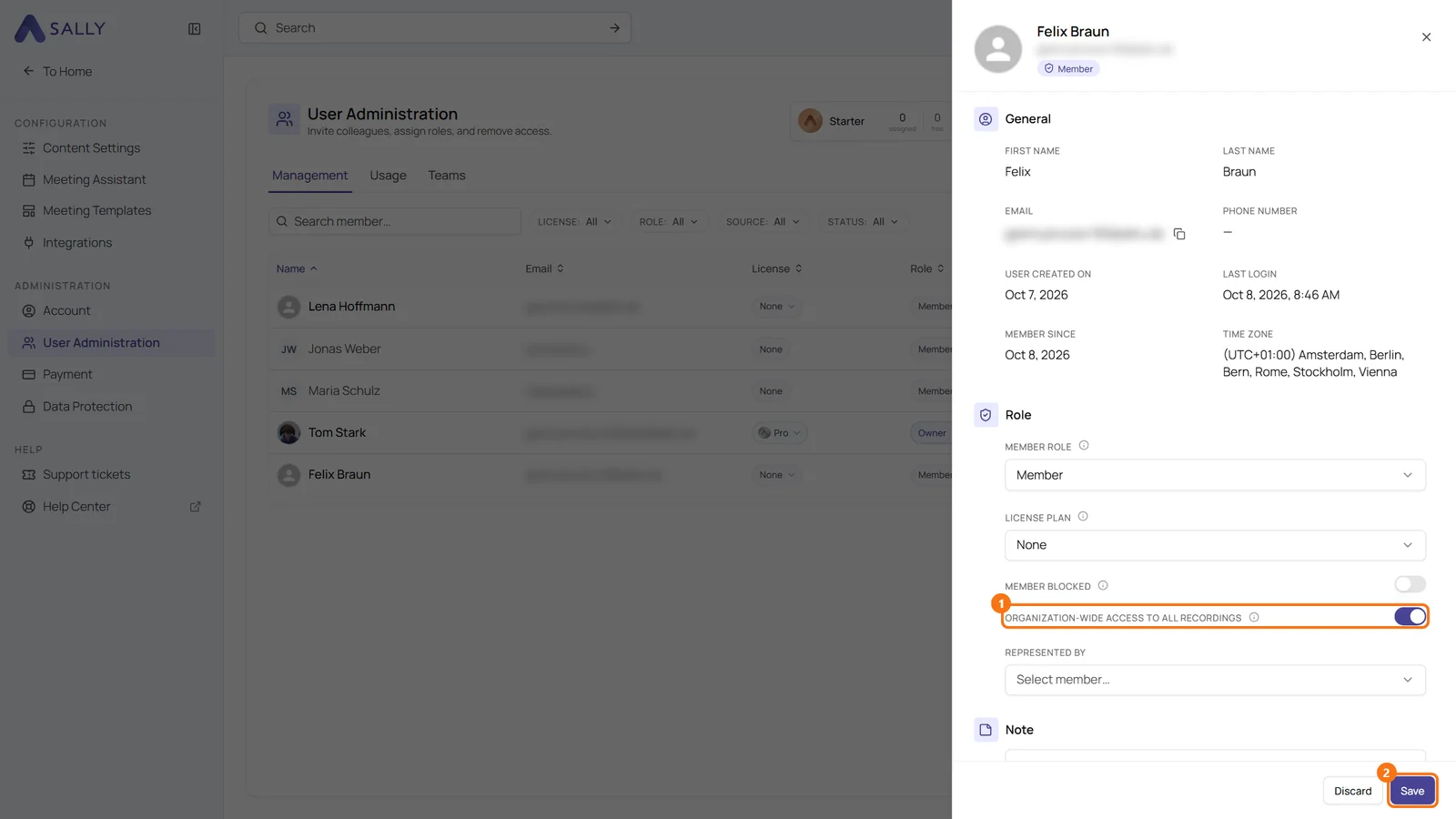
- Access to all recordings: in User Administration, the owner turns on Organization-wide access to all recordings in a member's profile. The badge View access shows who has it
- New filter: under Recordings, people with the access get the filter View access with My recordings and All recordings. All recordings includes conversations with external participants, calls, uploaded files and private appointments
- Read only: reading, playing and downloading work. Sharing, editing, deleting and regenerating stay with whoever owns the meeting
- Also in MCP and the API: the same access applies to the search, to AI assistants through Sally MCP and to the Public API
- Organization-wide settings: a new panel under Settings, Account, section Organization. Access to all recordings is off at first, and the owner turns it on for the account here before granting it to anyone. If it is turned off again, everyone loses the access and has to be granted it anew
What changes for impersonation
- Only the owner impersonates through User Administration. Admins can no longer impersonate other members
- Substitutes still impersonate the person they stand in for, whatever their own role. The entry in the account menu is now called Impersonate as a substitute
- One switch for the whole account: with Impersonation turned off in the organization-wide settings, nobody in the account can impersonate, not even a substitute. Until now, this needed a request to support
All details are in Grant access to all recordings, Organization-wide settings and Substitutes and impersonation.