Manage organization-wide settings
Some settings apply to the whole organization account and concern access to other people's data. They are grouped in the organization-wide settings. Only the owner of the organization account can change them. Admins and members can see them but not change them.
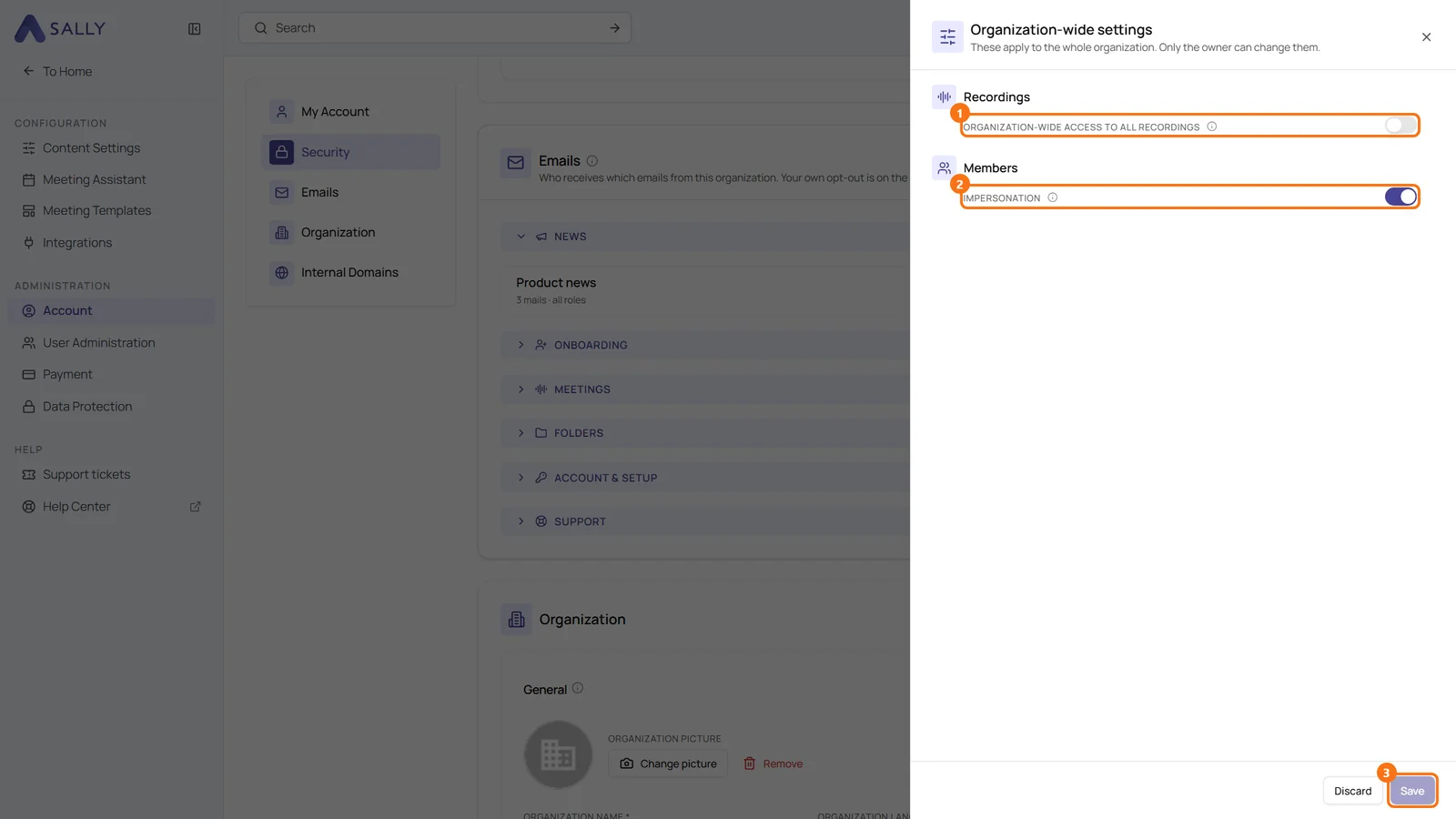
There are currently two switches: whether members can get access to all recordings and whether impersonation is allowed in the account.
Quick navigation
1. Open the organization-wide settings
- Open Settings at the bottom left and choose Account under Administration.
- In the Organization section, click Organization-wide settings on the right of the header. On small screens only the icon is shown.
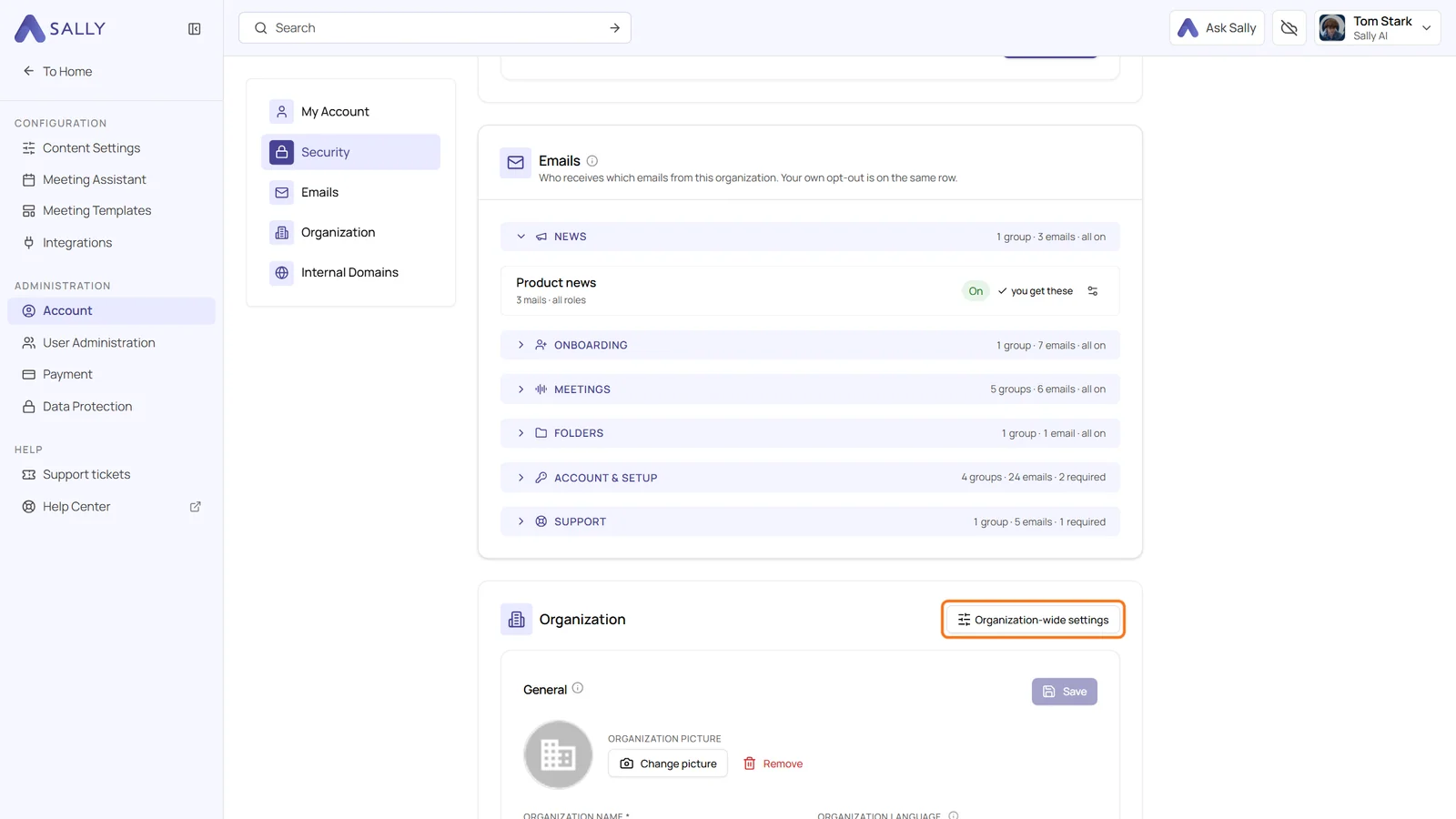
- The Organization-wide settings panel opens on the right with the sections Recordings and Members. Change the switches and click Save at the bottom right. Discard leaves the panel without a change.
2. The settings at a glance
| Setting | What it does | At first |
|---|---|---|
| Organization-wide access to all recordings | Lets the owner give individual members access to every recording of the organization account, to read, play and download. It is then granted member by member, see Access to all recordings. | Off |
| Impersonation | Lets the owner and assigned substitutes impersonate a member, using Sally from that member's account for a while. Every impersonation is logged with a reason, see Substitutes and impersonation. With the switch off, nobody in the account can impersonate, not even a substitute. | On |
The info icon next to each switch shows the same explanation right in Sally.
3. Turn off the access
When you turn off access to all recordings and click Save, Sally asks first. The dialog Turn off access to all recordings? says how many and which members lose the access. Confirm with Turn off.
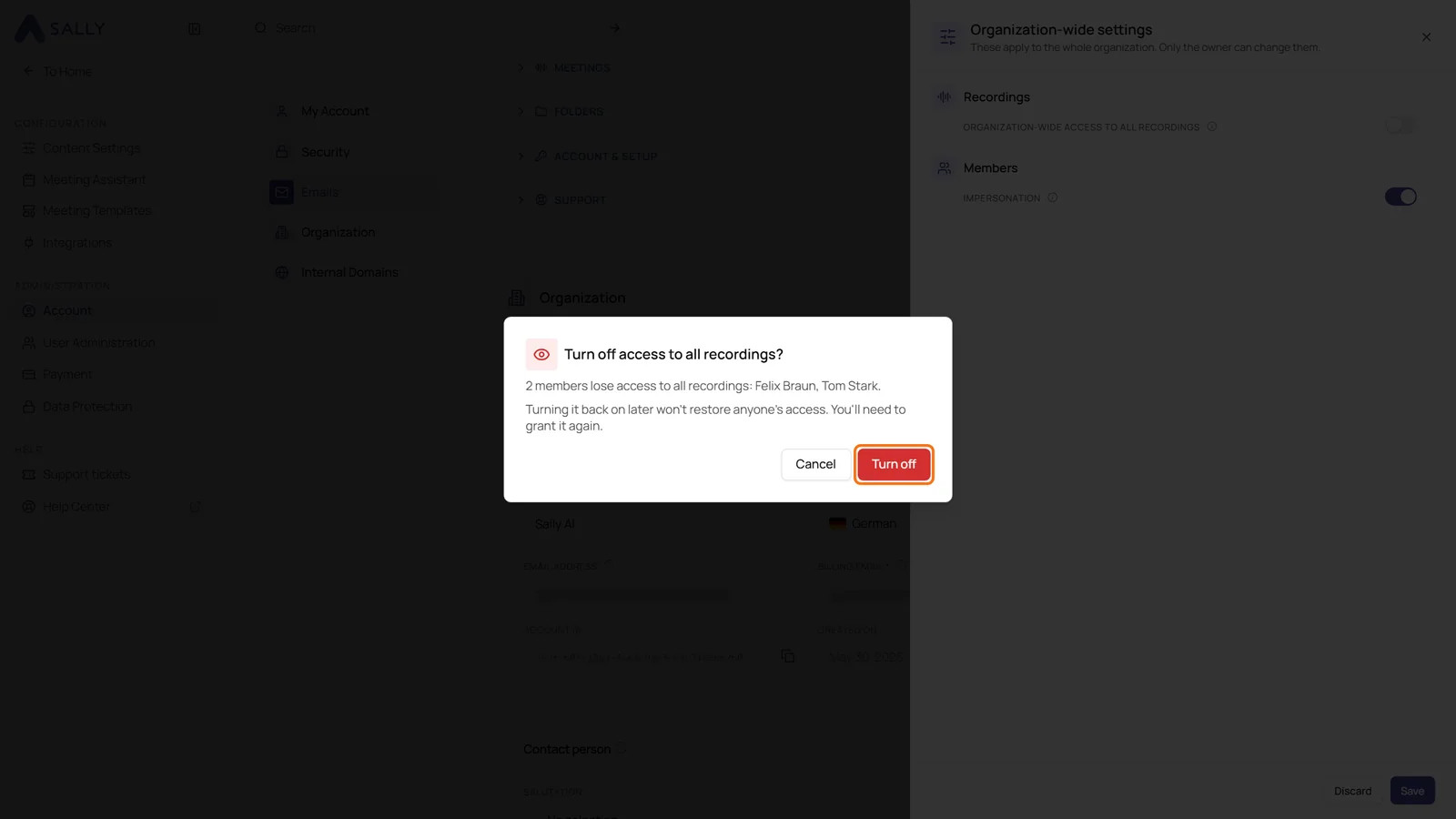
If you turn the feature back on later, nobody gets their access back automatically. You grant it again for each member.
4. Locked switches
A switch can be locked for two reasons. A note right at the switch tells you which one.
- You are not the owner. Only the owner of the organization account changes the organization-wide settings.
- The feature is turned off permanently. Some companies have access to all recordings or impersonation turned off permanently at their own request. Then nobody in the account can turn it on, not even the owner. In that case, contact Sally Support.