How to delete your Sally AI organization account
Deleting your account permanently removes your data from Sally and automatically cancels all active subscriptions. Use this when you want your organization and its data to be erased, not just to stop billing.
Quick navigation
- How do I delete my organization account?
- How do I delete my account without a subscription?
- What happens when I delete my Sally AI account?
1. How do I delete my organization account?
- Open Settings from the bottom-left corner of the sidebar.
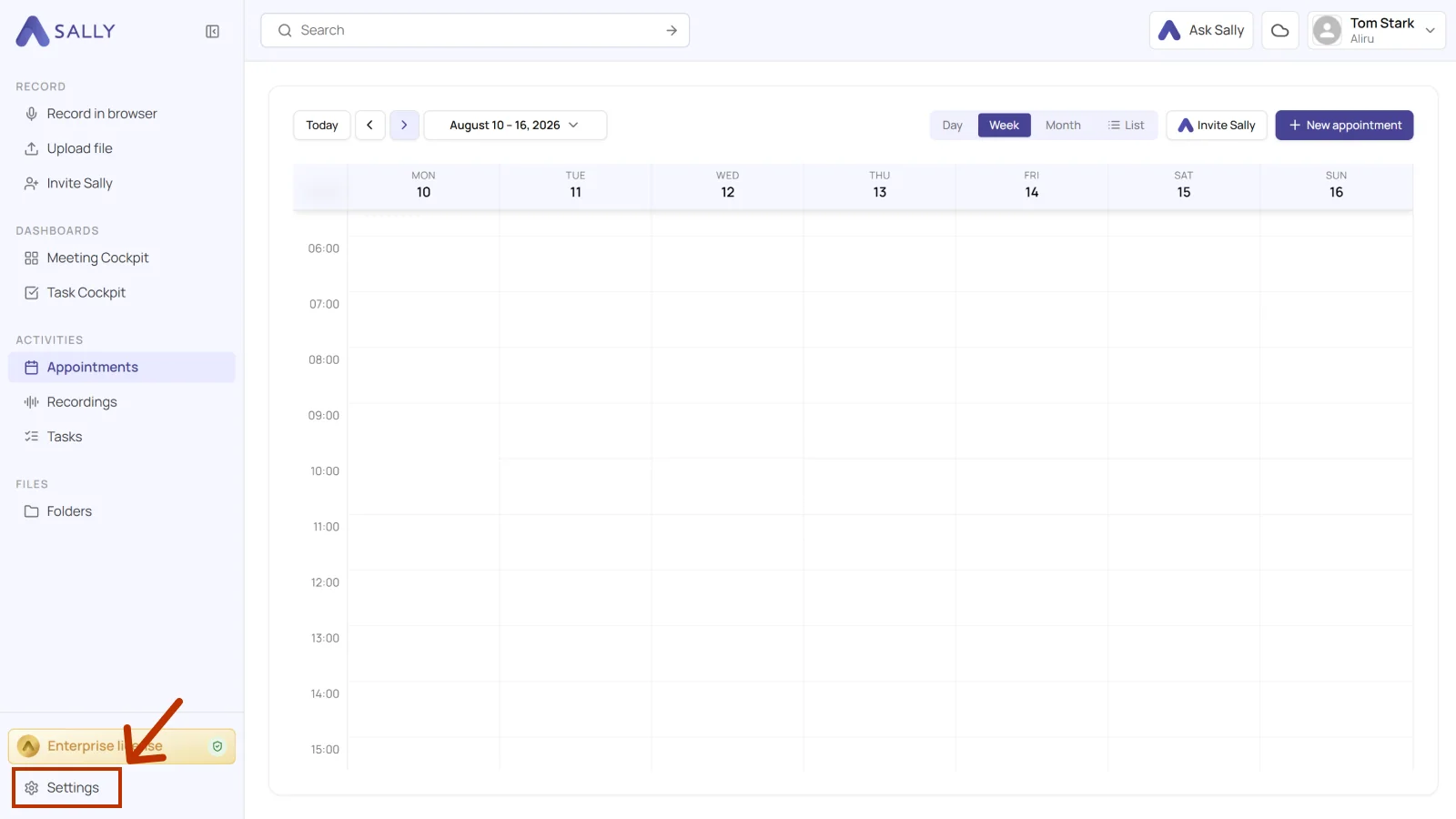
- Under Administration, select Account and open the Organization tab.
- Scroll to the Danger zone section and click Permanently delete organization.
- Sally sends you a confirmation code by email first. The account is only deleted once you enter it.
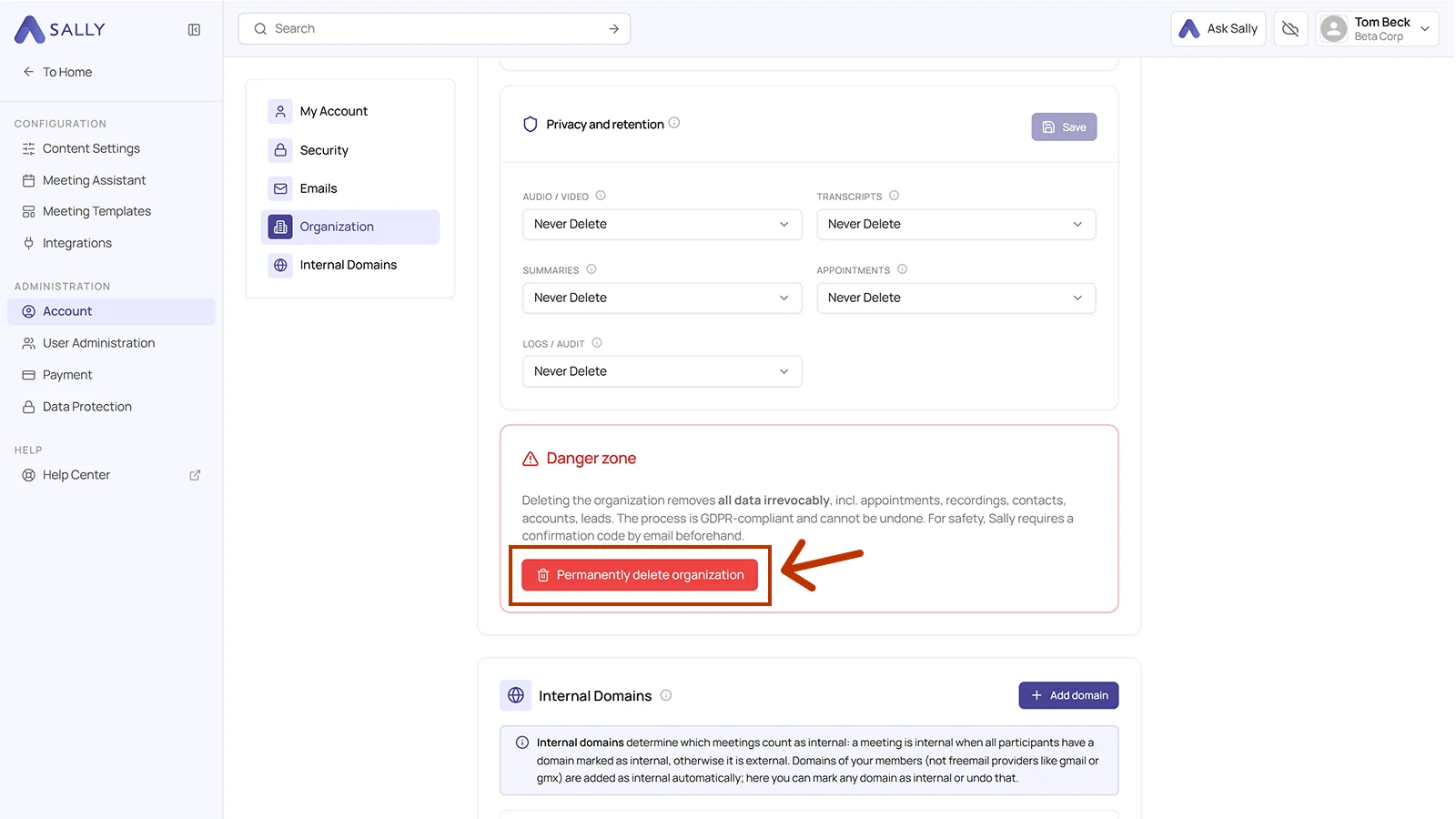
This action is irreversible. Your organization account and its data are permanently deleted and cannot be restored. The process is GDPR-compliant. All subscriptions are canceled automatically.
If you only stop your subscription, your organization account and data remain. To remove your data from Sally, you must delete the organization account.
2. How do I delete my account without a subscription?
You can also delete your account even if no license has been booked yet, and you do not have to enter any payment details for it.
The route is the same as with a subscription: the danger zone in the Organization tab.
3. What happens when I delete my Sally AI account?
- All active subscriptions are canceled automatically.
- The organization account is permanently removed.
- Associated data is deleted and cannot be recovered, including appointments, recordings, summaries, tasks, contacts, accounts, and leads.