November 6, 2026: Send all meeting tasks to monday.com and Microsoft To Do at once
· 2 min read

All tasks of a meeting now go to monday.com and Microsoft To Do in one step. What already works for Microsoft Planner is now available for both tools: from the Tasks section, Sally creates a separate item or task for every task it recognized.
You no longer send tasks one by one. Check the rows, untick what you don't need and create the rest with a single click.
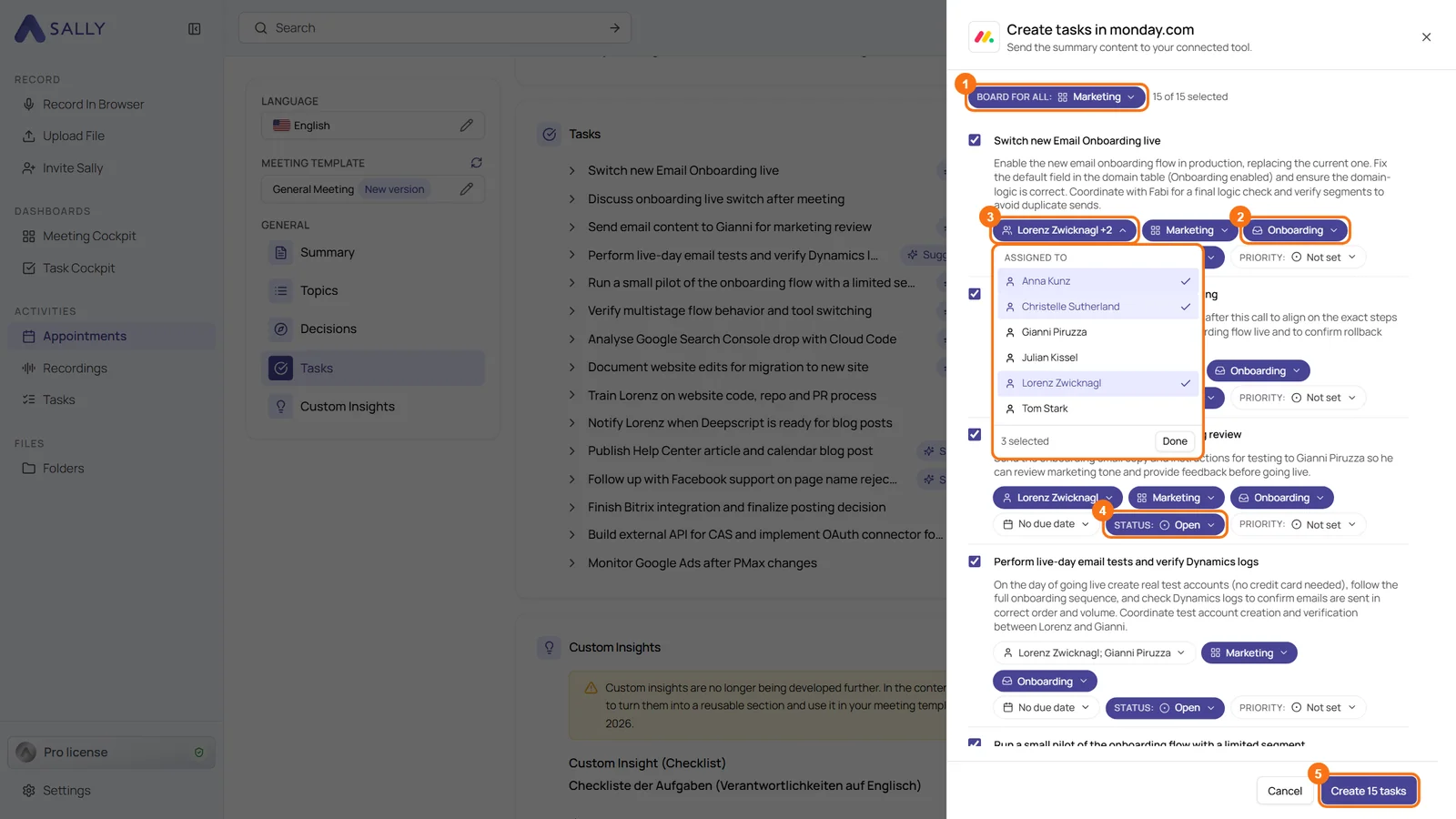
What's new in monday.com?
- Create tasks in monday.com: hover over the Tasks section, click the plug icon in its header and choose Create tasks in monday.com
- Board for all: one board for every task at once. Sally suggests the matching group for each task, and you can still change board and group per row
- Several assignees: up to 20 people per task, both in the new panel and in Create task in monday.com for a single task
- One field per status column: every status column of the board gets a field of its own, for example Status and Priority
What's new in Microsoft To Do?
- Create tasks in To Do: the same entry on the Tasks section sends your tasks to your own To Do lists
- List for all: one list for every task at once, still changeable per row, plus due date and the Important toggle for a star in To Do
- Your tasks first: only the tasks Sally assigns to you are ticked in advance. Tasks of other people are grayed out, because To Do cannot assign tasks to anyone else. You can still tick them, and they then go into your own list
- Also in the Sally app: you reach the panel through the share icon of the Tasks section
Want the details? See Create several tasks at once in monday.com and Transfer several tasks to To Do at once.