How to download and export your meeting transcript
You can download your transcripts to edit them, analyze them or pass them to your team. That makes the follow-up after a meeting a lot quicker.
Quick navigation
1. How to download a transcript
Tip
Before you download, set up your document settings so the report carries your own design and branding.
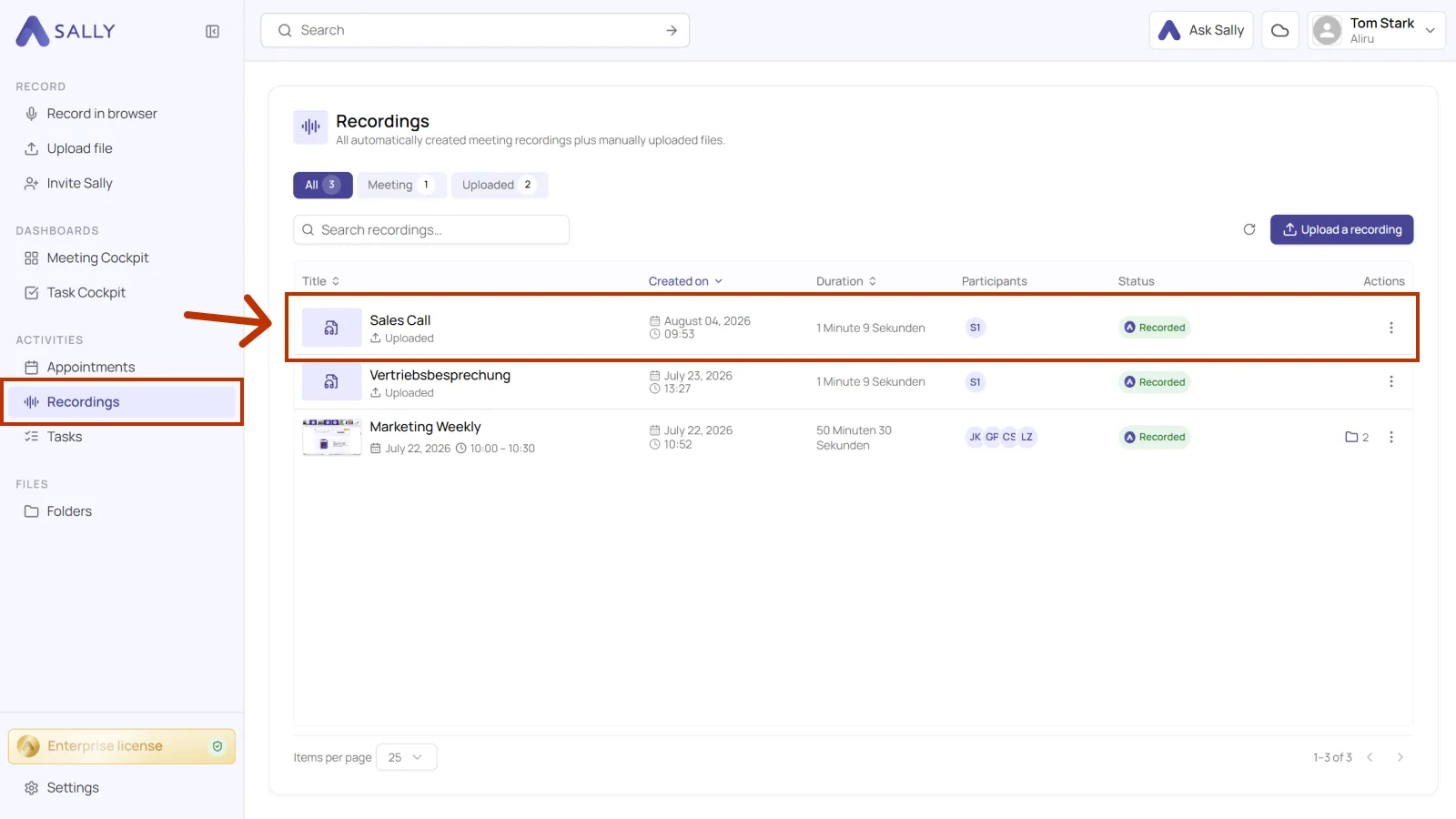
- Open Recordings in the sidebar and select the recording you want to download a transcript for.
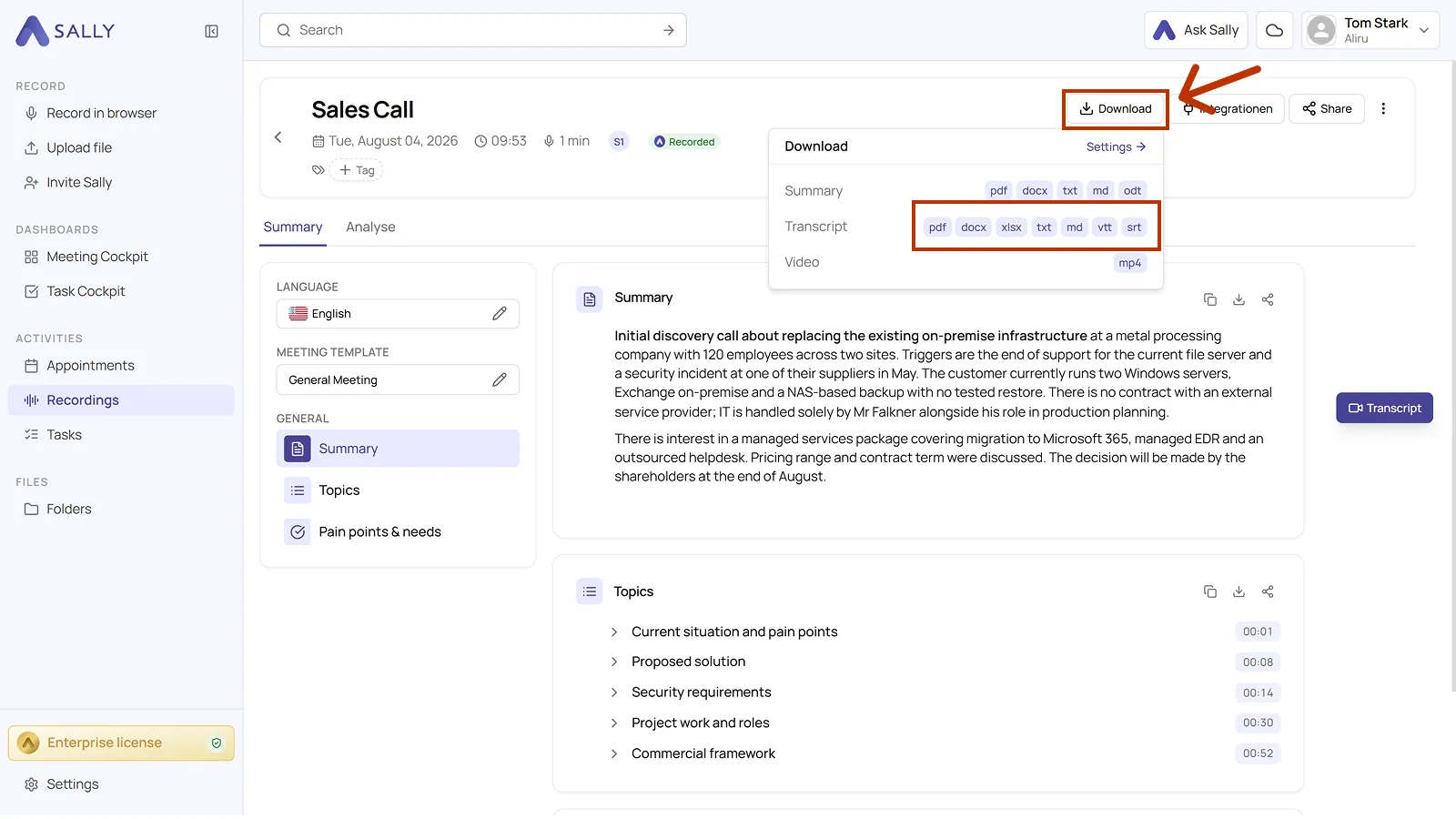
- Click Download in the top right and choose your format in the Transcript row.
Info
Available export formats:
- docx
- xlsx
- txt
- md
- vtt
- srt
2. How to edit your document settings
You can also adjust the layout of the document before you download it. The document settings show how.