How to assign or revoke Sally AI licenses
Once you have added licenses and added users to your organization, you assign licenses to individual users or take them away again. That way everyone in the company has the access their role calls for.
Both happen in User Administration, right in the user’s row. A license you remove becomes free again immediately.
Quick navigation
1. How do I assign a license to a user?
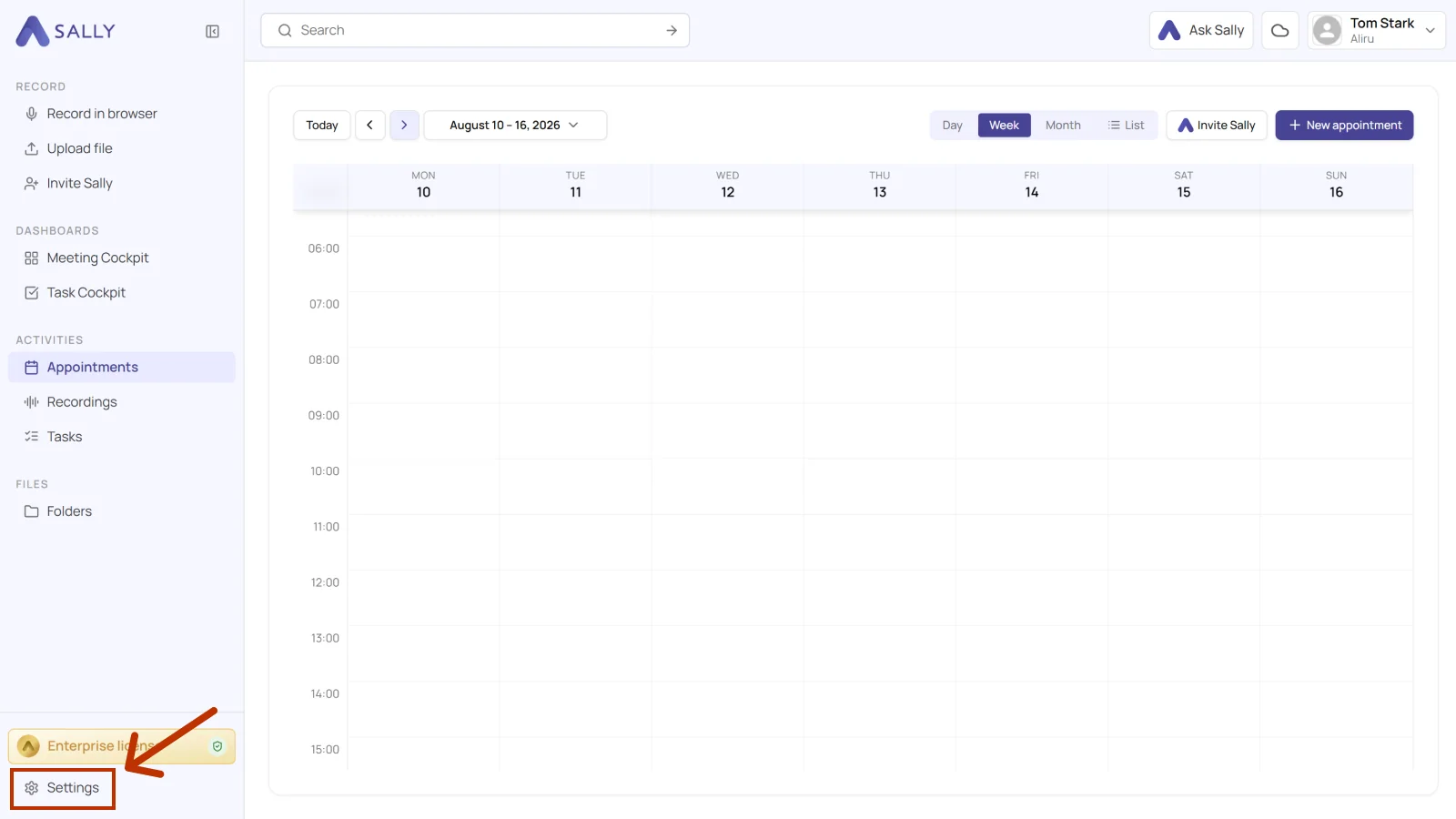
- Open Settings at the bottom of the left sidebar.
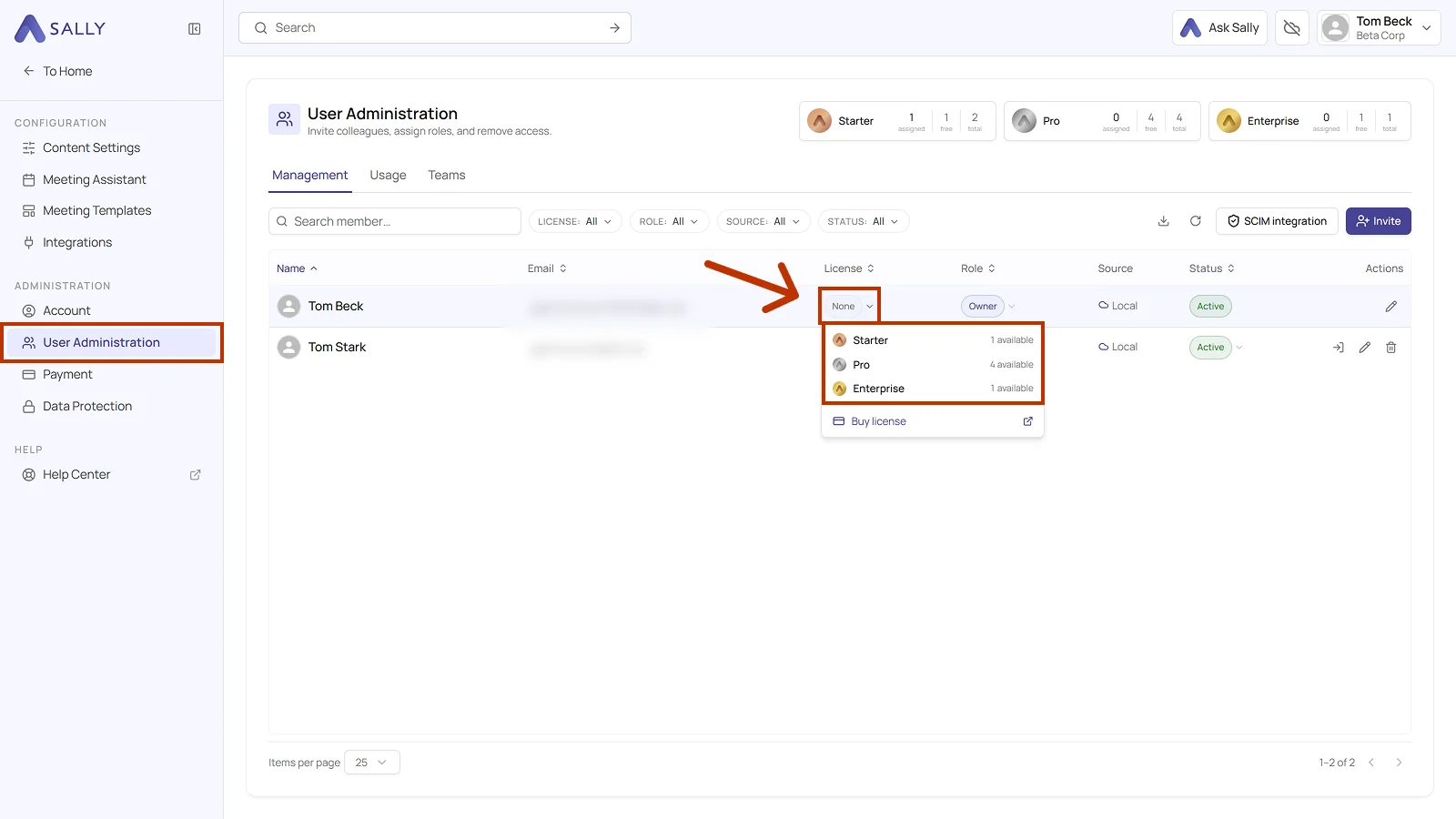
- Under Administration, open User Administration. Your licenses sit at the top with assigned, free, and total, and the member list is below.
- Find the user you want to assign a license to and open the License dropdown.
- Pick the plan. Each plan shows how many of its licenses are still free. If none are left, Buy license takes you straight to the purchase.
Info
The license is now assigned to the user, and they can use Sally according to the selected plan.
2. How do I revoke a license from a user?
- In User Administration, find the user whose license you want to remove and open the License dropdown.
- Click Remove license.
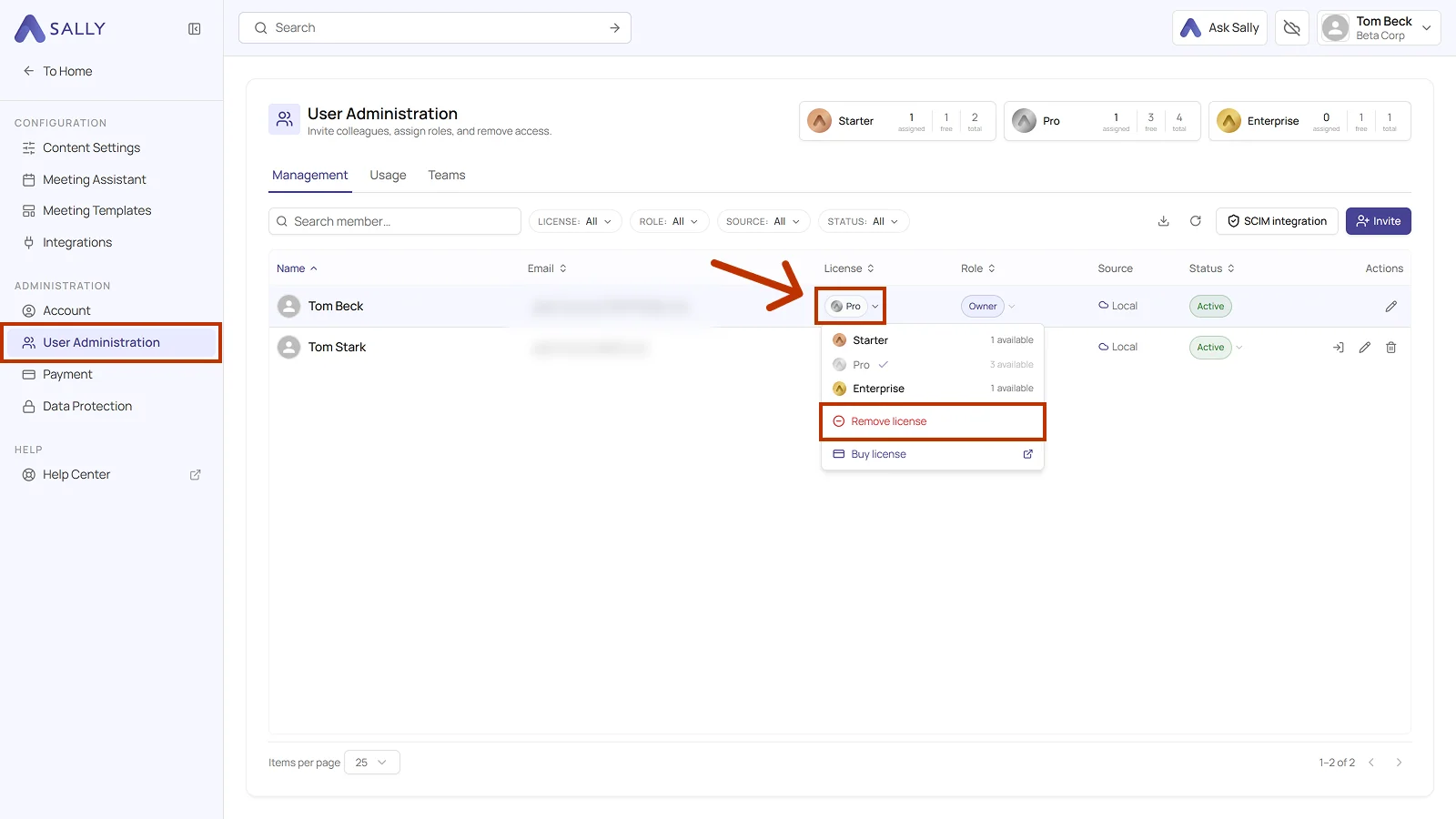
Once removed, the license becomes free again and can be assigned to someone else at any time.
Important
- Assigning or removing a license does not delete the user account.
- You can always assign a license again later, or adjust the user's role separately.