8 posts tagged with "Meeting attendance"

View All Tags

October 27, 2026: Sally tells you when her Teams or Zoom password expires

· 2 min read
Gianni Piruzza
Marketing Manager

Sally now notices when the password of her Teams or Zoom account has expired, and tells you right away. If Microsoft or Zoom asks for a new password, Sally can no longer sign in with the account you stored for her and can't join meetings that require this sign-in.

Sally detects this on the first failed join. Owners and admins learn about it straight away and can fix it in a few steps.
September 30, 2026: Sally pauses herself in recurring meetings where nobody lets her in

· 2 min read
Gianni Piruzza
Marketing Manager

Sally no longer waits in the lobby of the same recurring meeting week after week. If nobody admits her from the waiting room three times in a row, she pauses herself for that series.

Until now, Sally kept joining every appointment of a series, even if nobody had let her in for weeks. The pause only stops her from joining, your recording settings for these appointments stay as they are.

September 29, 2026: Have Sally join a meeting again, as a copy or as a replacement

· 2 min read
Gianni Piruzza
Marketing Manager

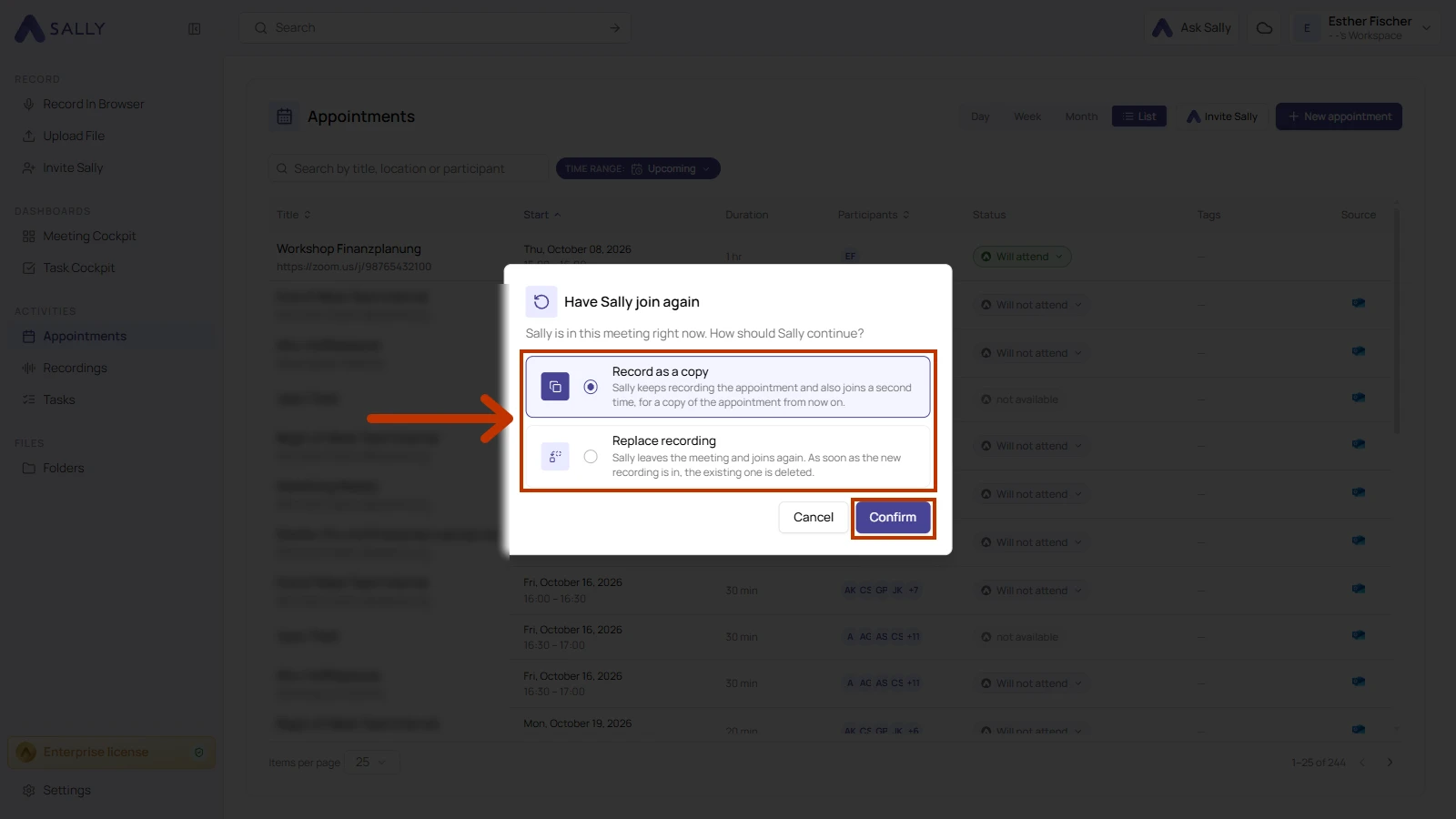
Bring Sally back into a running meeting: if Sally left too early, Join again sends her back while the appointment is still running. If there is already a recording, you decide what happens to it.

This helps when someone removed Sally by mistake or she left automatically during a short break. The rest of the conversation still ends up in your transcript and summary, and nothing gets deleted unless you choose to.

Have Sally join again dialog with the Record as a copy and Replace recording options and the Confirm button
Choose whether Sally records a copy or replaces the recording

September 21, 2026: Sally Recorder for macOS

· 2 min read
Gianni Piruzza
Marketing Manager

The Sally Recorder is on the Mac: the app that records meetings straight on your computer now comes in a macOS version 🚀

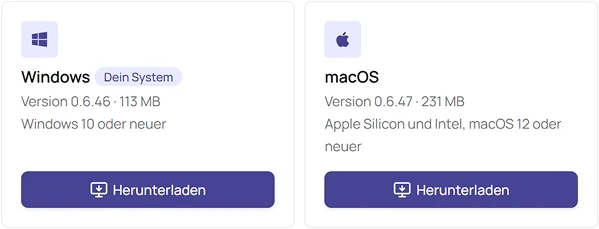
Since Sally 2.0 the Recorder has been running on Windows. From today there is a second version, for macOS 12 or newer, on Apple Silicon and on Intel alike. Both come from the same download page in Sally, and the page marks the one that fits the machine you are sitting at.

The Windows and macOS versions of the Sally Recorder side by side, with version and download size
Both versions on one page, and the one for your system is marked

September 16, 2026: See who actually attended your meeting

· 2 min read
Gianni Piruzza
Marketing Manager

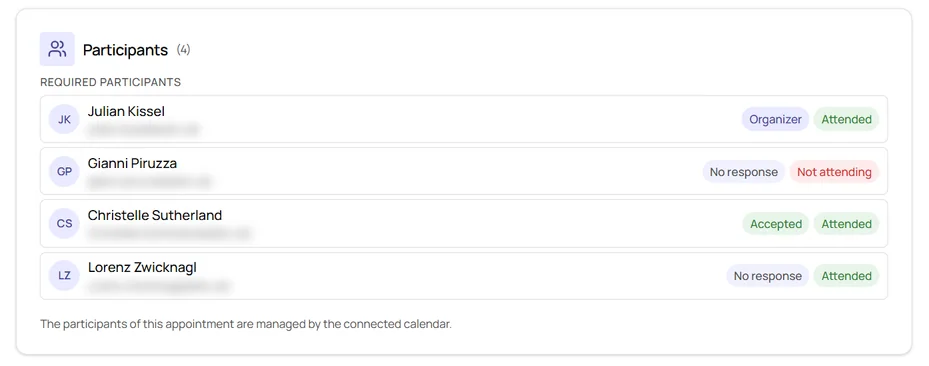
Sally now shows who was actually in your meeting. After the meeting, Sally compares the recording with the participant list of the appointment and marks every person as Attended or Not attending, right next to their invitation status.

That way you see at a glance whether someone who accepted did not show up, without going through the recording.

Participants section of an appointment with the invitation status and the labels Attended and Not attending next to each person
Invitation status and recognized attendance side by side

February 26, 2026: Recurring meeting invite

· 2 min read
Gianni Piruzza
Marketing Manager

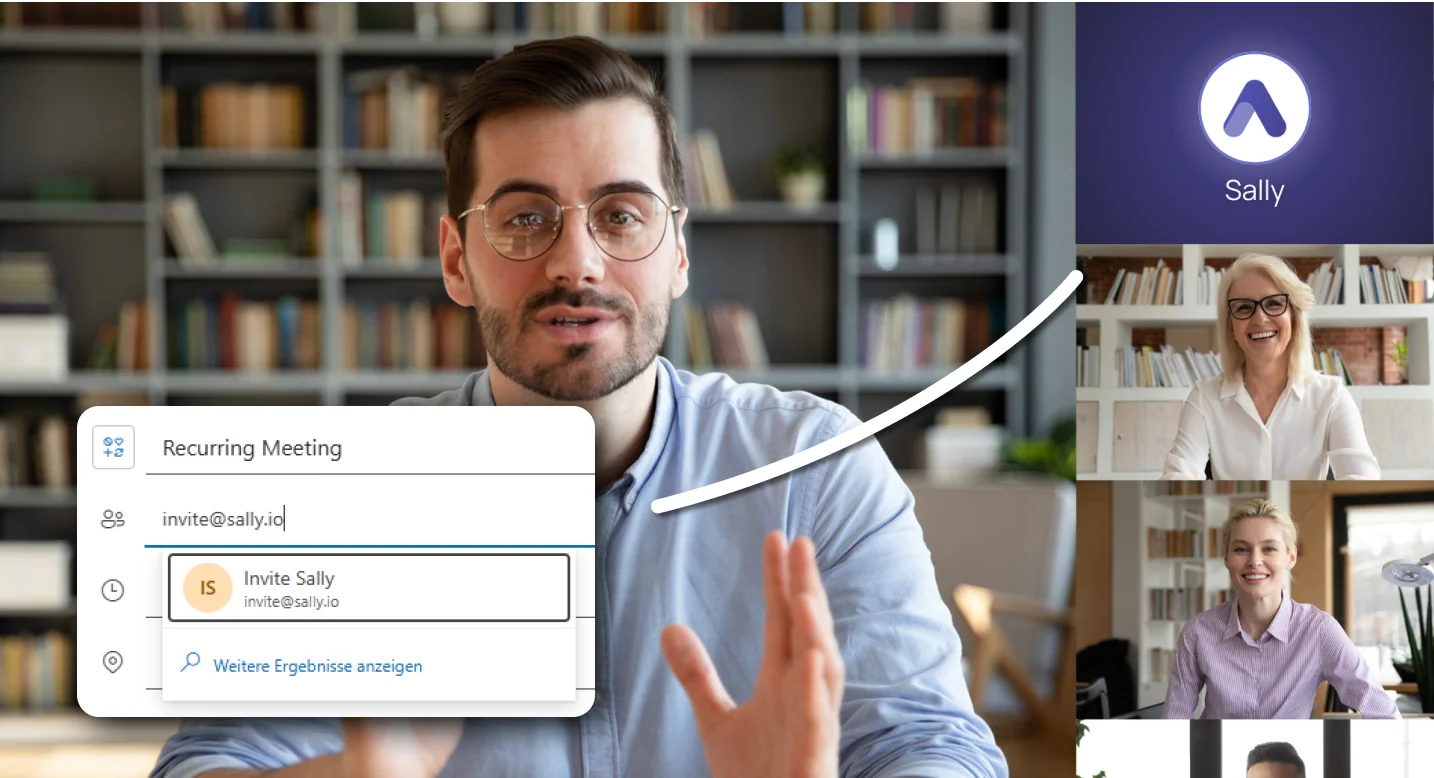
You can now easily add invite@sally.io to your recurring meetings.

This means: Set it up once, and Sally will automatically join every occurrence in the series. 🎉

Recurring Meeting invite with invite@sally.io added as a participant, linked to Sally's tile in the video call
Invite Sally via mail