November 19, 2026: Prompts in your language
· 2 min read

You now write the prompts of your meeting templates in your own language. As soon as you save a section, Sally creates an English version in the background and works from that, because the AI follows English instructions most precisely. You only ever see and edit your own text.
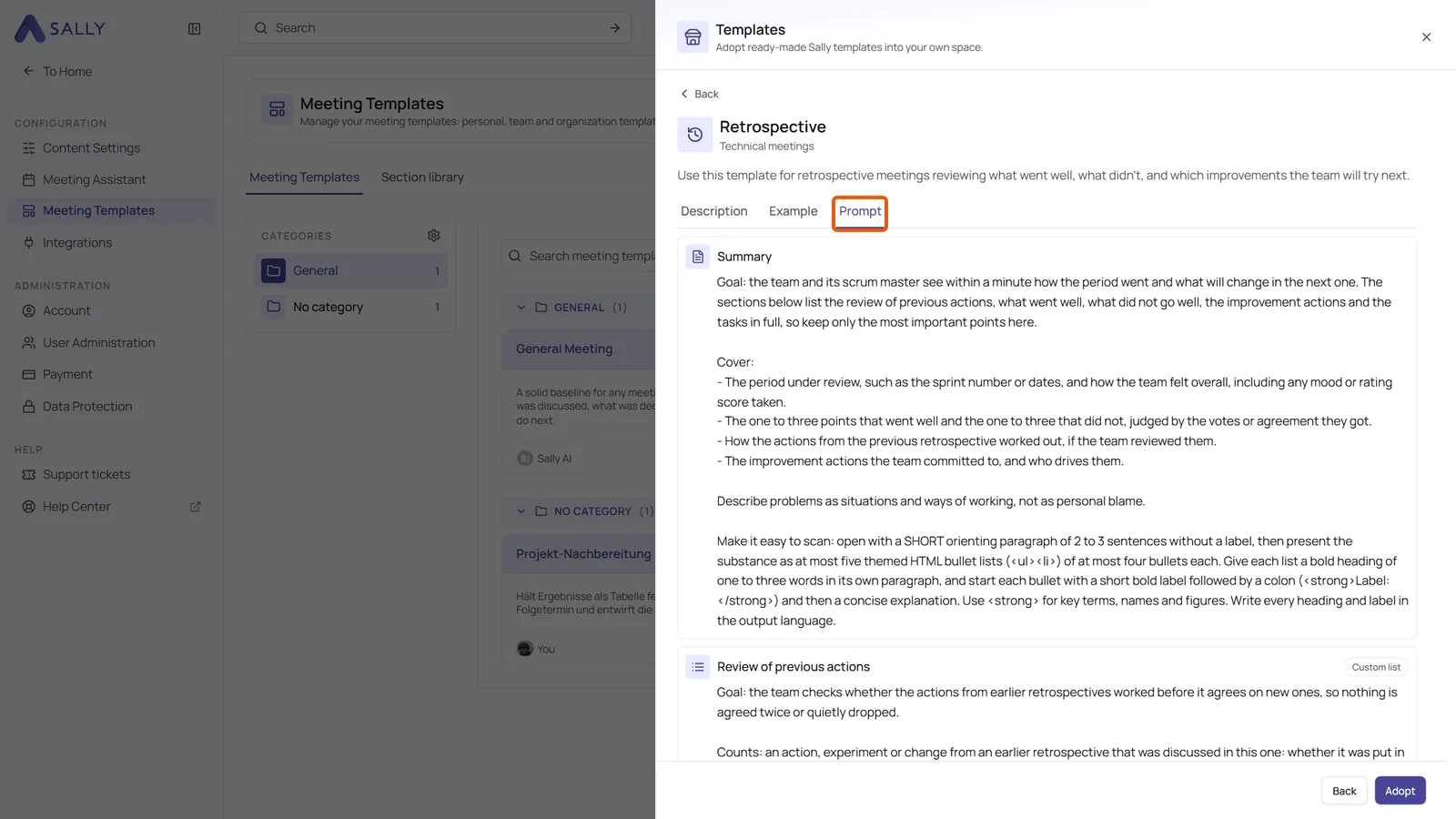
Sally's ready-made templates also show their prompts in the language of your interface, and there are now 42 of them instead of 30.
What's new?
- Prompts in your language: write the prompt of each section in whatever language comes easiest to you. Sally creates the English version when you save, usually within a few seconds. Until then it uses your text
- Your summary language stays the same: the summary still follows your language settings, and the section title stays exactly as you entered it
- Ready-made templates in your language: in the Prompt tab you read the instructions of Sally's templates in the language of your interface. If you change a prompt in your copy, Sally carries the change over into the English version
- 42 ready-made templates: new are Customer Onboarding under Customer interaction, Individual Target Agreement under HR meetings and the category Advisory, coaching & training
- Choose how to start: Create new now asks how you want to begin, with Blank template, Create from file or Import template
Good to know
- Existing sections stay as they are: sections that already existed before 12 November 2026 keep running with your own text, in every new version of the template as well
- Export format 2: exported templates now record for every section whether it runs in English and carry the English version, so an imported template runs exactly like the original. Files exported before 12 November 2026 can no longer be imported. Export the template again in the original account
All details are in Sections, Sally's ready-made templates and Export and import.