November 11, 2026: A separate email for invoices
November 11, 2026: A separate email for invoices
· 2 min read
Gianni Piruzza
Marketing Manager

Invoices now have an email address of their own. In your organization account you set a billing email, and Sally sends every invoice and payment receipt there. Your organization's contact address stays separate and keeps receiving the system notifications.

That way invoices go straight to your accounting team, without anyone having to forward them.
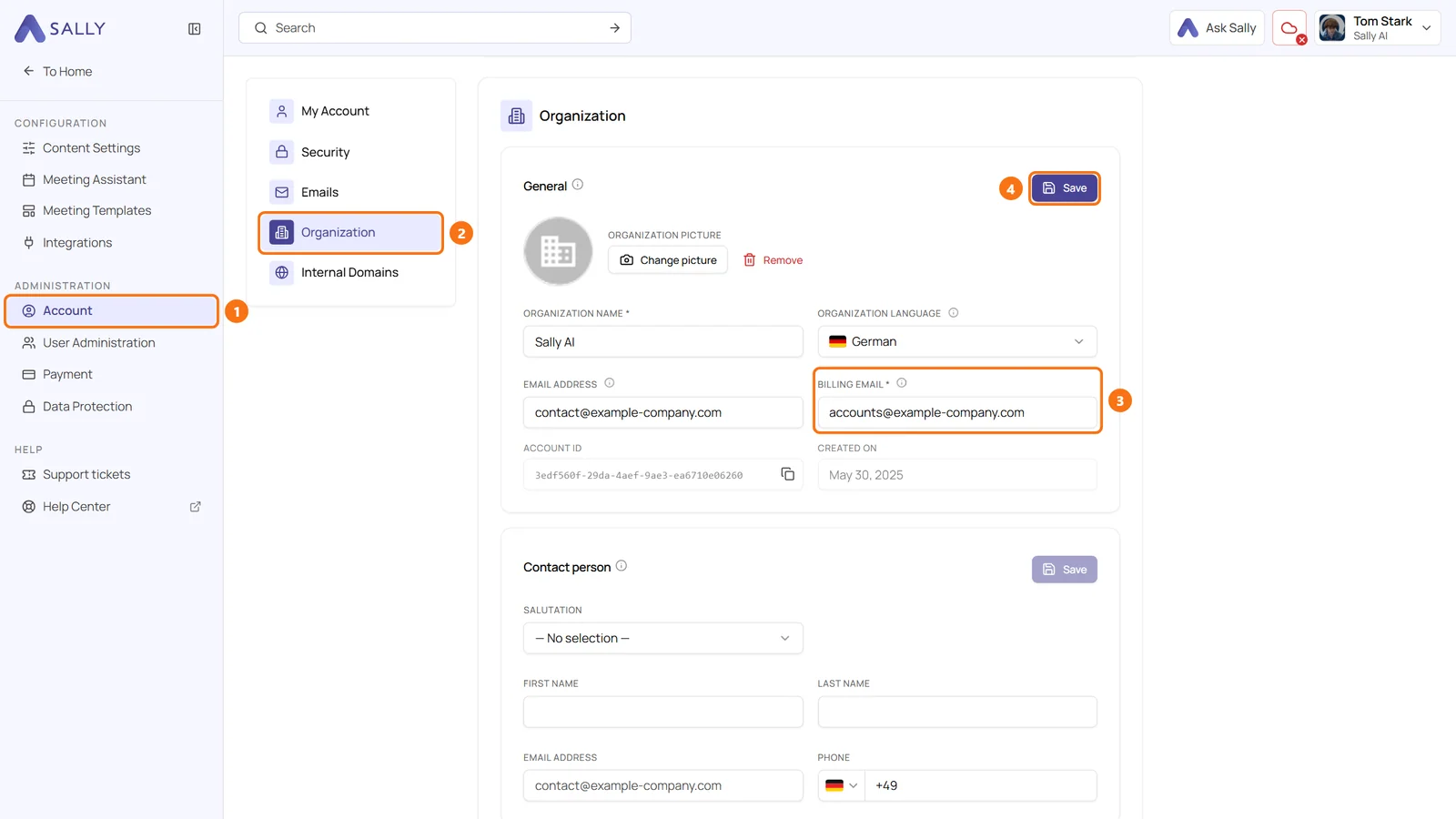
Organization settings with Account and Organization highlighted, the Billing email field next to the email address and the Save button
(1) Account, (2) Organization, (3) Billing email, (4) Save

What's new?​

  • Billing email: a new field in the General card under Administration > Account > Organization, right next to the Email address
  • Two addresses, two jobs: invoices and payment receipts only go to the billing email, system notifications only to the email address of your organization
  • Nothing to do for existing accounts: Sally copied your previous email address into the billing email. Change it only if invoices should go somewhere else from now on
  • Visible under Payment: in the Invoice information section you see where your invoices currently go, and Change email takes you to the field

Want the details? See How to change the billing email.
Recording

Pause the recording in a meeting

Pause Sally's recording during a meeting and resume it later while Sally stays in. The paused part is left out of recording, transcript and summary.

Organize

Find meetings faster

Highlight appointments with a recording or tag in the calendar, move a recording to another appointment and find recordings from the Sally app as audio files.

Integrations

Capacities, SharePoint and Asana

Save meetings to Capacities, file summaries and transcripts in SharePoint automatically and send all tasks of a meeting to Asana at once. Plus team automations.

Recording

New rules for attendance and emails

Let Sally join meetings depending on the host, stop the summary email for a single meeting and send the privacy notice only when external guests take part.