October 15, 2026: Hand over folders to a colleague or leave them
· 2 min read

Folders can now change hands: every folder has exactly one Manager, and you can now pass that role on to a colleague in your organization. Folders you no longer need, you simply leave.
Until now, a folder stayed with the person who created it. Now your team keeps working with its folders, for example when a project changes hands or someone leaves the company.
What's new?
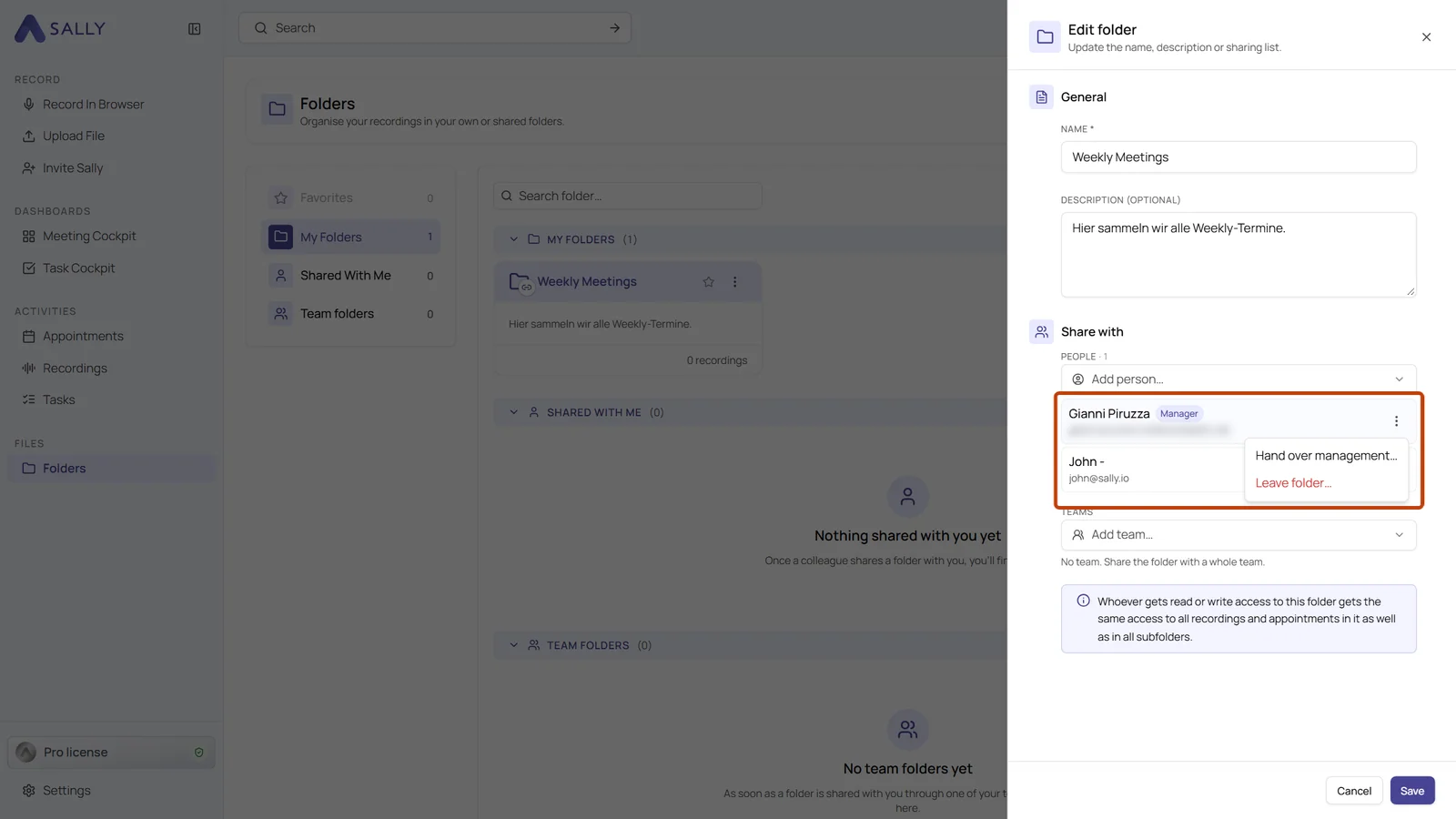
- Hand over management: open the folder's three-dot menu and choose Edit. Under Share with, your own entry carries the Manager badge. Its menu offers Hand over management, and you pick the new manager from your organization
- Sub-folders go along: sub-folders you manage yourself are handed over with the folder, even several levels deeper. Sub-folders managed by someone else stay with that person
- You keep access: after the handover you still have Can edit for the folder
- Leave a folder you manage: choose Leave folder in the same menu and name a successor at the same time, because a folder cannot be without a manager
- Leave a shared folder: a folder under Shared with me can be left through the three-dot menu on its card, without asking the manager. Access through one of your teams or a parent folder stays
- Only the manager hands over: a colleague with Can edit cannot take over a folder on their own
Why it matters
When someone leaves the company, their folders no longer stay behind with them. Hand them over before you go, together with the sub-folders you manage, and your team keeps working with them.
Want the details? See How to hand over or leave a folder.