How to change invoice recipients and billing address in Sally AI
You can decide at any time which email address your invoices go to and which details appear on them, so invoices reach the right person and carry the correct billing address.
You change both directly in Sally: the email address in your organization account, and the billing address in the payment settings.
Quick navigation
1. How do I change the invoice email recipient?
The email recipient is the address invoices are sent to.
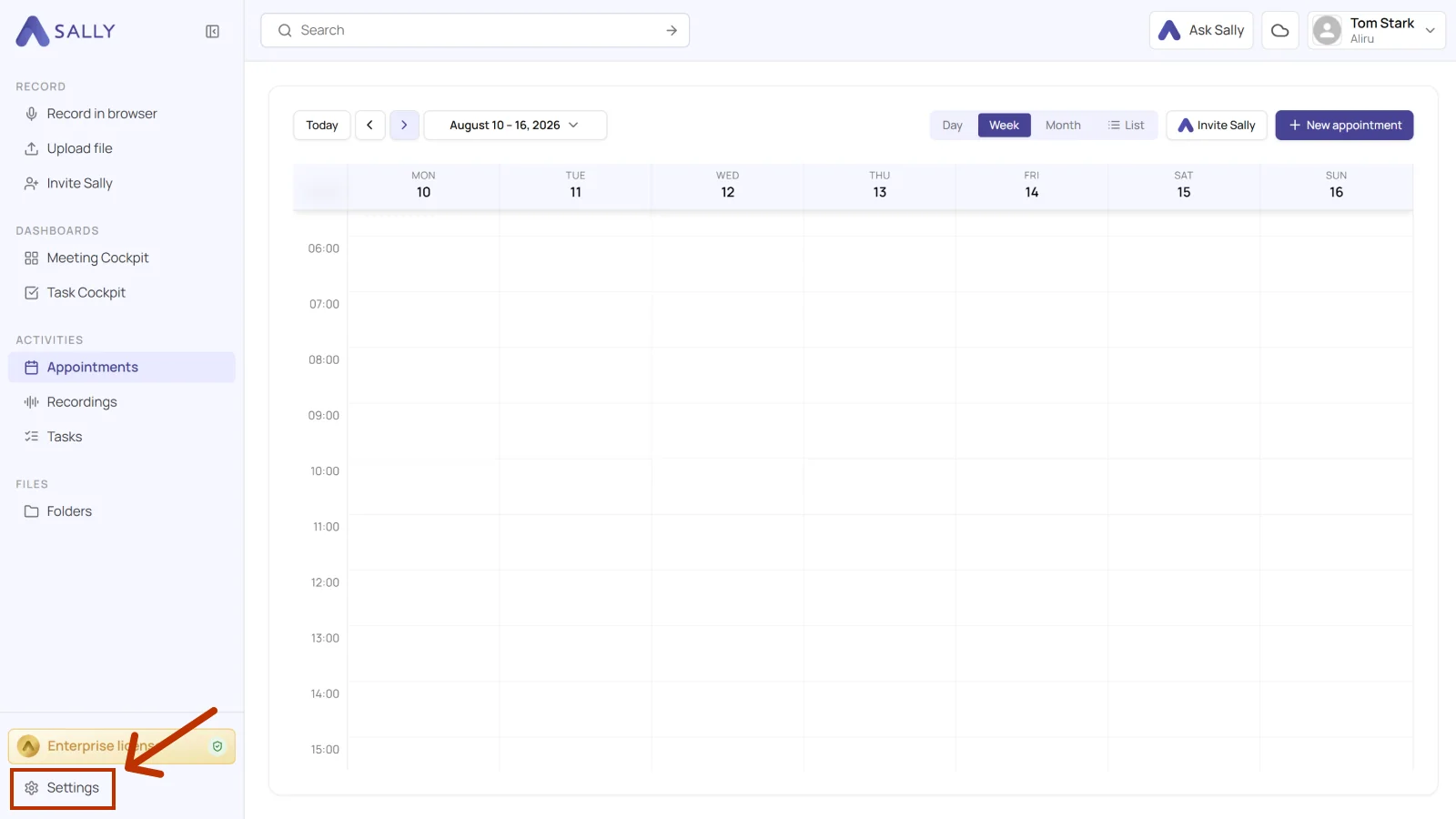
- Open Settings at the bottom of the left sidebar.
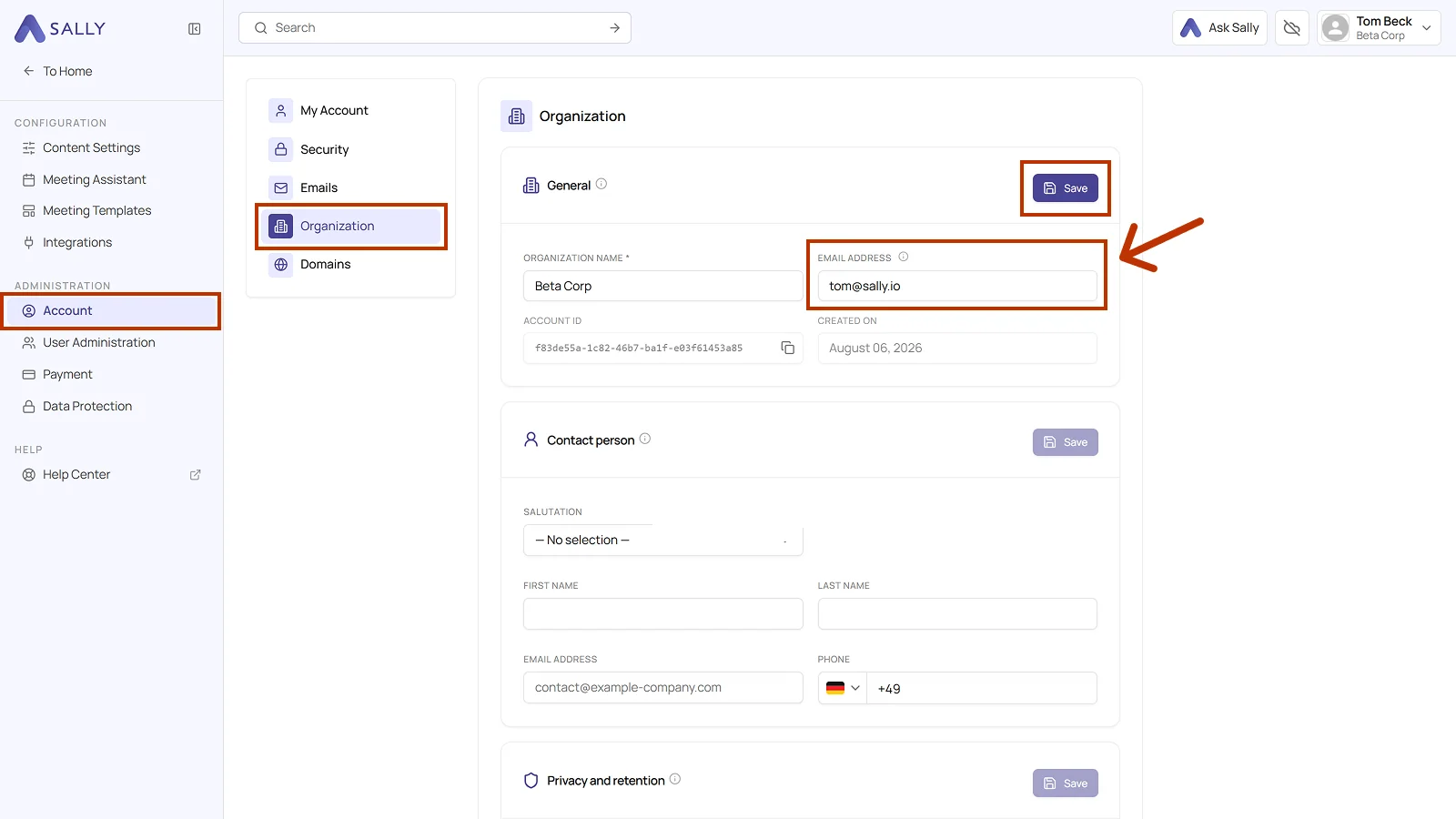
- Under Administration, open Account and pick Organization on the left. The Change email link in the Payment area leads there as well and opens the page in a new tab.
- In the General card, enter the new address under Email address and click Save at the top right of the card.
From now on, all invoice emails go to the new address. Earlier invoices are not affected, and you can download them from the platform at any time.
2. How do I change the billing address?
The billing address appears on every invoice. It includes the invoice recipient, street address, postal code, city, and country. Only owners and admins of your organization can change it.
To change your billing address:
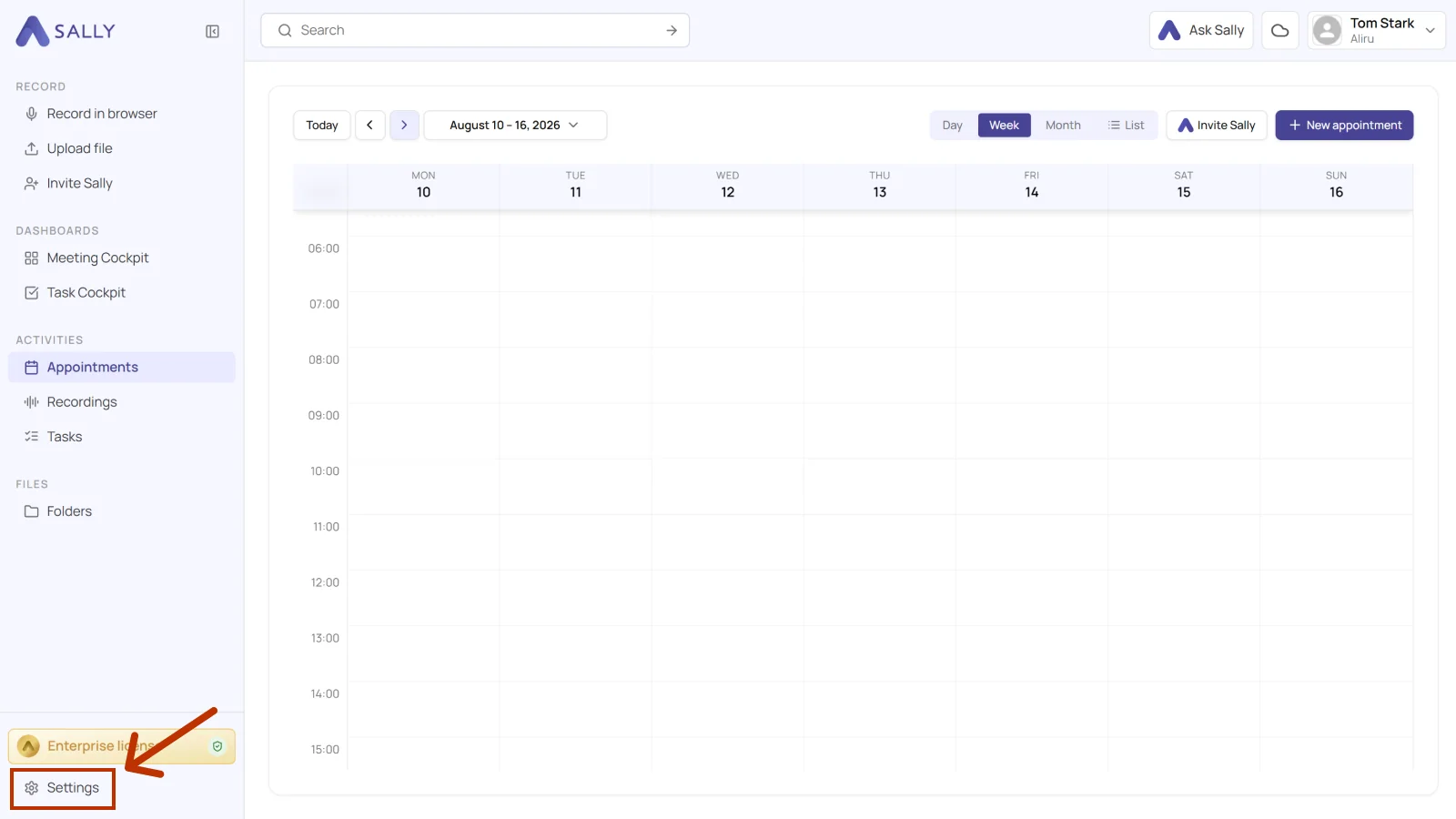
- Open Settings at the bottom of the left sidebar.
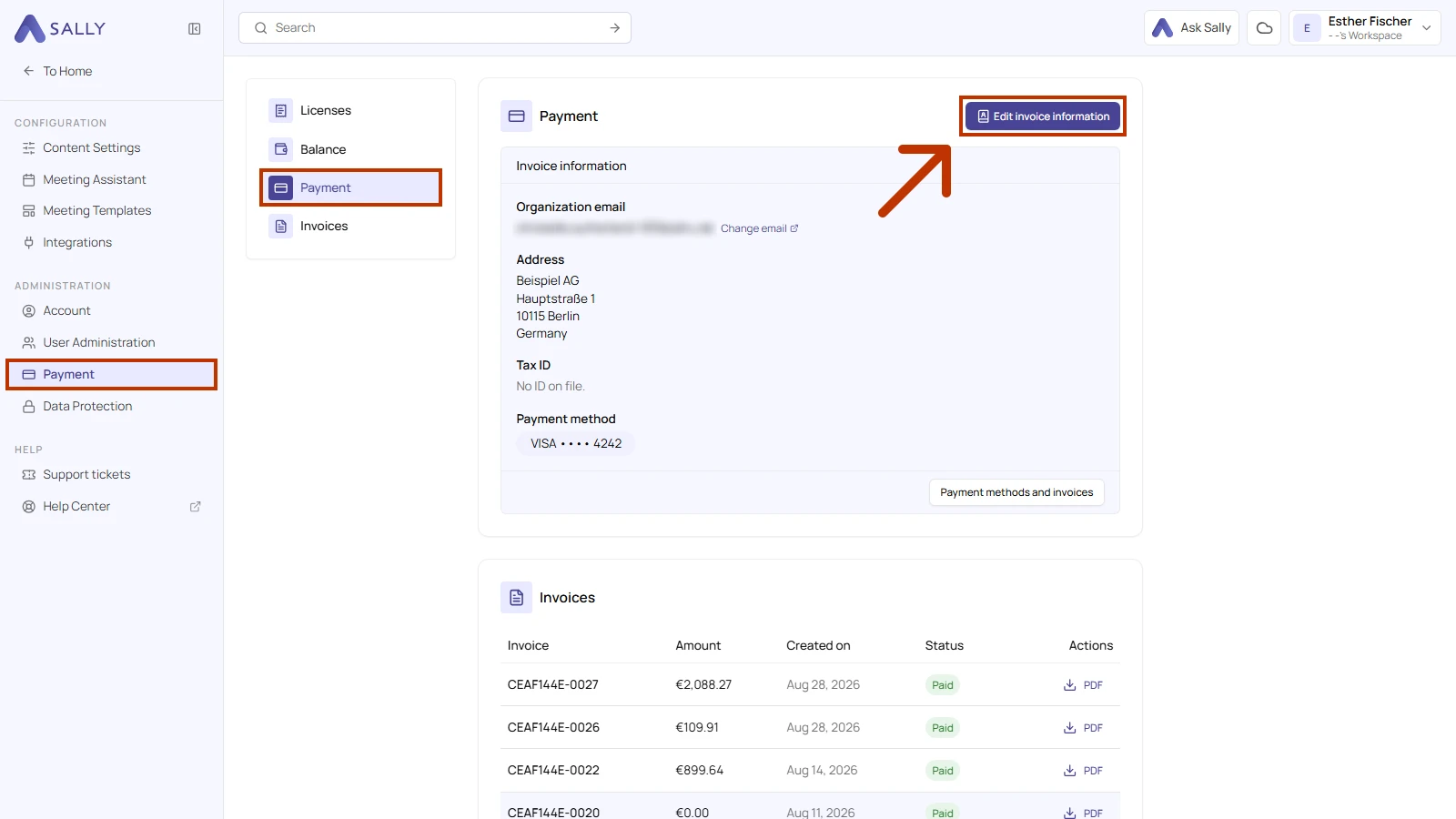
- Under Administration, open Payment and go to the Payment section on the left. Click Edit invoice information at the top right. A form with your billing details opens on the right.
- Under Billing address, fill in Invoice recipient, Street and number, Postal code, City, and Country. Address line 2 is optional and can hold details such as a building or floor. Then click Save.
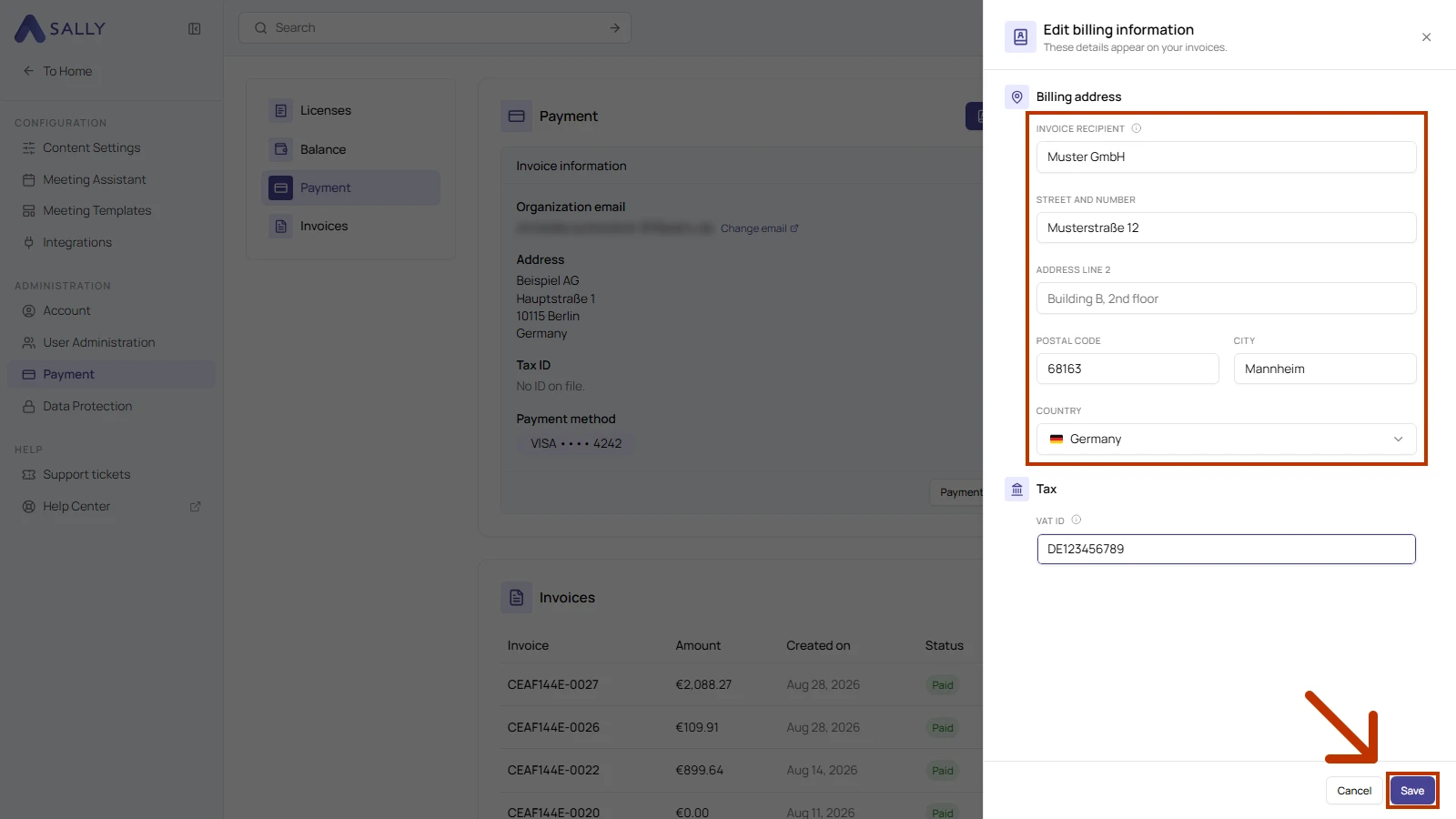
If you leave Invoice recipient empty, the name of your organization account appears as the recipient on the invoice.
Sally confirms the change with the message "Billing information saved." The new address then appears under Invoice information. In the same form, you can also add your tax ID under Tax.
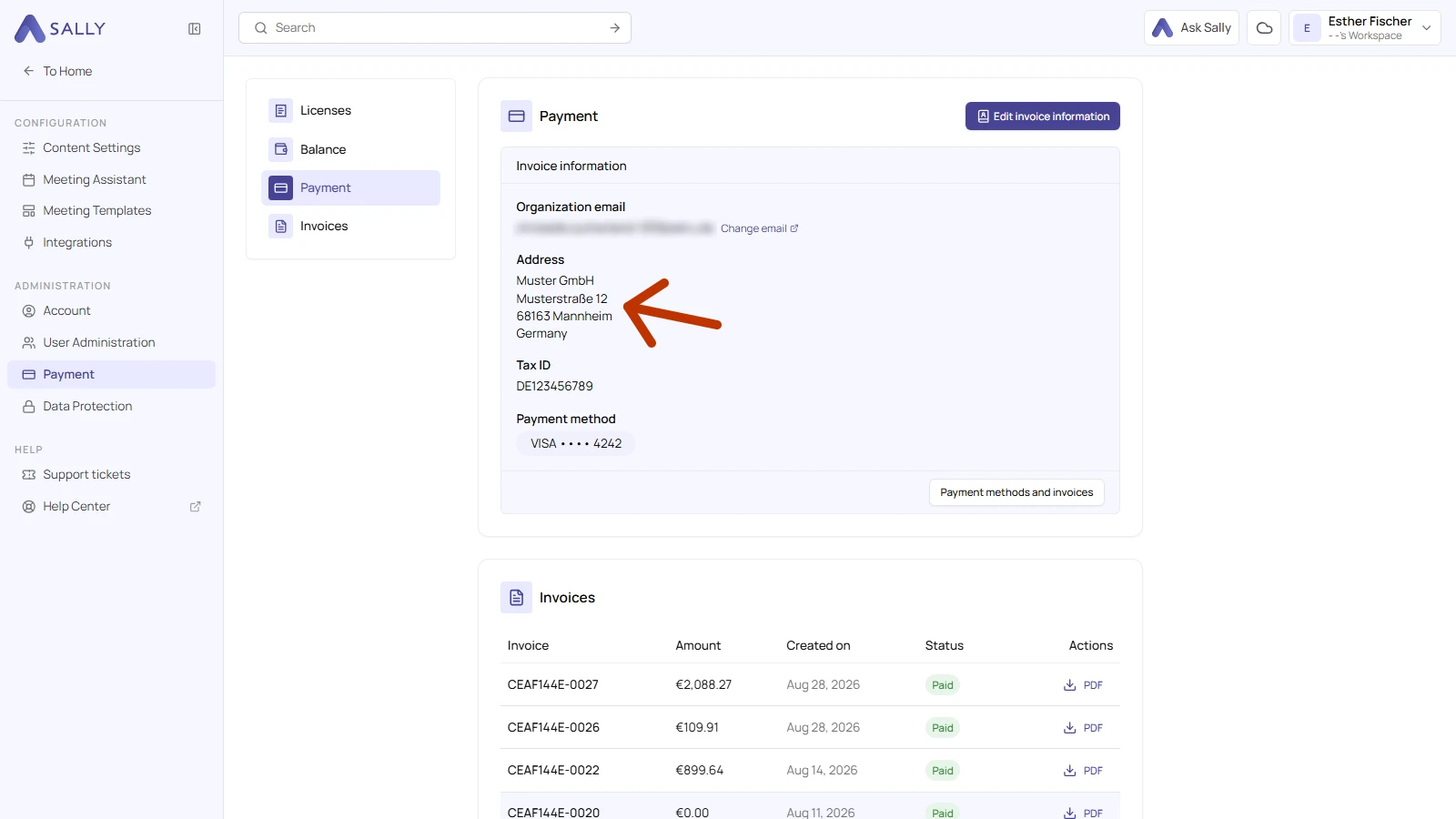
The new details appear on every invoice created after you save. Earlier invoices keep the details they were issued with.
You can also add your billing address before you have an active subscription. Sally then uses it for your first invoice.