How to assign your organization account to a partner
Many companies buy Sally through a Sally partner who sets it up, supports their team and bills the licenses. If you already use Sally with your own online subscription, you can assign your organization account to such a partner yourself. All you need is the partner number your partner gives you.
Once the partner accepts, they look after your organization account and bill you directly. Your data, members and licenses stay exactly as they are.
Quick navigation
- Before you start
- Assign a partner
- Open, declined or expired request
- What changes once the partner accepts
- Common questions
1. Before you start
- Only the owner of the organization account can assign a partner. Admins see the link, but cannot use it.
- You need the partner number from your partner, for example
471 820 9358. Spaces and hyphens do not matter. - Open invoices must be paid first.
If your organization account is already looked after by a partner, has a custom contract or is itself a partner account, Sally tells you so. In these cases, our support team arranges the assignment with you.
2. Assign a partner
- Open Settings at the bottom left and choose Payment under Administration.
- In the Invoice information card you find the line Assigned partner. Click Assign partner.
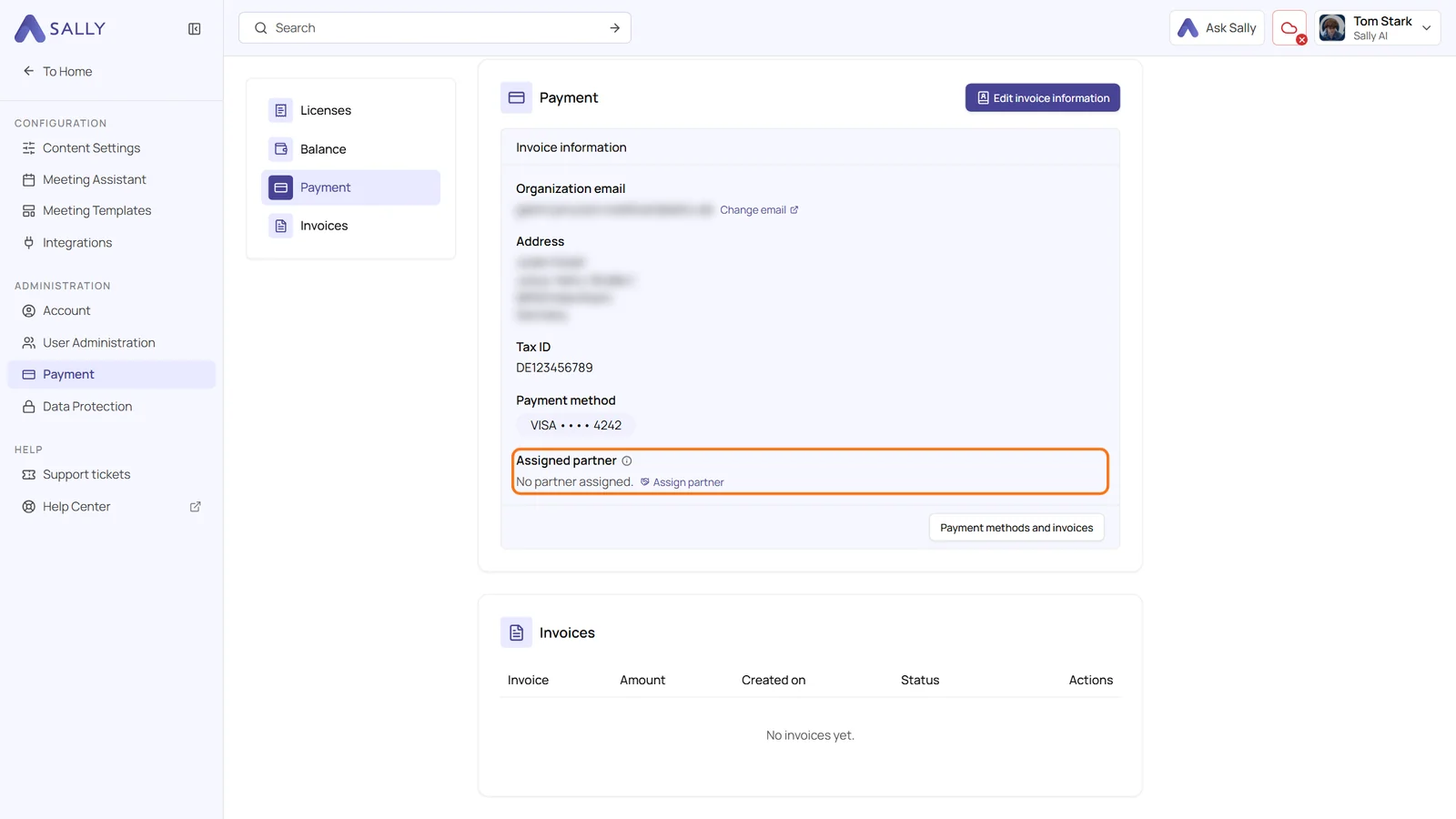
- In the Assign partner panel, enter the partner number and click Next.
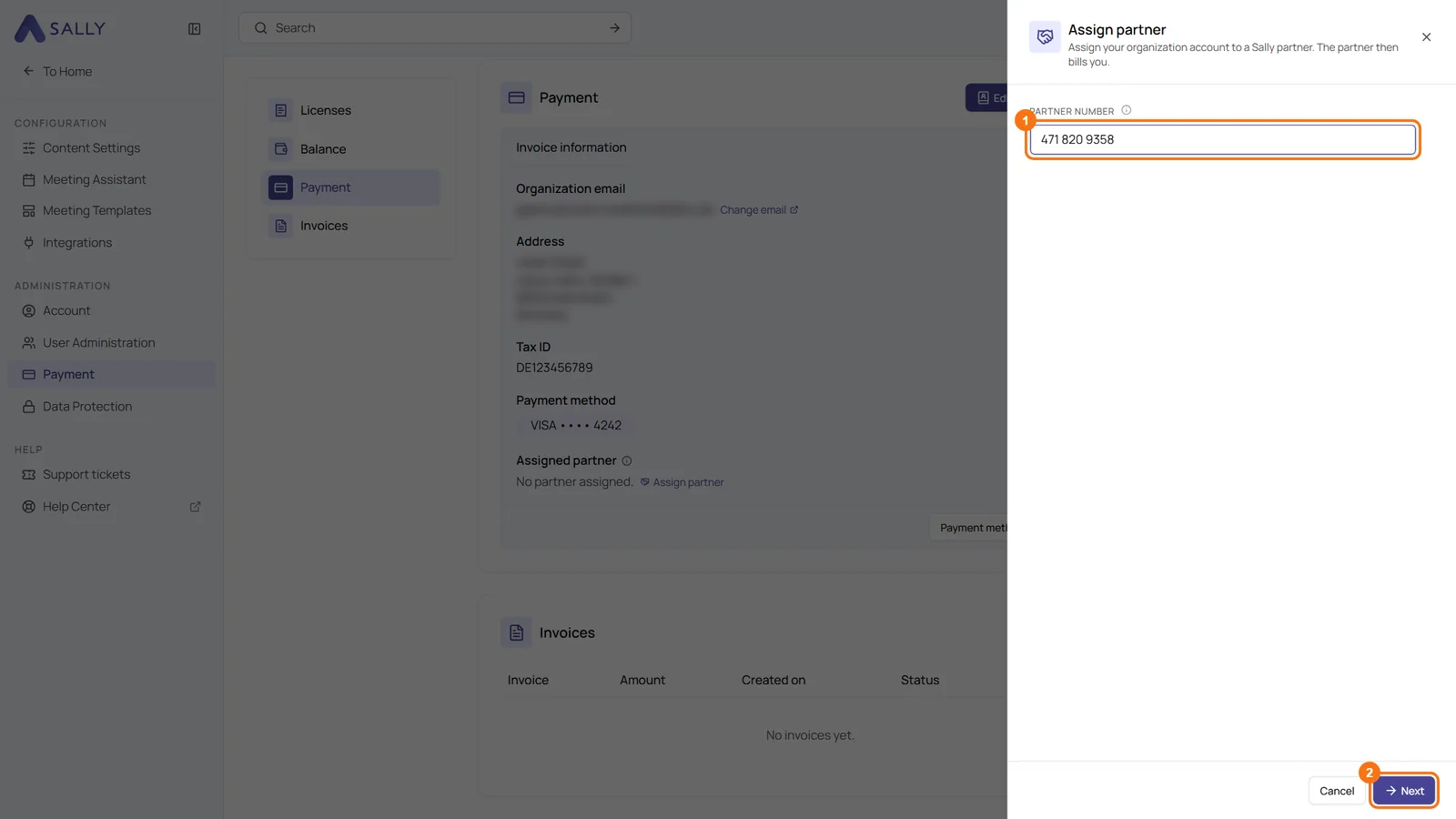
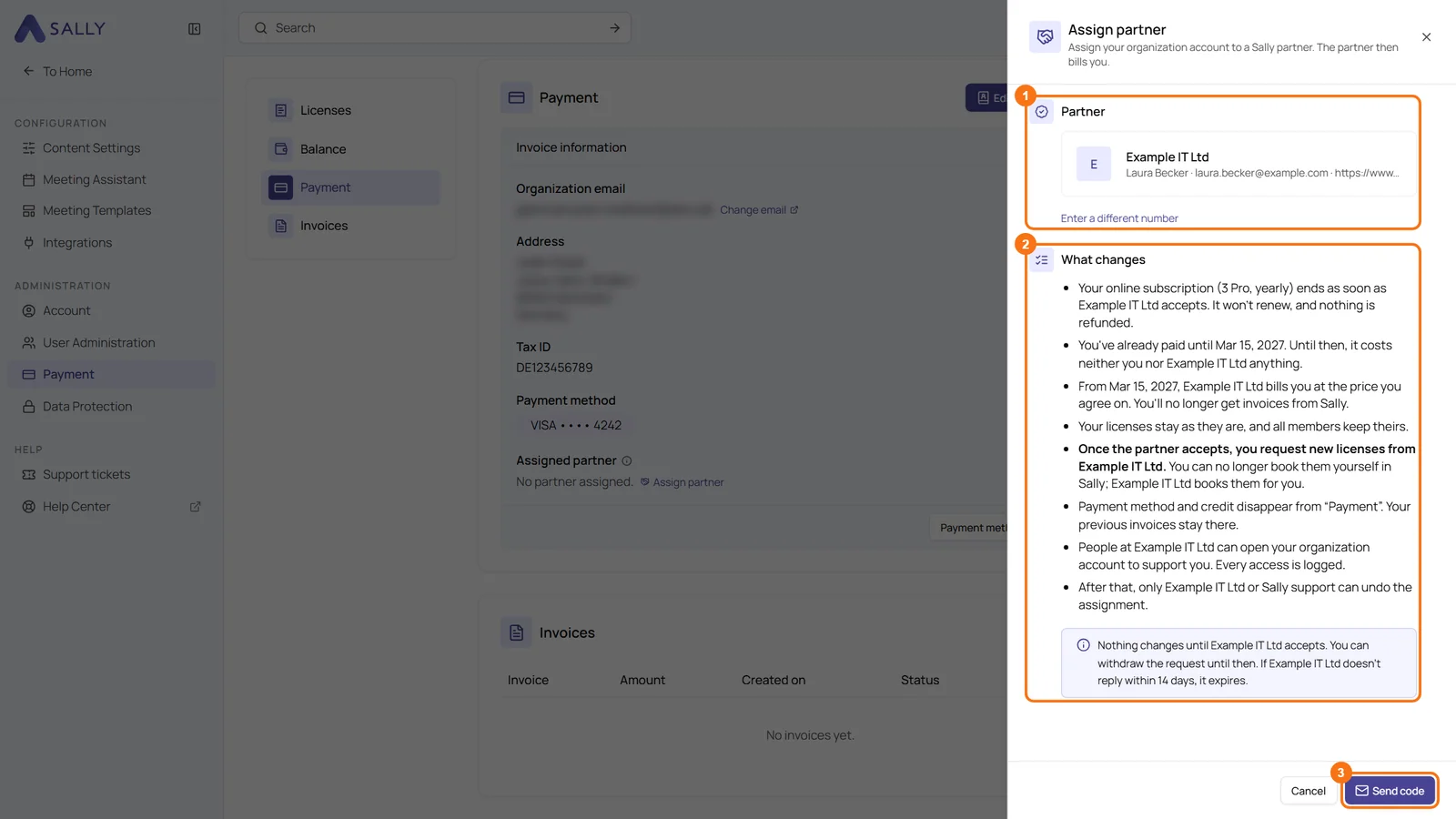
- Sally shows the partner the number belongs to, and under What changes everything that happens once the partner accepts. The list depends on your subscription, for example when your online subscription ends and until when you have already paid. If it is the wrong partner, choose Enter a different number. If everything is right, click Send code.
- Sally sends a code to your email address. It is valid for 10 minutes. Enter it and click Request assignment. If the email does not arrive, Resend code sends a new one.
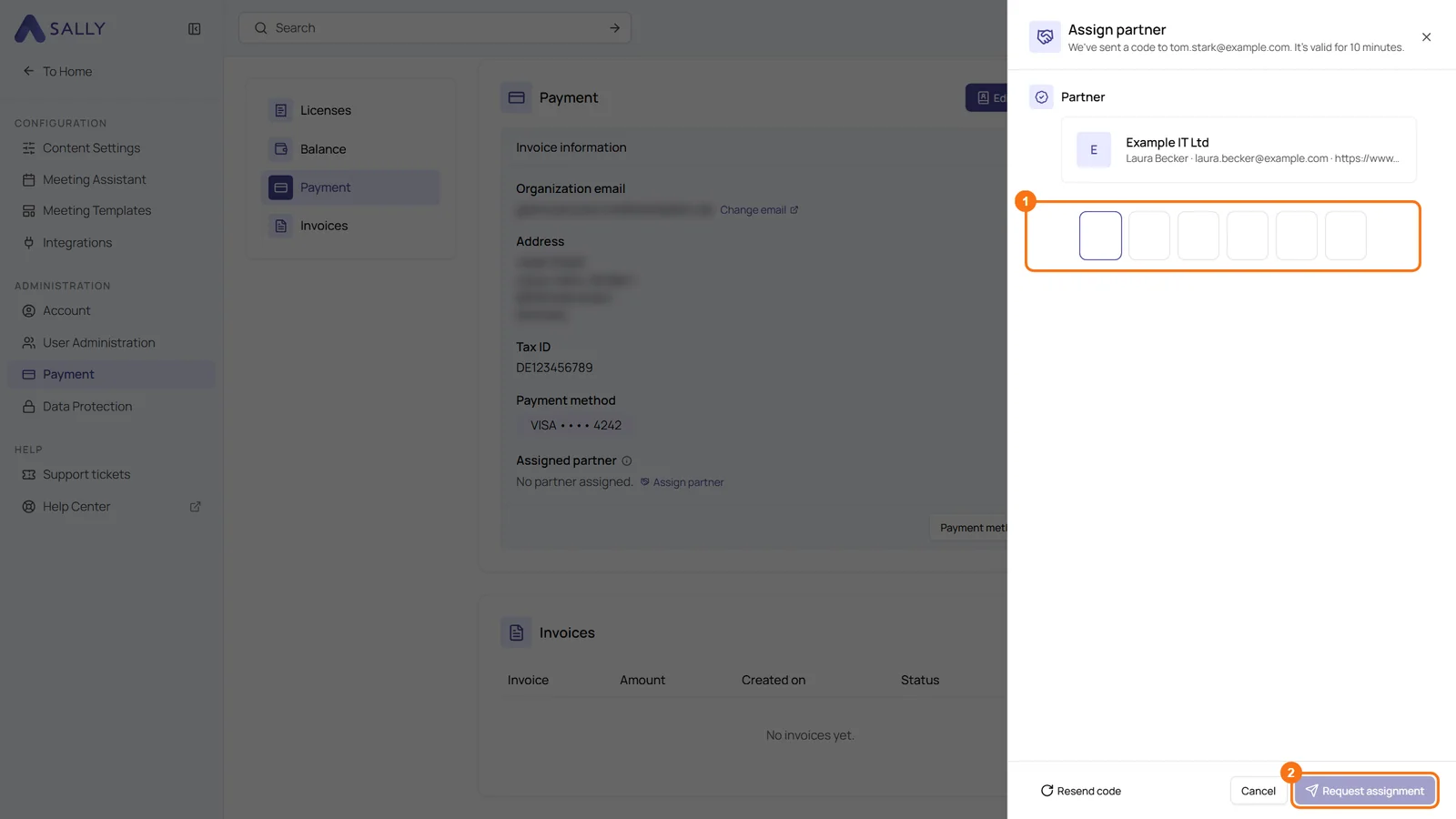
Your request now goes to the partner. Until they accept, nothing changes in your organization account.
3. Open, declined or expired request
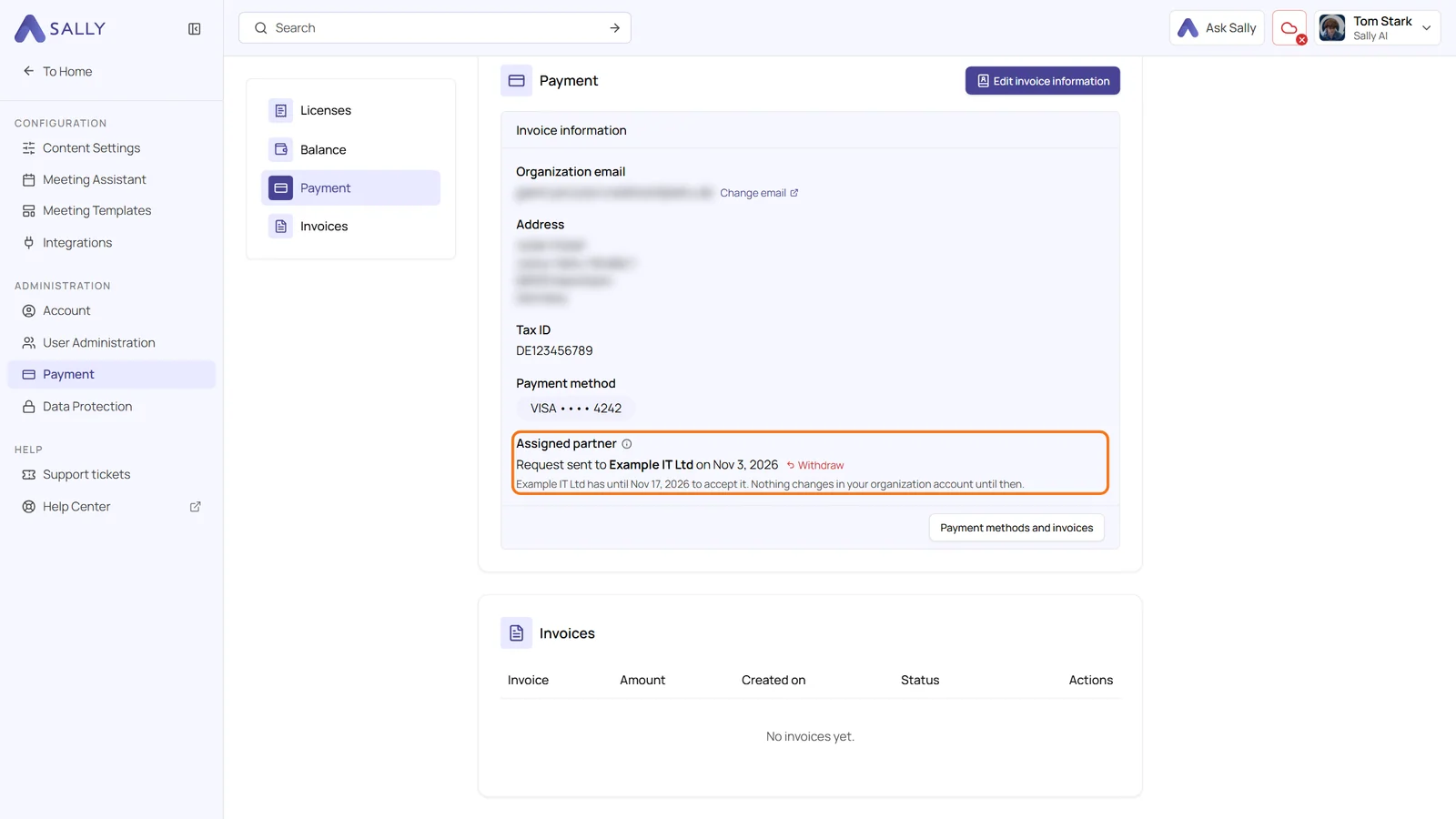
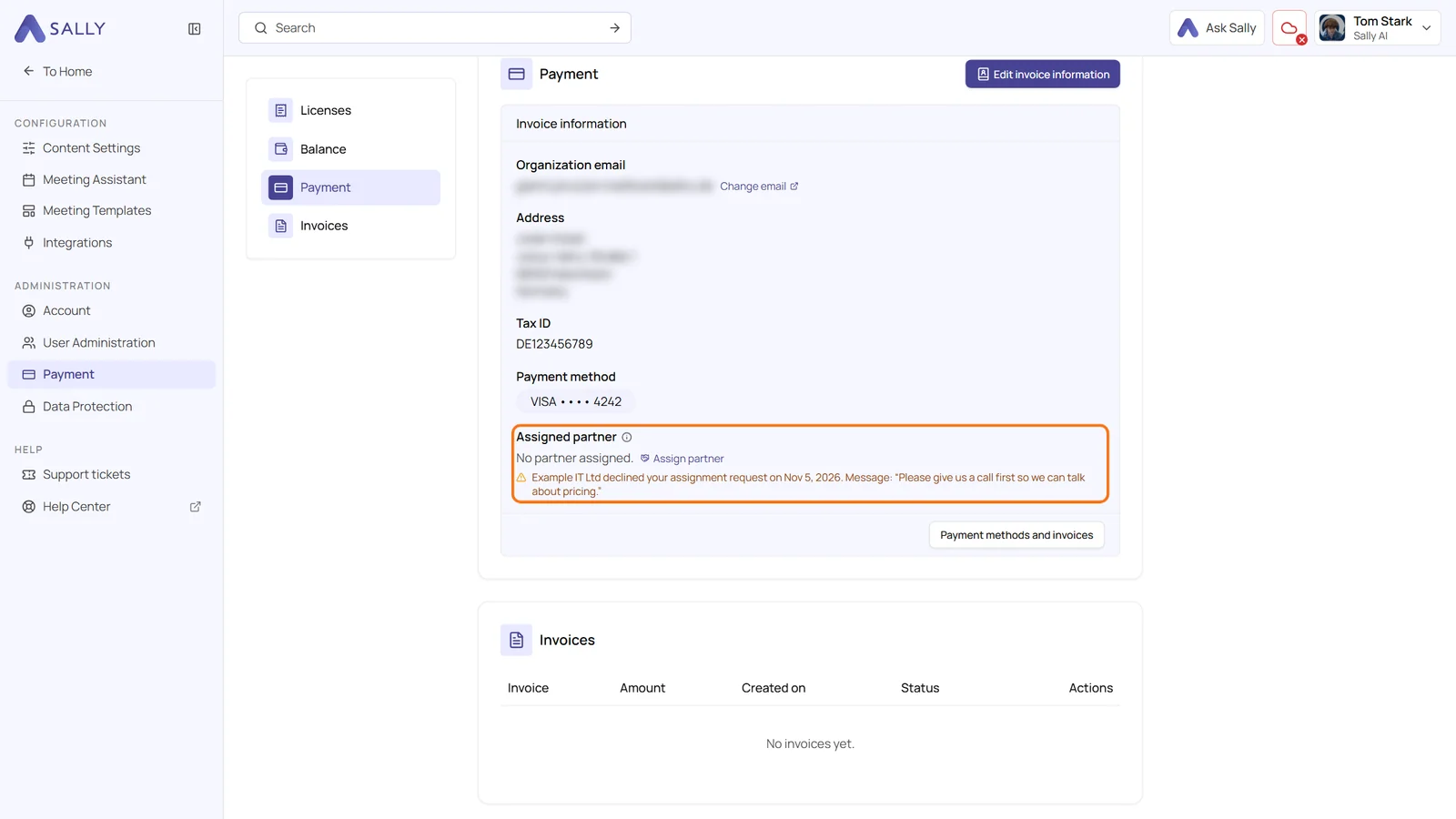
You see the state of your request in the line Assigned partner under Payment.
Open: The line shows to which partner and when you sent the request, and until when the partner can accept it. The partner has 14 days. With Withdraw you take the request back. The partner then no longer sees it, and you can send a new one at any time.
Declined: If the partner declines, you get an email and see a note in the line, together with the partner's message if they wrote one. Your organization account stays as it was, and you can assign a partner again.
Expired: If the partner does not reply within 14 days, the request expires. You get an email, nothing changes, and you can send a new request.
4. What changes once the partner accepts
As soon as the partner accepts, you get an email and your organization account is assigned to the partner:
- Your online subscription ends right away. It does not renew, and nothing is refunded.
- What you have already paid stays paid. Until the end of your current billing period, it costs neither you nor the partner anything. After that, the partner bills you at the price you agree on. You no longer get invoices from Sally.
- Your licenses stay, and all members keep theirs.
- You request new licenses from your partner. You can no longer book them yourself in Sally, the partner books them for you.
- Payment method and credit disappear from Payment. Your previous invoices stay there.
- People at your partner can open your organization account to support you. Every access is logged.
- Only the partner or Sally support can undo the assignment.
Still in your free trial? Then nothing is ended or taken over. The trial continues until the partner accepts, and from then on you request licenses from your partner.
5. Common questions
Where do I get the partner number?
From your partner. Every Sally partner has a fixed partner number that does not change.
Sally says the partner number is not valid
Check the number for typos together with your partner. After several wrong numbers in a row, Sally blocks the entry for an hour.
Can I switch to another partner later?
Not yourself. If your organization account is already assigned to a partner, Sally support arranges a switch with you.