How to add or update your tax ID in Sally AI
You can add or update your tax ID at any time, so your tax information appears correctly on every invoice from then on.
The ID is not kept in Sally itself but in the Stripe customer portal. One click in the payment settings takes you there.
To add or update your tax ID:
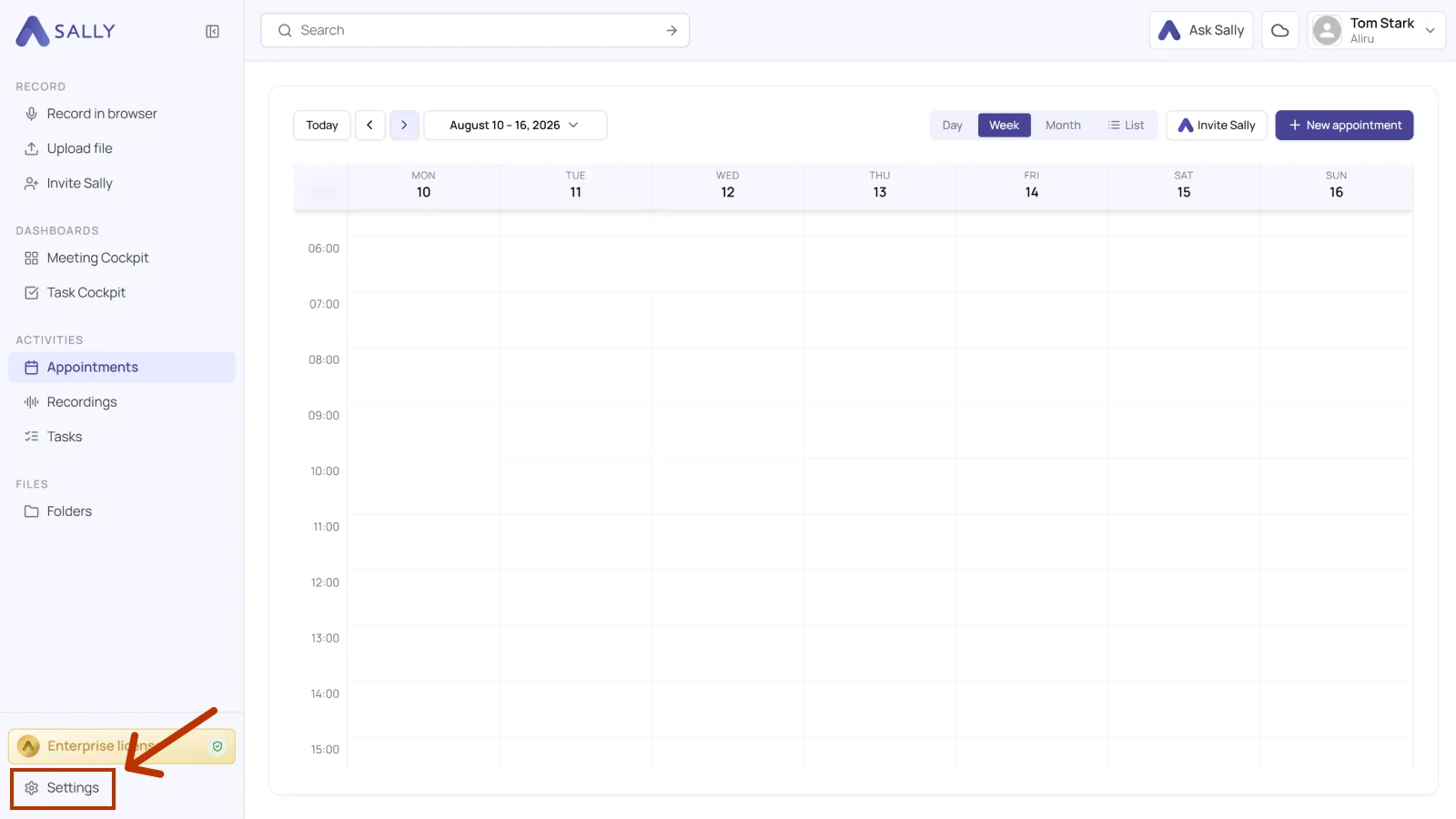
- Open Settings at the bottom of the left sidebar.
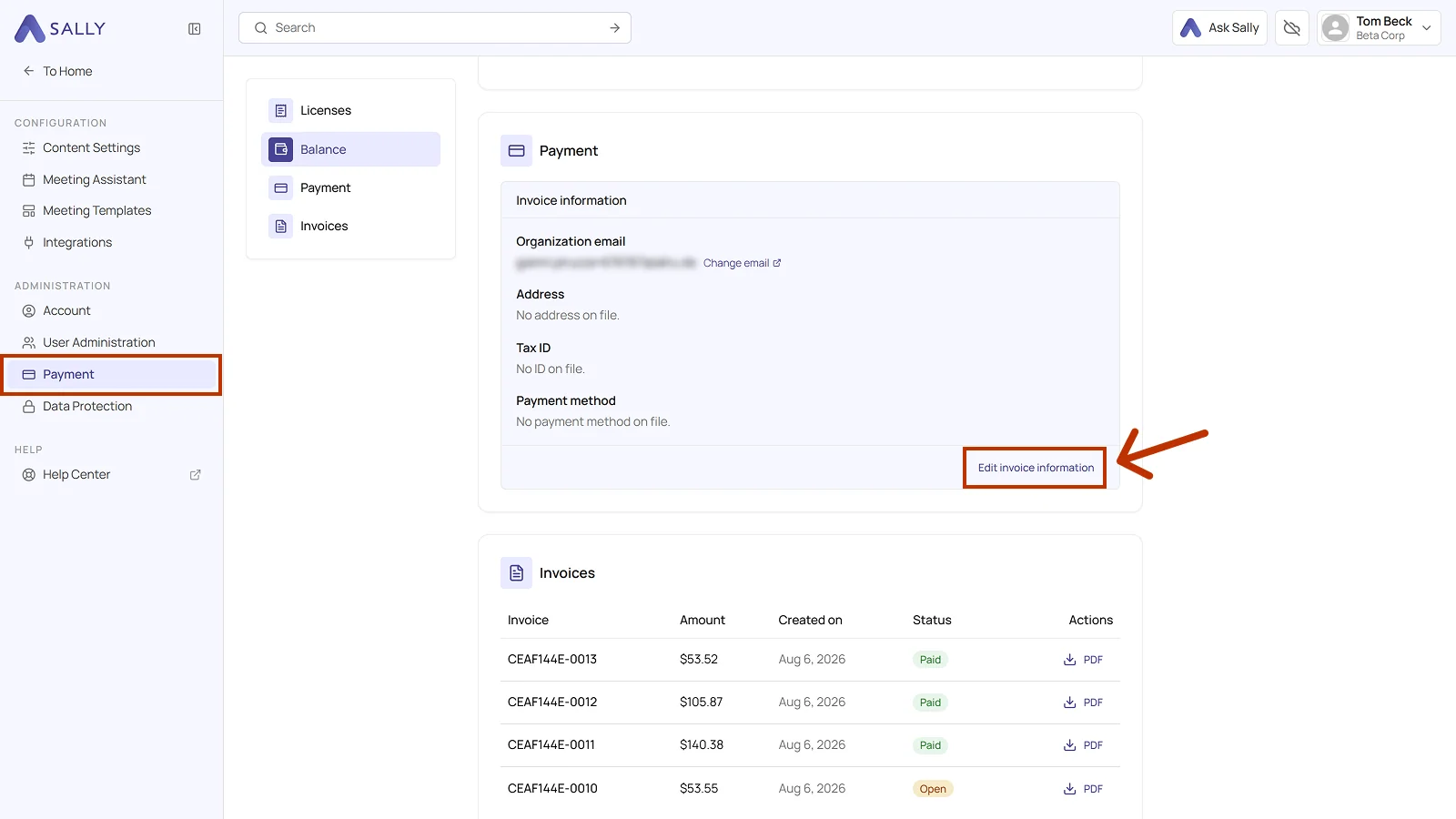
- Under Administration, open Payment and go to the Payment section.
- Click Edit invoice information. This takes you to the Stripe customer portal.
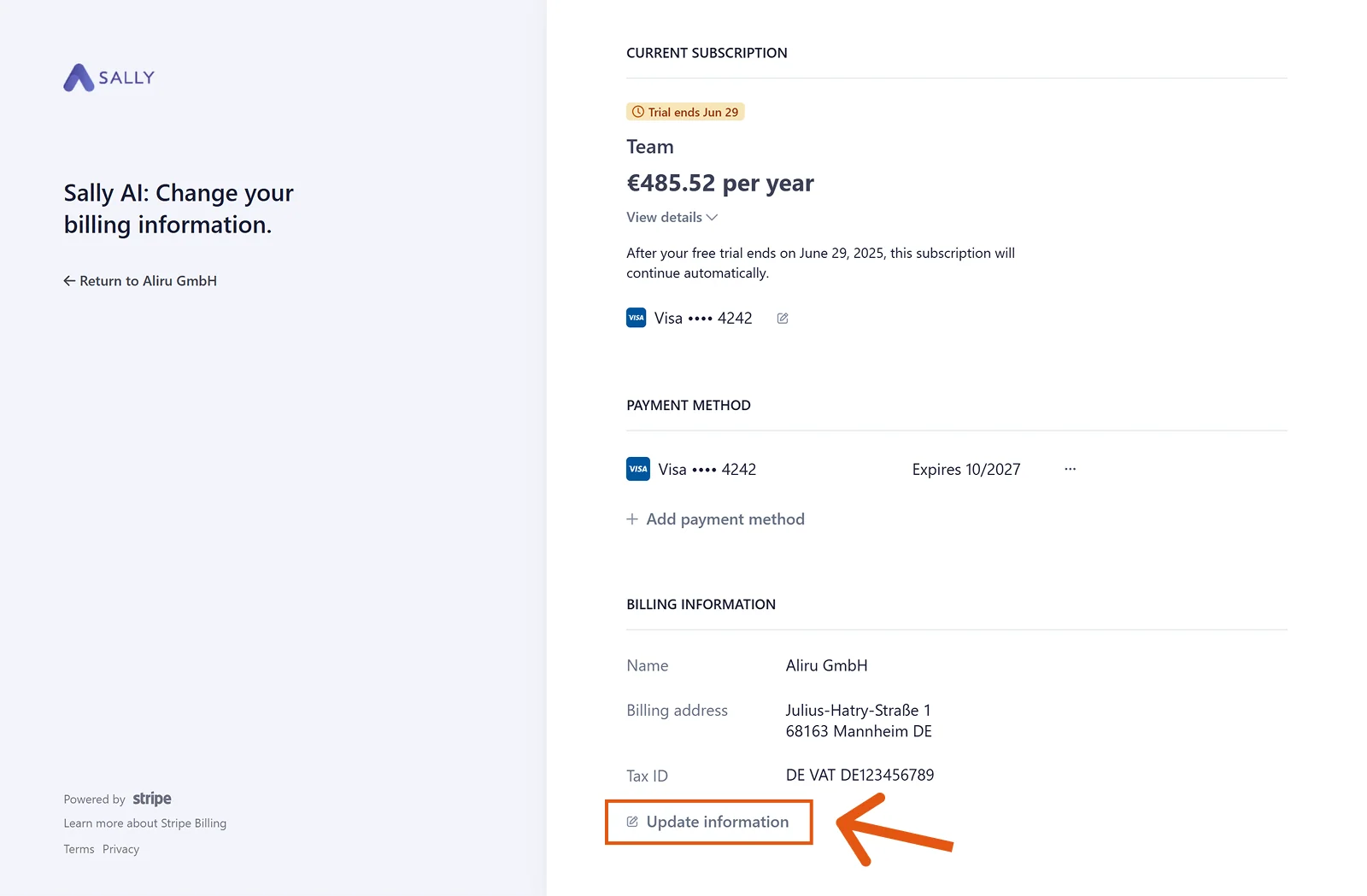
- Under Billing information, click Update information.
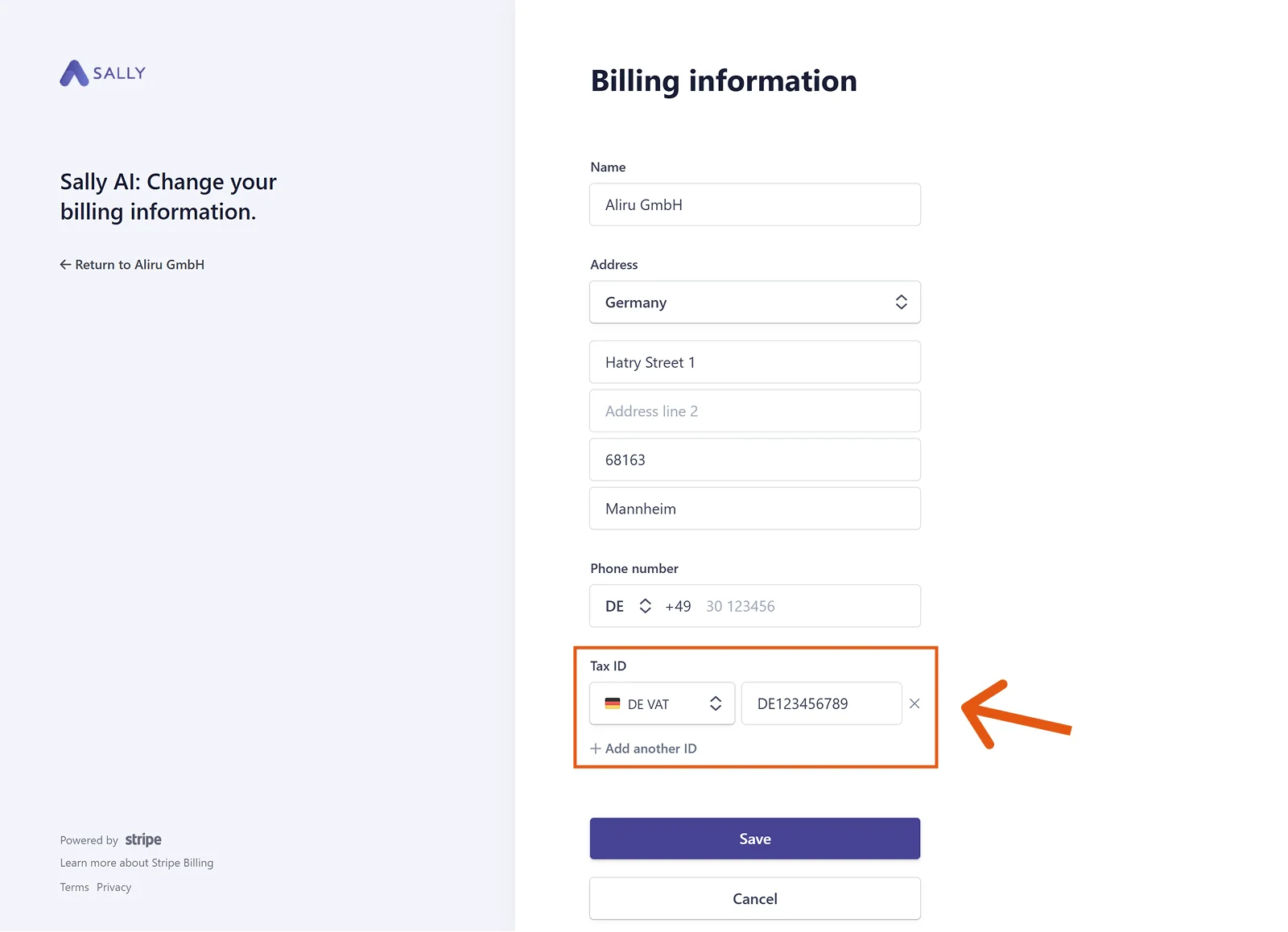
- Under Tax ID, pick the type on the left. For a German VAT number that is DE VAT.
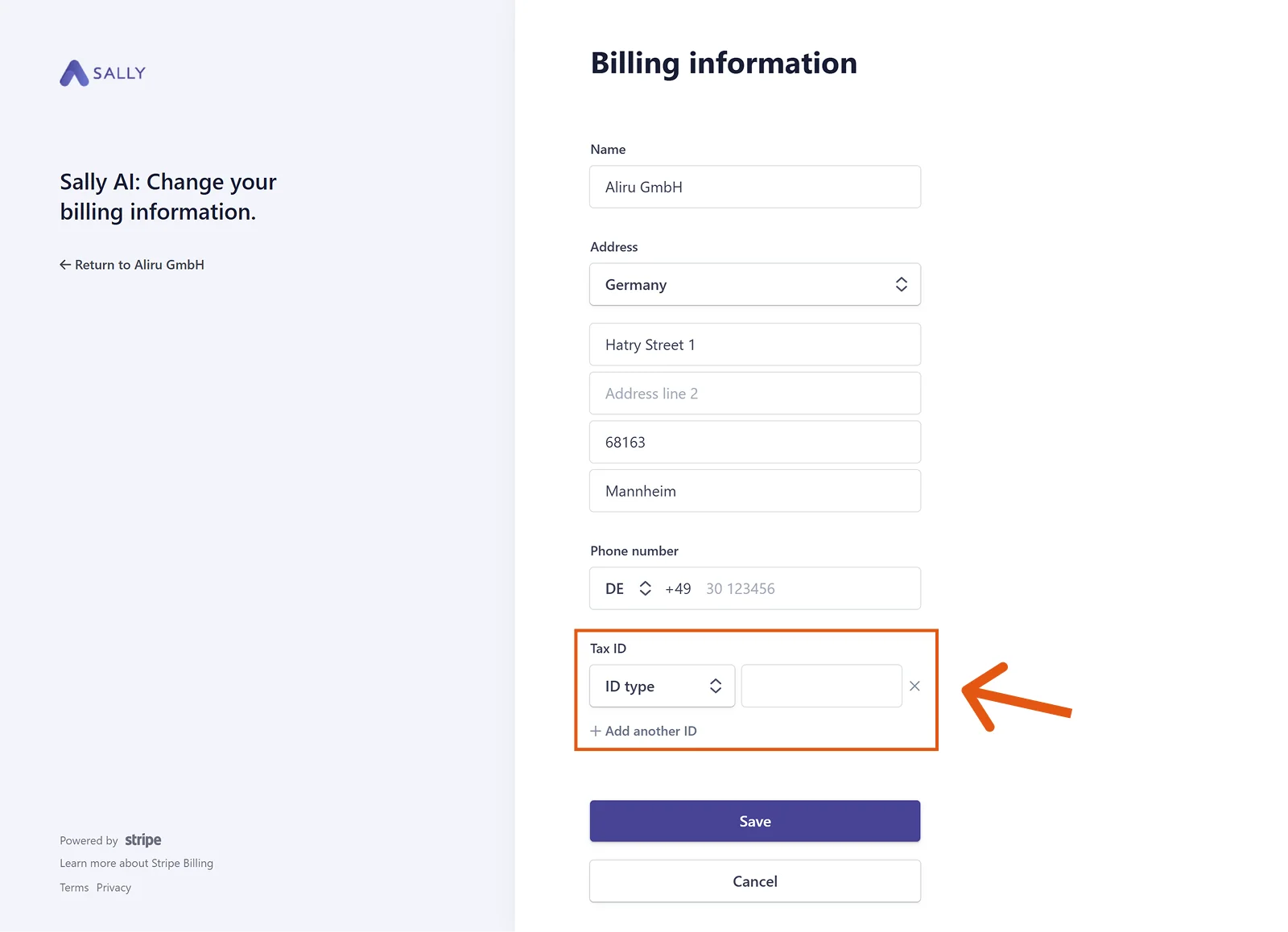
- Enter the number next to it, DE123456789 for instance. The × removes an ID again, and + Add another ID right below stores a second one.
- Click Save.
Info
After your update, the entered tax ID will appear on all future invoices.
Please note: the change is not applied retroactively. Your tax ID appears only on invoices issued after it.