How to update your Sally AI payment method
You can update your payment method at any time so your subscription keeps running without interruption.
The payment details themselves are stored at Stripe. From Sally you open the customer portal, add a card, PayPal, SEPA Debit, or one of the other options there, and decide which one counts as your default.
Quick navigation
1. How do I update my payment method?
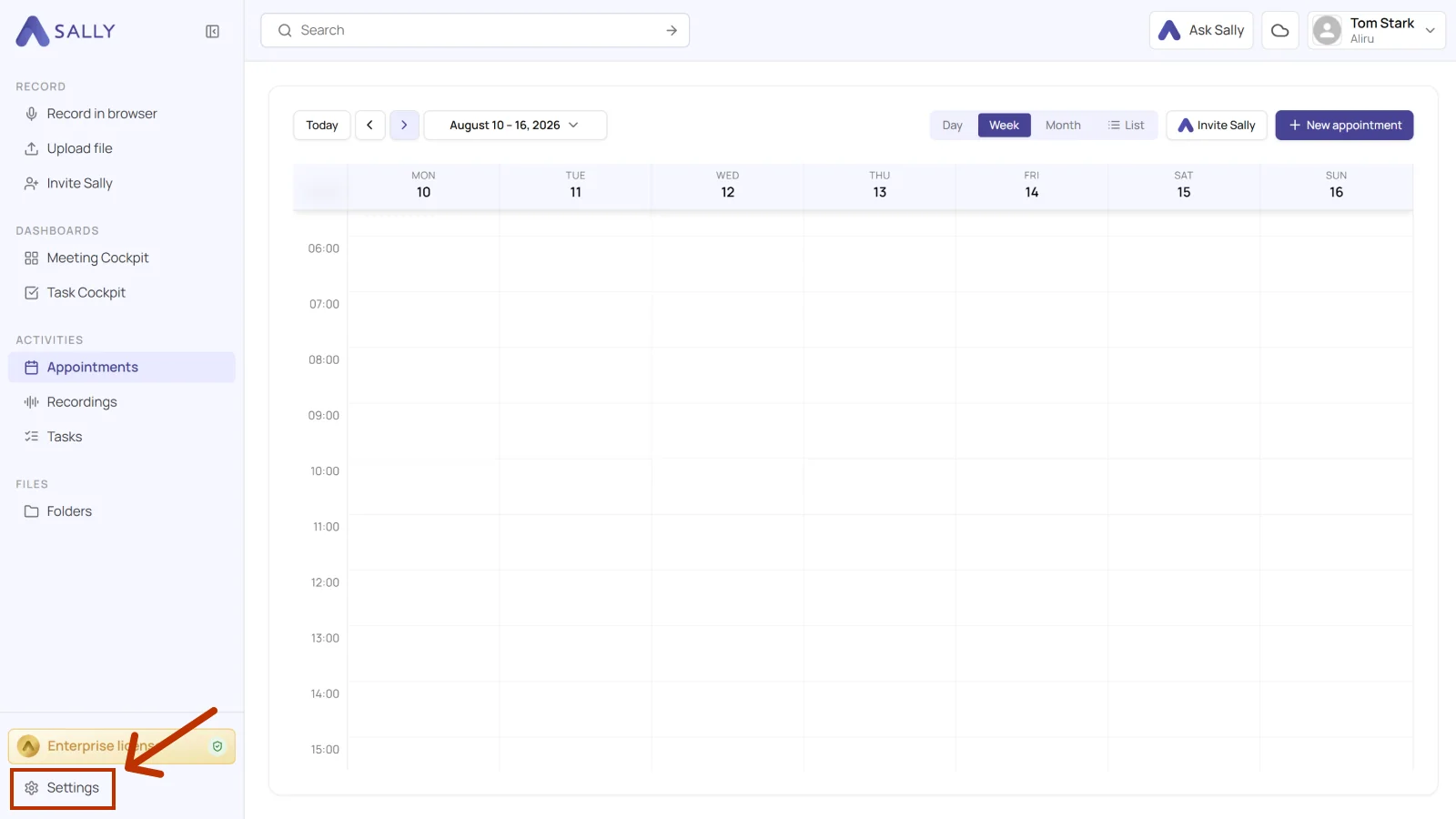
- Open Settings at the bottom of the left sidebar.
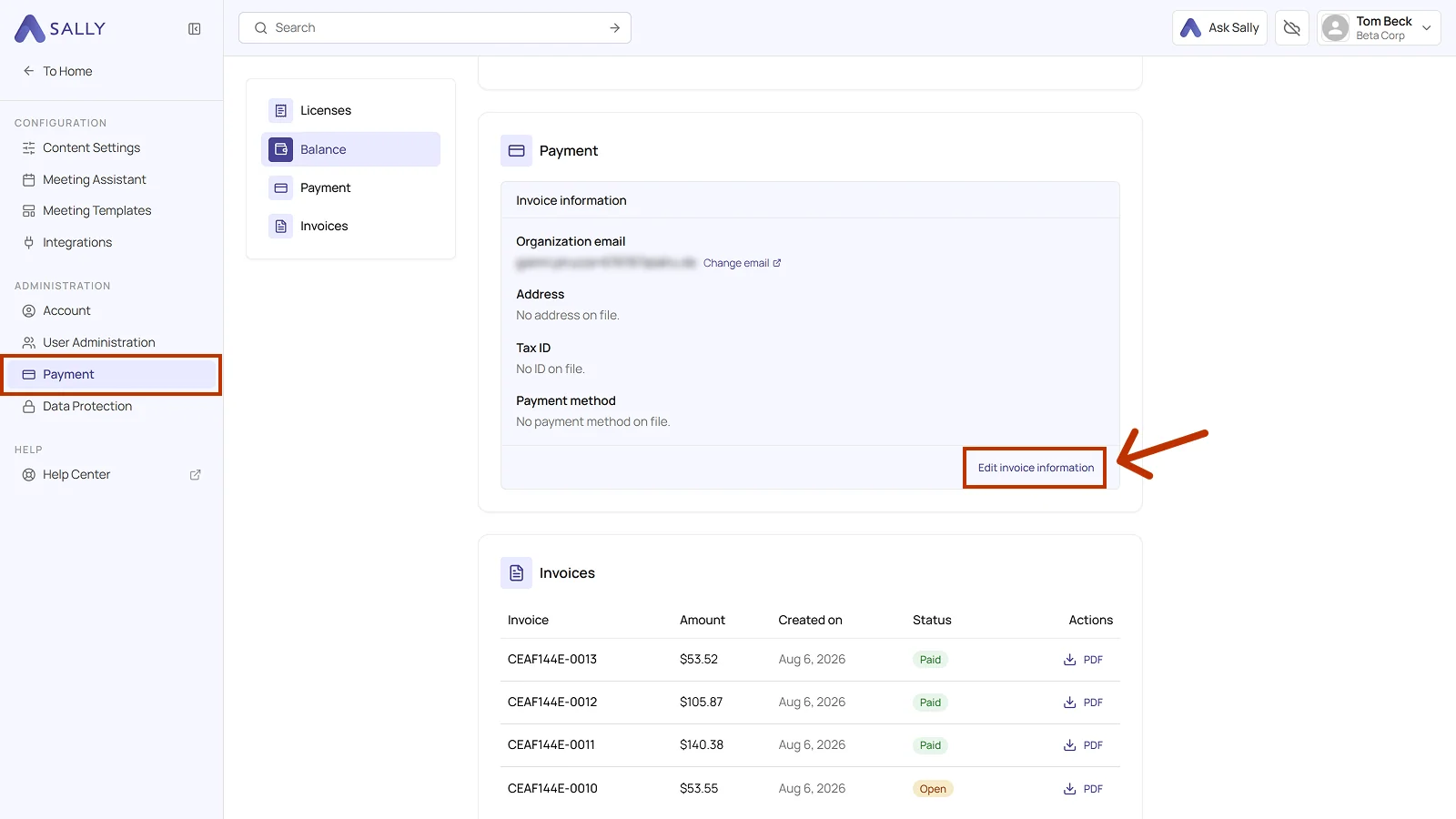
- Under Administration, open Payment. The page is split into the Licenses, Balance, Payment, and Invoices sections, which you can jump to from the list on the left.
- Open the Payment section. Invoice information holds the organization email, the address, the tax ID, and the payment method on file.
- Click Edit invoice information. This takes you to the Stripe customer portal.
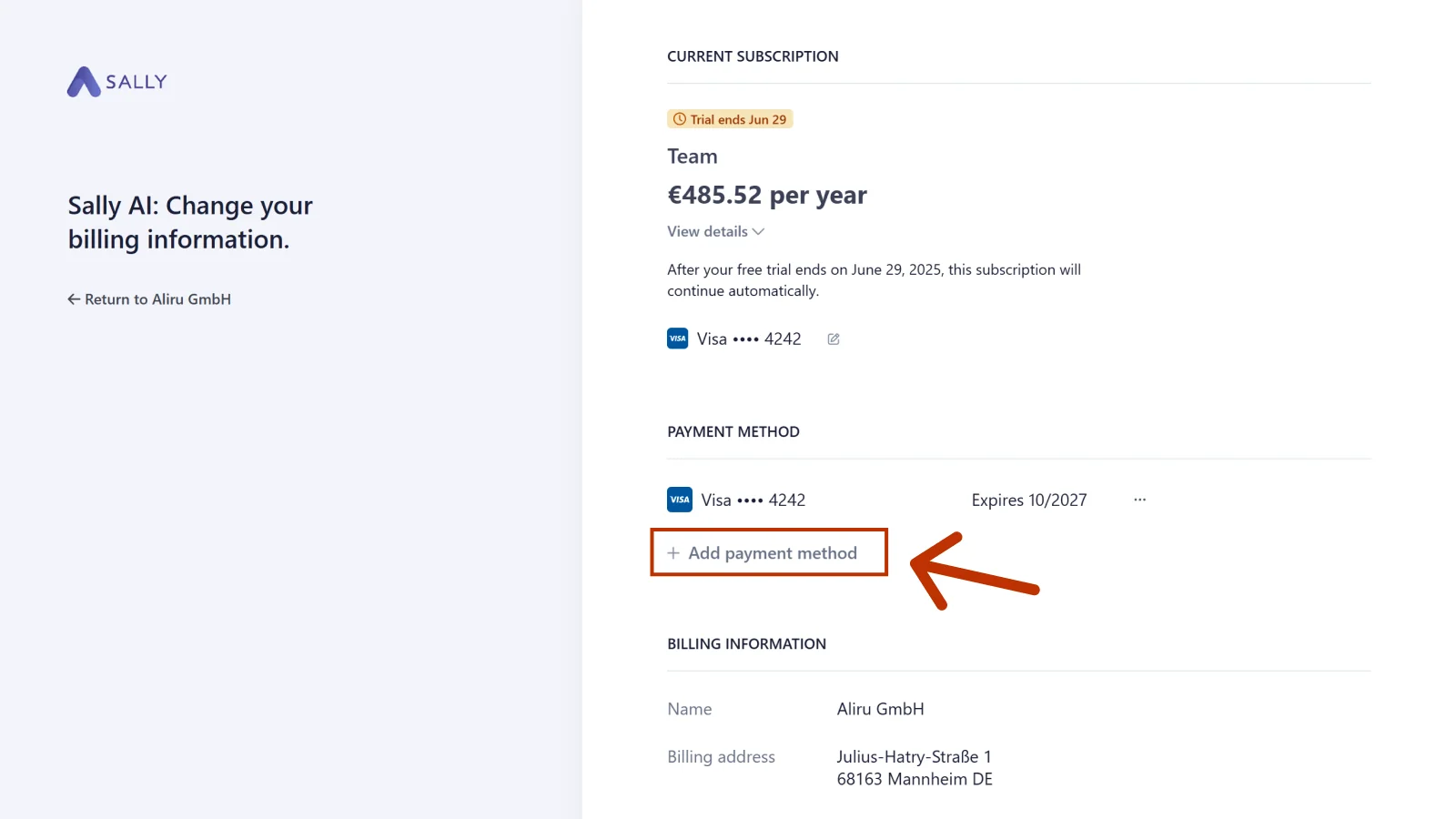
- Under Payment method, click Add payment method. The three dots next to a method already on file let you edit or delete it instead.
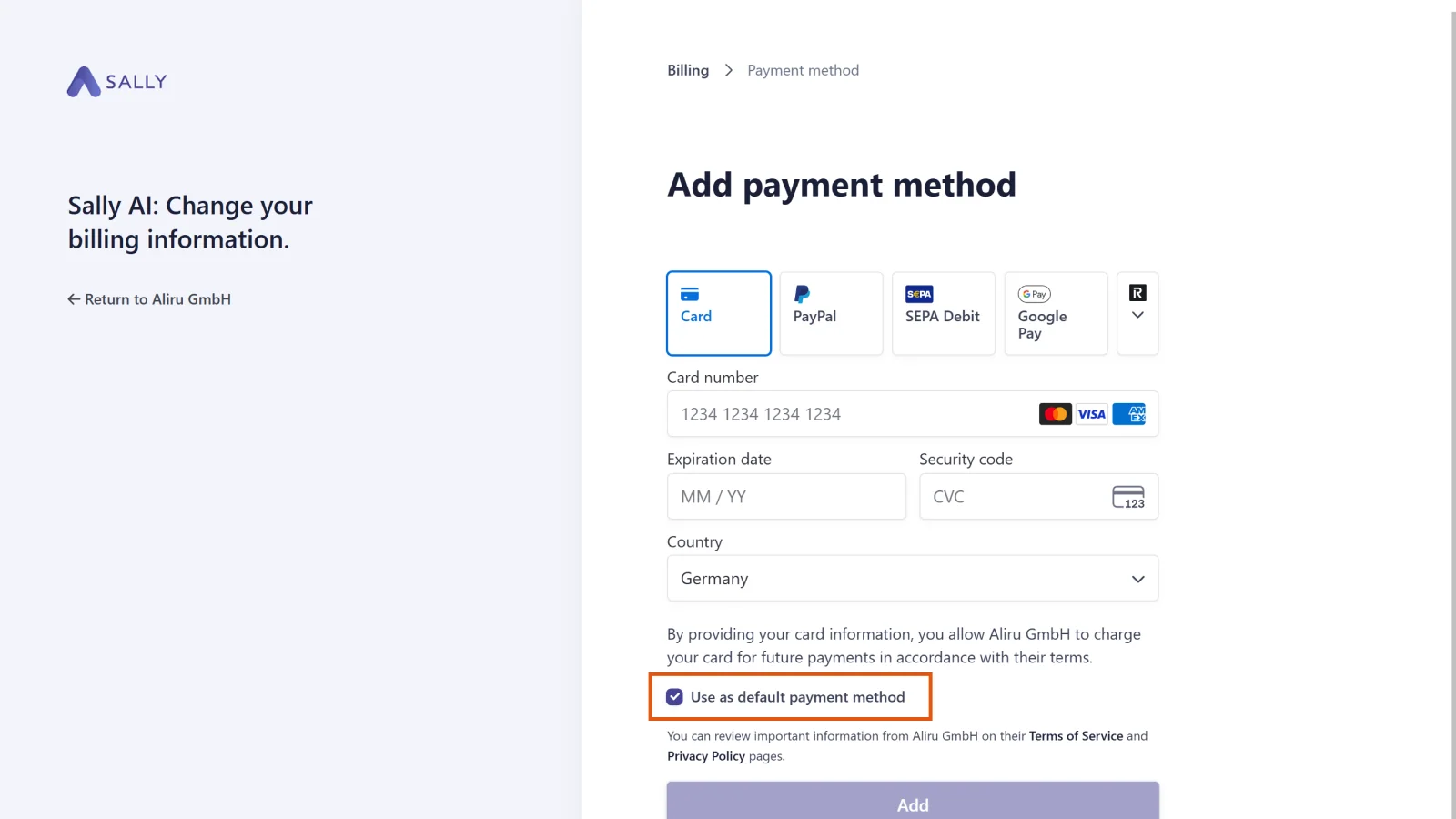
- Pick your preferred payment method, Card, PayPal, or SEPA Debit for instance. More options sit behind the arrow to the right of the tiles.
- Tick Use as default payment method and click Add.
Important
Without the Use as default payment method tick, the new method is only stored and will not be used for future payments. Your previous default stays in place.
2. What payment methods does Sally AI accept?
2.1. Popular payment methods
These are the most popular payment methods chosen by Sally customers:
- PayPal (All regions)
- Credit Cards (Visa, Mastercard, American Express; All regions)
- Link (All regions)
- SEPA Direct Debit (Europe, bank account payment)
2.2. All payment methods
These are all available payment methods (alphabetically sorted):
- Alipay (China)
- Amazon Pay (All regions)
- Apple Pay (All regions)
- Bancontact (Belgium)
- BLIK (Poland)
- Cartes Bancaires (France)
- Credit Card (Visa, Mastercard, American Express; all regions)
- EPS (Austria)
- Giropay (Germany)
- Google Pay (All regions)
- iDEAL (Netherlands)
- Kakao Pay (South Korea)
- Korean Cards (South Korea)
- Link (All regions)
- MobilePay (Denmark, Finland)
- Multibanco (Portugal)
- Naver Pay (South Korea)
- PAYCO (South Korea)
- PayPal (All regions)
- Przelewy24 (Poland)
- Revolut Pay (Europe, United Kingdom)
- Samsung Pay (South Korea)
- Satispay (Italy, Austria, Belgium, Cyprus, Germany, Estonia, Spain, Finland, France, Greece, Croatia, Ireland, Lithuania, Luxembourg, Latvia, Malta, Netherlands, Portugal, Slovenia, Slovakia)
- SEPA Direct Debit (Europe, bank account payment)
- WeChat Pay (China)