How to download your Sally AI invoices as PDF
You can download your invoices from Sally at any time. Every invoice is stored in your account and can be exported as a PDF.
Invoices are created automatically with each payment, so you never have to request one.
Follow these steps:
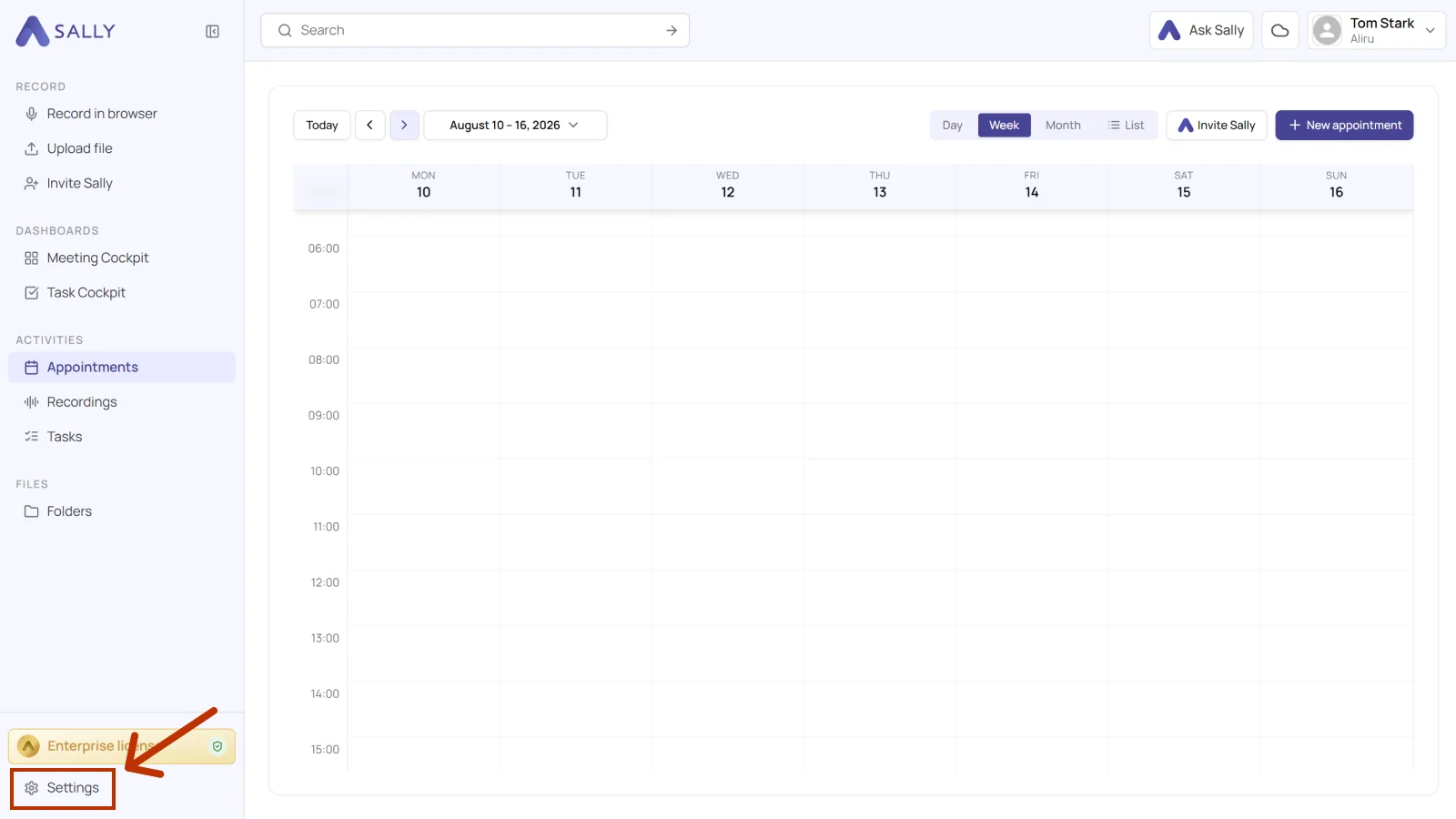
- Open Settings at the bottom of the left sidebar.
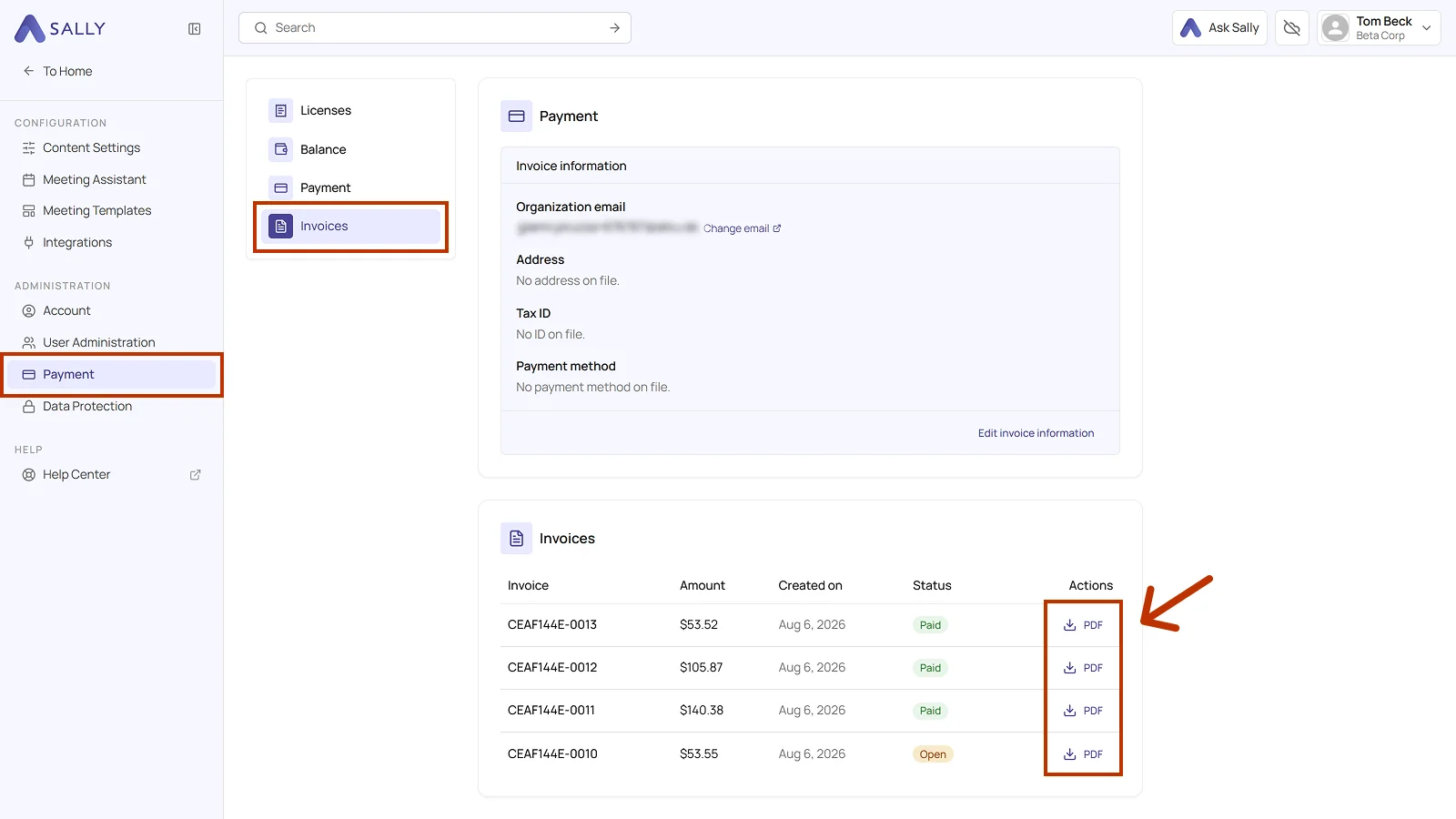
- Under Administration, open Payment.
- Open the Invoices section on the left. For every invoice the table shows the number, the amount, the creation date, and the status, either Paid or Open.
- In the Actions column, click PDF next to the invoice you need.
Info
The invoice downloads to your device as a PDF. Earlier invoices keep the details that were on file when they were issued, even if you change your invoice information later.