How to change your Sally AI billing interval
You can change your billing interval at any time and choose between monthly or yearly payments.
A switch only takes effect once your current subscription period ends.
If your monthly plan is active until September 29, 2026, and you switch to yearly billing, the yearly payment will be charged starting from September 30, 2026. Your next yearly payment would then only be due on September 30, 2027.
The same applies if you move from yearly to monthly. Your current plan runs until the end date, and the new interval begins right after.
That way you always use up the subscription you have already paid for before the new interval starts.
To change your billing interval:
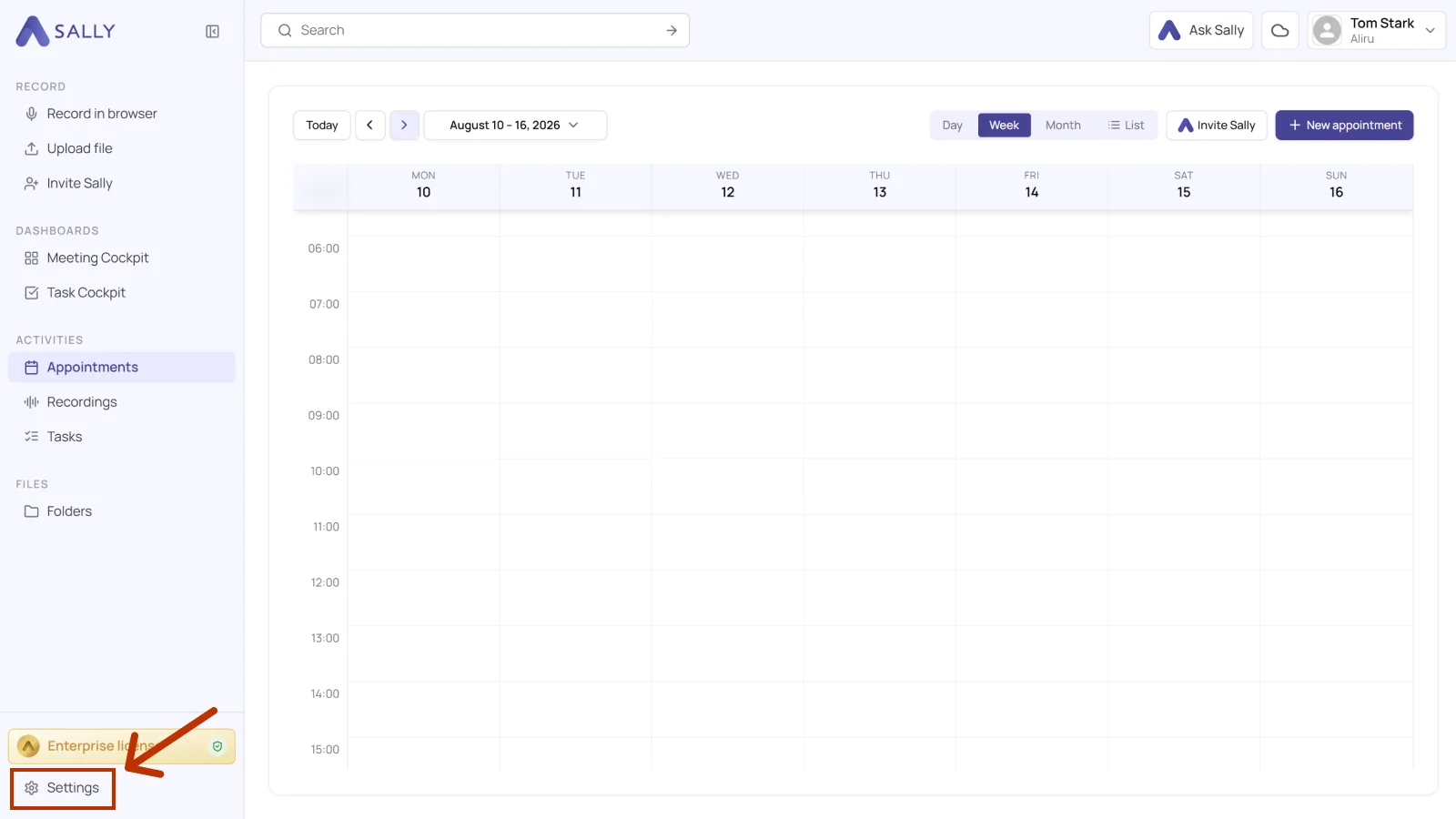
- Open Settings at the bottom of the left sidebar.
- Under Administration, open Payment.
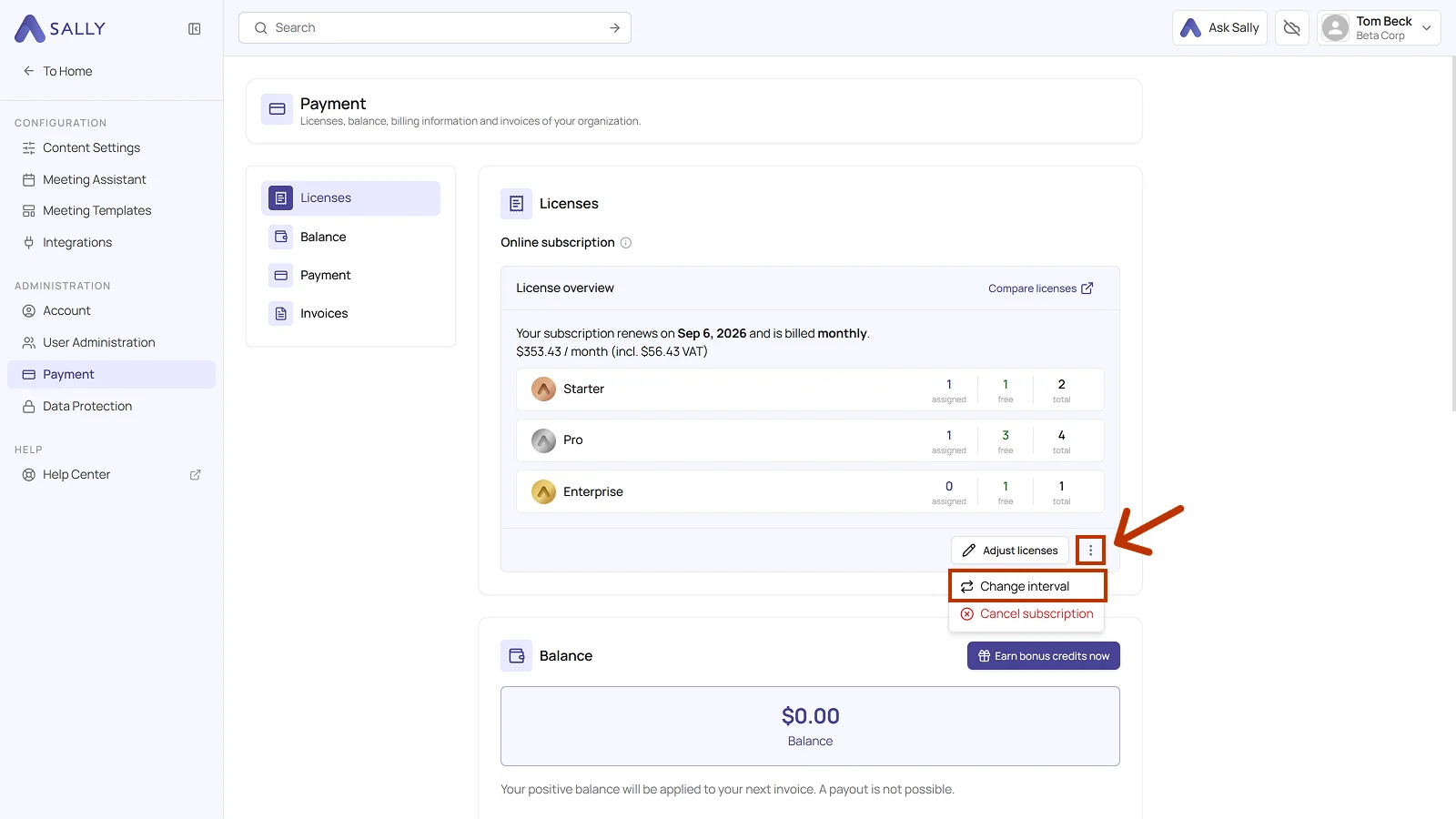
- In the license overview, click the three dots next to Adjust licenses and pick Change interval.
- In the "Change billing frequency" dialog, choose between Monthly and Yearly. Both tiles show the price including VAT, and the yearly one adds the monthly equivalent and what you save. Your current interval carries the Current label.
- Click Change frequency.
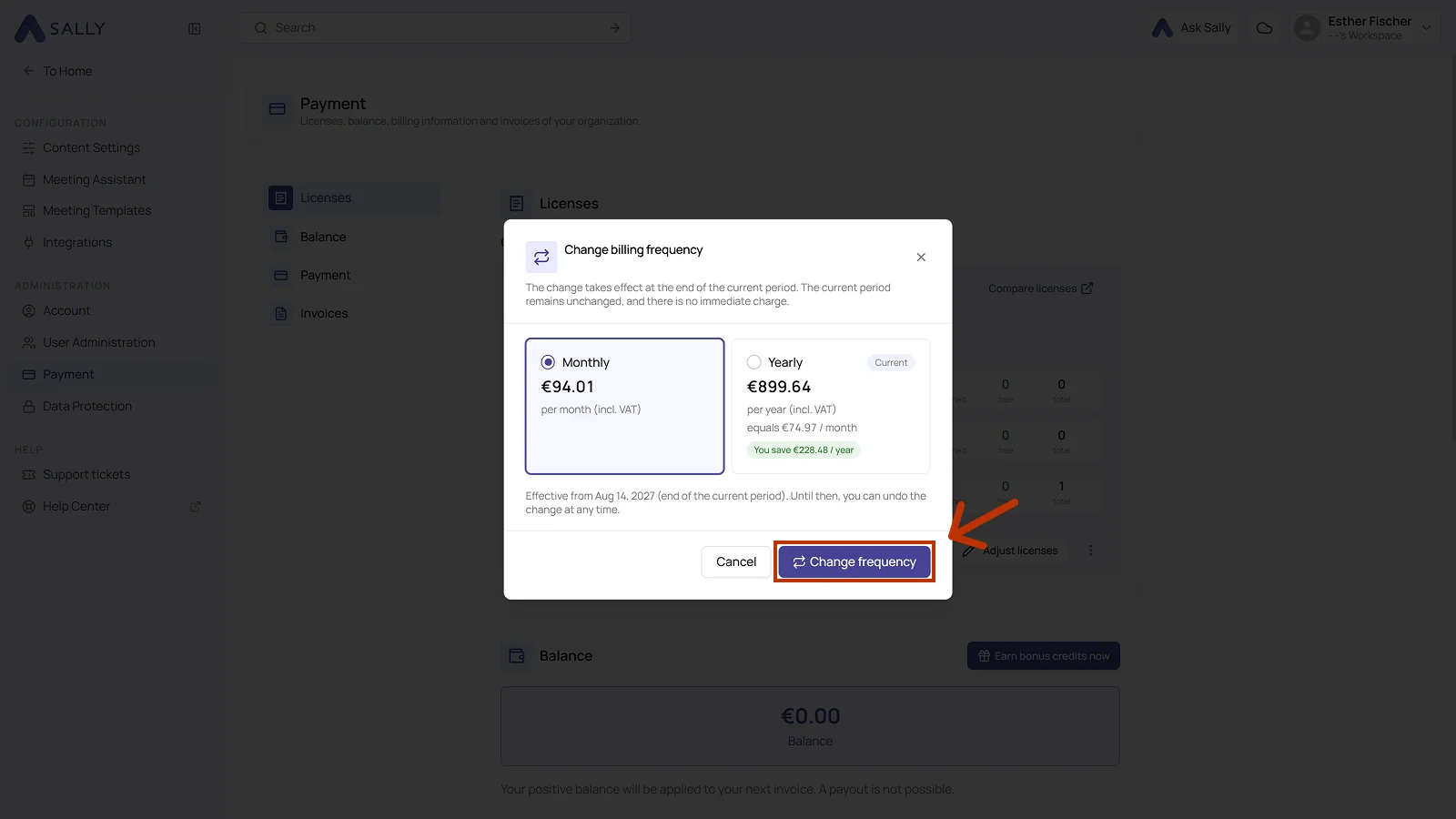
The switch takes effect at the end of the current period, and the dialog names the exact date. Until then you can undo it at any time, and nothing is charged right away.