How to hand over or leave a folder
Every folder has exactly one manager. That person changes the shares of the folder and can delete it. When you create a folder, you are its manager, but that does not have to stay that way: you can hand the management over to a colleague in your organization, for example when a project changes hands or you are leaving the company.
This guide shows how to hand over the management, how to leave a folder you manage, and how to leave a folder that someone else shared with you.
Quick navigation
1. Hand over the management
Only the manager can hand over a folder. The new manager has to belong to the same organization, and you keep Can edit afterwards.
- Open Folders, click the three-dot menu on the folder card and choose Edit.
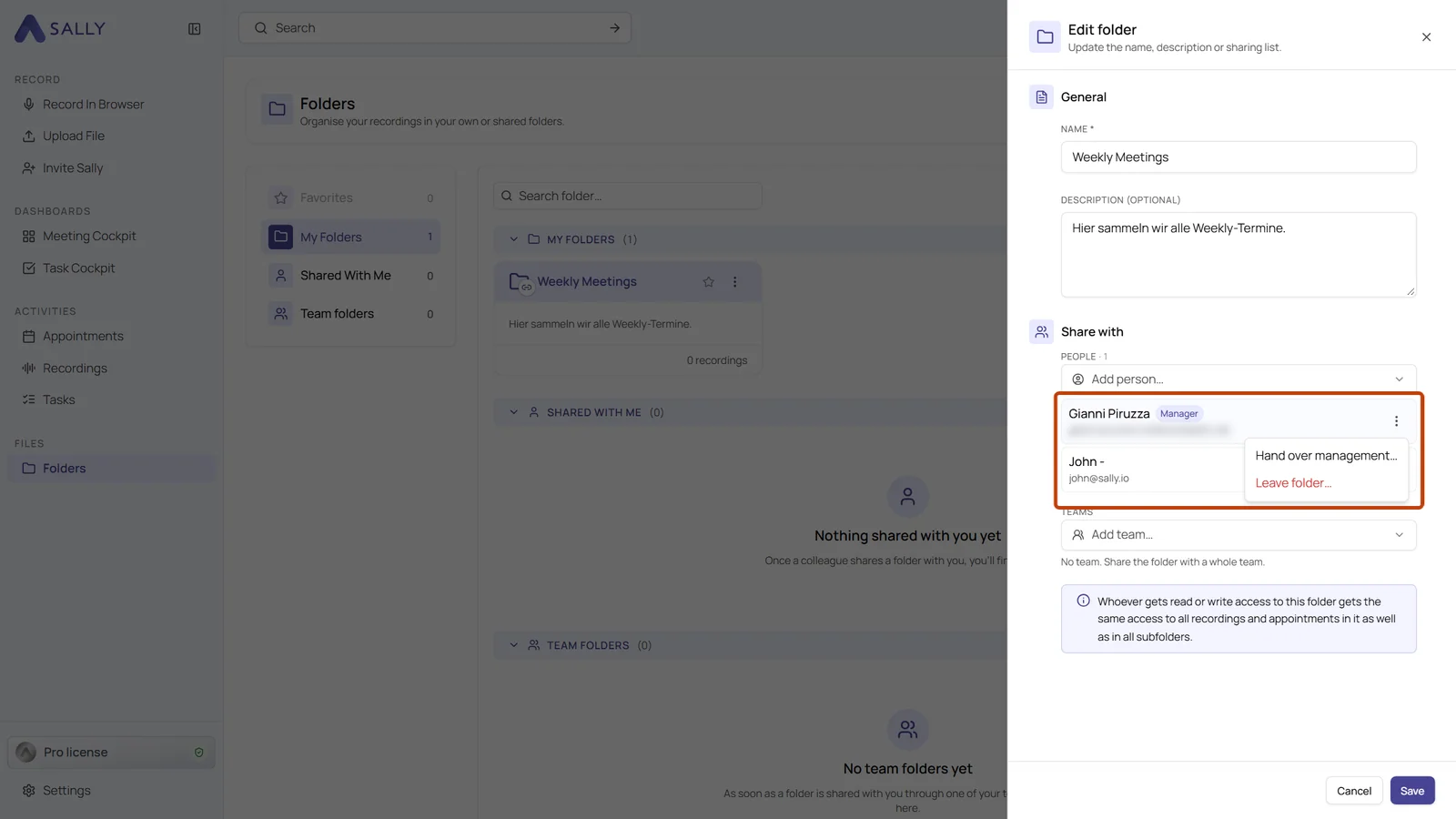
- Under Share with, your own entry carries the Manager badge. Click the three-dot menu at the end of that row and choose Hand over management.
- Under New manager, pick the person who takes over. People who already have access to the folder are listed first, and you can type to search for anyone else in your organization. Then click Hand over.
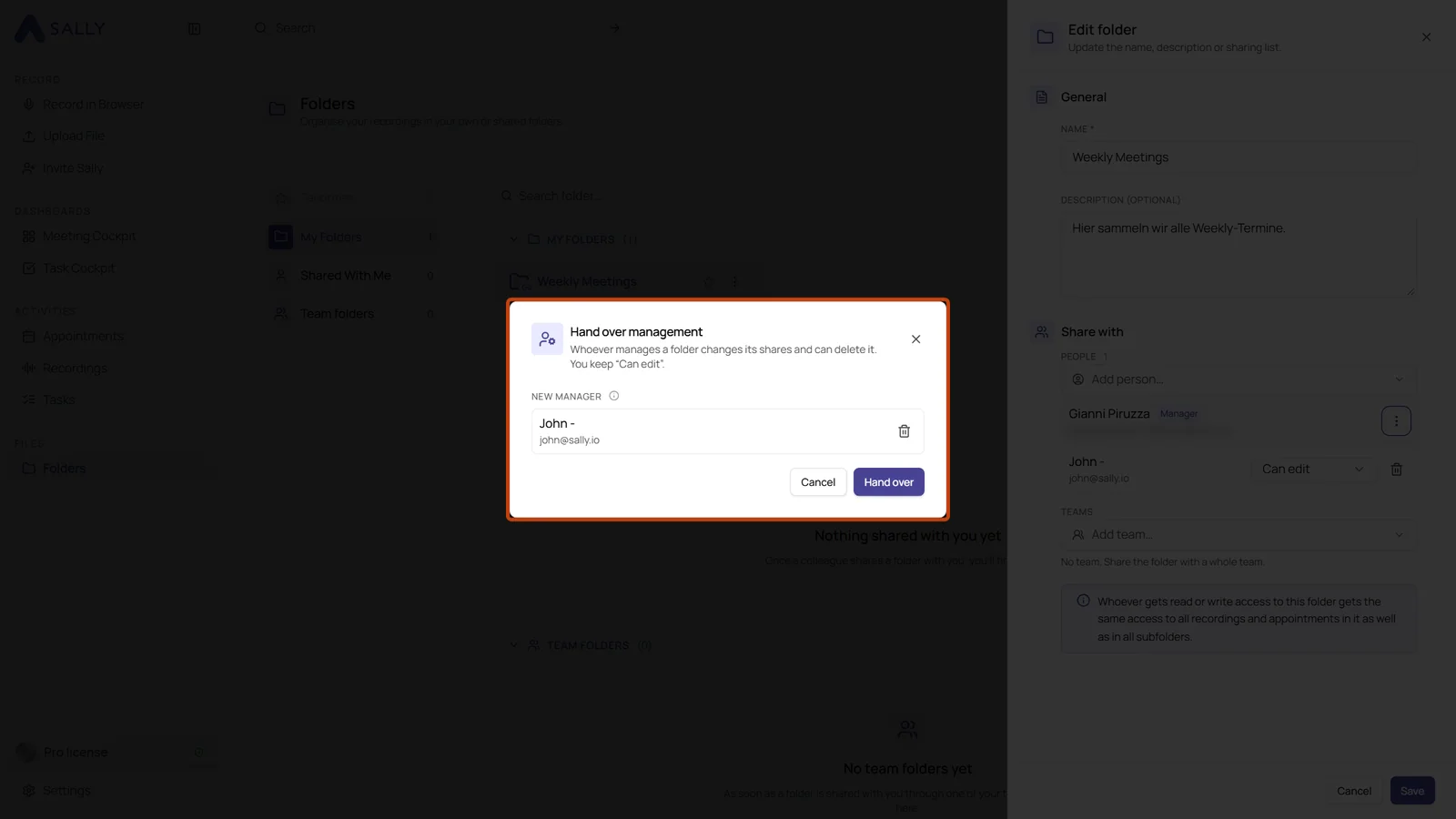
Sub-folders that you manage yourself are handed over together with the folder, even if they sit several levels deeper. The dialog names them before you confirm. Sub-folders managed by someone else stay with that person.
2. Leave a folder you manage
If you no longer need a folder you manage, you leave it. Since a folder cannot be without a manager, you name a successor at the same time.
- Open the folder's settings as described above and choose Leave folder in the menu on your own entry.
- Under New manager, pick your successor and click Leave.
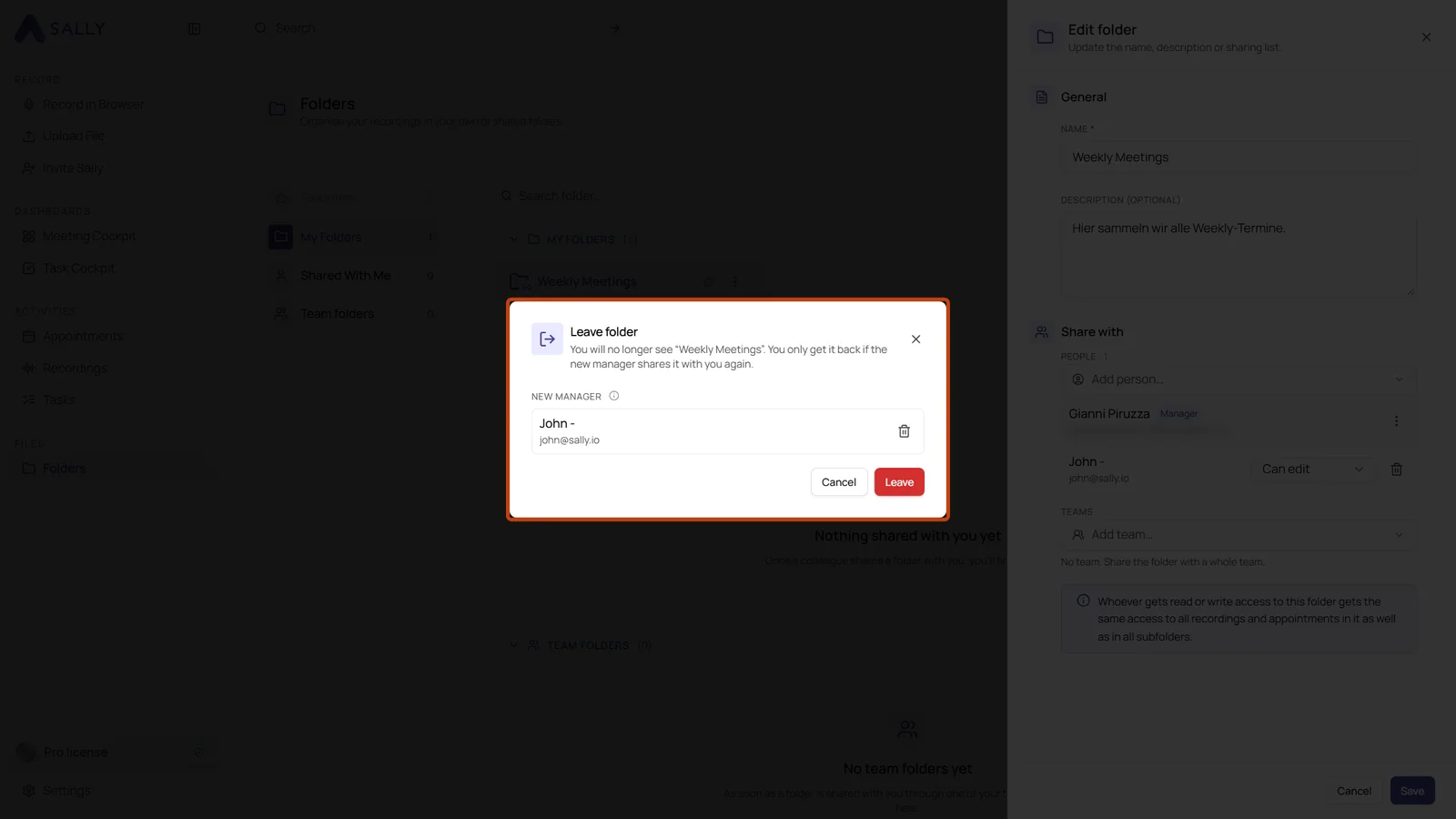
Afterwards you no longer see the folder or the sub-folders you managed in it. You only get access again if the new manager shares the folder with you. You can still reach it through a parent folder that is shared with you, or through a team the folder is shared with.
3. Leave a folder shared with you
A folder that someone shared with you can be left as well, without asking the manager.
- Open Folders and find the folder under Shared with me.
- Click the three-dot menu on the folder card and choose Leave folder.
This only removes your personal share. If the folder also reaches you through one of your teams or through a parent folder, you keep that access.
4. Common questions
What can the manager do that others cannot?
The manager changes the shares of the folder, hands over the management and can delete the folder. People with Can edit add and remove recordings and create sub-folders, people with Can read open the folder and its recordings. More on the permissions is in Create and share folders.
What happens to my folders when I leave the company?
Hand them over before you go. Every folder you manage can go to a colleague in your organization, together with the sub-folders you manage in it, so your team keeps working with them.
Can a colleague take over a folder on their own?
No. Only the current manager can hand over the management, someone with Can edit cannot take it.