Tell apart the speakers in a shared room
In a hybrid meeting, several people sit together in one room and take part through one shared device, while everyone else joins on their own. For the meeting, that room counts as a single participant. Without help, every voice from the room therefore ends up in the transcript under one single name. When you set the meeting to Hybrid, Sally tells these voices apart and gives each person their own name.
This short guide shows how to set that up. How to prepare the room and sort out the speakers afterwards is covered in Record a hybrid meeting.
Sally can also detect a hybrid meeting on her own, but that is never guaranteed. So set it yourself before the meeting, in the appointment settings: choose Hybrid, several people share a room. That way Sally is guaranteed to treat the meeting as hybrid and separates the voices from the room reliably.
Open the setting on the appointment
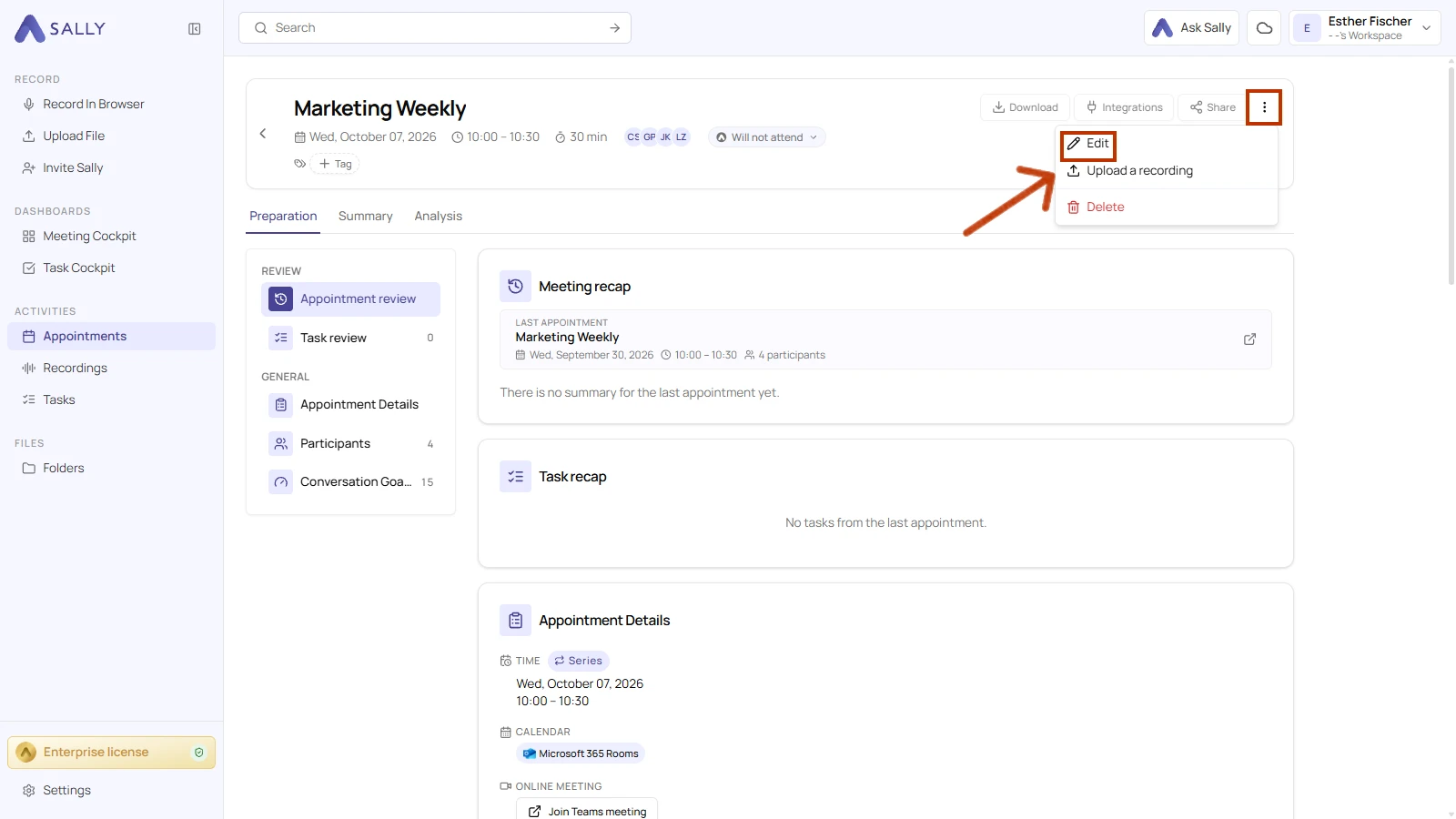
- Open the appointment and choose Edit from the menu in the top right.
- In the Sally behavior section, open the Hybrid meeting dropdown and choose an option. It sits right below Recording.
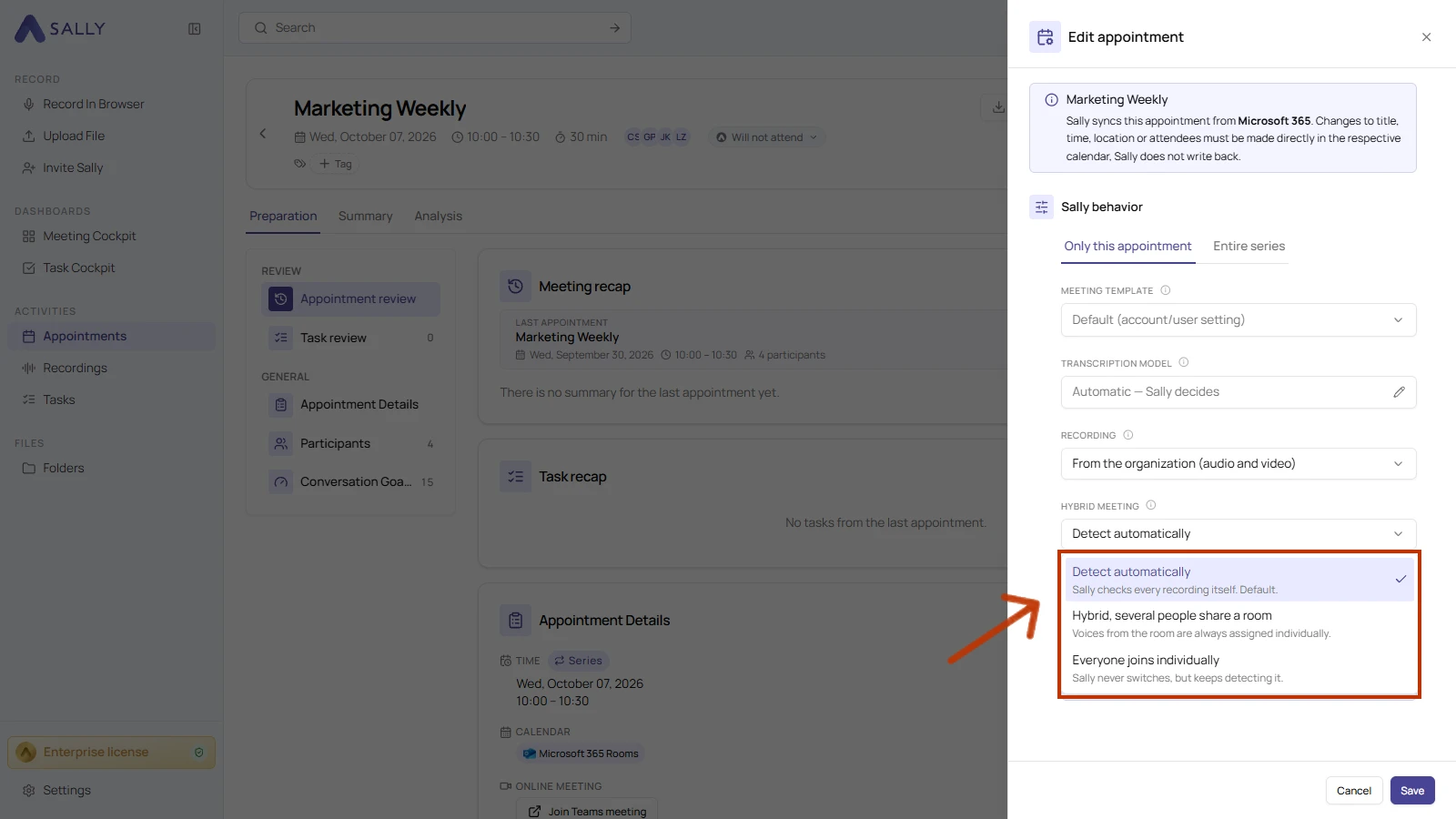
The three options
| Option | What it does |
|---|---|
| Hybrid, several people share a room (recommended) | You tell Sally the meeting is hybrid, so she always separates the voices that come from the room. |
| Everyone joins individually | You tell Sally there is no shared room, so every voice is treated as its own participant. |
| Detect automatically | Sally decides on her own whether the meeting is hybrid, from the signals in the recording. This works often, but is not guaranteed. |
When you know that a room is shared, pick Hybrid, several people share a room. That way Sally always separates the voices from the room, instead of leaving it to detection.
Appointment or whole series
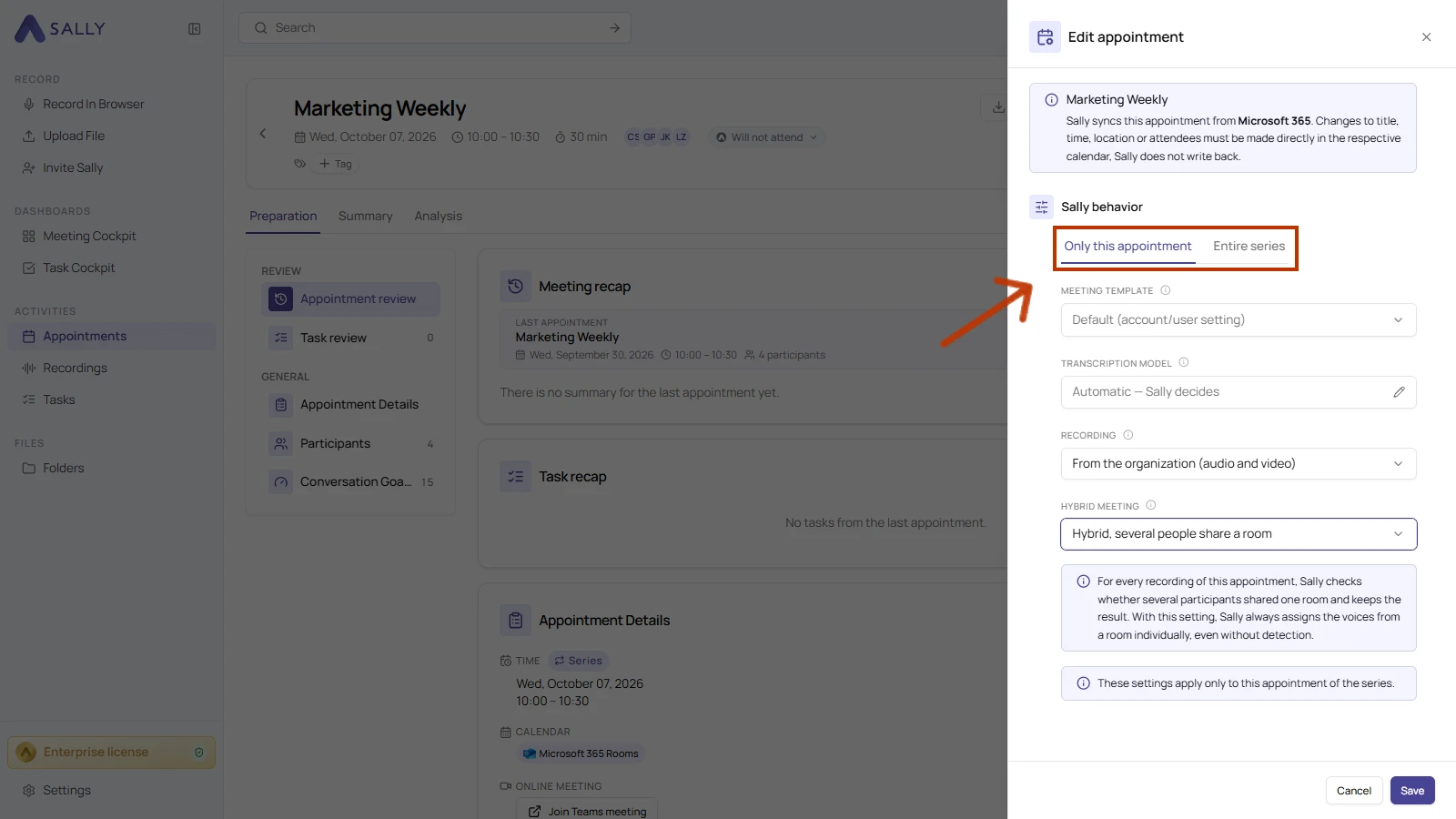
Like the other Sally behavior settings, Hybrid meeting applies either to the single appointment or to the whole series, and a calendar sync never overwrites your choice. For a recurring meeting, choose this with the tabs at the top: Only this appointment applies to this one, Entire series applies to every appointment in the series. After you pick the setting, click Save.
Whichever option you pick, you can always reassign and rename speakers in the transcript later, see Sort out the speakers afterwards.